
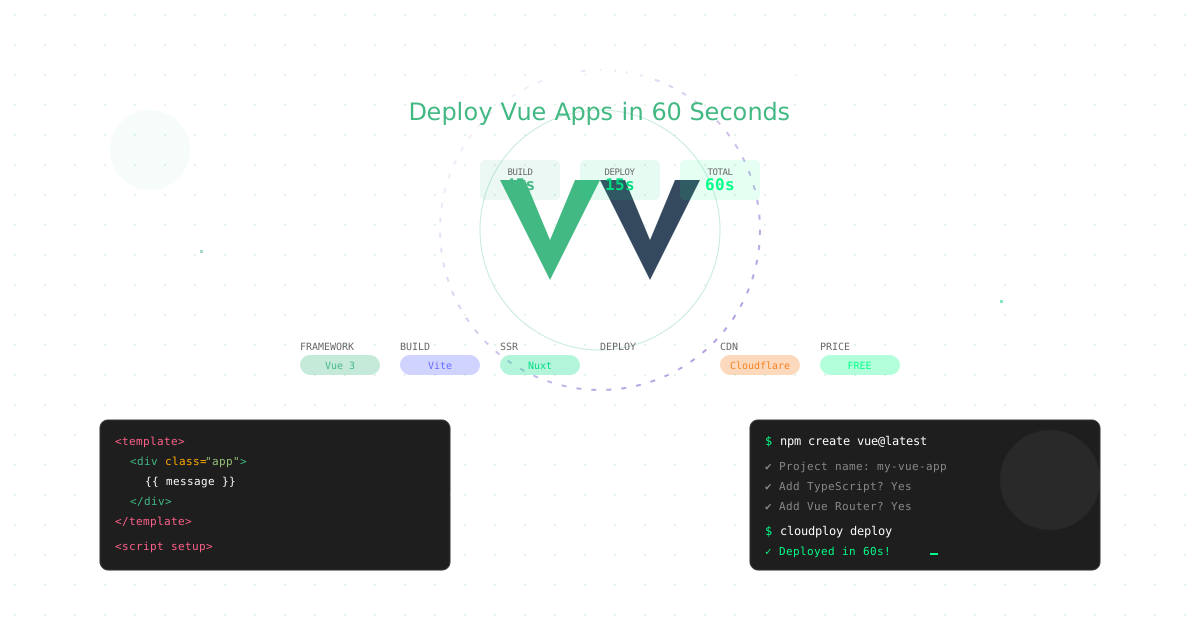
Vue.js continues to grow as developers’ favorite progressive JavaScript framework, combining simplicity with powerful features. Deploying Vue applications on Ubuntu servers gives you complete control over your infrastructure while maintaining optimal performance and cost efficiency. This comprehensive guide covers everything from basic Vue deployments to advanced production optimization strategies on Ubuntu.
Note: This guide focuses on deploying Vue.js on Ubuntu servers. CloudPloy currently supports Laravel applications, with Vue.js support coming soon. Stay tuned for updates!
Why Vue.js Hosting Requires Special Consideration
Vue applications have unique characteristics that benefit from Ubuntu server deployment:
- Reactive Data Binding: Efficient client-side state management
- Component-Based Architecture: Benefits from aggressive caching strategies
- Vue Router: Requires proper nginx configuration for SPA routing
- Pinia State Management: Client-side state with server-side API integration
- Build Optimization: Smaller bundle sizes ideal for CDN distribution
- Progressive Enhancement: Flexible deployment with nginx fallback strategies
Ubuntu servers provide the perfect foundation for Vue.js applications with complete control over web server configuration, caching, and performance optimization.
Deploy Your Vue App on Ubuntu Server
Step 1: Ubuntu Server Setup
# Update system and install Node.js
sudo apt update && sudo apt upgrade -y
curl -fsSL https://deb.nodesource.com/setup_20.x | sudo -E bash -
sudo apt-get install -y nodejs

# Install nginx for serving static files
sudo apt install nginx -y

# Install certbot for SSL certificates
sudo apt install certbot python3-certbot-nginx -y

# Install git for deployment
sudo apt install git -y
Step 2: Prepare Your Vue Application
# Create a new Vue 3 application
npm create vue@latest my-vue-app
cd my-vue-app
npm install

# Or create Vue app with Vite (recommended)
npm create vite@latest my-vue-app -- --template vue
cd my-vue-app
npm install

# Build for production
npm run build
Step 3: Deploy to Ubuntu Server
# Upload your application to server
scp -r my-vue-app/ user@your-server:/var/www/

# Or use git (recommended)
git clone https://github.com/yourusername/my-vue-app.git /var/www/my-vue-app
cd /var/www/my-vue-app
npm ci --production
npm run build

# Set proper ownership
sudo chown -R www-data:www-data /var/www/my-vue-app
Step 4: Configure Nginx for Vue SPA
# Create nginx server block
sudo nano /etc/nginx/sites-available/my-vue-app
server {
listen 80;
server_name yourdomain.com www.yourdomain.com;
root /var/www/my-vue-app/dist;
index index.html;
# Handle Vue Router (SPA routing)
location / {
try_files $uri $uri/ /index.html;
}
# Optimize static assets caching
location ~* \.(js|css|png|jpg|jpeg|gif|ico|svg|woff|woff2|ttf|eot)$ {
expires 1y;
add_header Cache-Control "public, immutable";
access_log off;
}
# API proxy (if needed)
location /api/ {
proxy_pass http://localhost:3001/;
proxy_http_version 1.1;
proxy_set_header Upgrade $http_upgrade;
proxy_set_header Connection 'upgrade';
proxy_set_header Host $host;
proxy_set_header X-Real-IP $remote_addr;
proxy_set_header X-Forwarded-For $proxy_add_x_forwarded_for;
proxy_set_header X-Forwarded-Proto $scheme;
proxy_cache_bypass $http_upgrade;
}
# Security headers
add_header X-Frame-Options "SAMEORIGIN" always;
add_header X-XSS-Protection "1; mode=block" always;
add_header X-Content-Type-Options "nosniff" always;
add_header Referrer-Policy "no-referrer-when-downgrade" always;
# Enable gzip compression
gzip on;
gzip_vary on;
gzip_min_length 1024;
gzip_types text/plain text/css text/xml text/javascript application/javascript application/xml+rss application/json;
}# Enable the site and get SSL certificate
sudo ln -s /etc/nginx/sites-available/my-vue-app /etc/nginx/sites-enabled/
sudo nginx -t
sudo systemctl reload nginx
sudo certbot --nginx -d yourdomain.com -d www.yourdomain.comVue 3 Composition API Deployment Best Practices
1. Optimize Your Setup
// src/main.js
import { createApp } from 'vue'
import { createPinia } from 'pinia'
import App from './App.vue'
import router from './router'

// Production optimizations
const app = createApp(App)

// Enable production mode
app.config.productionTip = false

// Error handling for production
app.config.errorHandler = (err, vm, info) => {
  // Send errors to your logging service
  console.error('Vue Error:', err, info)

  // Send to custom error tracking
  if (process.env.NODE_ENV === 'production') {
    fetch('/api/errors', {
      method: 'POST',
      headers: { 'Content-Type': 'application/json' },
      body: JSON.stringify({
        error: err.message,
        stack: err.stack,
        info,
        url: window.location.href,
        timestamp: new Date().toISOString()
      })
    }).catch(console.error)
  }
}

app.use(createPinia())
app.use(router)
app.mount('#app')
2. Environment Configuration
Create environment-specific configurations:
// .env.production
VITE_APP_API_URL=https://api.yourdomain.com
VITE_APP_TITLE=My Vue App
VITE_APP_VERSION=$npm_package_version
VITE_APP_ENV=production
VITE_APP_BASE_URL=https://yourdomain.com
// src/config/index.js
export const config = {
apiUrl: import.meta.env.VITE_APP_API_URL,
title: import.meta.env.VITE_APP_TITLE,
version: import.meta.env.VITE_APP_VERSION,
isProd: import.meta.env.PROD
}3. Route-Based Code Splitting
// src/router/index.js
import { createRouter, createWebHistory } from 'vue-router'

const routes = [
  {
    path: '/',
    name: 'Home',
    component: () => import('../views/Home.vue')
  },
  {
    path: '/dashboard',
    name: 'Dashboard',
    component: () => import(
      /* webpackChunkName: "dashboard" */
      '../views/Dashboard.vue'
    )
  },
  {
    path: '/profile/:id',
    name: 'Profile',
    component: () => import(
      /* webpackChunkName: "profile" */
      '../views/Profile.vue'
    )
  }
]

const router = createRouter({
  history: createWebHistory(import.meta.env.BASE_URL),
  routes
})

export default router
Advanced Vue.js Production Configuration on Ubuntu
Optimized Vite Configuration
// vite.config.js
import { defineConfig } from 'vite'
import vue from '@vitejs/plugin-vue'
import { resolve } from 'path'

export default defineConfig({
  plugins: [vue()],
  build: {
    target: 'esnext',
    minify: 'terser',
    terserOptions: {
      compress: {
        drop_console: true,
        drop_debugger: true
      }
    },
    rollupOptions: {
      output: {
        chunkFileNames: 'assets/js/[name]-[hash].js',
        entryFileNames: 'assets/js/[name]-[hash].js',
        assetFileNames: 'assets/[ext]/[name]-[hash].[ext]',
        manualChunks: {
          vendor: ['vue', 'vue-router', 'pinia'],
          ui: ['@headlessui/vue', '@heroicons/vue']
        }
      }
    },
    sourcemap: false,
    cssCodeSplit: true
  },
  resolve: {
    alias: {
      '@': resolve(__dirname, 'src')
    }
  },
  server: {
    proxy: {
      '/api': {
        target: 'http://localhost:3001',
        changeOrigin: true,
        secure: false
      }
    }
  }
})
Production Nginx Configuration for Vue.js
server {
    listen 443 ssl http2;
    server_name yourdomain.com www.yourdomain.com;
    root /var/www/my-vue-app/dist;
    index index.html;

    # SSL Configuration
    ssl_certificate /etc/letsencrypt/live/yourdomain.com/fullchain.pem;
    ssl_certificate_key /etc/letsencrypt/live/yourdomain.com/privkey.pem;
    ssl_protocols TLSv1.2 TLSv1.3;
    ssl_ciphers ECDHE-RSA-AES256-GCM-SHA512:DHE-RSA-AES256-GCM-SHA512;
    ssl_prefer_server_ciphers off;

    # Security Headers
    add_header X-Frame-Options "SAMEORIGIN" always;
    add_header X-XSS-Protection "1; mode=block" always;
    add_header X-Content-Type-Options "nosniff" always;
    add_header Referrer-Policy "no-referrer-when-downgrade" always;
    add_header Strict-Transport-Security "max-age=31536000; includeSubDomains" always;
    add_header Content-Security-Policy "default-src 'self'; script-src 'self' 'unsafe-inline' 'unsafe-eval'; style-src 'self' 'unsafe-inline'; img-src 'self' data: https:; font-src 'self' https:;" always;

    # Vue Router - Handle client-side routing
    location / {
        try_files $uri $uri/ /index.html;
        add_header Cache-Control "no-cache, no-store, must-revalidate";
        add_header Pragma "no-cache";
        add_header Expires "0";
    }

    # Static assets with aggressive caching
    location /assets/ {
        expires 1y;
        add_header Cache-Control "public, immutable";
        access_log off;

        # Enable compression
        gzip_static on;
        brotli_static on;
    }

    # API proxy with rate limiting
    location /api/ {
        limit_req zone=api burst=20 nodelay;
        proxy_pass http://localhost:3001/;
        proxy_http_version 1.1;
        proxy_set_header Upgrade $http_upgrade;
        proxy_set_header Connection 'upgrade';
        proxy_set_header Host $host;
        proxy_set_header X-Real-IP $remote_addr;
        proxy_set_header X-Forwarded-For $proxy_add_x_forwarded_for;
        proxy_set_header X-Forwarded-Proto $scheme;
        proxy_cache_bypass $http_upgrade;
    }

    # Optimize compression
    gzip on;
    gzip_vary on;
    gzip_min_length 1024;
    gzip_comp_level 6;
    gzip_types
        text/plain
        text/css
        text/xml
        text/javascript
        application/json
        application/javascript
        application/xml+rss
        application/atom+xml
        image/svg+xml;

    # Brotli compression (if available)
    brotli on;
    brotli_comp_level 6;
    brotli_types
        text/plain
        text/css
        text/xml
        text/javascript
        application/json
        application/javascript
        application/xml+rss
        application/atom+xml
        image/svg+xml;
}

# HTTP to HTTPS redirect
server {
    listen 80;
    server_name yourdomain.com www.yourdomain.com;
    return 301 https://$server_name$request_uri;
}

# Rate limiting
http {
    limit_req_zone $binary_remote_addr zone=api:10m rate=10r/s;
}
      "src": "/(.*)",
      "dest": "/index.html"
    }
  ],
  "headers": [
    {
      "source": "/assets/(.*)",
      "headers": [
        {
          "key": "Cache-Control",
          "value": "public, max-age=31536000, immutable"
        }
      ]
    },
    {
      "source": "/(.*)",
      "headers": [
        {
          "key": "X-Frame-Options",
          "value": "SAMEORIGIN"
        },
        {
          "key": "X-Content-Type-Options",
          "value": "nosniff"
        }
      ]
    }
  ],
  "performance": {
    "compression": "brotli",
    "http2": true,
    "preconnect": [
      "https://fonts.googleapis.com",
      "https://api.yourdomain.com"
    ]
  }
}
Advanced Vue Deployment Scenarios
Server-Side Rendering with Nuxt.js
For SEO-critical Vue applications, deploy Nuxt.js on CloudPloy:
# Create Nuxt application
npx nuxi init my-nuxt-app
cd my-nuxt-app
npm install

# Configure for CloudPloy
echo "nitro.preset = 'node-server'" >> nuxt.config.ts

# Deploy
cloudploy deploy --framework nuxt
Nuxt configuration for CloudPloy:
// nuxt.config.ts
export default defineNuxtConfig({
  nitro: {
    preset: 'node-server',
    compressPublicAssets: true
  },
  app: {
    head: {
      htmlAttrs: { lang: 'en' },
      meta: [
        { charset: 'utf-8' },
        { name: 'viewport', content: 'width=device-width, initial-scale=1' }
      ]
    }
  },
  vite: {
    build: {
      rollupOptions: {
        output: {
          manualChunks: {
            'vue-vendor': ['vue', 'vue-router', 'pinia'],
            'ui-vendor': ['@headlessui/vue', '@heroicons/vue']
          }
        }
      }
    }
  }
})
Vue with Express API Backend
Deploy full-stack Vue applications:
// server/index.js
const express = require('express')
const history = require('connect-history-api-fallback')
const app = express()

// API routes
app.use('/api', require('./routes/api'))

// Serve Vue app
app.use(history())
app.use(express.static('dist'))

const PORT = process.env.PORT || 3000
app.listen(PORT, () => {
  console.log(`Server running on port ${PORT}`)
})
Deploy command:
cloudploy deploy --type fullstack --entry server/index.jsMicro-Frontend Architecture with Vue
// main-app/src/main.js
import { registerApplication, start } from 'single-spa'

registerApplication({
  name: '@company/navbar',
  app: () => import('@company/navbar'),
  activeWhen: () => true
})

registerApplication({
  name: '@company/dashboard',
  app: () => import('@company/dashboard'),
  activeWhen: ['/dashboard']
})

start()
Performance Optimization for Vue on CloudPloy
1. Implement Lazy Loading
// src/components/LazyImage.vue
<template>
  <img
    v-lazy="imageSrc"
    :alt="alt"
    class="lazy-image"
  />
</template>

<script setup>
import { ref, onMounted } from 'vue'

const props = defineProps(['src', 'alt'])

const imageSrc = ref('')

onMounted(() => {
  // Use CloudPloy's image optimization
  imageSrc.value = `https://cdn.cloudploy.com/optimize?url=${props.src}&w=800&q=85`
})
</script>
2. Configure Webpack for Production
// vue.config.js
module.exports = {
  productionSourceMap: false,
  configureWebpack: {
    optimization: {
      splitChunks: {
        chunks: 'all',
        cacheGroups: {
          vendor: {
            test: /[\\/]node_modules[\\/]/,
            name: 'vendors',
            priority: 10,
            reuseExistingChunk: true
          },
          common: {
            minChunks: 2,
            priority: 5,
            reuseExistingChunk: true
          }
        }
      }
    },
    performance: {
      maxEntrypointSize: 300000,
      maxAssetSize: 250000
    }
  }
}
3. Enable Progressive Web App Features
// src/registerServiceWorker.js
import { register } from 'register-service-worker'

if (process.env.NODE_ENV === 'production') {
  register(`${process.env.BASE_URL}service-worker.js`, {
    ready() {
      console.log('App is being served from cache by a service worker.')
    },
    registered() {
      console.log('Service worker has been registered.')
    },
    cached() {
      console.log('Content has been cached for offline use.')
    },
    updatefound() {
      console.log('New content is downloading.')
    },
    updated() {
      console.log('New content is available; please refresh.')
      // Auto-refresh or notify user
    }
  })
}
Vue Security Best Practices on CloudPloy
1. Content Security Policy
// cloudploy.json security headers
{
  "headers": [
    {
      "source": "/(.*)",
      "headers": [
        {
          "key": "Content-Security-Policy",
          "value": "default-src 'self'; script-src 'self' 'unsafe-eval'; style-src 'self' 'unsafe-inline'; img-src 'self' data: https:; connect-src 'self' https://api.yourdomain.com"
        },
        {
          "key": "Strict-Transport-Security",
          "value": "max-age=31536000; includeSubDomains"
        }
      ]
    }
  ]
}
2. Sanitize User Input
// src/utils/security.js
import DOMPurify from 'dompurify'

export const sanitizeHTML = (dirty) => {
  return DOMPurify.sanitize(dirty, {
    ALLOWED_TAGS: ['b', 'i', 'em', 'strong', 'a'],
    ALLOWED_ATTR: ['href']
  })
}

// Usage in component
<template>
  <div v-html="sanitizedContent"></div>
</template>

<script setup>
import { computed } from 'vue'
import { sanitizeHTML } from '@/utils/security'

const props = defineProps(['content'])

const sanitizedContent = computed(() =>
  sanitizeHTML(props.content)
)
</script>
3. Secure API Communication
// src/services/api.js
import axios from 'axios'

const api = axios.create({
  baseURL: import.meta.env.VITE_APP_API_URL,
  timeout: 10000,
  withCredentials: true
})

// Request interceptor
api.interceptors.request.use(
  config => {
    const token = localStorage.getItem('token')
    if (token) {
      config.headers.Authorization = `Bearer ${token}`
    }
    return config
  },
  error => Promise.reject(error)
)

// Response interceptor
api.interceptors.response.use(
  response => response,
  error => {
    if (error.response?.status === 401) {
      // Handle authentication error
      router.push('/login')
    }
    return Promise.reject(error)
  }
)

export default api
Monitoring and Performance Tracking
CloudPloy Vue Performance Monitoring
// src/plugins/monitoring.js
export default {
  install(app) {
    // Track component performance
    app.config.performance = true

    // Global error handler
    app.config.errorHandler = (err, instance, info) => {
      // CloudPloy automatically captures these
      console.error('Vue Error:', {
        error: err,
        component: instance?.$options.name,
        info: info
      })
    }

    // Track route changes
    const router = app.config.globalProperties.$router
    if (router) {
      router.afterEach((to, from) => {
        // Track page views
        window.cloudploy?.track('pageview', {
          path: to.path,
          from: from.path
        })
      })
    }
  }
}
CI/CD Pipeline for Vue Applications
GitHub Actions Workflow
# .github/workflows/deploy-vue.yml
name: Deploy Vue to CloudPloy

on:
  push:
    branches: [main]
  pull_request:
    branches: [main]

jobs:
  test-and-deploy:
    runs-on: ubuntu-latest

    steps:
    - uses: actions/checkout@v3

    - name: Setup Node.js
      uses: actions/setup-node@v3
      with:
        node-version: '18'
        cache: 'npm'

    - name: Install dependencies
      run: npm ci

    - name: Run tests
      run: npm run test:unit

    - name: Run E2E tests
      run: npm run test:e2e:ci

    - name: Build application
      run: npm run build

    - name: Run Lighthouse CI
      run: |
        npm install -g @lhci/cli
        lhci autorun

    - name: Deploy to CloudPloy
      if: github.ref == 'refs/heads/main'
      env:
        CLOUDPLOY_TOKEN: ${{ secrets.CLOUDPLOY_TOKEN }}
      run: |
        npx @cloudploy/cli deploy --prod
Vue Hosting Cost Comparison
| Platform | Cost/Month | Vue Support | SSR Support | Build Time | CDN |
|---|---|---|---|---|---|
| CloudPloy | FREE | Excellent | Yes | 60s | Included |
| Vercel | $20+ | Good | Yes | 2-3min | Yes |
| Netlify | $19+ | Good | Limited | 2-4min | Yes |
| AWS S3+CF | $10+ | Manual | No | N/A | Yes |
| Firebase | $25+ | Good | No | 3-5min | Yes |
| Render | $7+ | Good | Yes | 3-5min | Limited |
Troubleshooting Common Vue Hosting Issues
Issue: 404 Errors on Page Refresh
// Solution: Configure server for SPA
// cloudploy.json
{
  "routes": [
    { "src": "/(.*)", "dest": "/index.html" }
  ]
}
Issue: Large Bundle Size
// Solution: Analyze and optimize
// package.json
{
  "scripts": {
    "analyze": "vue-cli-service build --report"
  }
}

// Then optimize imports
// ❌ Wrong
import { Button, Input, Card } from 'element-plus'

// ✅ Correct
import Button from 'element-plus/lib/button'
import Input from 'element-plus/lib/input'
import Card from 'element-plus/lib/card'
Issue: Slow Initial Load
// Solution: Implement preloading
// index.html
<link rel="preload" href="/js/app.js" as="script">
<link rel="preload" href="/css/app.css" as="style">
<link rel="preconnect" href="https://api.yourdomain.com">
Vue Deployment Checklist
Pre-Deployment
- Optimize bundle size (< 250KB gzipped)
- Configure environment variables
- Implement error boundaries
- Set up meta tags for SEO
- Test production build locally
Deployment Configuration
- Configure SPA routing
- Set up SSL certificate
- Enable CDN caching
- Configure security headers
- Set up monitoring
Post-Deployment
- Verify all routes work
- Check performance metrics
- Test API connections
- Monitor error rates
- Set up alerts
Advanced CloudPloy Features for Vue
1. Automatic Preview Deployments
# Every PR gets a preview URL
https://pr-123-my-vue-app.preview.ploy.app
2. Environment-Based Deployments
# Deploy to different environments
cloudploy deploy --env staging
cloudploy deploy --env production
3. A/B Testing Support
// src/composables/useABTest.js
import { ref, onMounted } from 'vue'

export function useABTest(testName, variants) {
  const variant = ref(null)

  onMounted(() => {
    // Simple client-side A/B testing
    const stored = localStorage.getItem(`ab-test-${testName}`)
    if (stored && variants.includes(stored)) {
      variant.value = stored
    } else {
      // Random assignment
      variant.value = variants[Math.floor(Math.random() * variants.length)]
      localStorage.setItem(`ab-test-${testName}`, variant.value)
    }

    // Track the assignment
    fetch('/api/analytics/ab-test', {
      method: 'POST',
      headers: { 'Content-Type': 'application/json' },
      body: JSON.stringify({ test: testName, variant: variant.value })
    }).catch(console.error)
  })

  return { variant }
}

// Usage in component
const { variant } = useABTest('hero-cta', ['A', 'B'])
Why Choose Ubuntu Server for Vue.js Hosting?
Complete Control
- ⚡ Full Infrastructure Control - Configure nginx, caching, compression
- 🔧 Custom Optimization - Fine-tune every aspect of deployment
- 🎯 Vue-specific Setup - Optimize for SPA routing and static assets
- 📱 PWA Support - Full control over service worker deployment
Performance Benefits
- 🚀 Direct Server Access - No intermediary layers affecting performance
- ⚡ Custom Caching - Implement aggressive caching strategies
- 📊 Real-time Monitoring - Netdata, custom analytics, server metrics
- 🔄 Scalable Architecture - Vertical and horizontal scaling options
Cost Advantages
- 💰 Predictable Costs - $5-20/month for powerful VPS hosting
- 📈 No Usage Limits - No bandwidth or deployment restrictions
- ♾️ Multiple Projects - Host multiple Vue apps on one server
- 👥 Learning Investment - Valuable DevOps skills development
Get Started with Vue.js on Ubuntu Server Today
Ready to deploy your Vue application with complete infrastructure control?
- Get a Ubuntu VPS - DigitalOcean, Linode, or Hetzner ($5-20/month)
- Follow this guide - Complete setup in 30 minutes
- Deploy with confidence - Full control over your Vue.js hosting
For automated deployment workflows while maintaining server control, consider using the Ploy CLI tool to streamline your Ubuntu server deployments.
Top VPS Providers for Vue.js:
- DigitalOcean - Developer-friendly, from $6/month
- Linode - High performance, from $5/month
- Vultr - Global locations, from $6/month
- Hetzner - Excellent value, from €4.51/month
Last updated: September 2025. Vue.js is a trademark of Yuxi (Evan) You.