
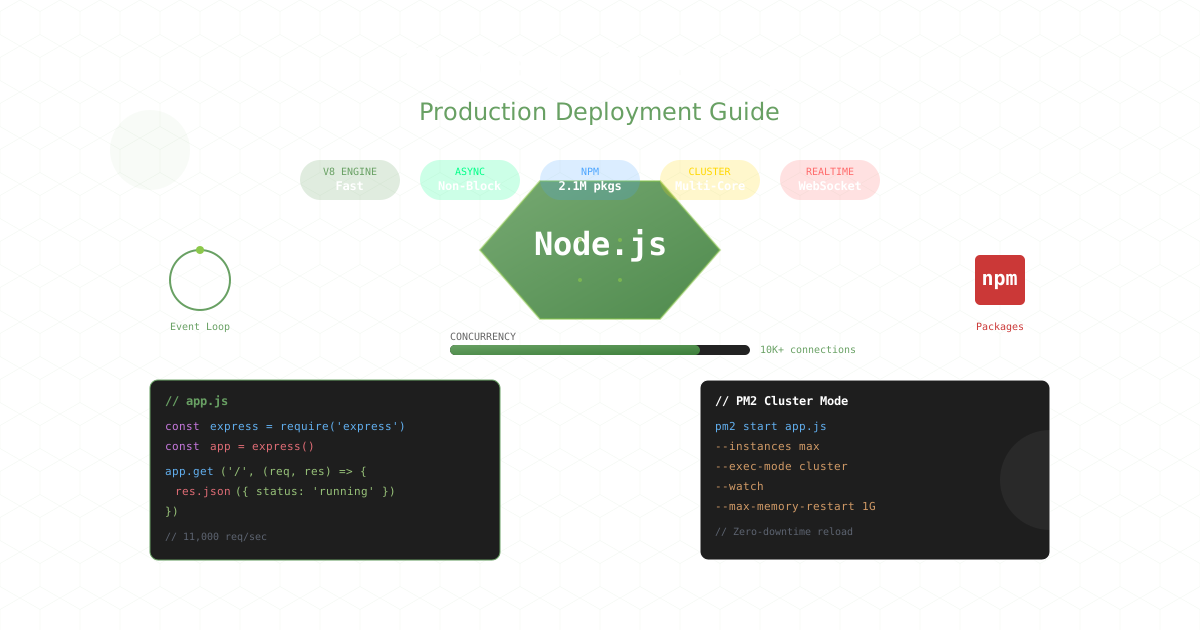
Node.js powers everything from Netflix’s streaming infrastructure to PayPal’s financial transactions, LinkedIn’s mobile backend to NASA’s spacesuits. With over 2 billion downloads annually and powering 30 million websites, Node.js has become the runtime of choice for scalable applications. This comprehensive guide shows you how to deploy, scale, and optimize Node.js applications for production in 2025.
Note: This guide focuses on deploying Node.js on Ubuntu servers. CloudPloy currently supports Laravel applications, with Node.js support coming soon. Stay tuned for updates!
Why Node.js Dominates Modern Backend Development
Node.js revolutionized server-side JavaScript with its event-driven, non-blocking I/O model:
- Single language full-stack: JavaScript everywhere
- Massive ecosystem: 2.1 million NPM packages
- High concurrency: Handle thousands of connections
- Fast development: Rapid prototyping to production
- Microservices ready: Lightweight and modular
- Real-time capable: WebSockets and streaming native
Production-Ready Node.js Architecture
Modern Application Structure
// app.js - Production-ready Express application
import express from 'express';
import helmet from 'helmet';
import compression from 'compression';
import rateLimit from 'express-rate-limit';
import mongoSanitize from 'express-mongo-sanitize';
import cors from 'cors';
import morgan from 'morgan';
import { createServer } from 'http';
import { Server } from 'socket.io';
import cluster from 'cluster';
import os from 'os';
import process from 'process';

// Clustering for multi-core utilization
if (cluster.isPrimary) {
  const numCPUs = os.cpus().length;

  console.log(`Primary ${process.pid} is running`);

  // Fork workers
  for (let i = 0; i < numCPUs; i++) {
    cluster.fork();
  }

  cluster.on('exit', (worker, code, signal) => {
    console.log(`Worker ${worker.process.pid} died`);
    console.log('Starting a new worker');
    cluster.fork();
  });
} else {
  const app = express();
  const server = createServer(app);
  const io = new Server(server, {
    cors: {
      origin: process.env.CLIENT_URL,
      credentials: true
    }
  });

  // Security middleware
  app.use(helmet());
  app.use(cors({
    origin: process.env.CLIENT_URL,
    credentials: true
  }));
  app.use(mongoSanitize());

  // Rate limiting
  const limiter = rateLimit({
    windowMs: 15 * 60 * 1000, // 15 minutes
    max: 100, // limit each IP to 100 requests
    message: 'Too many requests from this IP'
  });
  app.use('/api/', limiter);

  // Performance middleware
  app.use(compression());
  app.use(express.json({ limit: '10mb' }));
  app.use(express.urlencoded({ extended: true, limit: '10mb' }));

  // Logging
  if (process.env.NODE_ENV === 'production') {
    app.use(morgan('combined'));
  } else {
    app.use(morgan('dev'));
  }

  // Health check
  app.get('/health', (req, res) => {
    res.status(200).json({
      status: 'healthy',
      pid: process.pid,
      uptime: process.uptime(),
      memory: process.memoryUsage(),
      timestamp: Date.now()
    });
  });

  // Graceful shutdown
  process.on('SIGTERM', () => {
    console.log('SIGTERM signal received: closing HTTP server');
    server.close(() => {
      console.log('HTTP server closed');
      process.exit(0);
    });
  });

  const PORT = process.env.PORT || 3000;
  server.listen(PORT, () => {
    console.log(`Worker ${process.pid} started on port ${PORT}`);
  });
}
Environment Configuration
// config/index.js
import dotenv from 'dotenv';
import path from 'path';
import { fileURLToPath } from 'url';

const __dirname = path.dirname(fileURLToPath(import.meta.url));

// Load environment variables
dotenv.config({ path: path.join(__dirname, '../.env') });

export default {
  env: process.env.NODE_ENV || 'development',
  port: parseInt(process.env.PORT, 10) || 3000,

  database: {
    uri: process.env.DATABASE_URI,
    options: {
      useNewUrlParser: true,
      useUnifiedTopology: true,
      maxPoolSize: 10,
      serverSelectionTimeoutMS: 5000,
    }
  },

  redis: {
    host: process.env.REDIS_HOST || 'localhost',
    port: parseInt(process.env.REDIS_PORT, 10) || 6379,
    password: process.env.REDIS_PASSWORD,
    db: parseInt(process.env.REDIS_DB, 10) || 0,
    retryStrategy: (times) => Math.min(times * 50, 2000)
  },

  jwt: {
    secret: process.env.JWT_SECRET,
    expiresIn: process.env.JWT_EXPIRES_IN || '7d'
  },

  aws: {
    accessKeyId: process.env.AWS_ACCESS_KEY_ID,
    secretAccessKey: process.env.AWS_SECRET_ACCESS_KEY,
    region: process.env.AWS_REGION || 'us-east-1',
    s3Bucket: process.env.AWS_S3_BUCKET
  },

  monitoring: {
    sentryDsn: process.env.SENTRY_DSN,
    newRelicKey: process.env.NEW_RELIC_LICENSE_KEY
  }
};
Process Management with PM2
PM2 Configuration
// ecosystem.config.js
module.exports = {
  apps: [{
    name: 'nodejs-app',
    script: './dist/server.js',
    instances: 'max',
    exec_mode: 'cluster',

    // Environment variables
    env: {
      NODE_ENV: 'production',
      PORT: 3000
    },

    // Advanced features
    max_memory_restart: '1G',
    error_file: './logs/pm2/error.log',
    out_file: './logs/pm2/out.log',
    merge_logs: true,
    time: true,

    // Auto-restart
    autorestart: true,
    watch: false,
    max_restarts: 10,
    min_uptime: '10s',

    // Graceful shutdown
    kill_timeout: 5000,
    wait_ready: true,
    listen_timeout: 10000,

    // Monitoring
    instance_var: 'INSTANCE_ID',

    // Log rotation
    log_date_format: 'YYYY-MM-DD HH:mm:ss Z',

    // Deployment
    post_update: ['npm install', 'npm run build'],

    // Health check
    health_check: {
      interval: 30000,
      url: 'http://localhost:3000/health',
      max_failures: 3
    }
  }],

  deploy: {
    production: {
      user: 'deploy',
      host: ['server1.example.com', 'server2.example.com'],
      ref: 'origin/main',
      repo: 'git@github.com:username/repo.git',
      path: '/var/www/app',
      'post-deploy': 'npm install && npm run build && pm2 reload ecosystem.config.js --env production',
      'pre-deploy-local': 'npm test'
    }
  }
};
PM2 Commands for Production
# Start application
pm2 start ecosystem.config.js --env production

# Scale application
pm2 scale nodejs-app 8

# Zero-downtime reload
pm2 reload nodejs-app

# Monitoring
pm2 monit

# Logs
pm2 logs nodejs-app --lines 100

# Save process list
pm2 save

# Startup script
pm2 startup systemd
pm2 save

# Update PM2
pm2 update

# Cluster mode metrics
pm2 web
Dockerizing Node.js Applications
Production Multi-Stage Dockerfile
# Build stage
FROM node:20-alpine AS builder

# Install build dependencies
RUN apk add --no-cache python3 make g++

WORKDIR /app

# Copy package files
COPY package*.json ./
COPY yarn.lock ./

# Install dependencies
RUN yarn install --frozen-lockfile --production=false

# Copy source code
COPY . .

# Build application
RUN yarn build

# Prune dev dependencies
RUN yarn install --production --frozen-lockfile && \
    yarn cache clean

# Production stage
FROM node:20-alpine

# Install dumb-init for signal handling
RUN apk add --no-cache dumb-init

# Create app user
RUN addgroup -g 1001 -S nodejs && \
    adduser -S nodejs -u 1001

WORKDIR /app

# Copy built application
COPY --from=builder --chown=nodejs:nodejs /app/dist ./dist
COPY --from=builder --chown=nodejs:nodejs /app/node_modules ./node_modules
COPY --from=builder --chown=nodejs:nodejs /app/package.json ./

# Switch to non-root user
USER nodejs

# Expose port
EXPOSE 3000

# Health check
HEALTHCHECK --interval=30s --timeout=3s --start-period=5s --retries=3 \
  CMD node healthcheck.js

# Set environment
ENV NODE_ENV=production

# Use dumb-init to handle signals
ENTRYPOINT ["dumb-init", "--"]

# Start application
CMD ["node", "dist/server.js"]
Docker Compose for Development
version: '3.8'

services:
  app:
    build:
      context: .
      dockerfile: Dockerfile.dev
    ports:
      - "3000:3000"
      - "9229:9229" # Debug port
    environment:
      - NODE_ENV=development
      - DATABASE_URL=mongodb://mongo:27017/nodeapp
      - REDIS_URL=redis://redis:6379
    volumes:
      - .:/app
      - /app/node_modules
    command: npm run dev
    depends_on:
      - mongo
      - redis

  mongo:
    image: mongo:6
    ports:
      - "27017:27017"
    environment:
      - MONGO_INITDB_ROOT_USERNAME=admin
      - MONGO_INITDB_ROOT_PASSWORD=password
    volumes:
      - mongo_data:/data/db

  redis:
    image: redis:7-alpine
    ports:
      - "6379:6379"
    command: redis-server --appendonly yes
    volumes:
      - redis_data:/data

  nginx:
    image: nginx:alpine
    ports:
      - "80:80"
      - "443:443"
    volumes:
      - ./nginx.conf:/etc/nginx/nginx.conf
      - ./ssl:/etc/nginx/ssl
    depends_on:
      - app

volumes:
  mongo_data:
  redis_data:
Database Integration and ORM
MongoDB with Mongoose
// models/User.js
import mongoose from 'mongoose';
import bcrypt from 'bcryptjs';
import jwt from 'jsonwebtoken';

const userSchema = new mongoose.Schema({
  email: {
    type: String,
    required: true,
    unique: true,
    lowercase: true,
    index: true
  },
  password: {
    type: String,
    required: true,
    select: false
  },
  name: {
    type: String,
    required: true
  },
  role: {
    type: String,
    enum: ['user', 'admin'],
    default: 'user'
  },
  isActive: {
    type: Boolean,
    default: true
  },
  lastLogin: Date,
  loginAttempts: {
    type: Number,
    default: 0
  },
  lockUntil: Date
}, {
  timestamps: true,
  toJSON: { virtuals: true },
  toObject: { virtuals: true }
});

// Indexes for performance
userSchema.index({ email: 1, isActive: 1 });
userSchema.index({ createdAt: -1 });

// Virtual for account lock
userSchema.virtual('isLocked').get(function() {
  return !!(this.lockUntil && this.lockUntil > Date.now());
});

// Pre-save middleware
userSchema.pre('save', async function(next) {
  if (!this.isModified('password')) return next();

  try {
    const salt = await bcrypt.genSalt(10);
    this.password = await bcrypt.hash(this.password, salt);
    next();
  } catch (error) {
    next(error);
  }
});

// Instance methods
userSchema.methods = {
  comparePassword: async function(candidatePassword) {
    return bcrypt.compare(candidatePassword, this.password);
  },

  generateAuthToken: function() {
    return jwt.sign(
      { id: this._id, email: this.email, role: this.role },
      process.env.JWT_SECRET,
      { expiresIn: '7d' }
    );
  },

  incLoginAttempts: function() {
    // Reset attempts if lock has expired
    if (this.lockUntil && this.lockUntil < Date.now()) {
      return this.updateOne({
        $set: { loginAttempts: 1 },
        $unset: { lockUntil: 1 }
      });
    }

    const updates = { $inc: { loginAttempts: 1 } };
    const maxAttempts = 5;
    const lockTime = 2 * 60 * 60 * 1000; // 2 hours

    if (this.loginAttempts + 1 >= maxAttempts && !this.isLocked) {
      updates.$set = { lockUntil: Date.now() + lockTime };
    }

    return this.updateOne(updates);
  }
};

// Static methods
userSchema.statics = {
  findByCredentials: async function(email, password) {
    const user = await this.findOne({ email }).select('+password');

    if (!user) {
      throw new Error('Invalid credentials');
    }

    if (user.isLocked) {
      throw new Error('Account is locked');
    }

    const isMatch = await user.comparePassword(password);

    if (!isMatch) {
      await user.incLoginAttempts();
      throw new Error('Invalid credentials');
    }

    // Reset login attempts
    if (user.loginAttempts > 0) {
      await user.updateOne({
        $set: { loginAttempts: 0, lastLogin: Date.now() },
        $unset: { lockUntil: 1 }
      });
    }

    return user;
  }
};

export default mongoose.model('User', userSchema);
PostgreSQL with Prisma
// prisma/schema.prisma
generator client {
  provider = "prisma-client-js"
  previewFeatures = ["jsonProtocol"]
}

datasource db {
  provider = "postgresql"
  url      = env("DATABASE_URL")
}

model User {
  id        String   @id @default(cuid())
  email     String   @unique
  password  String
  name      String
  role      Role     @default(USER)
  isActive  Boolean  @default(true)
  posts     Post[]
  profile   Profile?
  createdAt DateTime @default(now())
  updatedAt DateTime @updatedAt

  @@index([email, isActive])
  @@index([createdAt])
}

model Profile {
  id       String  @id @default(cuid())
  bio      String?
  avatar   String?
  userId   String  @unique
  user     User    @relation(fields: [userId], references: [id], onDelete: Cascade)
}

model Post {
  id        String    @id @default(cuid())
  title     String
  content   String
  published Boolean   @default(false)
  authorId  String
  author    User      @relation(fields: [authorId], references: [id])
  tags      Tag[]
  comments  Comment[]
  createdAt DateTime  @default(now())
  updatedAt DateTime  @updatedAt

  @@index([authorId, published])
  @@index([createdAt])
}

model Tag {
  id    String @id @default(cuid())
  name  String @unique
  posts Post[]
}

model Comment {
  id        String   @id @default(cuid())
  content   String
  postId    String
  post      Post     @relation(fields: [postId], references: [id], onDelete: Cascade)
  createdAt DateTime @default(now())
}

enum Role {
  USER
  ADMIN
}
Caching Strategies
Redis Implementation
// cache/redis.js
import Redis from 'ioredis';
import { promisify } from 'util';

class CacheManager {
  constructor() {
    this.client = new Redis({
      host: process.env.REDIS_HOST,
      port: process.env.REDIS_PORT,
      password: process.env.REDIS_PASSWORD,
      retryStrategy: (times) => {
        const delay = Math.min(times * 50, 2000);
        return delay;
      },
      maxRetriesPerRequest: 3
    });

    this.client.on('error', (err) => {
      console.error('Redis error:', err);
    });

    this.client.on('connect', () => {
      console.log('Redis connected');
    });
  }

  async get(key) {
    try {
      const value = await this.client.get(key);
      return value ? JSON.parse(value) : null;
    } catch (error) {
      console.error(`Cache get error for key ${key}:`, error);
      return null;
    }
  }

  async set(key, value, ttl = 3600) {
    try {
      await this.client.setex(key, ttl, JSON.stringify(value));
      return true;
    } catch (error) {
      console.error(`Cache set error for key ${key}:`, error);
      return false;
    }
  }

  async del(key) {
    try {
      await this.client.del(key);
      return true;
    } catch (error) {
      console.error(`Cache delete error for key ${key}:`, error);
      return false;
    }
  }

  async flush() {
    try {
      await this.client.flushall();
      return true;
    } catch (error) {
      console.error('Cache flush error:', error);
      return false;
    }
  }

  // Cache decorator
  cache(keyPrefix, ttl = 3600) {
    return (target, propertyName, descriptor) => {
      const originalMethod = descriptor.value;

      descriptor.value = async function(...args) {
        const cacheKey = `${keyPrefix}:${JSON.stringify(args)}`;

        // Try to get from cache
        const cached = await this.get(cacheKey);
        if (cached) {
          console.log(`Cache hit: ${cacheKey}`);
          return cached;
        }

        // Execute original method
        const result = await originalMethod.apply(this, args);

        // Store in cache
        await this.set(cacheKey, result, ttl);
        console.log(`Cache miss: ${cacheKey}`);

        return result;
      }.bind(this);

      return descriptor;
    };
  }
}

export default new CacheManager();

// Usage example
import cache from './cache/redis.js';

class UserService {
  @cache.cache('user', 600)
  async getUserById(id) {
    return await User.findById(id);
  }

  async updateUser(id, data) {
    const user = await User.findByIdAndUpdate(id, data, { new: true });
    // Invalidate cache
    await cache.del(`user:["${id}"]`);
    return user;
  }
}
Real-time Features with Socket.IO
WebSocket Implementation
// socket/index.js
import { Server } from 'socket.io';
import jwt from 'jsonwebtoken';
import redisAdapter from 'socket.io-redis';

export function initializeSocket(server) {
  const io = new Server(server, {
    cors: {
      origin: process.env.CLIENT_URL,
      credentials: true
    },
    transports: ['websocket', 'polling']
  });

  // Redis adapter for scaling
  io.adapter(redisAdapter({
    host: process.env.REDIS_HOST,
    port: process.env.REDIS_PORT
  }));

  // Authentication middleware
  io.use(async (socket, next) => {
    try {
      const token = socket.handshake.auth.token;
      const decoded = jwt.verify(token, process.env.JWT_SECRET);
      socket.userId = decoded.id;
      next();
    } catch (error) {
      next(new Error('Authentication failed'));
    }
  });

  // Connection handling
  io.on('connection', (socket) => {
    console.log(`User ${socket.userId} connected`);

    // Join user's personal room
    socket.join(`user:${socket.userId}`);

    // Join rooms
    socket.on('join:room', async (roomId) => {
      // Verify user has access to room
      const hasAccess = await checkRoomAccess(socket.userId, roomId);
      if (hasAccess) {
        socket.join(`room:${roomId}`);
        socket.to(`room:${roomId}`).emit('user:joined', {
          userId: socket.userId,
          roomId
        });
      }
    });

    // Handle messages
    socket.on('message:send', async (data) => {
      const { roomId, content } = data;

      // Save message to database
      const message = await saveMessage({
        userId: socket.userId,
        roomId,
        content
      });

      // Broadcast to room
      io.to(`room:${roomId}`).emit('message:new', message);
    });

    // Typing indicators
    socket.on('typing:start', ({ roomId }) => {
      socket.to(`room:${roomId}`).emit('typing:user', {
        userId: socket.userId
      });
    });

    socket.on('typing:stop', ({ roomId }) => {
      socket.to(`room:${roomId}`).emit('typing:stopped', {
        userId: socket.userId
      });
    });

    // Disconnect
    socket.on('disconnect', () => {
      console.log(`User ${socket.userId} disconnected`);
    });
  });

  return io;
}
Performance Optimization
Memory Management
// utils/monitoring.js
import v8 from 'v8';
import process from 'process';

export class PerformanceMonitor {
  constructor() {
    this.metrics = {
      requests: 0,
      errors: 0,
      responseTime: []
    };

    // Monitor memory every 30 seconds
    setInterval(() => this.checkMemory(), 30000);

    // Monitor event loop
    setInterval(() => this.checkEventLoop(), 10000);
  }

  checkMemory() {
    const memUsage = process.memoryUsage();
    const heapStats = v8.getHeapStatistics();

    console.log('Memory Usage:', {
      rss: `${Math.round(memUsage.rss / 1024 / 1024)}MB`,
      heapTotal: `${Math.round(memUsage.heapTotal / 1024 / 1024)}MB`,
      heapUsed: `${Math.round(memUsage.heapUsed / 1024 / 1024)}MB`,
      external: `${Math.round(memUsage.external / 1024 / 1024)}MB`,
      heapLimit: `${Math.round(heapStats.heap_size_limit / 1024 / 1024)}MB`
    });

    // Alert if memory usage is too high
    const heapUsedPercent = (memUsage.heapUsed / heapStats.heap_size_limit) * 100;
    if (heapUsedPercent > 90) {
      console.error('WARNING: Heap usage is above 90%');
      // Trigger garbage collection if needed
      if (global.gc) {
        global.gc();
      }
    }
  }

  checkEventLoop() {
    const start = Date.now();
    setImmediate(() => {
      const lag = Date.now() - start;
      if (lag > 100) {
        console.warn(`Event loop lag detected: ${lag}ms`);
      }
    });
  }

  middleware() {
    return (req, res, next) => {
      const start = Date.now();

      res.on('finish', () => {
        const duration = Date.now() - start;
        this.metrics.requests++;
        this.metrics.responseTime.push(duration);

        if (this.metrics.responseTime.length > 100) {
          this.metrics.responseTime.shift();
        }

        if (res.statusCode >= 400) {
          this.metrics.errors++;
        }
      });

      next();
    };
  }

  getMetrics() {
    const avgResponseTime = this.metrics.responseTime.length > 0
      ? this.metrics.responseTime.reduce((a, b) => a + b, 0) / this.metrics.responseTime.length
      : 0;

    return {
      requests: this.metrics.requests,
      errors: this.metrics.errors,
      errorRate: this.metrics.requests > 0
        ? (this.metrics.errors / this.metrics.requests) * 100
        : 0,
      avgResponseTime: Math.round(avgResponseTime),
      memory: process.memoryUsage(),
      uptime: process.uptime()
    };
  }
}
Kubernetes Deployment
# k8s/deployment.yaml
apiVersion: apps/v1
kind: Deployment
metadata:
  name: nodejs-app
spec:
  replicas: 3
  selector:
    matchLabels:
      app: nodejs
  template:
    metadata:
      labels:
        app: nodejs
    spec:
      containers:
      - name: app
        image: myregistry/nodejs-app:latest
        ports:
        - containerPort: 3000
        env:
        - name: NODE_ENV
          value: "production"
        - name: DATABASE_URL
          valueFrom:
            secretKeyRef:
              name: app-secrets
              key: database-url
        resources:
          requests:
            memory: "256Mi"
            cpu: "250m"
          limits:
            memory: "512Mi"
            cpu: "500m"
        livenessProbe:
          httpGet:
            path: /health
            port: 3000
          initialDelaySeconds: 30
          periodSeconds: 10
        readinessProbe:
          httpGet:
            path: /health
            port: 3000
          initialDelaySeconds: 5
          periodSeconds: 5
---
apiVersion: v1
kind: Service
metadata:
  name: nodejs-service
spec:
  selector:
    app: nodejs
  ports:
  - port: 80
    targetPort: 3000
  type: LoadBalancer
---
apiVersion: autoscaling/v2
kind: HorizontalPodAutoscaler
metadata:
  name: nodejs-hpa
spec:
  scaleTargetRef:
    apiVersion: apps/v1
    kind: Deployment
    name: nodejs-app
  minReplicas: 3
  maxReplicas: 10
  metrics:
  - type: Resource
    resource:
      name: cpu
      target:
        type: Utilization
        averageUtilization: 70
  - type: Resource
    resource:
      name: memory
      target:
        type: Utilization
        averageUtilization: 80
Node.js Deployment on Ubuntu Server
1. Ubuntu Server Prerequisites
# Update Ubuntu system
sudo apt update && sudo apt upgrade -y

# Install essential packages
sudo apt install -y curl wget git unzip software-properties-common build-essential

# Install Node.js 20 LTS
curl -fsSL https://deb.nodesource.com/setup_20.x | sudo -E bash -
sudo apt install -y nodejs

# Verify installation
node --version
npm --version

# Install PM2 globally
sudo npm install -g pm2

# Configure firewall
sudo ufw default deny incoming
sudo ufw default allow outgoing
sudo ufw allow ssh
sudo ufw allow 80
sudo ufw allow 443
sudo ufw --force enable
2. Application Setup
# Create application directory
sudo mkdir -p /var/www/nodejs-app
sudo chown -R $USER:$USER /var/www/nodejs-app
cd /var/www/nodejs-app

# Clone your application (or upload files)
git clone https://github.com/your-repo/nodejs-app.git .

# Install dependencies
npm ci --production

# Build application if needed
npm run build

# Create production environment file
cat > .env.production <<EOF
NODE_ENV=production
PORT=3000
DATABASE_URI=mongodb://localhost:27017/myapp
REDIS_HOST=localhost
REDIS_PORT=6379
JWT_SECRET=your-super-secret-key-change-this
EOF
3. PM2 Process Management Setup
// ecosystem.config.js
module.exports = {
  apps: [{
    name: 'nodejs-app',
    script: './dist/server.js', // or your main file
    instances: 'max',
    exec_mode: 'cluster',

    // Environment
    env_production: {
      NODE_ENV: 'production',
      PORT: 3000
    },

    // Process management
    max_memory_restart: '1G',
    restart_delay: 1000,
    max_restarts: 5,
    min_uptime: '10s',

    // Logging
    error_file: '/var/www/nodejs-app/logs/pm2/error.log',
    out_file: '/var/www/nodejs-app/logs/pm2/out.log',
    log_file: '/var/www/nodejs-app/logs/pm2/combined.log',
    merge_logs: true,
    time: true,

    // Monitoring
    listen_timeout: 8000,
    kill_timeout: 5000,

    // Auto restart on file changes (disable in production)
    watch: false,

    // Source map support
    source_map_support: true,

    // Node.js specific
    node_args: '--max-old-space-size=1024'
  }]
};
4. Start Application with PM2
# Create logs directory
mkdir -p /var/www/nodejs-app/logs/pm2

# Start application
pm2 start ecosystem.config.js --env production

# Save PM2 configuration
pm2 save

# Setup PM2 startup script
pm2 startup
# Follow the instructions to run the command as root

# Check application status
pm2 status
pm2 logs nodejs-app
pm2 monit
Performance Benchmarks
Node.js Performance Metrics
| Metric | Value | Notes |
|---|---|---|
| Requests/sec | 11,000 | Single instance |
| Latency (p99) | 50ms | With caching |
| Memory Usage | 100MB | Base application |
| Startup Time | 0.3s | Optimized |
| Concurrent Connections | 10,000+ | With clustering |
5. NGINX Reverse Proxy Setup
# Install NGINX
sudo apt install -y nginx

# Create NGINX configuration
sudo tee /etc/nginx/sites-available/nodejs-app > /dev/null <<'EOF'
upstream nodejs_backend {
    server 127.0.0.1:3000;
    keepalive 64;
}

server {
    listen 80;
    server_name yourdomain.com www.yourdomain.com;

    # Redirect to HTTPS
    return 301 https://$server_name$request_uri;
}

server {
    listen 443 ssl http2;
    server_name yourdomain.com www.yourdomain.com;

    # SSL configuration (will be updated by Certbot)
    ssl_certificate /etc/letsencrypt/live/yourdomain.com/fullchain.pem;
    ssl_certificate_key /etc/letsencrypt/live/yourdomain.com/privkey.pem;

    # Security headers
    add_header X-Frame-Options "SAMEORIGIN" always;
    add_header X-XSS-Protection "1; mode=block" always;
    add_header X-Content-Type-Options "nosniff" always;
    add_header Referrer-Policy "strict-origin-when-cross-origin" always;
    add_header Strict-Transport-Security "max-age=31536000; includeSubDomains" always;

    # Gzip compression
    gzip on;
    gzip_vary on;
    gzip_min_length 1024;
    gzip_types text/plain text/css text/xml text/javascript application/javascript application/xml+rss application/json;

    # Rate limiting
    limit_req_zone $binary_remote_addr zone=api:10m rate=10r/s;
    limit_req zone=api burst=20 nodelay;

    # Static files caching
    location ~* \.(js|css|png|jpg|jpeg|gif|ico|svg|webp)$ {
        expires 1y;
        add_header Cache-Control "public, immutable";
    }

    # Proxy to Node.js app
    location / {
        proxy_pass http://nodejs_backend;
        proxy_http_version 1.1;
        proxy_set_header Upgrade $http_upgrade;
        proxy_set_header Connection 'upgrade';
        proxy_set_header Host $host;
        proxy_set_header X-Real-IP $remote_addr;
        proxy_set_header X-Forwarded-For $proxy_add_x_forwarded_for;
        proxy_set_header X-Forwarded-Proto $scheme;
        proxy_cache_bypass $http_upgrade;

        # Timeouts
        proxy_connect_timeout 60s;
        proxy_send_timeout 60s;
        proxy_read_timeout 60s;

        # Buffer settings
        proxy_buffering on;
        proxy_buffer_size 128k;
        proxy_buffers 4 256k;
        proxy_busy_buffers_size 256k;
    }

    # WebSocket support
    location /socket.io/ {
        proxy_pass http://nodejs_backend;
        proxy_http_version 1.1;
        proxy_set_header Upgrade $http_upgrade;
        proxy_set_header Connection "upgrade";
        proxy_set_header Host $host;
        proxy_set_header X-Real-IP $remote_addr;
        proxy_set_header X-Forwarded-For $proxy_add_x_forwarded_for;
        proxy_set_header X-Forwarded-Proto $scheme;
    }

    # Health check endpoint
    location /health {
        access_log off;
        proxy_pass http://nodejs_backend;
    }
}
EOF

# Enable site
sudo ln -s /etc/nginx/sites-available/nodejs-app /etc/nginx/sites-enabled/
sudo rm /etc/nginx/sites-enabled/default

# Test and reload NGINX
sudo nginx -t
sudo systemctl reload nginx
6. SSL Certificate with Let’s Encrypt
# Install Certbot
sudo apt install -y certbot python3-certbot-nginx

# Get SSL certificate
sudo certbot --nginx -d yourdomain.com -d www.yourdomain.com

# Set up auto-renewal
sudo crontab -e
# Add: 0 3 * * * /usr/bin/certbot renew --quiet
7. Monitoring and Logging Setup
# Install system monitoring tools
sudo apt install -y htop iotop nethogs

# Create monitoring script
sudo tee /usr/local/bin/nodejs-monitor.sh > /dev/null <<'EOF'
#!/bin/bash

LOG_FILE="/var/log/nodejs-monitor.log"
DATE=$(date '+%Y-%m-%d %H:%M:%S')

# Check PM2 processes
if ! pm2 list | grep -q "online"; then
    echo "[$DATE] WARNING: PM2 processes not running" >> $LOG_FILE
    pm2 resurrect
fi

# Check disk space
DISK_USAGE=$(df -h / | tail -1 | awk '{print $5}' | sed 's/%//')
if [ $DISK_USAGE -gt 80 ]; then
    echo "[$DATE] WARNING: Disk usage is ${DISK_USAGE}%" >> $LOG_FILE
fi

# Check memory usage
MEMORY_USAGE=$(free | grep Mem | awk '{printf "%.0f", ($3/$2) * 100}')
if [ $MEMORY_USAGE -gt 85 ]; then
    echo "[$DATE] WARNING: Memory usage is ${MEMORY_USAGE}%" >> $LOG_FILE
fi

# Check NGINX status
if ! systemctl is-active --quiet nginx; then
    echo "[$DATE] ERROR: NGINX is not running" >> $LOG_FILE
    sudo systemctl restart nginx
fi
EOF

sudo chmod +x /usr/local/bin/nodejs-monitor.sh

# Schedule monitoring
sudo crontab -e
# Add: */5 * * * * /usr/local/bin/nodejs-monitor.sh
Conclusion
Deploying Node.js applications on Ubuntu server provides complete control over your hosting environment while maintaining enterprise-grade performance and security. With PM2 process management, NGINX reverse proxy, and proper monitoring, your Node.js applications can handle high traffic loads reliably.
What You’ve Accomplished:
✅ Production-ready Node.js deployment on Ubuntu 24.04 LTS
✅ PM2 clustering for maximum performance utilization
✅ NGINX reverse proxy with SSL/TLS termination
✅ Automated SSL certificates with Let’s Encrypt
✅ Health monitoring and alerting systems
✅ Security hardening with firewall and headers
✅ Performance optimization with caching and compression
Next Steps for Production
Scaling Considerations:
- Load Balancing: Multiple Ubuntu servers with NGINX load balancer
- Database Clustering: MongoDB replica sets or PostgreSQL streaming replication
- Redis Clustering: Redis Cluster for session management and caching
- CDN Integration: CloudFlare or AWS CloudFront for static assets
- Container Orchestration: Docker Swarm or Kubernetes for advanced scaling
Monitoring and Maintenance:
- Regular security updates for Ubuntu and Node.js
- Database backup automation
- Log rotation and retention policies
- Performance monitoring with Prometheus/Grafana
- Error tracking with Sentry or similar tools
Ubuntu server deployment gives you the foundation for scalable, secure Node.js applications with complete control over your infrastructure.