
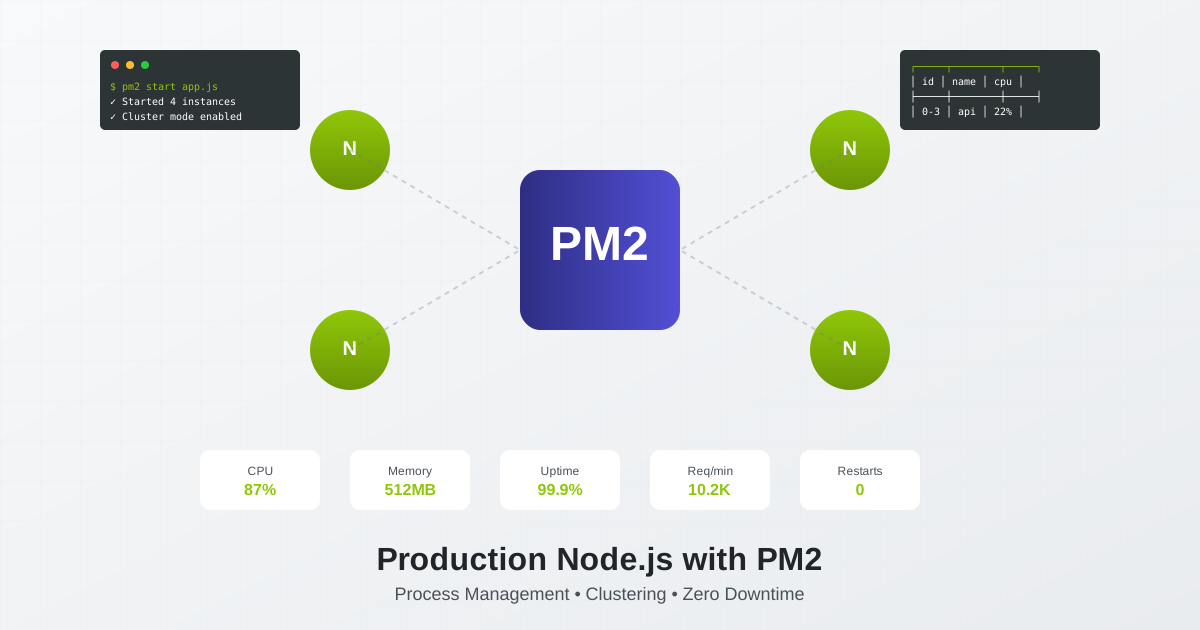
Running Node.js in production without a process manager is like driving without a seatbelt - technically possible, but one crash away from disaster. PM2 has emerged as the industry standard for Node.js production deployments, powering over 100 million application instances monthly. Let’s dive deep into mastering PM2 for bulletproof Node.js deployments in 2025.
Why PM2 Dominates Node.js Production Deployments
Node.js applications are single-threaded by design. When your app crashes (and it will), it stays down without a process manager. PM2 transforms fragile Node.js apps into resilient, self-healing production systems that can handle millions of requests without breaking a sweat.
The PM2 Production Advantage
Automatic Recovery:
- Instant restart on crashes with configurable restart strategies
- Memory threshold monitoring with automatic restarts
- Smart CPU-based auto-scaling
- Graceful shutdown handling for clean exits
Performance at Scale:
- Built-in clustering for multi-core utilization
- Zero-downtime reloads during deployments
- Load balancing across worker processes
- Automatic port management for cluster instances
Production Intelligence:
- Real-time monitoring dashboard
- Advanced log management with rotation
- Custom metrics and health endpoints
- Integration with monitoring platforms (Datadog, New Relic, etc.)
Installing PM2: Your First Step to Production Excellence
Let’s set up PM2 with production-grade configurations from the start:
# Install PM2 globally with latest Node.js
npm install pm2@latest -g

# Install PM2 log rotation module (essential for production)
pm2 install pm2-logrotate

# Configure log rotation
pm2 set pm2-logrotate:max_size 100M
pm2 set pm2-logrotate:retain 30
pm2 set pm2-logrotate:compress true
pm2 set pm2-logrotate:dateFormat YYYY-MM-DD_HH-mm-ss
pm2 set pm2-logrotate:workerInterval 30
PM2 Ecosystem File: The Heart of Production Deployments
Forget command-line flags. Production deployments demand ecosystem files for reproducible, version-controlled configurations:
// ecosystem.config.js
module.exports = {
  apps: [{
    name: 'api-server',
    script: './dist/server.js',
    instances: 'max', // Use all available CPU cores
    exec_mode: 'cluster',

    // Memory management
    max_memory_restart: '1G',
    min_uptime: '10s',
    max_restarts: 10,

    // Environment variables
    env: {
      NODE_ENV: 'development',
      PORT: 3000
    },
    env_production: {
      NODE_ENV: 'production',
      PORT: 8080,
      DATABASE_URL: process.env.DATABASE_URL,
      REDIS_URL: process.env.REDIS_URL
    },

    // Advanced configurations
    wait_ready: true,
    listen_timeout: 3000,
    kill_timeout: 5000,

    // Logging
    error_file: './logs/error.log',
    out_file: './logs/out.log',
    log_file: './logs/combined.log',
    time: true,

    // Watch & restart
    watch: false, // Set to true in development
    ignore_watch: ['node_modules', 'logs'],

    // Graceful shutdown
    shutdown_with_message: true,

    // Auto-restart cron
    cron_restart: '0 0 * * *', // Daily restart at midnight

    // Resource monitoring
    monitoring: {
      http: true,
      https: true,
      transactions: true
    }
  },
  {
    name: 'worker-queue',
    script: './dist/worker.js',
    instances: 2,
    exec_mode: 'cluster',
    max_memory_restart: '500M',

    env_production: {
      NODE_ENV: 'production',
      WORKER_TYPE: 'queue',
      REDIS_URL: process.env.REDIS_URL
    }
  }],

  deploy: {
    production: {
      user: 'deploy',
      host: ['server1.example.com', 'server2.example.com'],
      ref: 'origin/main',
      repo: 'git@github.com:yourcompany/api.git',
      path: '/var/www/api',
      'pre-deploy-local': 'echo "Starting deployment..."',
      'post-deploy': 'npm install && npm run build && pm2 reload ecosystem.config.js --env production',
      'pre-setup': 'apt-get install git nodejs npm'
    }
  }
};
PM2 Clustering: Unleash Multi-Core Performance
Node.js runs on a single thread, wasting your server’s multi-core potential. PM2’s cluster mode changes everything:
// Advanced cluster configuration
module.exports = {
  apps: [{
    name: 'high-performance-api',
    script: './server.js',

    // Clustering strategy
    instances: process.env.WEB_CONCURRENCY || -1, // -1 means CPU count - 1
    exec_mode: 'cluster',

    // Load balancing configuration
    instance_var: 'INSTANCE_ID',
    merge_logs: true,

    // Cluster events handling
    cluster_mode: {
      reloadDelay: 1000,
      gracefulReload: true
    },

    // Ready signal for zero-downtime reload
    wait_ready: true,
    listen_timeout: 5000,

    // In your application code:
    // process.send('ready') when server is listening
  }]
};
Application code for proper cluster support:
// server.js
const express = require('express');
const app = express();

// Cluster-aware setup
const PORT = parseInt(process.env.PORT || '3000');
const INSTANCE_ID = parseInt(process.env.INSTANCE_ID || '0');

app.get('/health', (req, res) => {
  res.json({
    status: 'healthy',
    instance: INSTANCE_ID,
    uptime: process.uptime(),
    memory: process.memoryUsage(),
    pid: process.pid
  });
});

const server = app.listen(PORT, () => {
  console.log(`Worker ${INSTANCE_ID} listening on port ${PORT}`);

  // Signal PM2 that app is ready
  if (process.send) {
    process.send('ready');
  }
});

// Graceful shutdown handling
process.on('SIGINT', gracefulShutdown);
process.on('SIGTERM', gracefulShutdown);

async function gracefulShutdown() {
  console.log('Graceful shutdown initiated...');

  server.close(() => {
    console.log('HTTP server closed');
    // Close database connections, finish jobs, etc.
    process.exit(0);
  });

  // Force shutdown after 10 seconds
  setTimeout(() => {
    console.error('Forced shutdown');
    process.exit(1);
  }, 10000);
}
Zero-Downtime Deployments with PM2
Deploy new code without dropping a single request:
# Start initial deployment
pm2 start ecosystem.config.js --env production

# Zero-downtime reload (graceful)
pm2 reload ecosystem.config.js --env production

# Even safer: rolling restart
pm2 reload api-server --parallel 2 --wait-ready

# Update environment variables without restart
pm2 set api-server:env.NEW_FEATURE true
pm2 gracefulReload api-server
Advanced deployment script:
#!/bin/bash
# deploy.sh - Production deployment with health checks

set -e

echo "Starting deployment..."

# Pull latest code
git pull origin main

# Install dependencies
npm ci --production

# Build application
npm run build

# Run database migrations
npm run migrate:production

# Reload PM2 with health check
pm2 reload ecosystem.config.js --env production --wait-ready --listen-timeout 10000

# Verify deployment
sleep 5
curl -f http://localhost:8080/health || {
  echo "Health check failed! Rolling back..."
  pm2 reload ecosystem.config.js --env production
  exit 1
}

echo "Deployment successful!"

# Save PM2 configuration
pm2 save
PM2 Monitoring: Production Visibility
Real-time monitoring is crucial for production systems:
# Terminal monitoring
pm2 monit

# Web-based dashboard
pm2 install pm2-web
pm2 web

# Custom metrics API
pm2 install pm2-metrics
Custom monitoring integration:
// Custom metrics with PM2
const pmx = require('pmx');

// Initialize metrics
const metrics = pmx.init({
  http: true, // HTTP routes monitoring
  errors: true, // Exceptions monitoring
  custom_probes: true, // Custom metrics
  network: true, // Network monitoring
  ports: true // Port monitoring
});

// Custom metrics
const reqPerMin = pmx.probe().counter({
  name: 'req/min',
  unit: 'req/min'
});

const dbLatency = pmx.probe().histogram({
  name: 'Database latency',
  measurement: 'mean',
  unit: 'ms'
});

// Track metrics in your code
app.use((req, res, next) => {
  reqPerMin.inc();
  next();
});

// Database query wrapper
async function queryDatabase(sql) {
  const start = Date.now();
  const result = await db.query(sql);
  dbLatency.update(Date.now() - start);
  return result;
}

// Custom actions
pmx.action('clear-cache', (reply) => {
  cache.clear();
  reply({ success: true, message: 'Cache cleared' });
});
PM2 Startup Scripts: Survive Server Reboots
Make PM2 start automatically on server boot:
# Generate startup script
pm2 startup

# Save current PM2 process list
pm2 save

# For systemd (Ubuntu 16+, CentOS 7+)
sudo systemctl status pm2-$USER

# Verify startup script
sudo reboot
# After reboot:
pm2 list # Should show your apps running
PM2 Log Management for Production
Proper log management prevents disk space issues:
// ecosystem.config.js
module.exports = {
  apps: [{
    name: 'api',
    script: './server.js',

    // Log configuration
    error_file: '/var/log/pm2/api-error.log',
    out_file: '/var/log/pm2/api-out.log',
    log_file: '/var/log/pm2/api-combined.log',

    // Log formatting
    time: true,
    log_date_format: 'YYYY-MM-DD HH:mm:ss Z',

    // Merge logs from all instances
    merge_logs: true,

    // Log rotation (requires pm2-logrotate)
    log_rotation: {
      max_size: '100M',
      retain: '30',
      compress: true
    }
  }]
};
Log streaming and analysis:
# Stream logs in real-time
pm2 logs api-server --lines 100

# Filter logs by timestamp
pm2 logs --since "10 minutes ago"

# JSON formatted logs for analysis
pm2 logs --json

# Flush logs
pm2 flush

# Send logs to external service
pm2 install pm2-elasticsearch
pm2 set pm2-elasticsearch:elasticsearch_url http://localhost:9200
PM2 in Docker: Container-Native Deployments
Running PM2 in Docker requires special configurations:
# Dockerfile
FROM node:18-alpine

# Install PM2 globally
RUN npm install pm2 -g

WORKDIR /app

# Copy package files
COPY package*.json ./
RUN npm ci --production

# Copy application
COPY . .

# Build application
RUN npm run build

# Use PM2 runtime for containers
CMD ["pm2-runtime", "start", "ecosystem.config.js", "--env", "production"]
Container-optimized ecosystem file:
// ecosystem.docker.js
module.exports = {
  apps: [{
    name: 'api',
    script: './dist/server.js',
    instances: process.env.INSTANCES || 'max',
    exec_mode: 'cluster',

    // Container-specific settings
    instance_var: 'INSTANCE_ID',
    kill_timeout: 5000,
    wait_ready: true,

    // Disable file watching in containers
    watch: false,

    // Container health checks
    health_check: {
      interval: 30,
      timeout: 5,
      max_consecutive_failures: 3
    },

    // Signal handling for container orchestration
    shutdown_with_message: true,

    env: {
      NODE_ENV: 'production',
      PORT: process.env.PORT || 8080
    }
  }]
};
Docker Compose with PM2:
# docker-compose.yml
version: '3.8'

services:
  api:
    build: .
    ports:
      - "8080:8080"
    environment:
      - NODE_ENV=production
      - INSTANCES=4
      - DATABASE_URL=postgresql://db:5432/api
      - REDIS_URL=redis://redis:6379
    healthcheck:
      test: ["CMD", "pm2", "ping"]
      interval: 30s
      timeout: 10s
      retries: 3
    restart: unless-stopped

  redis:
    image: redis:7-alpine
    volumes:
      - redis-data:/data

  db:
    image: postgres:15-alpine
    environment:
      - POSTGRES_DB=api
      - POSTGRES_PASSWORD=secret
    volumes:
      - postgres-data:/var/lib/postgresql/data

volumes:
  redis-data:
  postgres-data:
PM2 Performance Optimization Strategies
Maximize your Node.js application performance:
// Performance-optimized configuration
module.exports = {
  apps: [{
    name: 'high-performance-api',
    script: './server.js',

    // CPU optimization
    instances: process.env.WEB_CONCURRENCY || 'max',
    exec_mode: 'cluster',

    // Memory optimization
    max_memory_restart: '1G',
    node_args: [
      '--max-old-space-size=1024',
      '--optimize-for-size',
      '--gc-interval=100'
    ],

    // Network optimization
    env: {
      UV_THREADPOOL_SIZE: 128,
      NODE_CLUSTER_SCHED_POLICY: 'rr' // round-robin
    },

    // Process priority
    treekill: false,
    autorestart: true,
    vizion: false, // Disable version control metadata

    // Monitoring optimization
    pmx: false, // Disable PMX for better performance
    monitoring: {
      http: false, // Disable HTTP monitoring if not needed
      transactions: false
    }
  }]
};
PM2 vs Alternatives: Making the Right Choice
How does PM2 stack up against alternatives in 2025?
PM2 vs Forever:
- PM2: Full ecosystem, clustering, monitoring, deployment tools
- Forever: Simple, lightweight, basic restart functionality
- Winner: PM2 for production, Forever for simple scripts
PM2 vs Systemd:
- PM2: Node.js specific, rich features, easy configuration
- Systemd: System-level, language agnostic, OS integration
- Winner: PM2 for Node.js apps, Systemd for system services
PM2 vs Kubernetes:
- PM2: Application-level management, simple deployment
- Kubernetes: Container orchestration, complex but powerful
- Winner: PM2 for single servers, Kubernetes for large-scale deployments
Deploy PM2 Applications with CloudPloy
While PM2 handles process management brilliantly, you still need a platform to deploy your Node.js applications. CloudPloy makes PM2 deployments effortless:
CloudPloy + PM2: The Perfect Stack
Automated PM2 Setup:
- PM2 pre-installed and configured on all servers
- Ecosystem files automatically generated
- Optimal cluster configuration based on server specs
Enhanced Monitoring:
- PM2 metrics integrated into CloudPloy dashboard
- Automatic alerting on process crashes
- Historical performance data and trends
Simplified Deployments:
- Git push triggers PM2 reload automatically
- Zero-downtime deployments with health checks
- Automatic rollback on deployment failures
Multi-Cloud PM2 Management:
- Deploy PM2 apps across AWS, GCP, DigitalOcean
- Centralized PM2 management interface
- Cross-region load balancing
Get started with CloudPloy’s free tier: 1 server with unlimited PM2 applications, perfect for testing your production setup.
Best Practices Checklist
Before going to production with PM2, ensure:
✅ Ecosystem file configured with all production settings ✅ Cluster mode enabled for multi-core utilization ✅ Log rotation configured to prevent disk issues ✅ Startup script installed for automatic recovery ✅ Monitoring enabled with custom metrics ✅ Graceful shutdown handlers implemented ✅ Health checks configured for load balancers ✅ Memory limits set to prevent leaks ✅ Error handling with automatic restarts ✅ Deployment scripts with rollback capabilities
Conclusion: PM2 as Your Production Guardian
PM2 transforms Node.js from a fragile runtime into a production-grade platform. With proper configuration, monitoring, and deployment strategies, PM2 ensures your applications stay online, scale efficiently, and recover gracefully from failures.
Whether you’re running a simple API or a complex microservices architecture, PM2 provides the tools and flexibility needed for reliable Node.js production deployments in 2025.
Ready to deploy your PM2-managed Node.js applications? CloudPloy handles the infrastructure complexity while you focus on building great applications. Start with our free tier and scale when you’re ready - your PM2 processes will thank you.