
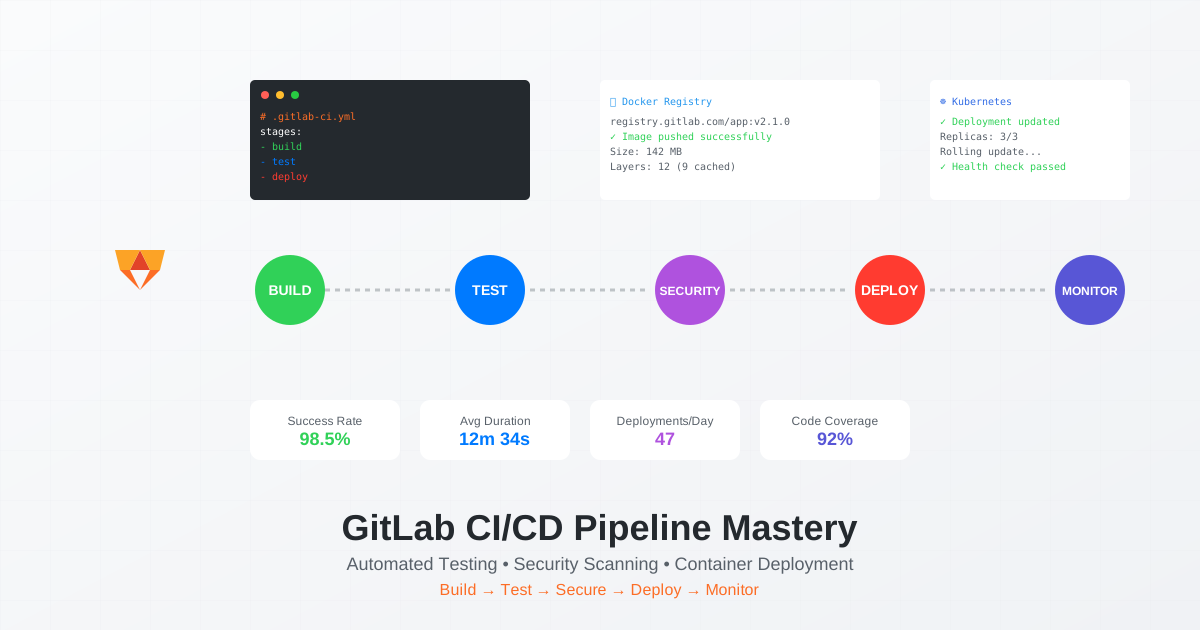
GitLab CI/CD has revolutionized how teams ship code, processing over 400 million pipeline minutes monthly across 30 million developers. In 2025, GitLab’s integrated DevOps platform isn’t just about automation - it’s about building intelligent, self-healing deployment pipelines that adapt to your infrastructure needs. Let’s dive deep into mastering GitLab CI/CD for production-grade deployments.
Why GitLab CI/CD Dominates Enterprise DevOps
While GitHub Actions and Jenkins fight for market share, GitLab CI/CD quietly powers some of the world’s most complex deployment pipelines. NASA, Goldman Sachs, and Siemens don’t choose GitLab by accident - they need pipelines that can handle thousands of deployments daily without breaking a sweat.
The GitLab CI/CD Advantage
Integrated DevOps Platform:
- Source control and CI/CD in one platform
- Built-in container registry for Docker images
- Native Kubernetes integration with Auto DevOps
- Comprehensive security scanning (SAST, DAST, dependency scanning)
Advanced Pipeline Features:
- Directed Acyclic Graph (DAG) pipelines for complex workflows
- Multi-project pipelines for microservices
- Dynamic child pipelines for scalability
- Merge train automation for high-velocity teams
Enterprise-Grade Security:
- Built-in secret management
- Compliance pipelines with audit trails
- Security approval policies
- Protected environments with deployment rules
GitLab CI/CD Architecture: Understanding the Foundation
Before diving into pipelines, let’s understand GitLab’s architecture:
# .gitlab-ci.yml - Basic structure
workflow:
  rules:
    - if: $CI_PIPELINE_SOURCE == "merge_request_event"
    - if: $CI_COMMIT_BRANCH && $CI_OPEN_MERGE_REQUESTS
      when: never
    - if: $CI_COMMIT_BRANCH

stages:
  - build
  - test
  - security
  - deploy
  - monitor

variables:
  DOCKER_DRIVER: overlay2
  DOCKER_TLS_CERTDIR: "/certs"
  FF_USE_FASTZIP: "true"
  CACHE_COMPRESSION_LEVEL: "fast"
Advanced Multi-Stage Pipeline Configuration
Let’s build a production-grade pipeline that handles everything from testing to deployment:
# .gitlab-ci.yml - Production-ready pipeline
include:
  - template: Security/SAST.gitlab-ci.yml
  - template: Security/Dependency-Scanning.gitlab-ci.yml
  - template: Security/Container-Scanning.gitlab-ci.yml

stages:
  - prebuild
  - build
  - test
  - security
  - package
  - staging
  - production
  - rollback

variables:
  DOCKER_REGISTRY: registry.gitlab.com
  APP_NAME: ${CI_PROJECT_NAME}
  DOCKER_IMAGE: ${CI_REGISTRY_IMAGE}:${CI_COMMIT_SHORT_SHA}

# Cache configuration for speed
cache:
  key: ${CI_COMMIT_REF_SLUG}
  paths:
    - node_modules/
    - .npm/
    - vendor/
    - .composer/

# Prebuild: Dependency installation
install:dependencies:
  stage: prebuild
  image: node:18-alpine
  script:
    - npm ci --cache .npm --prefer-offline
  artifacts:
    paths:
      - node_modules/
    expire_in: 1 day
  cache:
    key: ${CI_COMMIT_REF_SLUG}-deps
    paths:
      - .npm/
    policy: pull-push

# Build stage with parallel jobs
build:frontend:
  stage: build
  needs: ["install:dependencies"]
  image: node:18-alpine
  script:
    - npm run build:frontend
    - echo "Build version ${CI_COMMIT_SHORT_SHA}" > dist/version.txt
  artifacts:
    paths:
      - dist/
    expire_in: 1 week

build:backend:
  stage: build
  needs: ["install:dependencies"]
  image: node:18-alpine
  script:
    - npm run build:backend
  artifacts:
    paths:
      - build/
    expire_in: 1 week

# Parallel testing with coverage
test:unit:
  stage: test
  needs: ["build:backend"]
  image: node:18-alpine
  script:
    - npm run test:unit -- --coverage
  coverage: '/Lines\s*:\s*(\d+\.\d+)%/'
  artifacts:
    reports:
      coverage_report:
        coverage_format: cobertura
        path: coverage/cobertura-coverage.xml
      junit: junit.xml

test:integration:
  stage: test
  needs: ["build:backend"]
  services:
    - postgres:14-alpine
    - redis:7-alpine
  variables:
    POSTGRES_DB: test_db
    POSTGRES_USER: test_user
    POSTGRES_PASSWORD: test_pass
    DATABASE_URL: "postgresql://test_user:test_pass@postgres:5432/test_db"
    REDIS_URL: "redis://redis:6379"
  script:
    - npm run test:integration

test:e2e:
  stage: test
  needs: ["build:frontend", "build:backend"]
  image: mcr.microsoft.com/playwright:v1.40.0-focal
  script:
    - npm run test:e2e
  artifacts:
    when: always
    paths:
      - playwright-report/
    expire_in: 30 days

# Security scanning (automatic from templates)
sast:
  stage: security
  needs: []

dependency_scanning:
  stage: security
  needs: []

# Docker image building with layer caching
build:docker:
  stage: package
  needs: ["test:unit", "test:integration"]
  image: docker:24-dind
  services:
    - docker:24-dind
  before_script:
    - docker login -u $CI_REGISTRY_USER -p $CI_REGISTRY_PASSWORD $CI_REGISTRY
    - docker pull $CI_REGISTRY_IMAGE:latest || true
  script:
    - |
      docker build \
        --cache-from $CI_REGISTRY_IMAGE:latest \
        --tag $CI_REGISTRY_IMAGE:$CI_COMMIT_SHORT_SHA \
        --tag $CI_REGISTRY_IMAGE:latest \
        --build-arg BUILDKIT_INLINE_CACHE=1 \
        .
    - docker push $CI_REGISTRY_IMAGE:$CI_COMMIT_SHORT_SHA
    - docker push $CI_REGISTRY_IMAGE:latest
  only:
    - main
    - develop

# Staging deployment with Kubernetes
deploy:staging:
  stage: staging
  needs: ["build:docker"]
  image: bitnami/kubectl:latest
  environment:
    name: staging
    url: https://staging.example.com
    on_stop: stop:staging
  before_script:
    - echo $KUBE_CONFIG | base64 -d > ~/.kube/config
  script:
    - |
      kubectl set image deployment/${APP_NAME} \
        ${APP_NAME}=$CI_REGISTRY_IMAGE:$CI_COMMIT_SHORT_SHA \
        -n staging
    - kubectl rollout status deployment/${APP_NAME} -n staging
  when: manual
  only:
    - develop

# Production deployment with approval
deploy:production:
  stage: production
  needs: ["deploy:staging"]
  image: bitnami/kubectl:latest
  environment:
    name: production
    url: https://example.com
    on_stop: rollback:production
  before_script:
    - echo $KUBE_CONFIG_PROD | base64 -d > ~/.kube/config
  script:
    - |
      # Blue-green deployment
      kubectl apply -f k8s/production/ -n production
      kubectl set image deployment/${APP_NAME}-green \
        ${APP_NAME}=$CI_REGISTRY_IMAGE:$CI_COMMIT_SHORT_SHA \
        -n production
      kubectl rollout status deployment/${APP_NAME}-green -n production

      # Switch traffic to green
      kubectl patch service ${APP_NAME} \
        -p '{"spec":{"selector":{"version":"green"}}}' \
        -n production

      # Keep blue for rollback
      kubectl set image deployment/${APP_NAME}-blue \
        ${APP_NAME}=$CI_REGISTRY_IMAGE_PREVIOUS \
        -n production
  when: manual
  only:
    - main
  rules:
    - if: $CI_COMMIT_TAG
      when: on_success

# Automated rollback
rollback:production:
  stage: rollback
  environment:
    name: production
    action: stop
  script:
    - |
      kubectl patch service ${APP_NAME} \
        -p '{"spec":{"selector":{"version":"blue"}}}' \
        -n production
  when: manual
  only:
    - main
GitLab Runner Configuration for Scale
Setting up GitLab Runner for high-performance pipelines:
# config.toml - GitLab Runner configuration
concurrent = 10
check_interval = 0
log_level = "info"

[session_server]
  session_timeout = 1800

[[runners]]
  name = "docker-autoscale"
  url = "https://gitlab.com/"
  token = "YOUR_RUNNER_TOKEN"
  executor = "docker+machine"

  [runners.custom_build_dir]
    enabled = true

  [runners.cache]
    Type = "s3"
    Shared = true

    [runners.cache.s3]
      ServerAddress = "s3.amazonaws.com"
      AccessKey = "AWS_ACCESS_KEY"
      SecretKey = "AWS_SECRET_KEY"
      BucketName = "gitlab-runner-cache"
      BucketLocation = "us-east-1"

  [runners.docker]
    tls_verify = false
    image = "alpine:latest"
    privileged = true
    disable_entrypoint_overwrite = false
    oom_kill_disable = false
    disable_cache = false
    volumes = ["/cache", "/var/run/docker.sock:/var/run/docker.sock"]
    shm_size = 0

  [runners.machine]
    IdleCount = 2
    IdleTime = 1800
    MaxBuilds = 100
    MachineDriver = "amazonec2"
    MachineName = "gitlab-runner-%s"

    MachineOptions = [
      "amazonec2-instance-type=t3.medium",
      "amazonec2-region=us-east-1",
      "amazonec2-vpc-id=vpc-xxxxx",
      "amazonec2-subnet-id=subnet-xxxxx",
      "amazonec2-use-private-address=true",
      "amazonec2-tags=runner-manager-name,gitlab-aws-autoscaler,gitlab,true,gitlab-runner-autoscale,true"
    ]
Dynamic Child Pipelines for Microservices
Managing complex microservices deployments with dynamic pipelines:
# .gitlab-ci.yml - Parent pipeline
generate:pipelines:
  stage: prebuild
  script:
    - |
      # Detect changed services
      SERVICES=$(git diff --name-only $CI_COMMIT_BEFORE_SHA..$CI_COMMIT_SHA | \
                 grep '^services/' | cut -d/ -f2 | sort -u)

      # Generate child pipeline configuration
      echo "include:" > generated-pipeline.yml
      for service in $SERVICES; do
        echo "  - local: services/$service/.gitlab-ci.yml" >> generated-pipeline.yml
        echo "    rules:" >> generated-pipeline.yml
        echo "      - changes:" >> generated-pipeline.yml
        echo "          - services/$service/**/*" >> generated-pipeline.yml
      done
  artifacts:
    paths:
      - generated-pipeline.yml

trigger:services:
  stage: build
  trigger:
    include:
      - artifact: generated-pipeline.yml
        job: generate:pipelines
    strategy: depend
Service-specific pipeline:
# services/api/.gitlab-ci.yml
variables:
  SERVICE_NAME: api
  SERVICE_PORT: 3000

.service_template:
  only:
    changes:
      - services/${SERVICE_NAME}/**/*

build:service:
  extends: .service_template
  stage: build
  script:
    - cd services/${SERVICE_NAME}
    - docker build -t ${CI_REGISTRY_IMAGE}/${SERVICE_NAME}:${CI_COMMIT_SHORT_SHA} .
    - docker push ${CI_REGISTRY_IMAGE}/${SERVICE_NAME}:${CI_COMMIT_SHORT_SHA}

deploy:service:
  extends: .service_template
  stage: deploy
  script:
    - |
      helm upgrade --install ${SERVICE_NAME} \
        ./charts/${SERVICE_NAME} \
        --set image.tag=${CI_COMMIT_SHORT_SHA} \
        --namespace microservices
Advanced Caching Strategies
Optimize pipeline speed with intelligent caching:
# Distributed cache with fallback
.cache_template:
  cache:
    - key: ${CI_COMMIT_REF_SLUG}-${CI_JOB_NAME}
      paths:
        - ${CACHE_PATHS}
      policy: pull-push
    - key: ${CI_COMMIT_REF_SLUG}
      paths:
        - ${CACHE_PATHS}
      policy: pull
    - key: default
      paths:
        - ${CACHE_PATHS}
      policy: pull

# Language-specific caching
cache:nodejs:
  extends: .cache_template
  variables:
    CACHE_PATHS: |
      node_modules/
      .npm/
      .yarn/
      .pnpm-store/

cache:python:
  extends: .cache_template
  variables:
    CACHE_PATHS: |
      .venv/
      pip-cache/
      .pytest_cache/

cache:docker:
  image: docker:24
  services:
    - docker:24-dind
  before_script:
    - mkdir -p $CI_PROJECT_DIR/.docker
    - docker pull $CI_REGISTRY_IMAGE:cache || true
  script:
    - |
      docker build \
        --cache-from $CI_REGISTRY_IMAGE:cache \
        --target cache \
        -t $CI_REGISTRY_IMAGE:cache .
    - docker push $CI_REGISTRY_IMAGE:cache
GitLab CI/CD Security Best Practices
Secure your pipelines with these essential configurations:
# Security scanning and compliance
include:
  - template: Security/SAST.gitlab-ci.yml
  - template: Security/Secret-Detection.gitlab-ci.yml
  - template: Security/License-Scanning.gitlab-ci.yml
  - template: Security/Container-Scanning.gitlab-ci.yml

# Secure variable handling
deploy:secure:
  stage: deploy
  script:
    # Use masked variables
    - export DB_PASSWORD=${DB_PASSWORD_SECURE}

    # Rotate secrets
    - |
      if [ "$CI_PIPELINE_SOURCE" == "schedule" ]; then
        ./scripts/rotate-secrets.sh
      fi

    # Verify signatures
    - cosign verify --key cosign.pub $CI_REGISTRY_IMAGE:$CI_COMMIT_SHORT_SHA

  # Protected environment
  environment:
    name: production
    deployment_tier: production

  rules:
    - if: $CI_COMMIT_BRANCH == $CI_DEFAULT_BRANCH
      when: manual
      allow_failure: false
    - if: $CI_COMMIT_TAG
      when: on_success

# Compliance pipeline
compliance:audit:
  stage: security
  script:
    - ./scripts/compliance-check.sh
    - echo "Compliance report" > compliance-${CI_COMMIT_SHORT_SHA}.json
  artifacts:
    reports:
      dast: compliance-${CI_COMMIT_SHORT_SHA}.json
  rules:
    - if: $CI_COMMIT_BRANCH == $CI_DEFAULT_BRANCH
Monitoring and Observability
Track pipeline performance and health:
# Pipeline metrics collection
.metrics_template:
  after_script:
    - |
      curl -X POST ${METRICS_ENDPOINT}/pipeline \
        -H "Content-Type: application/json" \
        -d '{
          "pipeline_id": "'$CI_PIPELINE_ID'",
          "job_name": "'$CI_JOB_NAME'",
          "duration": "'$CI_JOB_STARTED_AT'",
          "status": "'$CI_JOB_STATUS'",
          "branch": "'$CI_COMMIT_REF_NAME'"
        }'

# Performance monitoring
performance:test:
  stage: test
  extends: .metrics_template
  script:
    - npm run lighthouse
    - npm run webpack-bundle-analyzer
  artifacts:
    reports:
      performance: performance.json
    paths:
      - lighthouse-report.html
      - bundle-analysis.html

# Cost tracking
cost:analysis:
  stage: monitor
  script:
    - |
      PIPELINE_DURATION=$(($CI_PIPELINE_CREATED_AT - $(date +%s)))
      RUNNER_MINUTES=$((PIPELINE_DURATION / 60))
      ESTIMATED_COST=$(echo "$RUNNER_MINUTES * 0.008" | bc)

      echo "Pipeline cost: \$${ESTIMATED_COST}"
      echo "Runner minutes: ${RUNNER_MINUTES}"
  only:
    variables:
      - $CI_PIPELINE_SOURCE == "schedule"
GitLab Auto DevOps Configuration
Enable Auto DevOps for automatic CI/CD:
# .gitlab/auto-deploy-values.yaml
replicaCount: 3

image:
  repository: $CI_REGISTRY_IMAGE
  tag: $CI_COMMIT_SHORT_SHA
  pullPolicy: IfNotPresent

service:
  enabled: true
  type: ClusterIP
  port: 80
  targetPort: 8080

ingress:
  enabled: true
  className: nginx
  annotations:
    cert-manager.io/cluster-issuer: letsencrypt-prod
    nginx.ingress.kubernetes.io/rate-limit: "100"
  hosts:
    - host: $CI_ENVIRONMENT_SLUG.example.com
      paths:
        - path: /
          pathType: Prefix

resources:
  limits:
    memory: 512Mi
    cpu: 500m
  requests:
    memory: 256Mi
    cpu: 250m

autoscaling:
  enabled: true
  minReplicas: 2
  maxReplicas: 10
  targetCPUUtilizationPercentage: 70

postgresql:
  enabled: true
  postgresqlDatabase: $CI_ENVIRONMENT_SLUG
  persistence:
    size: 10Gi

redis:
  enabled: true
  cluster:
    enabled: false
Merge Request Pipelines
Optimize MR pipelines for faster feedback:
# Merge request specific jobs
.mr_template:
  rules:
    - if: $CI_PIPELINE_SOURCE == "merge_request_event"

review:app:
  extends: .mr_template
  stage: deploy
  environment:
    name: review/$CI_COMMIT_REF_SLUG
    url: https://$CI_ENVIRONMENT_SLUG.review.example.com
    on_stop: stop:review
    auto_stop_in: 72 hours
  script:
    - |
      helm upgrade --install review-$CI_MERGE_REQUEST_IID \
        ./charts/app \
        --set image.tag=$CI_COMMIT_SHORT_SHA \
        --set ingress.host=$CI_ENVIRONMENT_SLUG.review.example.com \
        --namespace review

stop:review:
  extends: .mr_template
  stage: deploy
  environment:
    name: review/$CI_COMMIT_REF_SLUG
    action: stop
  script:
    - helm uninstall review-$CI_MERGE_REQUEST_IID --namespace review
  when: manual
GitLab CI/CD with CloudPloy Integration
Combine GitLab’s powerful CI/CD with CloudPloy’s deployment platform:
# .gitlab-ci.yml - CloudPloy deployment
deploy:cloudploy:
  stage: deploy
  image: cloudploy/cli:latest
  script:
    - cloudploy auth $CLOUDPLOY_API_KEY
    - |
      cloudploy deploy \
        --app $CI_PROJECT_NAME \
        --branch $CI_COMMIT_REF_NAME \
        --commit $CI_COMMIT_SHA \
        --image $CI_REGISTRY_IMAGE:$CI_COMMIT_SHORT_SHA
    - cloudploy status --wait
  environment:
    name: production
    url: https://$CI_PROJECT_NAME.cloudploy.app
  only:
    - main
Pipeline Optimization Techniques
Speed up your pipelines with these proven strategies:
1. DAG Pipelines for Parallelization:
stages:
  - prepare
  - build
  - test
  - deploy

# Use needs for DAG
frontend:build:
  stage: build
  needs: []  # Start immediately

backend:build:
  stage: build
  needs: []  # Start immediately

frontend:test:
  stage: test
  needs: ["frontend:build"]  # Only needs frontend

backend:test:
  stage: test
  needs: ["backend:build"]  # Only needs backend

deploy:all:
  stage: deploy
  needs: ["frontend:test", "backend:test"]  # Needs both
2. Conditional Pipelines:
workflow:
  rules:
    # Skip pipeline for docs
    - if: $CI_COMMIT_MESSAGE =~ /\[skip-ci\]/
      when: never
    - if: $CI_COMMIT_BRANCH == "main"
      variables:
        DEPLOY_ENV: "production"
    - if: $CI_COMMIT_BRANCH == "develop"
      variables:
        DEPLOY_ENV: "staging"
    - when: always
3. Resource Optimization:
# Use lightweight images
.alpine_template:
  image: alpine:3.18
  before_script:
    - apk add --no-cache curl git

# Limit artifact size
artifacts:config:
  artifacts:
    paths:
      - dist/
    exclude:
      - dist/**/*.map
      - dist/**/*.test.js
    expire_in: 3 days
Troubleshooting Common Issues
Pipeline Timeout:
job:timeout:
  timeout: 2 hours  # Default is 1 hour
  retry:
    max: 2
    when:
      - runner_system_failure
      - stuck_or_timeout_failure
Docker-in-Docker Issues:
dind:fix:
  image: docker:24
  services:
    - name: docker:24-dind
      command: ["--tls=false"]  # Disable TLS for local runners
  variables:
    DOCKER_HOST: tcp://docker:2375
    DOCKER_TLS_CERTDIR: ""
Large Repository Cloning:
variables:
  GIT_STRATEGY: fetch  # Instead of clone
  GIT_DEPTH: 10  # Shallow clone
  GIT_CLEAN_FLAGS: -ffdx -e cache/  # Keep cache
Best Practices Checklist
✅ Use workflow rules to control when pipelines run ✅ Implement caching for dependencies and Docker layers ✅ Parallelize jobs with DAG using needs ✅ Use artifacts efficiently with expiration and exclusions ✅ Secure secrets with masked variables and environments ✅ Monitor pipeline costs and optimize runner usage ✅ Implement rollback strategies for failed deployments ✅ Use review apps for merge request testing ✅ Enable Auto DevOps for standardized deployments ✅ Track metrics for continuous improvement
Conclusion: GitLab CI/CD as Your DevOps Engine
GitLab CI/CD transforms the complexity of modern software delivery into manageable, repeatable workflows. With its integrated platform approach, advanced pipeline features, and enterprise-grade security, GitLab provides everything teams need to ship quality software faster.
Whether you’re deploying monoliths or microservices, using containers or serverless, GitLab CI/CD adapts to your architecture while maintaining consistency and reliability. The investment in mastering GitLab CI/CD pays dividends through faster deployments, fewer failures, and happier development teams.
Ready to supercharge your GitLab CI/CD pipelines? CloudPloy seamlessly integrates with GitLab, providing managed infrastructure that complements your CI/CD workflows. Start with our free tier and experience the power of combining GitLab’s CI/CD with CloudPloy’s deployment platform.