
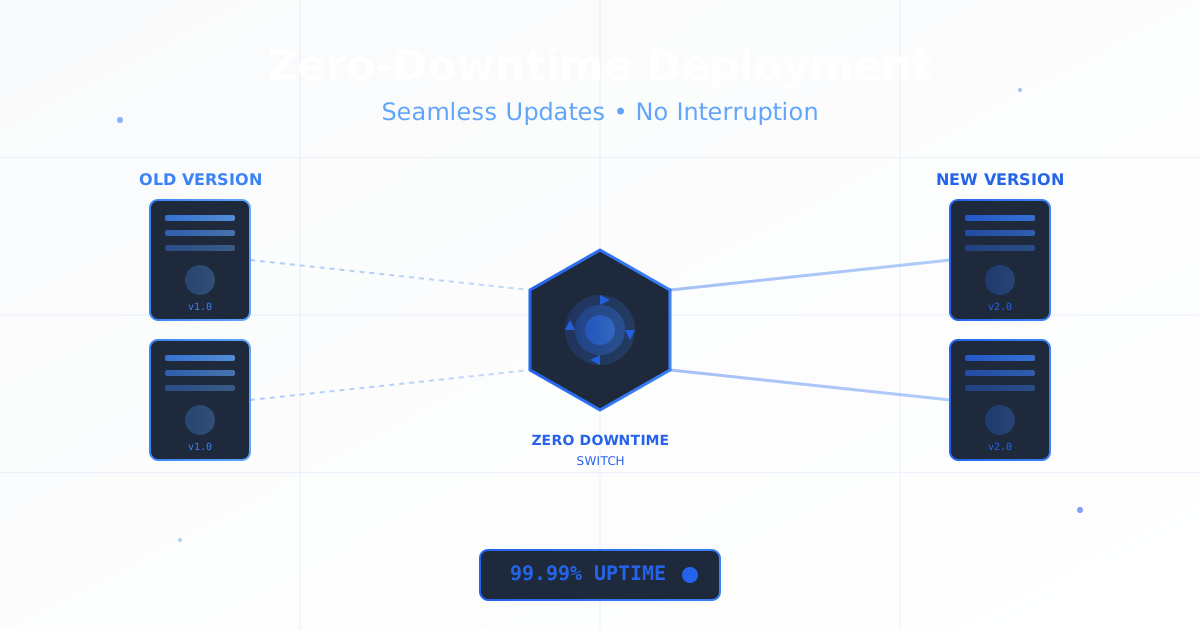
In today’s always-on digital economy, downtime is not just inconvenient - it’s expensive. Studies show that the average cost of downtime for businesses is $5,600 per minute, with enterprise companies losing up to $300,000 per hour. For e-commerce sites, even a few minutes of downtime during peak hours can result in thousands of lost sales and damaged customer trust.
The good news? With modern deployment strategies and the right infrastructure, you can deploy updates, fix bugs, and roll out new features without your users ever noticing. Welcome to the world of zero-downtime deployments - where continuous delivery meets continuous availability.
What is Zero-Downtime Deployment?
Zero-downtime deployment is a set of strategies and techniques that allow you to update your application without any service interruption. Users continue to access your application seamlessly while new code is being deployed, tested, and activated in the background.
Why Zero-Downtime Deployment Matters
Business Impact:
- Revenue Protection: No lost sales during deployments
- User Trust: Consistent availability builds confidence
- Competitive Edge: Deploy features faster than competitors
- Global Operations: Deploy anytime, not just during maintenance windows
- SLA Compliance: Maintain 99.99% uptime commitments
Technical Benefits:
- Deploy multiple times per day without user impact
- Test new versions in production with real traffic
- Instant rollback capabilities if issues arise
- Reduced deployment anxiety and stress
- Better work-life balance for engineering teams
Core Zero-Downtime Deployment Strategies
1. Blue-Green Deployment
Blue-green deployment maintains two identical production environments. At any time, one environment (blue) serves live traffic while the other (green) is idle. When deploying, you update the green environment, test it, then switch traffic from blue to green.
How It Works:
# Blue environment (currently serving traffic)
blue_environment:
  version: "v1.5.2"
  instances: 10
  status: active
  serving_traffic: true

# Green environment (preparing new version)
green_environment:
  version: "v1.6.0"
  instances: 10
  status: ready
  serving_traffic: false

# Traffic switch process
deployment_steps:
  1. Deploy v1.6.0 to green environment
  2. Run health checks and smoke tests
  3. Switch load balancer to green
  4. Monitor metrics for 15 minutes
  5. If stable, decommission blue (or keep as rollback)
Implementation with Load Balancer:
# NGINX configuration for blue-green switching
upstream backend {
    # Active environment (blue)
    server blue.internal:8080 weight=100;

    # Standby environment (green)
    server green.internal:8080 weight=0;
}

server {
    listen 80;
    server_name app.example.com;

    location / {
        proxy_pass http://backend;
        proxy_set_header Host $host;
        proxy_set_header X-Real-IP $remote_addr;
    }
}

# To switch: Change weight to green=100, blue=0 and reload NGINX
Kubernetes Blue-Green Deployment:
apiVersion: v1
kind: Service
metadata:
  name: web-app
spec:
  selector:
    app: web-app
    version: blue  # Switch to 'green' for deployment
  ports:
  - port: 80
    targetPort: 8080

---
# Blue deployment
apiVersion: apps/v1
kind: Deployment
metadata:
  name: web-app-blue
spec:
  replicas: 5
  selector:
    matchLabels:
      app: web-app
      version: blue
  template:
    metadata:
      labels:
        app: web-app
        version: blue
    spec:
      containers:
      - name: app
        image: myapp:v1.5.2
        ports:
        - containerPort: 8080

---
# Green deployment
apiVersion: apps/v1
kind: Deployment
metadata:
  name: web-app-green
spec:
  replicas: 5
  selector:
    matchLabels:
      app: web-app
      version: green
  template:
    metadata:
      labels:
        app: web-app
        version: green
    spec:
      containers:
      - name: app
        image: myapp:v1.6.0
        ports:
        - containerPort: 8080
Advantages:
- Instant rollback by switching traffic back
- Full testing in production-like environment
- Clean separation between versions
- Simple conceptually
Disadvantages:
- Requires 2x infrastructure resources
- Database migrations can be complex
- Higher cost for large deployments
Best For:
- E-commerce platforms
- Financial applications
- Mission-critical systems
- When you have budget for redundant infrastructure
2. Canary Deployment
Canary deployment gradually rolls out changes to a small subset of users before deploying to the entire infrastructure. If the canary shows problems, you can quickly abort without affecting most users.
Progressive Canary Strategy:
# Stage 1: 5% of traffic
canary_stage_1:
  version: "v2.0.0"
  traffic_percentage: 5
  duration: 30 minutes
  success_criteria:
    error_rate: "<0.5%"
    latency_p95: "<200ms"
    cpu_usage: "<70%"

# Stage 2: 25% of traffic
canary_stage_2:
  traffic_percentage: 25
  duration: 1 hour
  success_criteria:
    error_rate: "<0.3%"
    latency_p95: "<180ms"

# Stage 3: 50% of traffic
canary_stage_3:
  traffic_percentage: 50
  duration: 2 hours

# Stage 4: 100% rollout
canary_stage_4:
  traffic_percentage: 100
  duration: ongoing
Implementation with Istio:
apiVersion: networking.istio.io/v1beta1
kind: VirtualService
metadata:
  name: web-app-canary
spec:
  hosts:
  - web-app.example.com
  http:
  - match:
    - headers:
        user-agent:
          regex: ".*Mobile.*"  # Optional: target specific users
    route:
    - destination:
        host: web-app
        subset: v2
      weight: 10  # 10% canary traffic
    - destination:
        host: web-app
        subset: v1
      weight: 90  # 90% stable traffic

---
apiVersion: networking.istio.io/v1beta1
kind: DestinationRule
metadata:
  name: web-app
spec:
  host: web-app
  subsets:
  - name: v1
    labels:
      version: v1
  - name: v2
    labels:
      version: v2
Automated Canary with Flagger:
apiVersion: flagger.app/v1beta1
kind: Canary
metadata:
  name: web-app
spec:
  targetRef:
    apiVersion: apps/v1
    kind: Deployment
    name: web-app
  service:
    port: 80
  analysis:
    interval: 1m
    threshold: 5
    maxWeight: 50
    stepWeight: 10
    metrics:
    - name: request-success-rate
      thresholdRange:
        min: 99
      interval: 1m
    - name: request-duration
      thresholdRange:
        max: 500
      interval: 1m
    webhooks:
    - name: load-test
      url: http://loadtester.test/
      timeout: 5s
      metadata:
        type: cmd
        cmd: "hey -z 1m -q 10 -c 2 http://web-app-canary:80"
Advantages:
- Minimize blast radius of bugs
- Real production testing with real users
- Gradual confidence building
- Easy to abort if problems detected
Disadvantages:
- More complex monitoring required
- Can be difficult to debug issues
- Some users get inconsistent experiences
- Requires sophisticated traffic routing
Best For:
- High-traffic applications
- B2C platforms with large user bases
- When you want to validate changes with real users
- Risk-averse organizations
3. Rolling Deployment
Rolling deployment gradually replaces instances of the old version with the new version, one at a time or in small batches. At any point, both versions are running simultaneously.
Rolling Update Strategy:
apiVersion: apps/v1
kind: Deployment
metadata:
  name: web-app
spec:
  replicas: 20
  strategy:
    type: RollingUpdate
    rollingUpdate:
      maxSurge: 5        # Max number of pods above desired count
      maxUnavailable: 2   # Max number of pods that can be unavailable
  template:
    metadata:
      labels:
        app: web-app
    spec:
      containers:
      - name: app
        image: myapp:v2.1.0
        readinessProbe:
          httpGet:
            path: /health
            port: 8080
          initialDelaySeconds: 10
          periodSeconds: 5
        livenessProbe:
          httpGet:
            path: /health
            port: 8080
          initialDelaySeconds: 15
          periodSeconds: 10
Manual Rolling Deployment Script:
#!/bin/bash
# rolling-deploy.sh

APP_NAME="web-app"
NEW_VERSION="v2.1.0"
TOTAL_INSTANCES=10
BATCH_SIZE=2
HEALTH_CHECK_URL="http://localhost:8080/health"

echo "Starting rolling deployment of ${APP_NAME}:${NEW_VERSION}"

for ((i=1; i<=TOTAL_INSTANCES; i+=BATCH_SIZE)); do
    echo "Deploying batch: instances $i to $((i+BATCH_SIZE-1))"

    # Deploy new version
    for ((j=i; j<i+BATCH_SIZE && j<=TOTAL_INSTANCES; j++)); do
        echo "Updating instance $j..."
        docker stop ${APP_NAME}-${j}
        docker rm ${APP_NAME}-${j}
        docker run -d --name ${APP_NAME}-${j} \
            -p $((8080+j)):8080 \
            myapp:${NEW_VERSION}
    done

    # Wait for health checks
    echo "Waiting for instances to become healthy..."
    sleep 30

    # Verify health
    for ((j=i; j<i+BATCH_SIZE && j<=TOTAL_INSTANCES; j++)); do
        HEALTH=$(curl -s -o /dev/null -w "%{http_code}" \
            http://localhost:$((8080+j))/health)

        if [ "$HEALTH" != "200" ]; then
            echo "ERROR: Instance $j failed health check!"
            echo "Aborting deployment. Rollback required."
            exit 1
        fi
    done

    echo "Batch deployed successfully. Continuing..."
    sleep 10
done

echo "Rolling deployment completed successfully!"
AWS Auto Scaling Group Rolling Update:
{
  "AutoScalingGroupName": "web-app-asg",
  "MinSize": 10,
  "MaxSize": 15,
  "DesiredCapacity": 10,
  "LaunchTemplate": {
    "LaunchTemplateId": "lt-0123456789abcdef",
    "Version": "$Latest"
  },
  "UpdatePolicy": {
    "AutoScalingRollingUpdate": {
      "MinInstancesInService": 8,
      "MaxBatchSize": 2,
      "PauseTime": "PT5M",
      "SuspendProcesses": [
        "ScheduledActions"
      ],
      "WaitOnResourceSignals": true
    }
  }
}
Advantages:
- No need for extra infrastructure
- Gradual migration reduces risk
- Works with limited resources
- Native support in most orchestration tools
Disadvantages:
- Two versions running simultaneously
- Slower than blue-green
- Harder to rollback (must roll forward or backward)
- Complex version compatibility required
Best For:
- Resource-constrained environments
- Stateless applications
- Microservices architectures
- Teams new to zero-downtime deployments
4. Feature Flags (Feature Toggles)
Feature flags allow you to deploy code to production but control feature activation through configuration. This decouples deployment from release, enabling true continuous deployment.
Feature Flag Implementation:
# feature_flags.py
class FeatureFlags:
    def __init__(self, config_source='database'):
        self.config = self.load_config(config_source)

    def is_enabled(self, feature_name, user_id=None, context=None):
        """Check if feature is enabled for user/context"""
        feature = self.config.get(feature_name)

        if not feature:
            return False

        # Global killswitch
        if not feature['enabled']:
            return False

        # Percentage rollout
        if 'rollout_percentage' in feature:
            if user_id:
                # Consistent hashing for user
                user_hash = hash(user_id) % 100
                if user_hash >= feature['rollout_percentage']:
                    return False

        # User whitelist
        if 'whitelist' in feature and user_id:
            if user_id not in feature['whitelist']:
                return False

        # Context-based rules
        if 'rules' in feature and context:
            return self.evaluate_rules(feature['rules'], context)

        return True

# Usage in application
flags = FeatureFlags()

def checkout_endpoint(user_id, cart):
    if flags.is_enabled('new_checkout_flow', user_id=user_id):
        return new_checkout_process(cart)
    else:
        return old_checkout_process(cart)
Feature Flag Configuration:
features:
  new_checkout_flow:
    enabled: true
    description: "New streamlined checkout experience"
    rollout_percentage: 25
    whitelist:
      - "user_12345"  # Beta testers
      - "user_67890"
    rules:
      - condition: "user.country == 'US'"
        enabled: true
      - condition: "user.plan == 'premium'"
        enabled: true

  ai_recommendations:
    enabled: true
    rollout_percentage: 10
    monitoring:
      error_rate_threshold: 0.5
      latency_threshold_ms: 500
    auto_disable_on_error: true

  dark_mode:
    enabled: true
    rollout_percentage: 100
    permanent: true  # Feature fully rolled out
LaunchDarkly Integration:
// Feature flags with LaunchDarkly
const LaunchDarkly = require('launchdarkly-node-server-sdk');

const client = LaunchDarkly.init('your-sdk-key');

async function handleRequest(req, res) {
  const user = {
    key: req.user.id,
    email: req.user.email,
    country: req.user.country,
    custom: {
      plan: req.user.plan,
      signupDate: req.user.signupDate
    }
  };

  // Check feature flag
  const useNewAPI = await client.variation(
    'new-api-endpoint',
    user,
    false  // default value
  );

  if (useNewAPI) {
    return newAPIHandler(req, res);
  } else {
    return legacyAPIHandler(req, res);
  }
}

// Gradual rollout
client.track('checkout-completed', user, {
  revenue: 99.99,
  items: 3
});
Advantages:
- Deploy anytime, release anytime
- Test in production with real users
- Instant enable/disable without redeployment
- A/B testing capabilities
- Gradual rollouts with fine-grained control
Disadvantages:
- Code complexity increases
- Technical debt if flags not cleaned up
- Requires flag management infrastructure
- Can create combinatorial testing complexity
Best For:
- SaaS applications
- Mobile apps (where deployment is slow)
- A/B testing and experimentation
- Risk management for major features
Handling Database Migrations with Zero Downtime
Database migrations are often the trickiest part of zero-downtime deployments. Here’s how to handle them safely:
The Expand-Contract Pattern
Phase 1: Expand (Add new schema without removing old)
-- Deployment 1: Add new column, keep old one
ALTER TABLE users ADD COLUMN email_address VARCHAR(255);

-- Dual-write: Application writes to both columns
UPDATE users SET email_address = email WHERE email_address IS NULL;
CREATE INDEX idx_users_email_address ON users(email_address);
# Application code during transition
def update_user_email(user_id, new_email):
# Write to both old and new columns
db.execute("""
UPDATE users
SET email = %s, email_address = %s
WHERE id = %s
""", [new_email, new_email, user_id])Phase 2: Migrate Data
-- Background job migrates data
UPDATE users
SET email_address = email
WHERE email_address IS NULL;

-- Verify data integrity
SELECT COUNT(*) FROM users
WHERE email IS NOT NULL AND email_address IS NULL;
-- Should return 0
Phase 3: Contract (Remove old schema)
# Update application to use new column only
def update_user_email(user_id, new_email):
    db.execute("""
        UPDATE users
        SET email_address = %s
        WHERE id = %s
    """, [new_email, user_id])
-- Deployment 2: Remove old column
ALTER TABLE users DROP COLUMN email;Backward-Compatible Schema Changes
Safe Changes (No Downtime Risk):
- Adding new tables
- Adding nullable columns
- Adding indexes (with CONCURRENTLY in PostgreSQL)
- Creating new views
-- PostgreSQL: Create index without locking
CREATE INDEX CONCURRENTLY idx_users_created_at
ON users(created_at);
Risky Changes (Require Careful Planning):
- Dropping columns
- Renaming columns
- Changing column types
- Adding NOT NULL constraints
-- WRONG: This causes downtime
ALTER TABLE users DROP COLUMN old_field;

-- RIGHT: Multi-step process
-- Step 1: Stop writing to column (deploy app)
-- Step 2: Wait for all deployments
-- Step 3: Drop column in separate migration
ALTER TABLE users DROP COLUMN old_field;
Zero-Downtime Deployment Checklist
Pre-Deployment
- Application is stateless or handles state properly
- Health check endpoints are implemented
- Database migrations are backward-compatible
- Feature flags are in place for risky changes
- Monitoring and alerting are configured
- Rollback plan is documented and tested
- Load balancer configuration is ready
- Smoke tests are prepared
During Deployment
- Monitor error rates continuously
- Watch latency metrics closely
- Check resource utilization (CPU, memory)
- Verify database connection pools
- Monitor user-facing metrics
- Keep communication channels open
- Have rollback ready at all times
Post-Deployment
- Verify all instances are healthy
- Check application logs for errors
- Monitor for increased error rates
- Validate business metrics (conversions, etc.)
- Confirm database performance
- Review deployment metrics
- Document any issues encountered
- Clean up old infrastructure (if blue-green)
Common Pitfalls and Solutions
Pitfall 1: Session Affinity Issues
Problem: Users lose sessions during deployment.
Solution: Use sticky sessions or external session storage.
# Store sessions in Redis, not in-memory
from flask import Flask, session
from flask_session import Session

app = Flask(__name__)
app.config['SESSION_TYPE'] = 'redis'
app.config['SESSION_REDIS'] = redis.from_url('redis://localhost:6379')
Session(app)
Pitfall 2: Breaking API Changes
Problem: New deployment breaks old clients.
Solution: API versioning and deprecation strategy.
# API versioning
@app.route('/api/v1/users')  # Old version
def get_users_v1():
    return {"users": get_all_users()}

@app.route('/api/v2/users')  # New version
def get_users_v2():
    return {
        "users": get_all_users(),
        "pagination": get_pagination_meta()
    }
Pitfall 3: Database Lock Contentions
Problem: Long-running migrations lock tables.
Solution: Use online schema migration tools.
# Use pt-online-schema-change for MySQL
pt-online-schema-change \
  --alter "ADD COLUMN new_field INT" \
  D=mydb,t=users \
  --execute

# Use pg-osc for PostgreSQL
pg-osc \
  --dbname mydb \
  --table users \
  --alter "ADD COLUMN new_field INT"
Pitfall 4: Insufficient Health Checks
Problem: Unhealthy instances receive traffic.
Solution: Implement comprehensive health checks.
@app.route('/health')
def health_check():
    checks = {
        'database': check_database_connection(),
        'redis': check_redis_connection(),
        'disk_space': check_disk_space(),
        'external_api': check_external_dependencies()
    }

    if all(checks.values()):
        return {'status': 'healthy', 'checks': checks}, 200
    else:
        return {'status': 'unhealthy', 'checks': checks}, 503
CloudPloy’s Zero-Downtime Deployment Features
CloudPloy makes zero-downtime deployment simple and automatic:
Built-in Deployment Strategies
# Blue-green deployment
ploy deploy --strategy=blue-green

# Rolling deployment with custom batch size
ploy deploy --strategy=rolling --batch-size=2

# Canary deployment with automatic progression
ploy deploy --strategy=canary --initial-percentage=10
Automated Health Checks
CloudPloy automatically monitors your application during deployment and can auto-rollback if issues are detected:
# .ploy/deployment.yml
deployment:
  strategy: rolling
  health_checks:
    enabled: true
    endpoint: /health
    interval: 10s
    timeout: 5s
    unhealthy_threshold: 3
    healthy_threshold: 2

  auto_rollback:
    enabled: true
    conditions:
      - error_rate > 5%
      - latency_p95 > 500ms
      - failed_health_checks > 2
Database Migration Support
CloudPloy handles database migrations safely with automatic backup and rollback:
# Run migrations with automatic backup
ploy migrate --with-backup --zero-downtime

# Rollback if needed
ploy migrate rollback --to-version=previous
Choosing the Right Strategy
| Strategy | Infrastructure Cost | Complexity | Rollback Speed | Best For |
|---|---|---|---|---|
| Blue-Green | High (2x) | Low | Instant | Critical apps, high budgets |
| Canary | Medium | High | Fast | High-traffic, risk-averse |
| Rolling | Low (1x) | Medium | Slow | Resource-constrained, microservices |
| Feature Flags | Low | High | Instant | SaaS, experimentation |
Decision Framework
Choose Blue-Green if:
- You have budget for redundant infrastructure
- You need instant rollback capability
- Your deployments are infrequent but critical
- You want simple conceptual model
Choose Canary if:
- You have high traffic volume
- You want to minimize risk
- You have sophisticated monitoring
- You’re deploying risky changes
Choose Rolling if:
- You’re resource-constrained
- You have microservices architecture
- You deploy frequently
- Your app is stateless
Choose Feature Flags if:
- You’re building SaaS
- You want to A/B test
- You need fine-grained control
- You deploy mobile apps
Conclusion
Zero-downtime deployment is no longer optional - it’s expected. Users demand 24/7 availability, and businesses can’t afford downtime costs. By implementing the right deployment strategy for your application, you can deploy confidently and frequently without impacting users.
Start with rolling deployments if you’re new to zero-downtime practices. As your team matures and your infrastructure grows, consider adding canary deployments or feature flags for more control. And if you have the budget, blue-green deployments provide the ultimate safety net.
Remember: the best deployment strategy is the one your team can execute reliably. Start simple, measure everything, and iterate based on your specific needs.
Ready to implement zero-downtime deployments for your applications? CloudPloy provides built-in support for blue-green, canary, and rolling deployment strategies with automated health checks and instant rollback. Deploy with confidence today and never worry about downtime again.