
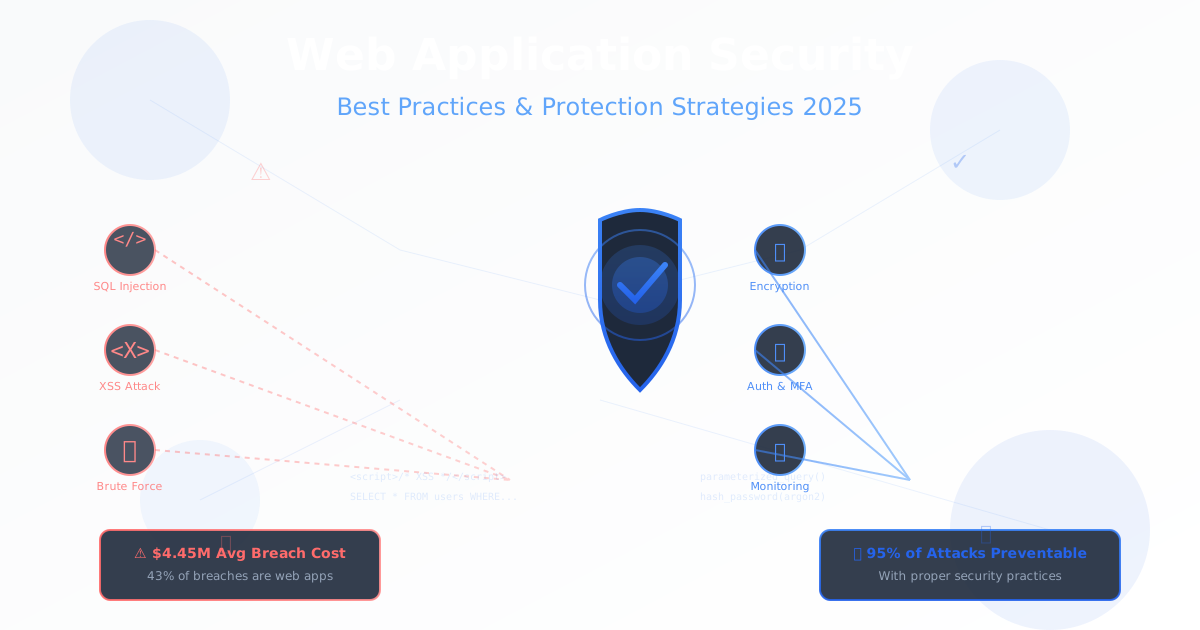
In 2025, the average cost of a data breach has reached $4.45 million, with web application attacks accounting for 43% of all breaches. Every 39 seconds, a hacker attacks somewhere on the internet. Yet 95% of web application vulnerabilities are preventable with proper security practices.
Whether you’re building a startup MVP or managing enterprise applications, security cannot be an afterthought. This comprehensive guide covers the essential security best practices every developer and engineering team needs to implement in 2025 to protect their applications, users, and business.
The Modern Threat Landscape
Most Common Attack Vectors in 2025
1. Injection Attacks (30% of breaches)
- SQL injection
- NoSQL injection
- Command injection
- LDAP injection
2. Broken Authentication (20% of breaches)
- Weak passwords
- Session hijacking
- Credential stuffing
- Brute force attacks
3. Sensitive Data Exposure (18% of breaches)
- Unencrypted data transmission
- Weak encryption
- Exposed API keys
- Improper access controls
4. Security Misconfiguration (15% of breaches)
- Default configurations
- Unnecessary features enabled
- Missing security patches
- Verbose error messages
5. Cross-Site Scripting - XSS (12% of breaches)
- Stored XSS
- Reflected XSS
- DOM-based XSS
Real-World Impact
Recent High-Profile Breaches (2024-2025):

Company             Impact           Cause
━━━━━━━━━━━━━━━━━━━━━━━━━━━━━━━━━━━━━━━━━━━━━━
Healthcare SaaS     5M records       SQL Injection
Fintech Startup     $2M loss         Broken Auth
E-commerce Site     500K cards       Missing Updates
Social Platform     10M users        XSS Attack
API Company         Data leak        Exposed Keys

Average cost per breach: $4.45M
Average time to detect: 277 days
Average time to contain: 70 days
OWASP Top 10 2025: Prevention Guide
1. Injection Vulnerabilities
SQL Injection Prevention
# ❌ WRONG: Vulnerable to SQL injection
def get_user_by_email(email):
    query = f"SELECT * FROM users WHERE email = '{email}'"
    return db.execute(query)

# Attacker input: ' OR '1'='1' --
# Results in: SELECT * FROM users WHERE email = '' OR '1'='1' --'
# Returns ALL users!

# ✅ CORRECT: Use parameterized queries
def get_user_by_email(email):
    query = "SELECT * FROM users WHERE email = %s"
    return db.execute(query, (email,))

# ✅ CORRECT: Use ORM with parameterization
def get_user_by_email(email):
    return User.objects.filter(email=email).first()
NoSQL Injection Prevention (MongoDB)
// ❌ WRONG: Vulnerable to NoSQL injection
app.post('/login', (req, res) => {
  const { username, password } = req.body;
  db.collection('users').findOne({ username: username, password: password });
});

// Attacker payload: {"username": {"$ne": null}, "password": {"$ne": null}}
// Bypasses authentication!

// ✅ CORRECT: Validate input types
app.post('/login', (req, res) => {
  const { username, password } = req.body;

  // Ensure strings, not objects
  if (typeof username !== 'string' || typeof password !== 'string') {
    return res.status(400).json({ error: 'Invalid input' });
  }

  db.collection('users').findOne({
    username: username,
    password: hashPassword(password)
  });
});
Command Injection Prevention
# ❌ WRONG: Vulnerable to command injection
import os

def ping_host(hostname):
    os.system(f"ping -c 4 {hostname}")

# Attacker input: "google.com; rm -rf /"
# Executes: ping -c 4 google.com; rm -rf /

# ✅ CORRECT: Use subprocess with argument list
import subprocess
import re

def ping_host(hostname):
    # Validate hostname format
    if not re.match(r'^[a-zA-Z0-9.-]+$', hostname):
        raise ValueError("Invalid hostname")

    # Use argument list (no shell interpretation)
    subprocess.run(['ping', '-c', '4', hostname], check=True)
2. Broken Authentication
Secure Password Storage
from passlib.hash import argon2

# ✅ CORRECT: Use Argon2id for password hashing
class User:
    def set_password(self, password):
        # Validate password strength
        if len(password) < 12:
            raise ValueError("Password must be at least 12 characters")

        if not self.check_password_complexity(password):
            raise ValueError("Password must contain uppercase, lowercase, digit, and special char")

        # Hash with Argon2id (winner of Password Hashing Competition)
        self.password_hash = argon2.hash(password)

    def verify_password(self, password):
        try:
            return argon2.verify(password, self.password_hash)
        except:
            return False

    @staticmethod
    def check_password_complexity(password):
        has_upper = any(c.isupper() for c in password)
        has_lower = any(c.islower() for c in password)
        has_digit = any(c.isdigit() for c in password)
        has_special = any(c in '!@#$%^&*()_+-=[]{}|;:,.<>?' for c in password)
        return all([has_upper, has_lower, has_digit, has_special])
Multi-Factor Authentication (MFA)
import pyotp
import qrcode

class MFAManager:
    def enable_mfa(self, user):
        """Generate TOTP secret and QR code"""
        secret = pyotp.random_base32()
        user.mfa_secret = secret
        user.mfa_enabled = True
        user.save()

        # Generate QR code for authenticator apps
        totp_uri = pyotp.totp.TOTP(secret).provisioning_uri(
            name=user.email,
            issuer_name="MyApp"
        )

        return {
            'secret': secret,
            'qr_code_uri': totp_uri
        }

    def verify_mfa_code(self, user, code):
        """Verify 6-digit TOTP code"""
        if not user.mfa_enabled:
            return False

        totp = pyotp.TOTP(user.mfa_secret)

        # Verify with 30-second window tolerance
        return totp.verify(code, valid_window=1)

    def generate_backup_codes(self, user):
        """Generate one-time backup codes"""
        backup_codes = []
        for _ in range(10):
            code = pyotp.random_base32()[:8]
            backup_codes.append(code)

        # Store hashed versions
        user.backup_codes = [
            argon2.hash(code) for code in backup_codes
        ]
        user.save()

        return backup_codes  # Show to user once!
Session Management
from flask import Flask, session
from datetime import timedelta
import secrets

app = Flask(__name__)

# ✅ Secure session configuration
app.config.update(
    SECRET_KEY=secrets.token_hex(32),  # Cryptographically strong key
    SESSION_COOKIE_SECURE=True,        # HTTPS only
    SESSION_COOKIE_HTTPONLY=True,      # No JavaScript access
    SESSION_COOKIE_SAMESITE='Lax',     # CSRF protection
    PERMANENT_SESSION_LIFETIME=timedelta(hours=2)
)

@app.before_request
def make_session_permanent():
    session.permanent = True

def regenerate_session_id():
    """Regenerate session ID after login"""
    user_data = {k: session[k] for k in session.keys()}
    session.clear()
    session.update(user_data)
    session.modified = True

@app.route('/login', methods=['POST'])
def login():
    # ... authenticate user ...

    # Regenerate session ID to prevent session fixation
    regenerate_session_id()

    session['user_id'] = user.id
    session['last_activity'] = datetime.utcnow()

    return {'status': 'success'}

@app.before_request
def check_session_timeout():
    """Implement absolute and idle timeouts"""
    if 'user_id' in session:
        last_activity = session.get('last_activity')
        if last_activity:
            idle_time = datetime.utcnow() - last_activity
            if idle_time > timedelta(minutes=30):  # 30 min idle timeout
                session.clear()
                return {'error': 'Session expired'}, 401

        session['last_activity'] = datetime.utcnow()
Rate Limiting for Brute Force Protection
from flask_limiter import Limiter
from flask_limiter.util import get_remote_address

limiter = Limiter(
    app=app,
    key_func=get_remote_address,
    default_limits=["200 per day", "50 per hour"],
    storage_uri="redis://localhost:6379"
)

@app.route('/login', methods=['POST'])
@limiter.limit("5 per minute")  # Strict limit on login attempts
def login():
    email = request.json.get('email')
    password = request.json.get('password')

    # Check for account lockout
    failed_attempts = redis_client.get(f"failed_login:{email}")
    if failed_attempts and int(failed_attempts) >= 5:
        lockout_time = redis_client.ttl(f"failed_login:{email}")
        return {
            'error': f'Account locked. Try again in {lockout_time} seconds'
        }, 429

    user = User.query.filter_by(email=email).first()

    if not user or not user.verify_password(password):
        # Increment failed attempts
        redis_client.incr(f"failed_login:{email}")
        redis_client.expire(f"failed_login:{email}", 900)  # 15 min lockout

        return {'error': 'Invalid credentials'}, 401

    # Clear failed attempts on success
    redis_client.delete(f"failed_login:{email}")

    return {'token': generate_token(user)}
3. Cross-Site Scripting (XSS) Prevention
Output Encoding
// ✅ React automatically escapes (safe by default)
function UserProfile({ username }) {
  return <div>Hello, {username}!</div>;
}

// ❌ DANGEROUS: dangerouslySetInnerHTML bypasses protection
function UserBio({ bio }) {
  return <div dangerouslySetInnerHTML={{ __html: bio }} />;
}

// ✅ CORRECT: Sanitize HTML content
import DOMPurify from 'dompurify';

function UserBio({ bio }) {
  const sanitizedBio = DOMPurify.sanitize(bio, {
    ALLOWED_TAGS: ['p', 'b', 'i', 'em', 'strong', 'a'],
    ALLOWED_ATTR: ['href']
  });

  return <div dangerouslySetInnerHTML={{ __html: sanitizedBio }} />;
}
Content Security Policy (CSP)
from flask import Flask, make_response

app = Flask(__name__)

@app.after_request
def set_csp(response):
    """Set Content Security Policy header"""
    csp = (
        "default-src 'self'; "
        "script-src 'self' https://trusted-cdn.com; "
        "style-src 'self' 'unsafe-inline'; "
        "img-src 'self' data: https:; "
        "font-src 'self' https://fonts.gstatic.com; "
        "connect-src 'self' https://api.myapp.com; "
        "frame-ancestors 'none'; "
        "base-uri 'self'; "
        "form-action 'self'"
    )
    response.headers['Content-Security-Policy'] = csp
    return response
Input Validation
from bleach import clean
import re

class InputValidator:
    @staticmethod
    def sanitize_html(html_content):
        """Sanitize HTML to prevent XSS"""
        allowed_tags = ['p', 'br', 'strong', 'em', 'ul', 'ol', 'li', 'a']
        allowed_attrs = {'a': ['href', 'title']}

        return clean(
            html_content,
            tags=allowed_tags,
            attributes=allowed_attrs,
            strip=True
        )

    @staticmethod
    def validate_email(email):
        """Validate email format"""
        pattern = r'^[a-zA-Z0-9._%+-]+@[a-zA-Z0-9.-]+\.[a-zA-Z]{2,}$'
        return re.match(pattern, email) is not None

    @staticmethod
    def validate_username(username):
        """Validate username (alphanumeric, underscore, hyphen only)"""
        if not re.match(r'^[a-zA-Z0-9_-]{3,20}$', username):
            raise ValueError("Invalid username format")
        return username

    @staticmethod
    def sanitize_filename(filename):
        """Sanitize filename to prevent path traversal"""
        # Remove path components
        filename = filename.split('/')[-1].split('\\')[-1]

        # Allow only alphanumeric, dash, underscore, and single dot
        filename = re.sub(r'[^a-zA-Z0-9._-]', '', filename)

        # Prevent multiple dots (path traversal)
        while '..' in filename:
            filename = filename.replace('..', '.')

        return filename
4. Cross-Site Request Forgery (CSRF) Protection
from flask_wtf.csrf import CSRFProtect
from flask import Flask, request, jsonify

app = Flask(__name__)
csrf = CSRFProtect(app)

# ✅ CSRF protection for forms
@app.route('/update-profile', methods=['POST'])
def update_profile():
    # CSRF token automatically validated
    user = get_current_user()
    user.update(request.form)
    return {'status': 'success'}

# ✅ CSRF protection for AJAX (token in header)
@app.route('/api/data', methods=['POST'])
def api_endpoint():
    token = request.headers.get('X-CSRF-Token')
    if not validate_csrf_token(token):
        return {'error': 'Invalid CSRF token'}, 403

    # Process request
    return {'data': 'processed'}

# ✅ SameSite cookie attribute (additional protection)
@app.after_request
def set_csrf_cookie(response):
    response.set_cookie(
        'csrf_token',
        value=generate_csrf_token(),
        secure=True,
        httponly=True,
        samesite='Strict'
    )
    return response
5. Secure API Authentication
JWT Implementation
import jwt
from datetime import datetime, timedelta
from functools import wraps

SECRET_KEY = os.getenv('JWT_SECRET_KEY')
ALGORITHM = 'HS256'

def generate_token(user_id, expires_in_hours=24):
    """Generate JWT access token"""
    payload = {
        'user_id': user_id,
        'exp': datetime.utcnow() + timedelta(hours=expires_in_hours),
        'iat': datetime.utcnow(),
        'jti': secrets.token_urlsafe(16)  # Unique token ID
    }
    return jwt.encode(payload, SECRET_KEY, algorithm=ALGORITHM)

def generate_refresh_token(user_id):
    """Generate long-lived refresh token"""
    payload = {
        'user_id': user_id,
        'exp': datetime.utcnow() + timedelta(days=30),
        'type': 'refresh'
    }
    return jwt.encode(payload, SECRET_KEY, algorithm=ALGORITHM)

def require_auth(f):
    """Decorator to require valid JWT token"""
    @wraps(f)
    def decorated(*args, **kwargs):
        token = request.headers.get('Authorization')

        if not token or not token.startswith('Bearer '):
            return {'error': 'Missing or invalid token'}, 401

        try:
            token = token.split(' ')[1]
            payload = jwt.decode(token, SECRET_KEY, algorithms=[ALGORITHM])

            # Check if token is blacklisted (for logout)
            if is_token_blacklisted(payload.get('jti')):
                return {'error': 'Token revoked'}, 401

            request.user_id = payload['user_id']

        except jwt.ExpiredSignatureError:
            return {'error': 'Token expired'}, 401
        except jwt.InvalidTokenError:
            return {'error': 'Invalid token'}, 401

        return f(*args, **kwargs)

    return decorated

@app.route('/api/protected')
@require_auth
def protected_route():
    user_id = request.user_id
    return {'data': f'Hello user {user_id}'}
API Key Management
import secrets
import hashlib

class APIKeyManager:
    @staticmethod
    def generate_api_key():
        """Generate secure API key"""
        # Generate random key
        key = secrets.token_urlsafe(32)

        # Store hash in database (never store plaintext!)
        key_hash = hashlib.sha256(key.encode()).hexdigest()

        return key, key_hash

    @staticmethod
    def validate_api_key(provided_key):
        """Validate API key"""
        key_hash = hashlib.sha256(provided_key.encode()).hexdigest()

        # Look up hash in database
        api_key_record = APIKey.query.filter_by(key_hash=key_hash).first()

        if not api_key_record or not api_key_record.is_active:
            return None

        # Update last used timestamp
        api_key_record.last_used = datetime.utcnow()
        api_key_record.usage_count += 1
        db.session.commit()

        return api_key_record.user_id

def require_api_key(f):
    """Decorator to require valid API key"""
    @wraps(f)
    def decorated(*args, **kwargs):
        api_key = request.headers.get('X-API-Key')

        if not api_key:
            return {'error': 'API key required'}, 401

        user_id = APIKeyManager.validate_api_key(api_key)

        if not user_id:
            return {'error': 'Invalid API key'}, 401

        request.user_id = user_id
        return f(*args, **kwargs)

    return decorated
6. Security Headers
from flask import Flask

app = Flask(__name__)

@app.after_request
def set_security_headers(response):
    """Set comprehensive security headers"""

    # Prevent clickjacking
    response.headers['X-Frame-Options'] = 'DENY'

    # Prevent MIME type sniffing
    response.headers['X-Content-Type-Options'] = 'nosniff'

    # Enable XSS filter in browsers
    response.headers['X-XSS-Protection'] = '1; mode=block'

    # Enforce HTTPS
    response.headers['Strict-Transport-Security'] = (
        'max-age=31536000; includeSubDomains; preload'
    )

    # Control referrer information
    response.headers['Referrer-Policy'] = 'strict-origin-when-cross-origin'

    # Permissions Policy (formerly Feature-Policy)
    response.headers['Permissions-Policy'] = (
        'geolocation=(), microphone=(), camera=()'
    )

    # Content Security Policy (detailed)
    csp = {
        'default-src': ["'self'"],
        'script-src': ["'self'", "'unsafe-inline'", "https://cdn.trusted.com"],
        'style-src': ["'self'", "'unsafe-inline'"],
        'img-src': ["'self'", "data:", "https:"],
        'font-src': ["'self'", "https://fonts.gstatic.com"],
        'connect-src': ["'self'", "https://api.myapp.com"],
        'frame-ancestors': ["'none'"],
        'base-uri': ["'self'"],
        'form-action': ["'self'"]
    }

    csp_string = '; '.join([
        f"{key} {' '.join(values)}"
        for key, values in csp.items()
    ])
    response.headers['Content-Security-Policy'] = csp_string

    return response
7. Secure File Upload
import os
from werkzeug.utils import secure_filename
from PIL import Image
import magic

ALLOWED_EXTENSIONS = {'png', 'jpg', 'jpeg', 'gif', 'pdf'}
MAX_FILE_SIZE = 5 * 1024 * 1024  # 5 MB

class SecureFileUpload:
    @staticmethod
    def allowed_file(filename):
        """Check if file extension is allowed"""
        return '.' in filename and \
               filename.rsplit('.', 1)[1].lower() in ALLOWED_EXTENSIONS

    @staticmethod
    def validate_file(file):
        """Comprehensive file validation"""

        # Check file size
        file.seek(0, os.SEEK_END)
        file_size = file.tell()
        file.seek(0)

        if file_size > MAX_FILE_SIZE:
            raise ValueError("File too large")

        # Validate filename
        filename = secure_filename(file.filename)
        if not SecureFileUpload.allowed_file(filename):
            raise ValueError("File type not allowed")

        # Verify actual file type (not just extension)
        mime = magic.Magic(mime=True)
        file_type = mime.from_buffer(file.read(1024))
        file.seek(0)

        allowed_mimes = {
            'image/jpeg', 'image/png', 'image/gif', 'application/pdf'
        }
        if file_type not in allowed_mimes:
            raise ValueError("Invalid file type")

        return filename

    @staticmethod
    def process_image(file, output_path):
        """Process and sanitize image files"""
        try:
            # Open image with PIL (validates it's a real image)
            img = Image.open(file)

            # Remove EXIF data (privacy concern)
            data = list(img.getdata())
            image_without_exif = Image.new(img.mode, img.size)
            image_without_exif.putdata(data)

            # Resize if too large
            max_dimension = 2048
            if img.width > max_dimension or img.height > max_dimension:
                img.thumbnail((max_dimension, max_dimension))

            # Save with optimization
            image_without_exif.save(output_path, optimize=True, quality=85)

        except Exception as e:
            raise ValueError(f"Invalid image file: {e}")

@app.route('/upload', methods=['POST'])
@require_auth
def upload_file():
    if 'file' not in request.files:
        return {'error': 'No file provided'}, 400

    file = request.files['file']

    try:
        filename = SecureFileUpload.validate_file(file)

        # Generate unique filename to prevent overwrites
        unique_filename = f"{secrets.token_urlsafe(16)}_{filename}"
        upload_path = os.path.join(app.config['UPLOAD_FOLDER'], unique_filename)

        # Process based on file type
        if file.content_type.startswith('image/'):
            SecureFileUpload.process_image(file, upload_path)
        else:
            file.save(upload_path)

        return {'filename': unique_filename}, 200

    except ValueError as e:
        return {'error': str(e)}, 400
8. Database Security
Prepared Statements (All Frameworks)
# ✅ SQLAlchemy (Python)
from sqlalchemy import text

result = db.session.execute(
    text("SELECT * FROM users WHERE email = :email"),
    {"email": user_email}
)

# ✅ Django ORM (Python)
User.objects.filter(email=user_email)

# ✅ Node.js with PostgreSQL
const query = 'SELECT * FROM users WHERE email = $1';
const values = [userEmail];
const result = await client.query(query, values);

# ✅ PHP PDO
$stmt = $pdo->prepare('SELECT * FROM users WHERE email = ?');
$stmt->execute([$userEmail]);
Principle of Least Privilege
-- Create application user with minimal permissions

-- ❌ WRONG: Application uses root/admin account
-- GRANT ALL PRIVILEGES ON *.* TO 'app'@'localhost';

-- ✅ CORRECT: Grant only necessary permissions
CREATE USER 'myapp'@'localhost' IDENTIFIED BY 'strong_password';

-- Grant specific database access
GRANT SELECT, INSERT, UPDATE, DELETE ON myapp_db.* TO 'myapp'@'localhost';

-- Revoke dangerous permissions
REVOKE CREATE, DROP, ALTER ON myapp_db.* FROM 'myapp'@'localhost';

-- Prohibit access to sensitive tables
REVOKE ALL ON myapp_db.admin_users FROM 'myapp'@'localhost';

FLUSH PRIVILEGES;
Encryption at Rest
from cryptography.fernet import Fernet

class EncryptedField:
    """Transparent encryption for sensitive database fields"""

    def __init__(self):
        # Store encryption key in secure key management service
        self.key = os.getenv('ENCRYPTION_KEY').encode()
        self.cipher = Fernet(self.key)

    def encrypt(self, plaintext):
        """Encrypt data before storing"""
        if plaintext is None:
            return None
        return self.cipher.encrypt(plaintext.encode()).decode()

    def decrypt(self, ciphertext):
        """Decrypt data after retrieving"""
        if ciphertext is None:
            return None
        return self.cipher.decrypt(ciphertext.encode()).decode()

class User(db.Model):
    id = db.Column(db.Integer, primary_key=True)
    email = db.Column(db.String(255))
    _ssn = db.Column('ssn', db.String(255))  # Encrypted in DB

    encryptor = EncryptedField()

    @property
    def ssn(self):
        """Decrypt when accessed"""
        return self.encryptor.decrypt(self._ssn)

    @ssn.setter
    def ssn(self, value):
        """Encrypt when set"""
        self._ssn = self.encryptor.encrypt(value)
Security Testing & Monitoring
Automated Security Scanning
# .github/workflows/security-scan.yml
name: Security Scan

on: [push, pull_request]

jobs:
  security:
    runs-on: ubuntu-latest

    steps:
      - uses: actions/checkout@v3

      # Dependency vulnerability scanning
      - name: Run Snyk to check for vulnerabilities
        uses: snyk/actions/node@master
        env:
          SNYK_TOKEN: ${{ secrets.SNYK_TOKEN }}

      # SAST (Static Application Security Testing)
      - name: Run Semgrep
        uses: returntocorp/semgrep-action@v1
        with:
          config: p/security-audit

      # Secret scanning
      - name: TruffleHog
        uses: trufflesecurity/trufflehog@main
        with:
          path: ./
          base: main

      # Container scanning
      - name: Scan Docker image
        uses: aquasecurity/trivy-action@master
        with:
          image-ref: 'myapp:latest'
          format: 'sarif'
          output: 'trivy-results.sarif'
Runtime Monitoring
import logging
from functools import wraps

# Configure security logger
security_logger = logging.getLogger('security')
security_logger.setLevel(logging.WARNING)

class SecurityMonitor:
    @staticmethod
    def log_security_event(event_type, details):
        """Log security events for monitoring"""
        security_logger.warning({
            'event_type': event_type,
            'timestamp': datetime.utcnow().isoformat(),
            'ip_address': request.remote_addr,
            'user_agent': request.user_agent.string,
            'details': details
        })

    @staticmethod
    def detect_sql_injection_attempt(input_string):
        """Simple SQL injection detection"""
        sql_keywords = ['SELECT', 'INSERT', 'UPDATE', 'DELETE', 'DROP', 'UNION', '--', ';']
        return any(keyword in input_string.upper() for keyword in sql_keywords)

def monitor_suspicious_activity(f):
    """Decorator to monitor for suspicious activity"""
    @wraps(f)
    def decorated(*args, **kwargs):
        # Check for SQL injection attempts
        for value in request.values.values():
            if SecurityMonitor.detect_sql_injection_attempt(str(value)):
                SecurityMonitor.log_security_event(
                    'sql_injection_attempt',
                    {'input': value[:100]}
                )

        # Monitor failed authentication attempts
        result = f(*args, **kwargs)

        if hasattr(result, 'status_code') and result.status_code == 401:
            SecurityMonitor.log_security_event(
                'failed_authentication',
                {'endpoint': request.endpoint}
            )

        return result

    return decorated
Security Checklist
Development Phase
- Use parameterized queries for all database operations
- Implement input validation and sanitization
- Hash passwords with Argon2id or bcrypt
- Enable HTTPS everywhere (TLS 1.3)
- Implement proper error handling (no sensitive info in errors)
- Use security linters (Semgrep, Bandit, ESLint security plugins)
- Scan dependencies for known vulnerabilities
- Implement Content Security Policy
- Enable all security headers
- Use CSRF protection on state-changing operations
- Implement rate limiting on authentication endpoints
- Log security events for monitoring
Deployment Phase
- Change all default passwords and keys
- Use environment variables for secrets (never commit)
- Enable database encryption at rest
- Configure firewall rules (principle of least privilege)
- Disable unnecessary services and ports
- Implement Web Application Firewall (WAF)
- Set up automated backups with encryption
- Configure monitoring and alerting
- Enable audit logging
- Implement DDoS protection
- Use secrets management service (AWS Secrets Manager, HashiCorp Vault)
Ongoing Maintenance
- Apply security patches within 48 hours
- Review access logs weekly
- Conduct security audits quarterly
- Perform penetration testing annually
- Update dependencies regularly
- Review and rotate API keys/secrets
- Monitor for suspicious activity
- Train team on security best practices
- Maintain incident response plan
- Keep security documentation updated
CloudPloy’s Built-in Security Features
CloudPloy handles many security concerns automatically:
Automatic Security Hardening
# CloudPloy automatically configures:
security:
  - SSL/TLS certificates (auto-renewed)
  - Security headers (CSP, HSTS, etc.)
  - DDoS protection
  - Web Application Firewall
  - Automated security updates
  - Database encryption at rest
  - Secure backup storage
  - Intrusion detection
Zero-Configuration Security
# Deploy with enterprise-grade security automatically
ploy deploy

# CloudPloy handles:
✅ SSL certificate provisioning
✅ Security header configuration
✅ Firewall setup
✅ Database hardening
✅ Automated backups (encrypted)
✅ Security monitoring
✅ DDoS mitigation
✅ Intrusion detection
Conclusion
Web application security is not a destination - it’s an ongoing journey. The threat landscape constantly evolves, and your security practices must evolve with it. By implementing these best practices, you’re protecting not just your application, but your users’ trust and your business’s reputation.
Start with the fundamentals: prevent injection attacks, secure authentication, validate all input, and keep dependencies updated. Then layer on additional protections: MFA, security headers, monitoring, and automated testing.
Remember: 95% of breaches are preventable with proper security hygiene. Don’t let your application become a statistic.
Ready to deploy with enterprise-grade security built-in? CloudPloy automatically configures SSL, security headers, firewalls, and DDoS protection - so you can focus on building features, not fighting attacks. Start your secure deployment today and sleep better at night.