
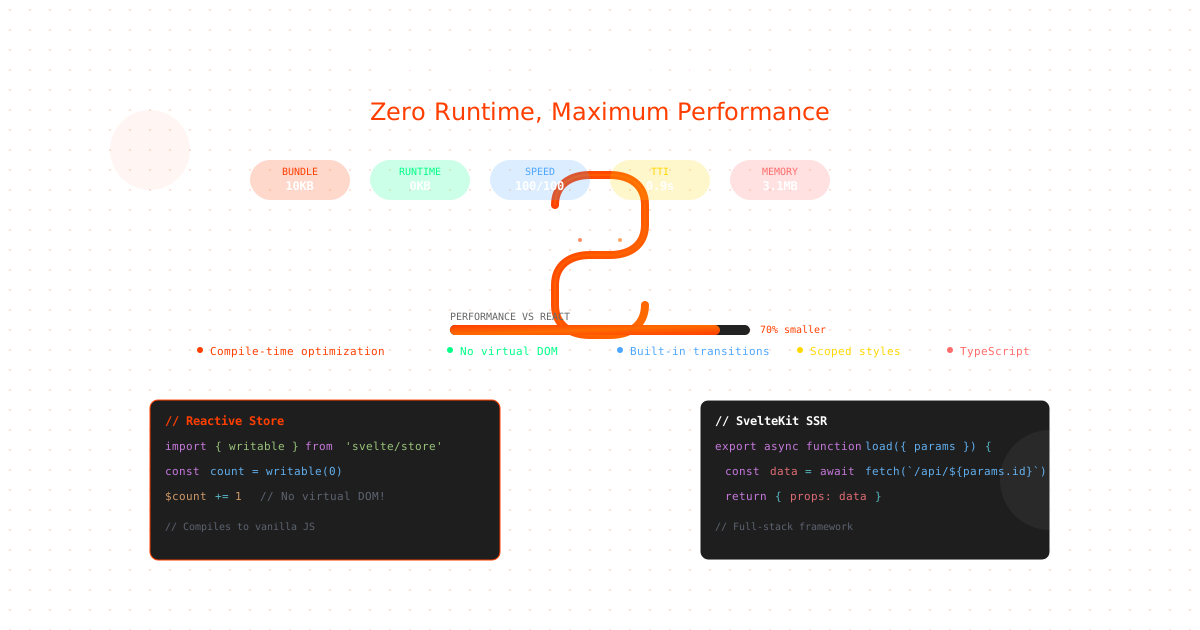
Svelte has transformed frontend development with its compile-time optimization and zero-runtime overhead approach. Companies like The New York Times, Apple, and Square have adopted Svelte for its exceptional performance and developer experience. Deploying Svelte on Ubuntu servers provides complete infrastructure control while maximizing performance benefits. This comprehensive guide shows you how to deploy, optimize, and scale Svelte and SvelteKit applications on Ubuntu servers for production in 2025.
Note: This guide focuses on deploying Svelte on Ubuntu servers. CloudPloy currently supports Laravel applications, with Svelte support coming soon. Stay tuned for updates!
Why Svelte Changes the Hosting Game
Unlike React or Vue, Svelte compiles your code to vanilla JavaScript at build time, resulting in:
- 70% smaller bundles than React equivalents
- No virtual DOM overhead - direct DOM manipulation
- Zero runtime library - everything compiles away
- Built-in reactivity without complex state management
- Exceptional performance on low-powered devices
- Perfect Lighthouse scores out of the box
SvelteKit: The Full-Stack Framework
Modern SvelteKit Architecture
// svelte.config.js
import adapter from '@sveltejs/adapter-node';
import { vitePreprocess } from '@sveltejs/vite-plugin-svelte';

export default {
  preprocess: vitePreprocess(),

  kit: {
    adapter: adapter({
      out: 'build',
      precompress: true,
      envPrefix: 'APP_'
    }),

    csp: {
      directives: {
        'script-src': ['self'],
        'style-src': ['self', 'unsafe-inline']
      }
    },

    prerender: {
      handleHttpError: 'warn',
      handleMissingId: 'warn',
      crawl: true,
      enabled: true,
      entries: ['*']
    },

    serviceWorker: {
      register: true,
      files: (filepath) => !/\.DS_Store/.test(filepath)
    }
  }
};
App Structure and Configuration
// app.d.ts
declare global {
  namespace App {
    interface Error {
      message: string;
      code?: string;
    }

    interface Locals {
      user?: {
        id: string;
        email: string;
        role: string;
      };
      session?: string;
    }

    interface PageData {
      user?: App.Locals['user'];
    }

    interface Platform {
      env?: {
        COUNTER: DurableObjectNamespace;
        DB: D1Database;
      };
      context?: ExecutionContext;
      caches?: CacheStorage;
    }
  }
}

export {};
Deployment Strategies for Svelte
1. Static Site Generation (SSG)
Perfect for content sites, blogs, and marketing pages:
// +page.js
export const prerender = true;

export async function load({ params }) {
  const posts = await import.meta.glob('/src/posts/*.md');
  const postData = await Promise.all(
    Object.entries(posts).map(async ([path, resolver]) => {
      const post = await resolver();
      const slug = path.split('/').pop().replace('.md', '');
      return {
        slug,
        ...post.metadata
      };
    })
  );

  return {
    posts: postData
  };
}
2. Server-Side Rendering (SSR)
For dynamic content and personalization:
// +page.server.js
import { error } from '@sveltejs/kit';

export async function load({ params, locals, platform }) {
  // Access database
  const db = platform?.env?.DB;

  try {
    const user = await db.prepare(
      'SELECT * FROM users WHERE id = ?'
    ).bind(params.id).first();

    if (!user) {
      throw error(404, 'User not found');
    }

    return {
      user,
      timestamp: Date.now()
    };
  } catch (err) {
    throw error(500, 'Database error');
  }
}

// Form actions
export const actions = {
  update: async ({ request, params, locals }) => {
    const data = await request.formData();
    const name = data.get('name');
    const email = data.get('email');

    // Validate
    if (!name || !email) {
      return {
        success: false,
        errors: {
          name: !name ? 'Name is required' : undefined,
          email: !email ? 'Email is required' : undefined
        }
      };
    }

    // Update database
    await updateUser(params.id, { name, email });

    return { success: true };
  }
};
3. Edge Deployment
Deploy to edge networks for global performance:
// svelte.config.js for Cloudflare Workers
import adapter from '@sveltejs/adapter-cloudflare-workers';

export default {
  kit: {
    adapter: adapter({
      routes: {
        include: ['/*'],
        exclude: ['<all>']
      },
      platformProxy: {
        configPath: 'wrangler.toml',
        environment: 'production',
        experimentalJsonConfig: false,
        persist: false
      }
    })
  }
};

// +page.server.js - Edge function
export async function GET({ platform }) {
  const cache = caches.default;
  const cacheKey = new Request('https://api.example.com/data');

  // Check cache
  let response = await cache.match(cacheKey);

  if (!response) {
    // Fetch fresh data
    response = await fetch('https://api.example.com/data');

    // Cache for 5 minutes
    response = new Response(response.body, response);
    response.headers.set('Cache-Control', 'public, max-age=300');

    // Store in cache
    platform.context.waitUntil(
      cache.put(cacheKey, response.clone())
    );
  }

  return response;
}
Dockerizing SvelteKit Applications
Multi-Stage Production Dockerfile
# Build stage
FROM node:20-alpine as builder

WORKDIR /app

# Copy package files
COPY package*.json ./
RUN npm ci --only=production

# Copy source code
COPY . .

# Build application
RUN npm run build

# Prune dev dependencies
RUN npm prune --production

# Production stage
FROM node:20-alpine

WORKDIR /app

# Install dumb-init for proper signal handling
RUN apk add --no-cache dumb-init

# Create non-root user
RUN addgroup -g 1001 -S nodejs && \
    adduser -S nodejs -u 1001

# Copy built application
COPY --from=builder --chown=nodejs:nodejs /app/build ./build
COPY --from=builder --chown=nodejs:nodejs /app/package.json ./
COPY --from=builder --chown=nodejs:nodejs /app/node_modules ./node_modules

# Switch to non-root user
USER nodejs

# Expose port
EXPOSE 3000

# Environment variables
ENV NODE_ENV=production
ENV PORT=3000
ENV HOST=0.0.0.0

# Health check
HEALTHCHECK --interval=30s --timeout=3s --start-period=5s --retries=3 \
  CMD node -e "require('http').get('http://localhost:3000/health', (r) => {r.statusCode === 200 ? process.exit(0) : process.exit(1)})"

# Start application with dumb-init
ENTRYPOINT ["dumb-init", "--"]
CMD ["node", "build/index.js"]
Docker Compose Development Setup
version: '3.8'

services:
  app:
    build:
      context: .
      dockerfile: Dockerfile.dev
    ports:
      - "5173:5173"
    volumes:
      - .:/app
      - /app/node_modules
    environment:
      - PUBLIC_API_URL=http://localhost:8000
      - DATABASE_URL=postgresql://svelte:password@db:5432/sveltekit
    command: npm run dev -- --host 0.0.0.0
    depends_on:
      - db
      - redis

  db:
    image: postgres:15-alpine
    environment:
      - POSTGRES_DB=sveltekit
      - POSTGRES_USER=svelte
      - POSTGRES_PASSWORD=password
    volumes:
      - postgres_data:/var/lib/postgresql/data
    ports:
      - "5432:5432"

  redis:
    image: redis:7-alpine
    ports:
      - "6379:6379"

  nginx:
    image: nginx:alpine
    ports:
      - "80:80"
      - "443:443"
    volumes:
      - ./nginx.conf:/etc/nginx/nginx.conf
    depends_on:
      - app

volumes:
  postgres_data:
Performance Optimization Strategies
Code Splitting and Lazy Loading
// +page.svelte
<script>
  import { onMount } from 'svelte';

  let ChartComponent;
  let showChart = false;

  onMount(async () => {
    // Lazy load heavy components
    if (showChart) {
      const module = await import('$lib/components/Chart.svelte');
      ChartComponent = module.default;
    }
  });

  // Intersection Observer for lazy loading
  let element;
  onMount(() => {
    const observer = new IntersectionObserver(
      (entries) => {
        entries.forEach(async (entry) => {
          if (entry.isIntersecting) {
            const module = await import('$lib/components/HeavyComponent.svelte');
            HeavyComponent = module.default;
            observer.unobserve(entry.target);
          }
        });
      },
      { threshold: 0.1 }
    );

    if (element) observer.observe(element);

    return () => observer.disconnect();
  });
</script>

<div bind:this={element}>
  {#if HeavyComponent}
    <svelte:component this={HeavyComponent} />
  {:else}
    <div class="skeleton">Loading...</div>
  {/if}
</div>
Image Optimization
// $lib/utils/image.js
import sharp from 'sharp';

export async function optimizeImage(input, width, format = 'webp') {
  const image = sharp(input);
  const metadata = await image.metadata();

  // Resize if needed
  if (metadata.width > width) {
    image.resize(width);
  }

  // Convert and optimize
  switch (format) {
    case 'webp':
      return image.webp({ quality: 85 });
    case 'avif':
      return image.avif({ quality: 80 });
    case 'jpeg':
      return image.jpeg({ quality: 85, progressive: true });
    default:
      return image;
  }
}

// +server.js - Image optimization endpoint
export async function GET({ url, params }) {
  const width = parseInt(url.searchParams.get('w') || '800');
  const format = url.searchParams.get('f') || 'webp';
  const imagePath = params.path;

  try {
    const optimized = await optimizeImage(imagePath, width, format);

    return new Response(optimized, {
      headers: {
        'Content-Type': `image/${format}`,
        'Cache-Control': 'public, max-age=31536000, immutable'
      }
    });
  } catch (error) {
    return new Response('Image not found', { status: 404 });
  }
}
Bundle Size Optimization
// vite.config.js
import { defineConfig } from 'vite';
import { sveltekit } from '@sveltejs/kit/vite';
import { visualizer } from 'rollup-plugin-visualizer';
import compression from 'vite-plugin-compression';

export default defineConfig({
  plugins: [
    sveltekit(),
    compression({
      algorithm: 'brotliCompress',
      ext: '.br'
    }),
    visualizer({
      emitFile: true,
      filename: 'stats.html'
    })
  ],

  build: {
    rollupOptions: {
      output: {
        manualChunks: {
          'vendor': ['svelte', '@sveltejs/kit'],
          'utils': ['date-fns', 'lodash-es'],
        }
      }
    },

    // Tree shaking
    terserOptions: {
      compress: {
        drop_console: true,
        drop_debugger: true
      }
    },

    // Minification
    minify: 'terser',

    // Source maps only in development
    sourcemap: false
  },

  optimizeDeps: {
    include: ['svelte', 'esm-env']
  }
});
Database Integration
Prisma with SvelteKit
// lib/prisma.js
import { PrismaClient } from '@prisma/client';
import { dev } from '$app/environment';

let prisma;

if (dev) {
  // Prevent multiple instances in development
  if (!global.__prisma) {
    global.__prisma = new PrismaClient();
  }
  prisma = global.__prisma;
} else {
  prisma = new PrismaClient();
}

export default prisma;

// +page.server.js
import prisma from '$lib/prisma';

export async function load({ params, locals }) {
  const posts = await prisma.post.findMany({
    where: {
      published: true
    },
    include: {
      author: true,
      comments: {
        take: 5,
        orderBy: {
          createdAt: 'desc'
        }
      }
    },
    orderBy: {
      createdAt: 'desc'
    }
  });

  return {
    posts: posts.map(post => ({
      ...post,
      createdAt: post.createdAt.toISOString(),
      updatedAt: post.updatedAt.toISOString()
    }))
  };
}
Real-time Updates with Server-Sent Events
// +server.js - SSE endpoint
export async function GET({ request }) {
  const stream = new ReadableStream({
    start(controller) {
      const encoder = new TextEncoder();
      let intervalId;

      const sendUpdate = () => {
        const data = {
          time: new Date().toISOString(),
          value: Math.random() * 100
        };

        controller.enqueue(
          encoder.encode(`data: ${JSON.stringify(data)}\n\n`)
        );
      };

      // Send initial data
      sendUpdate();

      // Send updates every 2 seconds
      intervalId = setInterval(sendUpdate, 2000);

      // Cleanup on close
      request.signal.addEventListener('abort', () => {
        clearInterval(intervalId);
        controller.close();
      });
    }
  });

  return new Response(stream, {
    headers: {
      'Content-Type': 'text/event-stream',
      'Cache-Control': 'no-cache',
      'Connection': 'keep-alive'
    }
  });
}

// +page.svelte - Client
<script>
  import { onMount, onDestroy } from 'svelte';

  let data = [];
  let eventSource;

  onMount(() => {
    eventSource = new EventSource('/api/stream');

    eventSource.onmessage = (event) => {
      const newData = JSON.parse(event.data);
      data = [...data, newData].slice(-20); // Keep last 20
    };

    eventSource.onerror = () => {
      console.error('SSE connection error');
      eventSource.close();
    };
  });

  onDestroy(() => {
    eventSource?.close();
  });
</script>
Authentication and Security
Secure Authentication Implementation
// hooks.server.js
import jwt from 'jsonwebtoken';
import { dev } from '$app/environment';

export async function handle({ event, resolve }) {
  // Parse cookies
  const token = event.cookies.get('auth-token');

  if (token) {
    try {
      const user = jwt.verify(token, process.env.JWT_SECRET);
      event.locals.user = user;
    } catch (err) {
      // Invalid token, clear it
      event.cookies.delete('auth-token', { path: '/' });
    }
  }

  // Add security headers
  const response = await resolve(event);

  response.headers.set('X-Frame-Options', 'DENY');
  response.headers.set('X-Content-Type-Options', 'nosniff');
  response.headers.set('X-XSS-Protection', '1; mode=block');
  response.headers.set('Referrer-Policy', 'strict-origin-when-cross-origin');

  if (!dev) {
    response.headers.set(
      'Strict-Transport-Security',
      'max-age=31536000; includeSubDomains; preload'
    );
  }

  // CSP header
  response.headers.set(
    'Content-Security-Policy',
    "default-src 'self'; " +
    "script-src 'self' 'unsafe-inline'; " +
    "style-src 'self' 'unsafe-inline'; " +
    "img-src 'self' data: https:; " +
    "font-src 'self' data:; " +
    "connect-src 'self' https://api.example.com"
  );

  return response;
}

// +page.server.js - Protected route
import { redirect } from '@sveltejs/kit';

export async function load({ locals }) {
  if (!locals.user) {
    throw redirect(303, '/login');
  }

  return {
    user: locals.user
  };
}
Progressive Web App (PWA) Configuration
Service Worker Setup
// service-worker.js
import { build, files, version } from '$service-worker';

const CACHE = `cache-${version}`;
const ASSETS = [...build, ...files];

// Install
self.addEventListener('install', (event) => {
  event.waitUntil(
    caches
      .open(CACHE)
      .then((cache) => cache.addAll(ASSETS))
      .then(() => {
        self.skipWaiting();
      })
  );
});

// Activate
self.addEventListener('activate', (event) => {
  event.waitUntil(
    caches.keys().then(async (keys) => {
      for (const key of keys) {
        if (key !== CACHE) await caches.delete(key);
      }
      self.clients.claim();
    })
  );
});

// Fetch with network-first strategy for API
self.addEventListener('fetch', (event) => {
  if (event.request.method !== 'GET') return;

  const url = new URL(event.request.url);

  // API calls - network first
  if (url.pathname.startsWith('/api/')) {
    event.respondWith(
      fetch(event.request)
        .then((response) => {
          const cache = caches.open(CACHE);
          cache.then((c) => c.put(event.request, response.clone()));
          return response;
        })
        .catch(() => caches.match(event.request))
    );
    return;
  }

  // Assets - cache first
  event.respondWith(
    caches.match(event.request).then((cached) => {
      return cached || fetch(event.request);
    })
  );
});

// Background sync
self.addEventListener('sync', (event) => {
  if (event.tag === 'sync-data') {
    event.waitUntil(syncData());
  }
});
Web App Manifest
// static/manifest.json
{
  "name": "SvelteKit App",
  "short_name": "SKApp",
  "description": "High-performance SvelteKit application",
  "start_url": "/",
  "display": "standalone",
  "orientation": "portrait",
  "theme_color": "#ff3e00",
  "background_color": "#ffffff",
  "icons": [
    {
      "src": "/icon-192.png",
      "sizes": "192x192",
      "type": "image/png",
      "purpose": "any maskable"
    },
    {
      "src": "/icon-512.png",
      "sizes": "512x512",
      "type": "image/png",
      "purpose": "any maskable"
    }
  ],
  "screenshots": [
    {
      "src": "/screenshot1.png",
      "sizes": "1280x720",
      "type": "image/png"
    }
  ],
  "categories": ["productivity", "utilities"]
}
Deployment Platforms
Vercel Deployment
// svelte.config.js
import adapter from '@sveltejs/adapter-vercel';

export default {
  kit: {
    adapter: adapter({
      runtime: 'nodejs18.x',
      regions: ['iad1'],
      split: true,
      memory: 1024
    })
  }
};

// vercel.json
{
  "buildCommand": "npm run build",
  "outputDirectory": ".vercel/output",
  "devCommand": "npm run dev",
  "installCommand": "npm ci",
  "framework": "sveltekit"
}
Netlify Deployment
# netlify.toml
[build]
  command = "npm run build"
  publish = "build"

[build.environment]
  NODE_VERSION = "18"

[[redirects]]
  from = "/api/*"
  to = "/.netlify/functions/:splat"
  status = 200

[[headers]]
  for = "/*"
  [headers.values]
    X-Frame-Options = "DENY"
    X-Content-Type-Options = "nosniff"
    X-XSS-Protection = "1; mode=block"
CloudPloy Deployment
CloudPloy simplifies SvelteKit deployment with automatic optimization:
# cloudploy.yml
name: sveltekit-app
framework: sveltekit

build:
  command: npm run build
  node_version: "20"

deploy:
  strategy: rolling
  health_check: /health

services:
  - postgres:15
  - redis:7

scaling:
  min: 2
  max: 10
  target_cpu: 70

caching:
  static: 31536000
  api: 300

domains:
  - example.com
  - www.example.com
# Deploy with CloudPloy
cloudploy init --framework sveltekit
cloudploy deploy --production
# Enable edge deployment
cloudploy edge enable --regions us-east,eu-west
# Monitor performance
cloudploy monitor --real-timePerformance Monitoring
Custom Analytics Implementation
// $lib/analytics.js
class Analytics {
  constructor() {
    this.queue = [];
    this.sending = false;
  }

  track(event, properties = {}) {
    this.queue.push({
      event,
      properties,
      timestamp: Date.now(),
      url: window.location.href,
      referrer: document.referrer,
      viewport: {
        width: window.innerWidth,
        height: window.innerHeight
      }
    });

    this.flush();
  }

  async flush() {
    if (this.sending || this.queue.length === 0) return;

    this.sending = true;
    const events = [...this.queue];
    this.queue = [];

    try {
      await fetch('/api/analytics', {
        method: 'POST',
        headers: { 'Content-Type': 'application/json' },
        body: JSON.stringify({ events })
      });
    } catch (error) {
      // Re-queue events on failure
      this.queue.unshift(...events);
    } finally {
      this.sending = false;
    }
  }

  pageView() {
    this.track('page_view', {
      path: window.location.pathname,
      search: window.location.search
    });
  }

  timing(name, duration) {
    this.track('timing', { name, duration });
  }
}

export const analytics = new Analytics();

// Track page views
import { page } from '$app/stores';
page.subscribe(() => analytics.pageView());

// Track performance
if (typeof window !== 'undefined') {
  window.addEventListener('load', () => {
    const perfData = performance.getEntriesByType('navigation')[0];
    analytics.timing('page_load', perfData.loadEventEnd - perfData.fetchStart);
    analytics.timing('dom_interactive', perfData.domInteractive - perfData.fetchStart);
    analytics.timing('dom_complete', perfData.domComplete - perfData.fetchStart);
  });
}
Common Issues and Solutions
Issue 1: Hydration Mismatches
// Problem: Server and client render differently
<div>{new Date().toLocaleString()}</div>

// Solution: Use browser-only rendering
<script>
  import { browser } from '$app/environment';
</script>

<div>
  {#if browser}
    {new Date().toLocaleString()}
  {:else}
    <span>Loading...</span>
  {/if}
</div>
Issue 2: Memory Leaks
// Problem: Event listeners not cleaned up
<script>
  import { onMount } from 'svelte';

  onMount(() => {
    const handler = () => console.log('scroll');
    window.addEventListener('scroll', handler);

    // Solution: Return cleanup function
    return () => {
      window.removeEventListener('scroll', handler);
    };
  });
</script>
Performance Benchmarks
Svelte vs Other Frameworks
| Metric | Svelte | React | Vue | Angular |
|---|---|---|---|---|
| Bundle Size | 10KB | 45KB | 34KB | 130KB |
| Runtime Overhead | 0KB | 45KB | 34KB | 130KB |
| First Paint | 0.8s | 1.5s | 1.3s | 2.1s |
| Time to Interactive | 0.9s | 2.3s | 2.0s | 3.2s |
| Memory Usage | 3.1MB | 5.8MB | 4.7MB | 8.2MB |
| Lighthouse Score | 100 | 92 | 94 | 88 |
Conclusion
Svelte and SvelteKit offer unmatched performance and developer experience for modern web applications. With compile-time optimization, zero runtime overhead, and built-in best practices, Svelte applications consistently outperform traditional frameworks.
Whether you’re building static sites, dynamic applications, or PWAs, Svelte’s approach to reactivity and SvelteKit’s flexible deployment options make them ideal for production applications. CloudPloy further simplifies deployment with automatic optimization and scaling.
Ready to ship faster, smaller, and more performant applications? Deploy your Svelte app with CloudPloy today.