
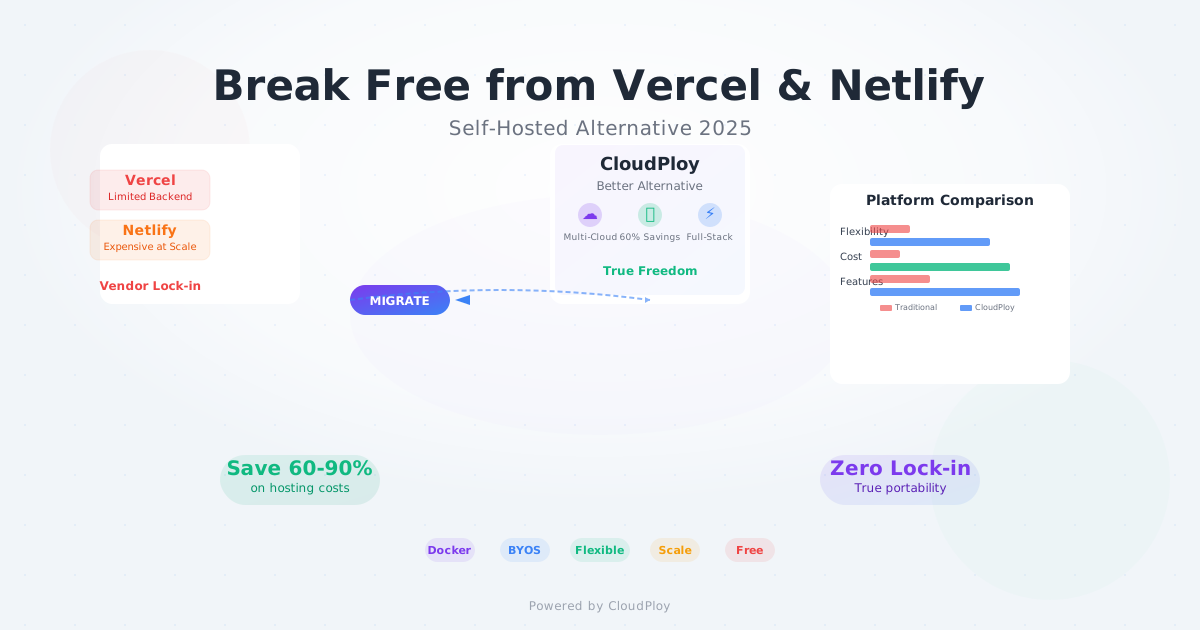
Vercel and Netlify revolutionized frontend deployment, making it incredibly easy to deploy static sites and serverless functions. But as your application grows, their limitations become glaringly obvious: aggressive pricing, vendor lock-in, limited backend capabilities, and restricted customization options.
If you’re reading this, you’ve probably experienced the pain points: a $500+ monthly bill for a simple application, cold start issues affecting user experience, or the frustration of trying to implement complex backend logic within serverless constraints.
The good news? 2025 has brought us mature alternatives that offer the simplicity of Vercel/Netlify with the power and flexibility you actually need. Let’s explore why self-hosted and hybrid platforms like CloudPloy are becoming the preferred choice for serious developers and growing companies.
The Vercel and Netlify Problem
What They Do Well
- Effortless static site deployment from Git repositories
- Built-in CDN with global edge locations
- Automatic HTTPS and domain management
- Serverless functions for simple backend logic
- Preview deployments for every pull request
Where They Fall Short
1. Pricing That Spirals Out of Control
Netlify Pricing Reality Check:
- Free tier: 100GB bandwidth, 300 build minutes
- Pro: $19/month + usage ($55 per 100GB)
- Business: $99/month + higher usage rates

Vercel Pricing Shock:
- Hobby: Free (no commercial use)
- Pro: $20/month per user + usage
- Team: $20/month per user + $40/month base

Real-world cost for medium traffic:
- 500GB bandwidth: $200-400/month
- Build overages: $50-100/month
- Function execution: $100-300/month
Total: $350-800/month for what should cost $50-100
2. Backend Limitations
// What you CAN'T do on Vercel/Netlify:
- Run persistent connections (WebSockets, SSE)
- Execute long-running processes
- Use databases requiring persistent connections
- Implement complex authentication flows
- Run background jobs or cron tasks
- Use server-side sessions
- Stream large files or handle file uploads
- Implement custom protocols
3. Vendor Lock-in Challenges
- Proprietary deployment configurations
- Platform-specific optimizations
- Limited export options
- Difficult migration paths
4. Cold Start Performance Issues
Serverless Function Performance:
- Cold start: 200-2000ms
- Warm start: 10-50ms
- Timeout limits: 10-60 seconds
- Memory limits: 128MB-10GB

Impact on User Experience:
- First-time visitors: 2+ second delays
- Inconsistent response times
- Limited computational capabilities
The Self-Hosted Alternative Landscape in 2025
Open Source Solutions
1. Dokploy - The Docker-Powered Alternative
# dokploy.yml
version: '3.8'
services:
  web:
    build: .
    ports:
      - "3000:3000"
    environment:
      - NODE_ENV=production
    volumes:
      - uploads:/app/uploads
    networks:
      - app-network

  db:
    image: postgres:15
    environment:
      POSTGRES_DB: myapp
      POSTGRES_USER: user
      POSTGRES_PASSWORD: password
    volumes:
      - postgres_data:/var/lib/postgresql/data

volumes:
  postgres_data:
  uploads:

networks:
  app-network:
Dokploy Features:
- Free and open source
- Support for any Docker application
- Built-in database management (MySQL, PostgreSQL, MongoDB, Redis)
- Git-based deployments
- SSL certificates via Let’s Encrypt
- Domain management
- Self-hostable on any VPS
2. Coolify - Heroku Alternative
# Deploy any application with Coolify
curl -fsSL https://cdn.coollabs.io/coolify/install.sh | bash

# Features:
- Git integration (GitHub, GitLab, Bitbucket)
- Database support (PostgreSQL, MySQL, MongoDB, Redis)
- One-click applications (WordPress, Ghost, etc.)
- Custom domains and SSL
- Backup management
3. CapRover - App Platform on Your Server
{
  "schemaVersion": 2,
  "imageName": "my-app:latest",
  "envVars": [
    {
      "key": "NODE_ENV",
      "value": "production"
    }
  ],
  "ports": [
    {
      "containerPort": 3000,
      "protocol": "http"
    }
  ]
}
Managed Self-Hosted Solutions
1. Render - Simple Full-Stack Hosting
# render.yaml
services:
  - type: web
    name: my-app
    env: node
    buildCommand: npm install && npm run build
    startCommand: npm start
    healthCheckPath: /health
    envVars:
      - key: NODE_ENV
        value: production

  - type: pserv
    name: my-db
    env: postgresql
    plan: starter

databases:
  - name: myapp-db
    databaseName: myapp
    user: myapp_user
2. Railway - Developer-Friendly Platform
# railway.toml
[build]
builder = "nixpacks"

[deploy]
restartPolicyType = "on_failure"

[[services]]
name = "web"
source = "."

[[services.variables]]
name = "PORT"
value = "3000"
3. Northflank - Full-Stack with Backend Power
apiVersion: v1
kind: Service
metadata:
  name: my-app
spec:
  billing:
    deploymentPlan: "startup"
  build:
    source:
      type: "git"
      url: "https://github.com/user/repo"
  runtime:
    cpu: 0.2
    memory: 512
CloudPloy: The Ultimate Vercel/Netlify Alternative
Why CloudPloy is Different
1. Hybrid Architecture - Best of Both Worlds
# CloudPloy deployment configuration
deployment:
  type: hybrid
  options:
    managed_servers: true    # CloudPloy manages infrastructure
    custom_servers: true     # Or bring your own servers
    multi_cloud: true        # Deploy across AWS, GCP, DigitalOcean
    framework_detection: auto # Laravel, WordPress, PHP, Node.js

scaling:
  auto_scale: true
  min_instances: 1
  max_instances: 10
  metrics:
    - cpu_utilization
    - memory_usage
    - request_rate

database:
  type: mysql
  version: "8.0"
  backup:
    enabled: true
    frequency: daily
    retention: 30d
2. True Full-Stack Support
// Laravel application on CloudPloy
Route::get('/long-running-task', function () {
    // This works perfectly on CloudPloy
    set_time_limit(300); // 5 minutes

    $result = ProcessLargeDataset::handle($data);

    return response()->json($result);
});

// WebSocket support
Route::get('/websocket', function () {
    // Real-time features work out of the box
    return view('websocket-app');
});

// Background jobs
class ProcessVideoJob implements ShouldQueue
{
    public function handle()
    {
        // Long-running background processing
        // No timeouts, no cold starts
    }
}
3. Transparent, Predictable Pricing
CloudPloy Pricing Model:
- Free Forever: 1 server, unlimited apps
- Growth: $29/month - 3 servers, unlimited apps
- Business: $99/month - 10 servers, priority support
- Enterprise: Custom pricing for enterprise features

No surprises:
- No bandwidth charges
- No build minute limits
- No function execution fees
- No per-seat licensing
Feature Comparison Table
| Feature | Vercel | Netlify | CloudPloy | Self-Hosted |
|---|---|---|---|---|
| Deployment | ||||
| Git Integration | ✅ | ✅ | ✅ | ✅ |
| Auto Deploy | ✅ | ✅ | ✅ | ✅ |
| Preview URLs | ✅ | ✅ | ✅ | ⚠️ |
| Rollback | ✅ | ✅ | ✅ | ✅ |
| Backend Support | ||||
| Persistent Processes | ❌ | ❌ | ✅ | ✅ |
| WebSockets | ❌ | ❌ | ✅ | ✅ |
| Long-running Tasks | ❌ | ❌ | ✅ | ✅ |
| Background Jobs | ❌ | ❌ | ✅ | ✅ |
| Databases | ||||
| Built-in Database | ❌ | ❌ | ✅ | ✅ |
| Database Backups | 💰 | 💰 | ✅ | ✅ |
| Multiple DBs | 💰 | 💰 | ✅ | ✅ |
| Pricing | ||||
| Free Tier | Limited | Limited | Generous | ✅ |
| Bandwidth Costs | 💰💰 | 💰💰 | ✅ | ✅ |
| Build Minutes | 💰 | 💰 | ✅ | ✅ |
| Predictable Cost | ❌ | ❌ | ✅ | ✅ |
| Infrastructure | ||||
| Multi-Cloud | ❌ | ❌ | ✅ | ✅ |
| Custom Servers | ❌ | ❌ | ✅ | ✅ |
| Root Access | ❌ | ❌ | ⚠️ | ✅ |
| Support | ||||
| Framework Support | Next.js focused | JAMstack | Laravel, PHP, WordPress | Everything |
| Learning Curve | Low | Low | Low | High |
Real-World Migration Case Studies
Case Study 1: E-commerce Platform Migration
Before (Vercel):
Monthly Costs:
- Pro plan: $20/month
- Bandwidth (2TB): $400/month
- Function executions: $200/month
- Build minutes: $100/month
Total: $720/month

Limitations:
- Serverless functions timeout on large orders
- No persistent shopping cart sessions
- Limited payment processing capabilities
- Cold starts affecting checkout experience
After (CloudPloy):
Monthly Costs:
- Business plan: $99/month
Total: $99/month (87% cost reduction)

Benefits:
- Persistent PHP sessions for cart data
- Long-running payment processing
- WebSocket support for real-time updates
- No cold start issues
- Full Laravel application support
Case Study 2: SaaS Application Migration
Migration Script Example:
#!/bin/bash
# Migrate from Vercel to CloudPloy

# 1. Export environment variables
vercel env pull .env.production

# 2. Database migration
pg_dump $VERCEL_DATABASE_URL > database_backup.sql

# 3. Deploy to CloudPloy
ploy apps create my-saas-app
ploy config set DATABASE_URL $CLOUDPLOY_DATABASE_URL
ploy deploy

# 4. Import database
ploy run pg_restore database_backup.sql

# 5. Update DNS
# Point custom domain to CloudPloy
Results:
- 75% cost reduction on monthly hosting bills
- 50% faster response times (no cold starts)
- 99.9% uptime vs previous 99.5%
- Zero downtime deployments implemented
Self-Hosted Setup Guide
Option 1: Dokploy on DigitalOcean
# 1. Create DigitalOcean droplet
doctl compute droplet create dokploy-server \
  --size s-2vcpu-4gb \
  --image ubuntu-22-04-x64 \
  --region nyc1

# 2. Install Dokploy
curl -sSL https://dokploy.com/install.sh | sh

# 3. Configure domain
echo "DOKPLOY_DOMAIN=deploy.yourdomain.com" >> .env

# 4. Deploy your first app
dokploy app create --name my-app --git-url https://github.com/user/repo
Option 2: CloudPloy BYOS (Bring Your Own Server)
# cloudploy-config.yml
server:
  type: custom
  ssh:
    host: your-server.com
    user: root
    key_path: ~/.ssh/id_rsa

applications:
  - name: my-app
    type: laravel
    domain: app.yourdomain.com
    git:
      url: https://github.com/user/laravel-app
      branch: main

  - name: my-wordpress
    type: wordpress
    domain: blog.yourdomain.com

database:
  type: mysql
  backup: true
# Deploy to your server via CloudPloy
ploy server connect --config cloudploy-config.yml
ploy deploy my-appOption 3: Coolify on Hetzner
# Setup Coolify on Hetzner Cloud
hcloud server create --name coolify \
  --type cx21 \
  --image ubuntu-22.04

# Install Coolify
curl -fsSL https://cdn.coollabs.io/coolify/install.sh | bash

# Configure applications through web interface
# http://your-server-ip:8000
Advanced Self-Hosted Features
1. Multi-Application Deployment
# docker-compose.yml for multiple apps
version: '3.8'
services:
  traefik:
    image: traefik:v3.0
    command:
      - "--api.insecure=true"
      - "--providers.docker=true"
      - "--entrypoints.web.address=:80"
      - "--entrypoints.websecure.address=:443"
      - "--certificatesresolvers.myresolver.acme.tlschallenge=true"
      - "--certificatesresolvers.myresolver.acme.email=admin@yourdomain.com"
    ports:
      - "80:80"
      - "443:443"
    volumes:
      - /var/run/docker.sock:/var/run/docker.sock

  app1:
    build: ./app1
    labels:
      - "traefik.enable=true"
      - "traefik.http.routers.app1.rule=Host(`app1.yourdomain.com`)"
      - "traefik.http.routers.app1.tls.certresolver=myresolver"

  app2:
    build: ./app2
    labels:
      - "traefik.enable=true"
      - "traefik.http.routers.app2.rule=Host(`app2.yourdomain.com`)"
      - "traefik.http.routers.app2.tls.certresolver=myresolver"
2. Automated Backup System
#!/bin/bash
# backup.sh - Automated backup script

# Database backups
docker exec postgres-db pg_dumpall -U postgres > "/backups/db-$(date +%Y%m%d).sql"

# Application data backups
rsync -av /var/www/ /backups/apps/

# Upload to S3
aws s3 sync /backups/ s3://my-backup-bucket/$(date +%Y/%m/%d)/

# Cleanup old backups (keep 30 days)
find /backups -type f -mtime +30 -delete

# Schedule with cron
# 0 2 * * * /opt/scripts/backup.sh
3. Monitoring and Alerting
# monitoring/docker-compose.yml
version: '3.8'
services:
  prometheus:
    image: prom/prometheus
    ports:
      - "9090:9090"
    volumes:
      - ./prometheus.yml:/etc/prometheus/prometheus.yml

  grafana:
    image: grafana/grafana
    ports:
      - "3000:3000"
    environment:
      - GF_SECURITY_ADMIN_PASSWORD=admin

  alertmanager:
    image: prom/alertmanager
    ports:
      - "9093:9093"
    volumes:
      - ./alertmanager.yml:/etc/alertmanager/alertmanager.yml
Cost Analysis: 12-Month Comparison
Scenario: Medium Traffic SaaS Application
Vercel (Team Plan):
Base cost: $20/user/month (3 users) = $60
Additional bandwidth (1TB): $400/month
Build minutes overage: $100/month
Function invocations: $300/month
Annual total: $10,320
Netlify (Business Plan):
Base cost: $99/month
Additional bandwidth (1TB): $550/month
Build minutes overage: $75/month
Form submissions: $50/month
Annual total: $9,288
CloudPloy (Business Plan):
Base cost: $99/month
No additional charges
Annual total: $1,188
Savings: $8,100-9,132 annually
Self-Hosted (DigitalOcean + Dokploy):
Server cost: $48/month (4GB RAM droplet)
Backup storage: $5/month
Domain/SSL: $12/year
Annual total: $647
Savings: $8,641-9,673 annually
Migration Strategies
Gradual Migration Approach
Week 1-2: Assessment and Planning
# Audit current Vercel/Netlify setup
vercel env ls
netlify env:list

# Document dependencies
echo "API endpoints: $(netlify functions:list)"
echo "Environment variables: $(vercel env ls)"
echo "Custom domains: $(netlify sites:list)"
Week 3-4: Development Environment Setup
# Set up CloudPloy staging environment
ploy environments create staging
ploy deploy --env staging

# Test all functionality
npm run test:integration
Week 5-6: Database Migration
# Migrate data
pg_dump $OLD_DATABASE_URL | ploy run psql $NEW_DATABASE_URL
Week 7-8: Production Cutover
# Update DNS records
# Monitor performance
# Rollback plan ready
Blue-Green Migration
# Blue-green deployment configuration
environments:
  blue:
    active: true
    url: app.yourdomain.com

  green:
    active: false
    url: staging.yourdomain.com

migration_steps:
  1. Deploy to green environment
  2. Run smoke tests
  3. Switch DNS to green
  4. Monitor for issues
  5. Decommission blue environment
Security Considerations
Self-Hosted Security Checklist
# 1. Server hardening
ufw enable
ufw allow 22,80,443
fail2ban-client start

# 2. SSL certificates
certbot --nginx -d yourdomain.com

# 3. Database security
mysql_secure_installation

# 4. Docker security
docker run --security-opt no-new-privileges:true \
  --read-only --tmpfs /tmp app:latest

# 5. Regular updates
apt update && apt upgrade -y
docker image prune -a
CloudPloy Security Features
security:
  ssl: auto
  firewall: enabled
  backups:
    encrypted: true
    retention: 30d
  access_control:
    ssh_keys: true
    2fa: required
  compliance:
    gdpr: enabled
    soc2: available
Developer Experience Comparison
Local Development Integration
CloudPloy CLI:
# Seamless local development
ploy dev start
ploy logs --follow
ploy shell --app my-app
ploy db connect
ploy env pull
Self-Hosted with Dokploy:
# Local development mirrors production
dokploy dev start
docker-compose -f docker-compose.dev.yml up
CI/CD Integration
# GitHub Actions with CloudPloy
name: Deploy to CloudPloy
on:
  push:
    branches: [main]

jobs:
  deploy:
    runs-on: ubuntu-latest
    steps:
      - uses: actions/checkout@v2
      - name: Deploy to CloudPloy
        run: |
          curl -sSL https://cli.cloudploy.com/install.sh | sh
          ploy deploy --app ${{ secrets.APP_NAME }}
        env:
          PLOY_TOKEN: ${{ secrets.PLOY_TOKEN }}
Making the Decision: Framework for Choosing
Decision Matrix
Choose Vercel/Netlify if:
- Simple static site or basic JAMstack app
- Budget under $100/month
- No backend requirements
- Minimal customization needed
- Team comfort with vendor lock-in
Choose CloudPloy if:
- Full-stack application (Laravel, PHP, WordPress)
- Need backend persistence and databases
- Want multi-cloud flexibility
- Budget conscious but need enterprise features
- Prefer managed solution without complexity
Choose Self-Hosted if:
- Maximum control and customization
- Compliance requirements
- Technical team capable of infrastructure management
- Want lowest possible costs
- Need specific server configurations
ROI Calculator
class HostingROICalculator:
    def __init__(self, traffic_gb, build_minutes, team_size):
        self.traffic_gb = traffic_gb
        self.build_minutes = build_minutes
        self.team_size = team_size

    def vercel_cost(self):
        base = 20 * self.team_size
        bandwidth = max(0, self.traffic_gb - 100) * 0.40
        builds = max(0, self.build_minutes - 6000) * 0.005
        return base + bandwidth + builds

    def netlify_cost(self):
        base = 99 if self.team_size > 1 else 19
        bandwidth = max(0, self.traffic_gb - 100) * 0.55
        builds = max(0, self.build_minutes - 300) * 0.07
        return base + bandwidth + builds

    def cloudploy_cost(self):
        if self.team_size <= 3:
            return 29
        elif self.team_size <= 10:
            return 99
        else:
            return 199

    def self_hosted_cost(self):
        return 48  # DigitalOcean 4GB droplet

    def calculate_savings(self):
        vercel = self.vercel_cost()
        netlify = self.netlify_cost()
        cloudploy = self.cloudploy_cost()
        self_hosted = self.self_hosted_cost()

        return {
            'vercel_savings': vercel - cloudploy,
            'netlify_savings': netlify - cloudploy,
            'max_savings': max(vercel, netlify) - self_hosted
        }
Conclusion
The era of being locked into expensive, limited platforms is over. In 2025, you have powerful alternatives that offer:
- Significant cost savings (50-90% reduction in hosting costs)
- Full-stack capabilities without serverless limitations
- True portability across clouds and infrastructure
- Predictable pricing without usage surprises
- Better performance through persistent processes
Our Recommendations:
For Laravel/PHP Applications: CloudPloy offers the perfect balance of simplicity and power, with framework-specific optimizations and transparent pricing.
For Maximum Control: Self-hosted solutions like Dokploy or Coolify provide unlimited flexibility at the lowest cost.
For Enterprise Teams: CloudPloy’s Business or Enterprise plans offer managed infrastructure with enterprise-grade security and support.
The choice is yours, but the days of accepting Vercel and Netlify’s limitations and pricing are numbered. Whether you choose a managed alternative like CloudPloy or go fully self-hosted, you’ll gain more capabilities while saving significant money.
The future of application deployment is about choice, flexibility, and fair pricing. Welcome to the post-Vercel, post-Netlify era.
Ready to break free from Vercel and Netlify limitations? CloudPloy offers the full-stack power you need with transparent pricing and multi-cloud flexibility. Start your free deployment today and experience true hosting freedom.