
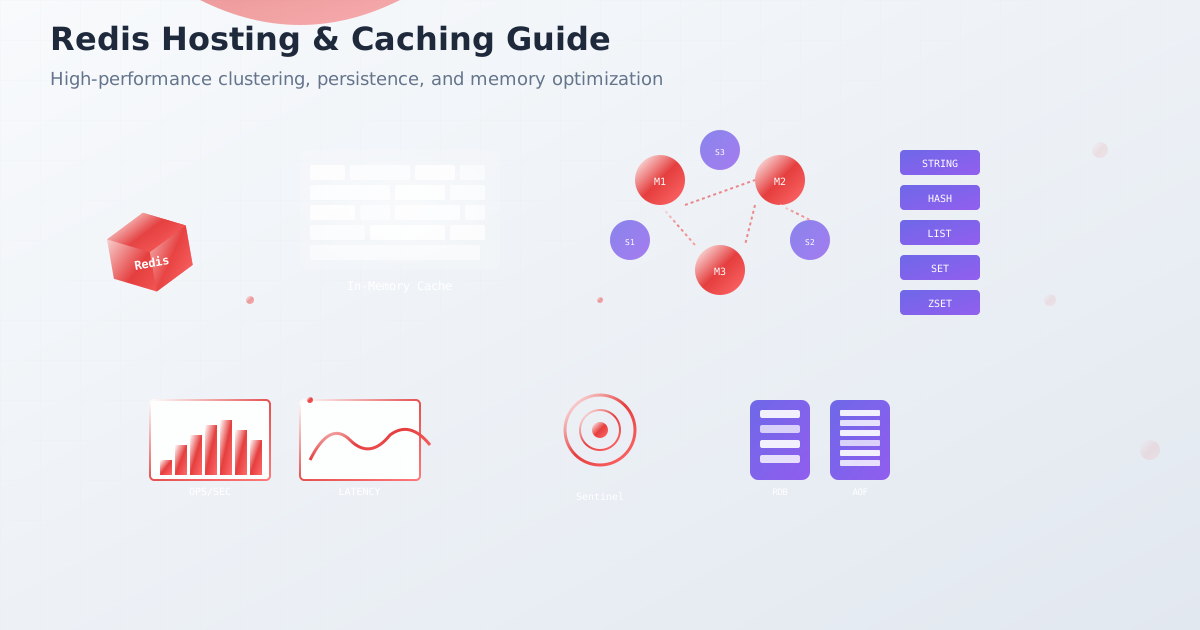
Redis powers the caching layer for Twitter, GitHub, Instagram, and Pinterest, handling billions of operations per second. As the world’s most popular in-memory data store, Redis delivers sub-millisecond response times and supports complex data structures beyond simple key-value pairs. This comprehensive guide shows you how to deploy, scale, and optimize Redis for production workloads in 2025.
Why Redis Dominates Modern Caching
Redis (Remote Dictionary Server) revolutionized data storage with:
- Sub-millisecond latency: Faster than any database
- Rich data structures: Strings, hashes, lists, sets, streams
- Built-in replication: Master-slave and clustering
- Persistence options: RDB snapshots and AOF logs
- Lua scripting: Server-side computation
- Pub/sub messaging: Real-time communication
- Atomic operations: ACID compliance for operations
Redis Architecture Overview
Memory Management and Data Structures
# Redis memory optimization commands
redis-cli info memory

# Key memory usage
MEMORY USAGE mykey

# Analyze memory patterns
MEMORY DOCTOR

# Set memory policy
CONFIG SET maxmemory-policy allkeys-lru
CONFIG SET maxmemory 2gb
Configuration for Production
# redis.conf - Production configuration
# Network and security
bind 127.0.0.1 10.0.1.100
port 6379
protected-mode yes
requirepass your_secure_password

# Memory management
maxmemory 2gb
maxmemory-policy allkeys-lru
maxmemory-samples 10

# Persistence - RDB snapshots
save 900 1     # Save if at least 1 key changed in 900 seconds
save 300 10    # Save if at least 10 keys changed in 300 seconds
save 60 10000  # Save if at least 10000 keys changed in 60 seconds

# Persistence - AOF (Append Only File)
appendonly yes
appendfsync everysec
auto-aof-rewrite-percentage 100
auto-aof-rewrite-min-size 64mb

# Slow log
slowlog-log-slower-than 10000
slowlog-max-len 128

# Client connections
timeout 300
tcp-keepalive 300
maxclients 65000

# Performance tuning
tcp-backlog 511
databases 16
stop-writes-on-bgsave-error yes
rdbcompression yes
rdbchecksum yes

# Logging
loglevel notice
logfile /var/log/redis/redis-server.log
syslog-enabled yes
syslog-ident redis
Redis Replication Setup
Master-Replica Configuration
# Master redis.conf (primary server)
bind 0.0.0.0
port 6379
requirepass master_password
masterauth replica_password

# Enable replication logging
repl-diskless-sync yes
repl-diskless-sync-delay 5
repl-ping-replica-period 10
repl-timeout 60
repl-disable-tcp-nodelay no
repl-backlog-size 100mb
repl-backlog-ttl 3600

# Replica redis.conf (secondary servers)
replicaof master_ip 6379
masterauth master_password
requirepass replica_password

# Read-only replica (default)
replica-read-only yes
replica-serve-stale-data yes
replica-priority 100
Setting Up Replication
# Start master Redis
redis-server /etc/redis/redis-master.conf

# Start replica Redis
redis-server /etc/redis/redis-replica.conf

# Check replication status
redis-cli -h master_ip INFO replication
redis-cli -h replica_ip INFO replication

# Manual failover (promote replica to master)
redis-cli -h replica_ip REPLICAOF NO ONE
Redis Sentinel for High Availability
Sentinel Configuration
# sentinel.conf
port 26379
sentinel announce-ip 10.0.1.101
sentinel announce-port 26379

# Monitor master
sentinel monitor mymaster 10.0.1.100 6379 2
sentinel auth-pass mymaster your_password
sentinel down-after-milliseconds mymaster 5000
sentinel failover-timeout mymaster 10000
sentinel parallel-syncs mymaster 1

# Scripts for notifications
sentinel notification-script mymaster /etc/redis/notify.sh
sentinel client-reconfig-script mymaster /etc/redis/reconfig.sh

# Security
requirepass sentinel_password
sentinel auth-user mymaster username
sentinel auth-pass mymaster password
Sentinel Deployment
# Start Sentinel on multiple nodes
redis-sentinel /etc/redis/sentinel.conf

# Connect through Sentinel
redis-cli -p 26379 SENTINEL masters
redis-cli -p 26379 SENTINEL replicas mymaster
redis-cli -p 26379 SENTINEL get-master-addr-by-name mymaster

# Force failover
redis-cli -p 26379 SENTINEL failover mymaster
Application Integration with Sentinel
# Python Redis Sentinel client
import redis.sentinel

# Sentinel connection
sentinel = redis.sentinel.Sentinel([
    ('10.0.1.101', 26379),
    ('10.0.1.102', 26379),
    ('10.0.1.103', 26379)
], password='sentinel_password')

# Discover master and replicas
master = sentinel.master_for('mymaster', password='redis_password')
replica = sentinel.slave_for('mymaster', password='redis_password')

# Write to master
master.set('key', 'value')

# Read from replica
value = replica.get('key')

# Connection pooling
master_pool = redis.ConnectionPool(
    connection_class=redis.Connection,
    max_connections=20,
    **sentinel.discover_master('mymaster')
)
Redis Cluster for Horizontal Scaling
Cluster Configuration
# redis-cluster.conf (each node)
port 7000
cluster-enabled yes
cluster-config-file nodes-7000.conf
cluster-node-timeout 15000
cluster-announce-ip 10.0.1.100
cluster-announce-port 7000
cluster-announce-bus-port 17000

# Persistence for cluster
appendonly yes
appendfsync everysec

# Memory and performance
maxmemory-policy allkeys-lru
maxmemory 1gb
Creating Redis Cluster
# Create 6-node cluster (3 masters, 3 replicas)
redis-cli --cluster create \
  10.0.1.100:7000 10.0.1.101:7000 10.0.1.102:7000 \
  10.0.1.100:7001 10.0.1.101:7001 10.0.1.102:7001 \
  --cluster-replicas 1

# Check cluster status
redis-cli -c -h 10.0.1.100 -p 7000 cluster nodes
redis-cli -c -h 10.0.1.100 -p 7000 cluster info

# Add new node to cluster
redis-cli --cluster add-node 10.0.1.103:7000 10.0.1.100:7000

# Rebalance cluster slots
redis-cli --cluster rebalance 10.0.1.100:7000

# Remove node from cluster
redis-cli --cluster del-node 10.0.1.100:7000 node_id
Cluster Client Implementation
// Node.js Redis Cluster client
const Redis = require('ioredis');

const cluster = new Redis.Cluster([
  {
    host: '10.0.1.100',
    port: 7000,
  },
  {
    host: '10.0.1.101',
    port: 7000,
  },
  {
    host: '10.0.1.102',
    port: 7000,
  }
], {
  redisOptions: {
    password: 'cluster_password'
  },
  enableOfflineQueue: false,
  retryDelayOnFailover: 100,
  maxRetriesPerRequest: 3,
  scaleReads: 'slave'
});

// Cluster operations
await cluster.set('user:1001', JSON.stringify({name: 'John', age: 30}));
const user = JSON.parse(await cluster.get('user:1001'));

// Multi-key operations (must be in same slot)
const pipeline = cluster.pipeline();
pipeline.set('user:1001:profile', 'data');
pipeline.set('user:1001:settings', 'preferences');
await pipeline.exec();
Caching Patterns and Strategies
Cache-Aside Pattern
# Cache-aside implementation
import redis
import json
import time

class CacheAside:
    def __init__(self, redis_client, ttl=3600):
        self.redis = redis_client
        self.ttl = ttl

    def get_user(self, user_id):
        # Try cache first
        cache_key = f"user:{user_id}"
        cached_user = self.redis.get(cache_key)

        if cached_user:
            return json.loads(cached_user)

        # Cache miss - get from database
        user = self.fetch_user_from_db(user_id)
        if user:
            # Store in cache
            self.redis.setex(
                cache_key,
                self.ttl,
                json.dumps(user)
            )

        return user

    def update_user(self, user_id, user_data):
        # Update database
        self.update_user_in_db(user_id, user_data)

        # Invalidate cache
        cache_key = f"user:{user_id}"
        self.redis.delete(cache_key)
Write-Through Cache
class WriteThrough:
    def __init__(self, redis_client, db_client):
        self.redis = redis_client
        self.db = db_client

    def save_user(self, user_id, user_data):
        # Write to database first
        self.db.save_user(user_id, user_data)

        # Write to cache
        cache_key = f"user:{user_id}"
        self.redis.set(cache_key, json.dumps(user_data))

        return user_data
Write-Behind (Write-Back) Cache
import threading
import queue

class WriteBehind:
    def __init__(self, redis_client, db_client, batch_size=100):
        self.redis = redis_client
        self.db = db_client
        self.write_queue = queue.Queue()
        self.batch_size = batch_size

        # Start background writer thread
        self.writer_thread = threading.Thread(target=self._background_writer)
        self.writer_thread.daemon = True
        self.writer_thread.start()

    def save_user(self, user_id, user_data):
        # Write to cache immediately
        cache_key = f"user:{user_id}"
        self.redis.set(cache_key, json.dumps(user_data))

        # Queue for background database write
        self.write_queue.put((user_id, user_data))

        return user_data

    def _background_writer(self):
        batch = []
        while True:
            try:
                item = self.write_queue.get(timeout=1)
                batch.append(item)

                if len(batch) >= self.batch_size:
                    self._flush_batch(batch)
                    batch = []

            except queue.Empty:
                if batch:
                    self._flush_batch(batch)
                    batch = []

    def _flush_batch(self, batch):
        # Batch write to database
        self.db.batch_save_users(batch)
Redis as a Message Broker
Pub/Sub Implementation
# Publisher
import redis

redis_client = redis.Redis(host='localhost', port=6379, password='password')

# Publish message
redis_client.publish('notifications', json.dumps({
    'user_id': 1001,
    'message': 'Welcome to the platform!',
    'timestamp': time.time()
}))

# Subscriber
def message_handler(message):
    data = json.loads(message['data'])
    print(f"Received notification for user {data['user_id']}: {data['message']}")

pubsub = redis_client.pubsub()
pubsub.subscribe(**{'notifications': message_handler})

# Listen for messages
for message in pubsub.listen():
    if message['type'] == 'message':
        message_handler(message)
Redis Streams for Event Processing
# Producer - add events to stream
redis_client.xadd('user_events', {
    'user_id': 1001,
    'action': 'login',
    'ip_address': '192.168.1.100',
    'timestamp': time.time()
})

# Consumer group processing
try:
    redis_client.xgroup_create('user_events', 'processors', '0', mkstream=True)
except:
    pass  # Group already exists

# Consumer - process events
while True:
    messages = redis_client.xreadgroup(
        'processors',
        'worker-1',
        {'user_events': '>'},
        count=10,
        block=1000
    )

    for stream_name, stream_messages in messages:
        for message_id, fields in stream_messages:
            # Process event
            process_user_event(fields)

            # Acknowledge processing
            redis_client.xack('user_events', 'processors', message_id)
Performance Optimization
Memory Optimization
# Memory usage analysis
redis-cli --bigkeys
redis-cli --memkeys
redis-cli --latency-history

# Optimize data structures
HSET user:1001 name "John" age 30 city "NYC"  # Better than separate keys
EXPIRE user:1001 3600

# Use appropriate data types
SADD user:1001:interests "redis" "python" "databases"
ZADD leaderboard 100 "player1" 95 "player2" 87 "player3"
Redis Configuration Tuning
# redis.conf optimizations
# Disable RDB if using AOF
save ""

# AOF rewrite optimization
auto-aof-rewrite-percentage 100
auto-aof-rewrite-min-size 64mb
aof-rewrite-incremental-fsync yes

# Network optimizations
tcp-backlog 65535
tcp-keepalive 300

# Memory optimizations
hash-max-ziplist-entries 512
hash-max-ziplist-value 64
list-max-ziplist-size -2
set-max-intset-entries 512
zset-max-ziplist-entries 128
zset-max-ziplist-value 64
Monitoring and Observability
Redis Monitoring Stack
# Redis monitoring with Python
import redis
import time
import json

class RedisMonitor:
    def __init__(self, redis_client):
        self.redis = redis_client

    def collect_metrics(self):
        info = self.redis.info()

        metrics = {
            'memory_usage': info['used_memory'],
            'memory_usage_human': info['used_memory_human'],
            'keyspace_hits': info['keyspace_hits'],
            'keyspace_misses': info['keyspace_misses'],
            'connected_clients': info['connected_clients'],
            'blocked_clients': info['blocked_clients'],
            'ops_per_sec': info['instantaneous_ops_per_sec'],
            'hit_rate': self.calculate_hit_rate(info),
            'fragmentation_ratio': info['mem_fragmentation_ratio']
        }

        return metrics

    def calculate_hit_rate(self, info):
        hits = info['keyspace_hits']
        misses = info['keyspace_misses']
        total = hits + misses

        return (hits / total * 100) if total > 0 else 0

    def get_slow_log(self):
        return self.redis.slowlog_get(10)
Prometheus Metrics Export
# Redis exporter for Prometheus
from prometheus_client import Gauge, Counter, start_http_server
import redis
import time
import threading

# Metrics
redis_memory_usage = Gauge('redis_memory_used_bytes', 'Redis memory usage')
redis_connected_clients = Gauge('redis_connected_clients', 'Connected clients')
redis_ops_per_sec = Gauge('redis_ops_per_sec', 'Operations per second')
redis_hit_rate = Gauge('redis_hit_rate_percent', 'Cache hit rate percentage')

def collect_redis_metrics():
    redis_client = redis.Redis(host='localhost', port=6379)

    while True:
        try:
            info = redis_client.info()

            redis_memory_usage.set(info['used_memory'])
            redis_connected_clients.set(info['connected_clients'])
            redis_ops_per_sec.set(info['instantaneous_ops_per_sec'])

            # Calculate hit rate
            hits = info['keyspace_hits']
            misses = info['keyspace_misses']
            total = hits + misses
            hit_rate = (hits / total * 100) if total > 0 else 0
            redis_hit_rate.set(hit_rate)

        except Exception as e:
            print(f"Error collecting metrics: {e}")

        time.sleep(10)

# Start metrics collection
metrics_thread = threading.Thread(target=collect_redis_metrics)
metrics_thread.daemon = True
metrics_thread.start()

# Start Prometheus metrics server
start_http_server(8000)
Docker Deployment
Redis Docker Configuration
# Dockerfile for Redis
FROM redis:7-alpine

# Copy custom configuration
COPY redis.conf /usr/local/etc/redis/redis.conf

# Create data directory
RUN mkdir -p /data && chown redis:redis /data

# Security - run as non-root
USER redis

# Expose port
EXPOSE 6379

# Start Redis with custom config
CMD ["redis-server", "/usr/local/etc/redis/redis.conf"]
Docker Compose Redis Cluster
# docker-compose.redis-cluster.yml
version: '3.8'

services:
  redis-node-1:
    image: redis:7-alpine
    command: redis-server --cluster-enabled yes --cluster-config-file nodes.conf --cluster-node-timeout 5000 --appendonly yes --port 7000
    ports:
      - "7000:7000"
      - "17000:17000"
    volumes:
      - redis-node-1-data:/data

  redis-node-2:
    image: redis:7-alpine
    command: redis-server --cluster-enabled yes --cluster-config-file nodes.conf --cluster-node-timeout 5000 --appendonly yes --port 7001
    ports:
      - "7001:7001"
      - "17001:17001"
    volumes:
      - redis-node-2-data:/data

  redis-node-3:
    image: redis:7-alpine
    command: redis-server --cluster-enabled yes --cluster-config-file nodes.conf --cluster-node-timeout 5000 --appendonly yes --port 7002
    ports:
      - "7002:7002"
      - "17002:17002"
    volumes:
      - redis-node-3-data:/data

  redis-cluster-creator:
    image: redis:7-alpine
    command: redis-cli --cluster create redis-node-1:7000 redis-node-2:7001 redis-node-3:7002 --cluster-replicas 0 --cluster-yes
    depends_on:
      - redis-node-1
      - redis-node-2
      - redis-node-3

volumes:
  redis-node-1-data:
  redis-node-2-data:
  redis-node-3-data:
Backup and Disaster Recovery
Automated Backup Strategy
#!/bin/bash
# redis-backup.sh

REDIS_HOST="localhost"
REDIS_PORT=6379
REDIS_PASSWORD="password"
BACKUP_DIR="/backup/redis"
DATE=$(date +%Y%m%d_%H%M%S)

# Create backup directory
mkdir -p "$BACKUP_DIR/$DATE"

# RDB snapshot backup
redis-cli -h $REDIS_HOST -p $REDIS_PORT -a $REDIS_PASSWORD BGSAVE
sleep 10  # Wait for background save

# Copy RDB file
cp /var/lib/redis/dump.rdb "$BACKUP_DIR/$DATE/dump_$DATE.rdb"

# AOF backup
cp /var/lib/redis/appendonly.aof "$BACKUP_DIR/$DATE/appendonly_$DATE.aof"

# Compress backups
tar -czf "$BACKUP_DIR/redis_backup_$DATE.tar.gz" -C "$BACKUP_DIR/$DATE" .

# Upload to S3
aws s3 cp "$BACKUP_DIR/redis_backup_$DATE.tar.gz" s3://redis-backups/

# Cleanup old backups (keep 7 days)
find $BACKUP_DIR -name "redis_backup_*.tar.gz" -mtime +7 -delete
Point-in-Time Recovery
# Stop Redis
systemctl stop redis

# Restore RDB snapshot
cp /backup/redis/20240904_120000/dump_20240904_120000.rdb /var/lib/redis/dump.rdb

# Restore AOF file
cp /backup/redis/20240904_120000/appendonly_20240904_120000.aof /var/lib/redis/appendonly.aof

# Fix permissions
chown redis:redis /var/lib/redis/dump.rdb
chown redis:redis /var/lib/redis/appendonly.aof

# Start Redis
systemctl start redis

# Verify recovery
redis-cli ping
Ubuntu Server Installation and Setup
Installing Redis on Ubuntu 22.04/24.04
#!/bin/bash
# redis-ubuntu-install.sh - Complete Redis setup on Ubuntu

# Update system packages
sudo apt update && sudo apt upgrade -y

# Install Redis server and tools
sudo apt install -y redis-server redis-tools

# Install additional utilities
sudo apt install -y htop iotop sysstat

# Create Redis directories
sudo mkdir -p /var/lib/redis/backups
sudo mkdir -p /var/log/redis
sudo chown -R redis:redis /var/lib/redis
sudo chown -R redis:redis /var/log/redis

# Configure firewall
sudo ufw allow 6379/tcp
sudo ufw allow 16379/tcp  # For Redis Cluster

# Start and enable Redis
sudo systemctl start redis-server
sudo systemctl enable redis-server
Production System Configuration
#!/bin/bash
# system-tuning.sh - Optimize Ubuntu for Redis

# Kernel parameters for Redis
cat >> /etc/sysctl.conf << EOF
# Redis optimization
vm.overcommit_memory = 1
vm.swappiness = 1
net.core.somaxconn = 65535

# Memory management
vm.dirty_background_ratio = 5
vm.dirty_ratio = 10

# Network optimization
net.core.rmem_default = 262144
net.core.rmem_max = 16777216
net.core.wmem_default = 262144
net.core.wmem_max = 16777216
net.ipv4.tcp_keepalive_time = 300
net.core.netdev_max_backlog = 5000
EOF

# Apply kernel parameters
sudo sysctl -p

# Disable transparent hugepages (important for Redis)
echo 'never' | sudo tee /sys/kernel/mm/transparent_hugepage/enabled
echo 'never' | sudo tee /sys/kernel/mm/transparent_hugepage/defrag

# Make persistent
cat > /etc/systemd/system/disable-thp.service << EOF
[Unit]
Description=Disable Transparent Huge Pages (THP)
DefaultDependencies=no
After=sysinit.target local-fs.target
Before=redis-server.service

[Service]
Type=oneshot
ExecStart=/bin/sh -c 'echo never | tee /sys/kernel/mm/transparent_hugepage/enabled > /dev/null'
ExecStart=/bin/sh -c 'echo never | tee /sys/kernel/mm/transparent_hugepage/defrag > /dev/null'

[Install]
WantedBy=basic.target
EOF

sudo systemctl daemon-reload
sudo systemctl enable disable-thp
sudo systemctl start disable-thp

# Configure limits
cat >> /etc/security/limits.conf << EOF
redis soft nofile 65535
redis hard nofile 65535
redis soft nproc 65535
redis hard nproc 65535
EOF

# Configure systemd limits for Redis
sudo mkdir -p /etc/systemd/system/redis-server.service.d/
cat > /etc/systemd/system/redis-server.service.d/limits.conf << EOF
[Service]
LimitNOFILE=65535
LimitNPROC=65535
EOF

sudo systemctl daemon-reload
sudo systemctl restart redis-server
Production Redis Configuration
#!/bin/bash
# redis-config.sh - Configure Redis for production

# Backup original configuration
sudo cp /etc/redis/redis.conf /etc/redis/redis.conf.backup

# Create production Redis configuration
cat > /etc/redis/redis.conf << 'EOF'
# Network Configuration
bind 127.0.0.1 redis.example.com
port 6379
tcp-backlog 511
tcp-keepalive 300
timeout 300

# General Configuration
daemonize yes
pidfile /var/run/redis/redis-server.pid
loglevel notice
logfile /var/log/redis/redis-server.log
databases 16

# Security Configuration
requirepass redis_secure_password_123

# Memory Management
maxmemory 8gb
maxmemory-policy allkeys-lru
maxmemory-samples 5

# Persistence Configuration
save 900 1
save 300 10
save 60 10000
stop-writes-on-bgsave-error yes
rdbcompression yes
rdbchecksum yes
dbfilename dump.rdb
dir /var/lib/redis

# AOF Configuration
appendonly yes
appendfilename "appendonly.aof"
appendfsync everysec
no-appendfsync-on-rewrite no
auto-aof-rewrite-percentage 100
auto-aof-rewrite-min-size 64mb

# Slow Log Configuration
slowlog-log-slower-than 10000
slowlog-max-len 128

# Client Configuration
maxclients 10000
EOF

# Set proper permissions
sudo chown redis:redis /etc/redis/redis.conf
sudo chmod 640 /etc/redis/redis.conf

# Restart Redis with new configuration
sudo systemctl restart redis-server

# Test Redis connection
redis-cli -a redis_secure_password_123 ping
Performance Benchmarks
Redis Performance Metrics
| Operation | Throughput | Latency (p99) | Memory Efficiency |
|---|---|---|---|
| GET | 100K ops/sec | 0.2ms | N/A |
| SET | 85K ops/sec | 0.3ms | N/A |
| HGET | 90K ops/sec | 0.25ms | 30% less than strings |
| SADD | 80K ops/sec | 0.4ms | 40% less than lists |
| ZADD | 75K ops/sec | 0.5ms | Depends on size |
Conclusion
Redis is the cornerstone of modern application performance, providing the speed and flexibility needed for real-time applications. From simple caching to complex data processing, Redis handles it all with sub-millisecond latency.
Whether you’re building high-throughput APIs, real-time analytics, or session stores, Redis provides the performance and reliability you need. By following the Ubuntu server deployment procedures in this guide, you can achieve production-ready Redis instances with proper security, monitoring, and optimization.
Ready to supercharge your application performance? Use the installation scripts and configuration examples provided in this guide to deploy Redis on your Ubuntu servers with enterprise-grade performance and reliability.