
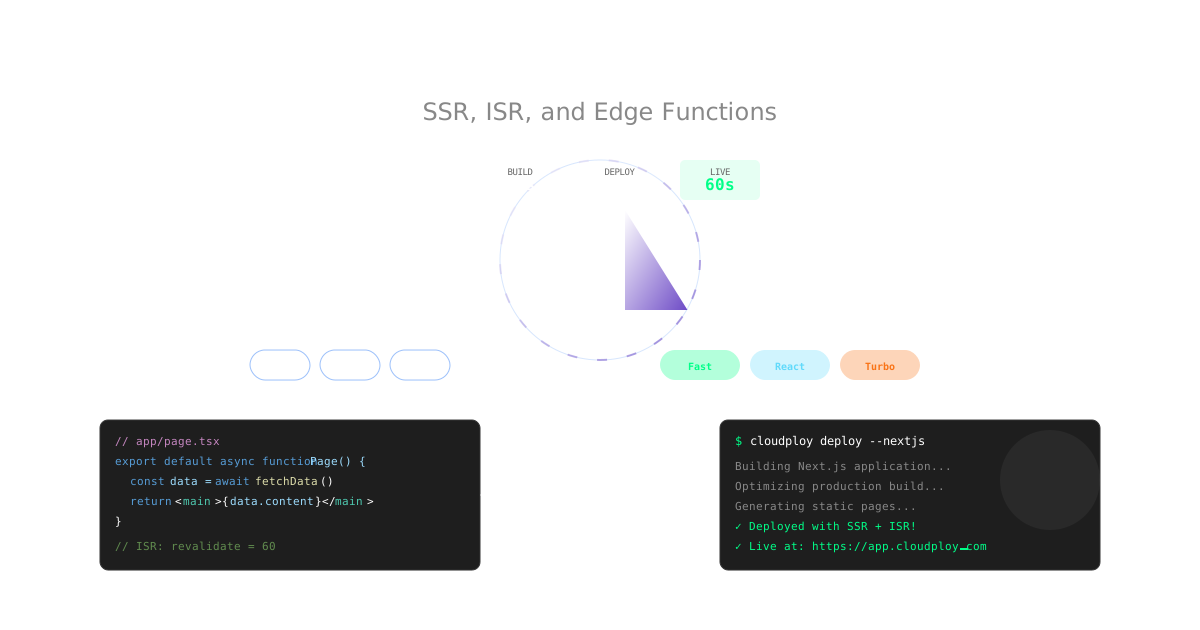
Next.js has revolutionized React development with its powerful features like server-side rendering, static generation, and API routes. Deploying Next.js applications on Ubuntu servers gives you complete control over your infrastructure while leveraging these capabilities fully. This comprehensive guide covers everything from basic Next.js deployments to advanced production optimizations on Ubuntu.
Note: This guide focuses on deploying Next.js on Ubuntu servers. CloudPloy currently supports Laravel applications, with Next.js support coming soon. Stay tuned for updates!
Understanding Next.js Deployment Requirements
Next.js applications have unique deployment needs that set them apart from traditional SPAs:
- Hybrid Rendering: Support for SSR, SSG, and ISR simultaneously
- API Routes: Built-in backend functionality requiring Node.js server
- Image Optimization: On-demand image processing with server resources
- Middleware: Server-side request processing
- Incremental Static Regeneration: Dynamic content updates without full rebuilds
- Internationalization: Multi-language routing and locale detection
Ubuntu servers provide the perfect foundation for Next.js applications with complete control over Node.js runtime, process management, and server configuration.
Deploy Next.js on Ubuntu Server
Step 1: Ubuntu Server Setup
# Update system and install Node.js
sudo apt update && sudo apt upgrade -y
curl -fsSL https://deb.nodesource.com/setup_20.x | sudo -E bash -
sudo apt-get install -y nodejs

# Install PM2 for process management
sudo npm install -g pm2

# Install nginx for reverse proxy
sudo apt install nginx -y

# Install certbot for SSL certificates
sudo apt install certbot python3-certbot-nginx -y
Step 2: Prepare Your Next.js Application
# Create a new Next.js application
npx create-next-app@latest my-nextjs-app
cd my-nextjs-app

# Or create with App Router (Next.js 13+)
npx create-next-app@latest my-app --app
cd my-app

# Install production dependencies
npm ci --production

# Build for production
npm run build
Step 3: Deploy to Ubuntu Server
# Upload your application to server
scp -r my-nextjs-app/ user@your-server:/var/www/

# Or use git (recommended)
git clone https://github.com/yourusername/my-nextjs-app.git /var/www/my-nextjs-app
cd /var/www/my-nextjs-app
npm ci --production
npm run build

# Set proper ownership
sudo chown -R $USER:$USER /var/www/my-nextjs-app
Step 4: Configure PM2 Process Management
# Create PM2 ecosystem file
cat > ecosystem.config.js << EOF
module.exports = {
  apps: [{
    name: 'nextjs-app',
    script: 'npm',
    args: 'start',
    cwd: '/var/www/my-nextjs-app',
    instances: 'max',
    exec_mode: 'cluster',
    env: {
      NODE_ENV: 'production',
      PORT: 3000
    },
    error_file: '/var/log/nextjs-app-error.log',
    out_file: '/var/log/nextjs-app-out.log',
    log_file: '/var/log/nextjs-app-combined.log'
  }]
}
EOF

# Start the application
pm2 start ecosystem.config.js
pm2 save
pm2 startup
Step 5: Configure Nginx Reverse Proxy
# Create nginx configuration
sudo nano /etc/nginx/sites-available/my-nextjs-app
server {
listen 80;
server_name yourdomain.com www.yourdomain.com;
# Proxy to Next.js application
location / {
proxy_pass http://localhost:3000;
proxy_http_version 1.1;
proxy_set_header Upgrade $http_upgrade;
proxy_set_header Connection 'upgrade';
proxy_set_header Host $host;
proxy_set_header X-Real-IP $remote_addr;
proxy_set_header X-Forwarded-For $proxy_add_x_forwarded_for;
proxy_set_header X-Forwarded-Proto $scheme;
proxy_cache_bypass $http_upgrade;
proxy_read_timeout 86400;
}
# Handle Next.js static files
location /_next/static/ {
proxy_pass http://localhost:3000;
add_header Cache-Control "public, max-age=31536000, immutable";
}
# Handle Next.js images
location /_next/image {
proxy_pass http://localhost:3000;
add_header Cache-Control "public, max-age=31536000";
}
}# Enable the site and get SSL certificate
sudo ln -s /etc/nginx/sites-available/my-nextjs-app /etc/nginx/sites-enabled/
sudo nginx -t
sudo systemctl reload nginx
sudo certbot --nginx -d yourdomain.com -d www.yourdomain.comNext.js Configuration for Production
1. Optimize next.config.js
// next.config.js
/** @type {import('next').NextConfig} */
const nextConfig = {
  // Enable React strict mode
  reactStrictMode: true,

  // Optimize images
  images: {
    domains: ['yourdomain.com', 'images.yourdomain.com'],
    formats: ['image/avif', 'image/webp'],
    deviceSizes: [640, 750, 828, 1080, 1200, 1920, 2048, 3840],
    imageSizes: [16, 32, 48, 64, 96, 128, 256, 384],
    minimumCacheTTL: 60,
  },

  // Enable SWC minification
  swcMinify: true,

  // Configure environment variables
  env: {
    API_URL: process.env.API_URL,
    NEXT_PUBLIC_APP_URL: process.env.NEXT_PUBLIC_APP_URL,
  },

  // Compression
  compress: true,

  // Custom webpack configuration
  webpack: (config, { buildId, dev, isServer, defaultLoaders, webpack }) => {
    // Optimize bundle size
    config.optimization.splitChunks = {
      chunks: 'all',
      cacheGroups: {
        default: false,
        vendors: false,
        vendor: {
          name: 'vendor',
          chunks: 'all',
          test: /node_modules/,
          priority: 20
        },
        common: {
          name: 'common',
          minChunks: 2,
          chunks: 'all',
          priority: 10,
          reuseExistingChunk: true,
          enforce: true
        }
      }
    }

    return config
  },

  // Experimental features
  experimental: {
    serverActions: true,
    serverComponentsExternalPackages: ['@prisma/client', 'bcrypt'],
  },
}

module.exports = nextConfig
2. Environment Variables Setup
# .env.production
# Public variables (exposed to browser)
NEXT_PUBLIC_APP_URL=https://yourdomain.com
NEXT_PUBLIC_API_URL=https://api.yourdomain.com
NEXT_PUBLIC_GA_ID=G-XXXXXXXXXX

# Server-only variables
DATABASE_URL=postgresql://user:pass@host:5432/db
SECRET_KEY=your-secret-key
REDIS_URL=redis://localhost:6379
3. Production Nginx Configuration
Update your nginx configuration for optimal Next.js performance:
server {
    listen 443 ssl http2;
    server_name yourdomain.com www.yourdomain.com;

    # SSL Configuration
    ssl_certificate /etc/letsencrypt/live/yourdomain.com/fullchain.pem;
    ssl_certificate_key /etc/letsencrypt/live/yourdomain.com/privkey.pem;
    ssl_protocols TLSv1.2 TLSv1.3;
    ssl_ciphers ECDHE-RSA-AES256-GCM-SHA512:DHE-RSA-AES256-GCM-SHA512:ECDHE-RSA-AES256-GCM-SHA384;
    ssl_prefer_server_ciphers off;

    # Security Headers
    add_header X-Frame-Options "SAMEORIGIN" always;
    add_header X-XSS-Protection "1; mode=block" always;
    add_header X-Content-Type-Options "nosniff" always;
    add_header Referrer-Policy "no-referrer-when-downgrade" always;
    add_header Strict-Transport-Security "max-age=31536000; includeSubDomains" always;
    add_header X-DNS-Prefetch-Control "on" always;

    # Gzip compression
    gzip on;
    gzip_vary on;
    gzip_min_length 1024;
    gzip_comp_level 6;
    gzip_types
        text/plain
        text/css
        text/xml
        text/javascript
        application/json
        application/javascript
        application/xml+rss
        application/atom+xml
        image/svg+xml;

    # Next.js specific optimizations
    location /_next/static/ {
        proxy_pass http://localhost:3000;
        add_header Cache-Control "public, max-age=31536000, immutable";
        access_log off;
    }

    location /_next/image {
        proxy_pass http://localhost:3000;
        add_header Cache-Control "public, max-age=3600";
    }

    # API routes with rate limiting
    location /api/ {
        limit_req zone=api burst=20 nodelay;
        proxy_pass http://localhost:3000;
        proxy_http_version 1.1;
        proxy_set_header Upgrade $http_upgrade;
        proxy_set_header Connection 'upgrade';
        proxy_set_header Host $host;
        proxy_set_header X-Real-IP $remote_addr;
        proxy_set_header X-Forwarded-For $proxy_add_x_forwarded_for;
        proxy_set_header X-Forwarded-Proto $scheme;
        proxy_cache_bypass $http_upgrade;
        proxy_read_timeout 30s;
    }

    # Main application
    location / {
        proxy_pass http://localhost:3000;
        proxy_http_version 1.1;
        proxy_set_header Upgrade $http_upgrade;
        proxy_set_header Connection 'upgrade';
        proxy_set_header Host $host;
        proxy_set_header X-Real-IP $remote_addr;
        proxy_set_header X-Forwarded-For $proxy_add_x_forwarded_for;
        proxy_set_header X-Forwarded-Proto $scheme;
        proxy_cache_bypass $http_upgrade;
        proxy_read_timeout 86400;
    }

    # Custom error pages
    error_page 502 503 504 /50x.html;
    location = /50x.html {
        root /var/www/html;
        internal;
    }
}

# Rate limiting configuration
http {
    limit_req_zone $binary_remote_addr zone=api:10m rate=10r/s;
}
Advanced Next.js Features on Ubuntu Server
Server-Side Rendering (SSR)
// app/products/[id]/page.js (App Router)
async function getProduct(id) {
  const res = await fetch(`https://api.example.com/products/${id}`, {
    cache: 'no-store' // Always fetch fresh data
  })
  return res.json()
}

export default async function ProductPage({ params }) {
  const product = await getProduct(params.id)

  return (
    <div>
      <h1>{product.name}</h1>
      <p>{product.description}</p>
      <Image
        src={product.image}
        alt={product.name}
        width={800}
        height={600}
        priority
      />
    </div>
  )
}
Incremental Static Regeneration (ISR)
// pages/posts/[id].js (Pages Router)
export async function getStaticProps({ params }) {
  const post = await fetchPost(params.id)

  return {
    props: { post },
    // Regenerate page every 60 seconds
    revalidate: 60,
  }
}

export async function getStaticPaths() {
  const posts = await fetchTopPosts()

  return {
    paths: posts.map(post => ({
      params: { id: post.id }
    })),
    // Enable ISR for non-pre-rendered paths
    fallback: 'blocking'
  }
}
API Routes with Database
// app/api/users/route.js (App Router)
import { NextResponse } from 'next/server'
import { PrismaClient } from '@prisma/client'

const prisma = new PrismaClient()

export async function GET(request) {
  try {
    const users = await prisma.user.findMany({
      select: {
        id: true,
        email: true,
        name: true,
        createdAt: true
      }
    })

    return NextResponse.json(users)
  } catch (error) {
    return NextResponse.json(
      { error: 'Failed to fetch users' },
      { status: 500 }
    )
  }
}

export async function POST(request) {
  try {
    const body = await request.json()
    const user = await prisma.user.create({
      data: body
    })

    return NextResponse.json(user, { status: 201 })
  } catch (error) {
    return NextResponse.json(
      { error: 'Failed to create user' },
      { status: 500 }
    )
  }
}
Next.js Middleware on Ubuntu
// middleware.js
import { NextResponse } from 'next/server'
import { verifyAuth } from './lib/auth'

export async function middleware(request) {
  // Check authentication for protected routes
  if (request.nextUrl.pathname.startsWith('/dashboard')) {
    const token = request.cookies.get('auth-token')

    if (!token) {
      return NextResponse.redirect(new URL('/login', request.url))
    }

    // Verify token server-side
    try {
      await verifyAuth(token.value)
    } catch (error) {
      return NextResponse.redirect(new URL('/login', request.url))
    }
  }

  // Rate limiting for API routes (additional to nginx)
  if (request.nextUrl.pathname.startsWith('/api/')) {
    const ip = request.ip || request.headers.get('x-forwarded-for') || 'unknown'
    // Implement server-side rate limiting logic here
  }

  // Add security headers
  const response = NextResponse.next()
  response.headers.set('X-Frame-Options', 'DENY')
  response.headers.set('X-Content-Type-Options', 'nosniff')
  response.headers.set('X-Robots-Tag', 'index, follow')

  return response
}

export const config = {
  matcher: ['/dashboard/:path*', '/api/:path*', '/admin/:path*']
}
Performance Optimization for Next.js
1. Image Optimization
// components/OptimizedImage.js
import Image from 'next/image'

const shimmer = (w, h) => `
<svg width="${w}" height="${h}" version="1.1" xmlns="http://www.w3.org/2000/svg">
  <defs>
    <linearGradient id="g">
      <stop stop-color="#333" offset="20%" />
      <stop stop-color="#222" offset="50%" />
      <stop stop-color="#333" offset="70%" />
    </linearGradient>
  </defs>
  <rect width="${w}" height="${h}" fill="#333" />
  <rect id="r" width="${w}" height="${h}" fill="url(#g)" />
  <animate xlink:href="#r" attributeName="x" from="-${w}" to="${w}" dur="1s" repeatCount="indefinite"  />
</svg>`

const toBase64 = (str) =>
  typeof window === 'undefined'
    ? Buffer.from(str).toString('base64')
    : window.btoa(str)

export default function OptimizedImage({ src, alt, width, height }) {
  return (
    <Image
      src={src}
      alt={alt}
      width={width}
      height={height}
      placeholder="blur"
      blurDataURL={`data:image/svg+xml;base64,${toBase64(shimmer(width, height))}`}
      sizes="(max-width: 768px) 100vw, (max-width: 1200px) 50vw, 33vw"
    />
  )
}
2. Code Splitting Strategies
// Dynamic imports with loading states
import dynamic from 'next/dynamic'
import { Suspense } from 'react'

const DynamicChart = dynamic(
  () => import('../components/Chart'),
  {
    loading: () => <ChartSkeleton />,
    ssr: false // Disable SSR for client-only components
  }
)

// Using React.lazy with Suspense
const Comments = lazy(() => import('./Comments'))

export default function Post({ post }) {
  return (
    <article>
      <h1>{post.title}</h1>
      <p>{post.content}</p>

      <Suspense fallback={<CommentsSkeleton />}>
        <Comments postId={post.id} />
      </Suspense>

      <DynamicChart data={post.analytics} />
    </article>
  )
}
3. Caching Strategies
// app/api/data/route.js
import { NextResponse } from 'next/server'

export async function GET(request) {
  const data = await fetchData()

  return NextResponse.json(data, {
    headers: {
      'Cache-Control': 'public, s-maxage=10, stale-while-revalidate=59',
      'CDN-Cache-Control': 'public, s-maxage=60',
      'Vercel-CDN-Cache-Control': 'public, s-maxage=3600',
    }
  })
}

// Using unstable_cache for data caching
import { unstable_cache } from 'next/cache'

const getCachedUser = unstable_cache(
  async (id) => {
    const user = await db.user.findUnique({ where: { id } })
    return user
  },
  ['user'],
  {
    revalidate: 3600, // Cache for 1 hour
    tags: ['user']
  }
)
Database Integration for Next.js
PostgreSQL with Prisma
// prisma/schema.prisma
datasource db {
  provider = "postgresql"
  url      = env("DATABASE_URL")
}

generator client {
  provider = "prisma-client-js"
}

model User {
  id        String   @id @default(cuid())
  email     String   @unique
  name      String?
  posts     Post[]
  createdAt DateTime @default(now())
  updatedAt DateTime @updatedAt
}

model Post {
  id        String   @id @default(cuid())
  title     String
  content   String
  published Boolean  @default(false)
  author    User     @relation(fields: [authorId], references: [id])
  authorId  String
  createdAt DateTime @default(now())
  updatedAt DateTime @updatedAt
}
// lib/prisma.js
import { PrismaClient } from '@prisma/client'
const globalForPrisma = global
export const prisma = globalForPrisma.prisma || new PrismaClient()
if (process.env.NODE_ENV !== 'production') globalForPrisma.prisma = prismaMongoDB Integration
// lib/mongodb.js
import { MongoClient } from 'mongodb'

const uri = process.env.MONGODB_URI
const options = {}

let client
let clientPromise

if (process.env.NODE_ENV === 'development') {
  if (!global._mongoClientPromise) {
    client = new MongoClient(uri, options)
    global._mongoClientPromise = client.connect()
  }
  clientPromise = global._mongoClientPromise
} else {
  client = new MongoClient(uri, options)
  clientPromise = client.connect()
}

export default clientPromise
Authentication in Next.js
NextAuth.js Implementation
// app/api/auth/[...nextauth]/route.js
import NextAuth from 'next-auth'
import GoogleProvider from 'next-auth/providers/google'
import { PrismaAdapter } from '@auth/prisma-adapter'
import { prisma } from '@/lib/prisma'

const handler = NextAuth({
  adapter: PrismaAdapter(prisma),
  providers: [
    GoogleProvider({
      clientId: process.env.GOOGLE_CLIENT_ID,
      clientSecret: process.env.GOOGLE_CLIENT_SECRET,
    })
  ],
  callbacks: {
    session: async ({ session, token }) => {
      if (session?.user) {
        session.user.id = token.sub
      }
      return session
    },
    jwt: async ({ user, token }) => {
      if (user) {
        token.uid = user.id
      }
      return token
    }
  },
  session: {
    strategy: 'jwt'
  }
})

export { handler as GET, handler as POST }
CI/CD Pipeline for Next.js
GitHub Actions Deployment
# .github/workflows/deploy-nextjs.yml
name: Deploy Next.js to CloudPloy

on:
  push:
    branches: [main]
  pull_request:
    branches: [main]

env:
  NODE_VERSION: '20'

jobs:
  test:
    runs-on: ubuntu-latest
    steps:
      - uses: actions/checkout@v3

      - name: Setup Node.js
        uses: actions/setup-node@v3
        with:
          node-version: ${{ env.NODE_VERSION }}
          cache: 'npm'

      - name: Install dependencies
        run: npm ci

      - name: Run linter
        run: npm run lint

      - name: Run type check
        run: npm run type-check

      - name: Run tests
        run: npm run test:ci

      - name: Build application
        run: npm run build

  deploy:
    needs: test
    if: github.ref == 'refs/heads/main'
    runs-on: ubuntu-latest

    steps:
      - uses: actions/checkout@v3

      - name: Deploy to CloudPloy
        env:
          CLOUDPLOY_TOKEN: ${{ secrets.CLOUDPLOY_TOKEN }}
        run: |
          npm install -g @cloudploy/cli
          cloudploy deploy --prod
Monitoring and Analytics
Performance Monitoring
// pages/_app.js
import { useEffect } from 'react'
import { useRouter } from 'next/router'

export function reportWebVitals(metric) {
  // Send to CloudPloy Analytics
  if (window.cloudploy) {
    window.cloudploy.track('web-vitals', metric)
  }

  // Also send to Google Analytics
  if (window.gtag) {
    window.gtag('event', metric.name, {
      value: Math.round(metric.value),
      event_category: 'Web Vitals',
      event_label: metric.id,
      non_interaction: true,
    })
  }
}

function MyApp({ Component, pageProps }) {
  const router = useRouter()

  useEffect(() => {
    const handleRouteChange = (url) => {
      // Track page views
      window.cloudploy?.track('pageview', { url })
    }

    router.events.on('routeChangeComplete', handleRouteChange)
    return () => {
      router.events.off('routeChangeComplete', handleRouteChange)
    }
  }, [router.events])

  return <Component {...pageProps} />
}
Common Next.js Deployment Issues
Issue 1: Large Bundle Size
// Solution: Analyze and optimize
// package.json
{
  "scripts": {
    "analyze": "ANALYZE=true next build"
  }
}

// next.config.js
const withBundleAnalyzer = require('@next/bundle-analyzer')({
  enabled: process.env.ANALYZE === 'true'
})

module.exports = withBundleAnalyzer(nextConfig)
Issue 2: Slow Initial Page Load
// Solution: Optimize critical path
// pages/_document.js
import { Html, Head, Main, NextScript } from 'next/document'

export default function Document() {
  return (
    <Html lang="en">
      <Head>
        <link
          rel="preconnect"
          href="https://fonts.googleapis.com"
        />
        <link
          rel="preload"
          href="/fonts/inter-var.woff2"
          as="font"
          type="font/woff2"
          crossOrigin="anonymous"
        />
      </Head>
      <body>
        <Main />
        <NextScript />
      </body>
    </Html>
  )
}
Issue 3: API Route Timeouts
// Solution: Optimize database queries and add caching
import { Redis } from '@upstash/redis'

const redis = new Redis({
  url: process.env.REDIS_URL,
  token: process.env.REDIS_TOKEN,
})

export async function GET(request) {
  const { searchParams } = new URL(request.url)
  const id = searchParams.get('id')

  // Check cache first
  const cached = await redis.get(`user:${id}`)
  if (cached) {
    return NextResponse.json(cached)
  }

  // Fetch from database
  const user = await prisma.user.findUnique({
    where: { id },
    select: {
      id: true,
      name: true,
      email: true
    }
  })

  // Cache for 1 hour
  await redis.set(`user:${id}`, user, { ex: 3600 })

  return NextResponse.json(user)
}
Next.js Deployment Best Practices
Pre-Deployment Checklist
- Environment variables configured
- Database connections tested
- Images optimized and using next/image
- Bundle size under 250KB (First Load JS)
- API routes have error handling
- Authentication properly configured
- SEO meta tags implemented
- Sitemap generated
- Robots.txt configured
- Security headers set
Performance Optimization
- Enable ISR where appropriate
- Implement proper caching strategies
- Use dynamic imports for large components
- Optimize fonts with next/font
- Configure image domains
- Implement error boundaries
- Add loading states
- Enable compression
Security Measures
- Validate and sanitize all inputs
- Implement rate limiting on API routes
- Use environment variables for secrets
- Enable CORS properly
- Implement CSP headers
- Add authentication to protected routes
- Sanitize user-generated content
- Regular dependency updates
Cost Comparison: Next.js Hosting Solutions
| Platform | Monthly Cost | SSR/ISR | API Routes | Setup Time | Full Control |
|---|---|---|---|---|---|
| Ubuntu Server | $5-20 | Yes | Yes | 30min | Complete |
| Vercel | $20-$500 | Yes | Yes | 2-3min | Limited |
| Netlify | $19-$299 | Limited | Limited | 3-4min | Limited |
| AWS Amplify | $15-$200 | Yes | Yes | 4-5min | Moderate |
| Railway | $20-$100 | Yes | Yes | 3-5min | Limited |
| Render | $25-$150 | Yes | Yes | 4-6min | Limited |
Ubuntu Server Advantages for Next.js:
- Complete SSR/ISR Control: Full Node.js server control
- Cost Effective: $5-20/month for powerful VPS
- Database Freedom: Run PostgreSQL, MongoDB, Redis locally
- Custom Optimization: Fine-tune nginx, PM2, and caching
- No Vendor Lock-in: Switch providers anytime
- Learning Experience: Understand full-stack deployment
Why Ubuntu Server for Next.js?
Technical Advantages
- ⚡ Full Node.js Control - Complete runtime environment control
- 🗄️ Database Integration - Run PostgreSQL, MongoDB, Redis on same server
- 🔧 Custom Optimization - Fine-tune nginx, PM2, caching strategies
- 📊 Real-time Monitoring - Netdata, PM2 monitoring, custom analytics
- 🔒 Security Control - Full control over security configuration
Developer Experience
- 🎯 Complete Flexibility - Configure everything to your needs
- 🔧 Full Next.js Support - All features work including App Router
- 📱 Custom Staging - Set up multiple environments
- 🔄 Git-based Deployments - Use any Git workflow
- 📈 Scalable Architecture - Vertical and horizontal scaling options
Cost Benefits
- 💰 Predictable Costs - $5-20/month for powerful VPS
- 📊 No Usage Limits - No bandwidth or function execution limits
- ♾️ Multiple Projects - Host multiple Next.js apps on one server
- 👥 Learning Investment - Valuable DevOps skills development
Get Started with Next.js on Ubuntu Server
Ready to deploy your Next.js application with complete control and cost efficiency?
- Get a Ubuntu VPS - DigitalOcean, Linode, or AWS EC2 ($5-20/month)
- Follow this guide - Complete setup in 30 minutes
- Deploy with confidence - Full control over your Next.js infrastructure
For streamlined deployment automation while maintaining full server control, consider using the Ploy CLI tool to manage your Ubuntu server deployments.
Recommended VPS Providers:
- DigitalOcean - Developer-friendly, from $6/month
- Linode - High performance, from $5/month
- Vultr - Global locations, from $6/month
- Hetzner - Great value, from €4.51/month
Last updated: September 2025. Next.js is a trademark of Vercel, Inc.