
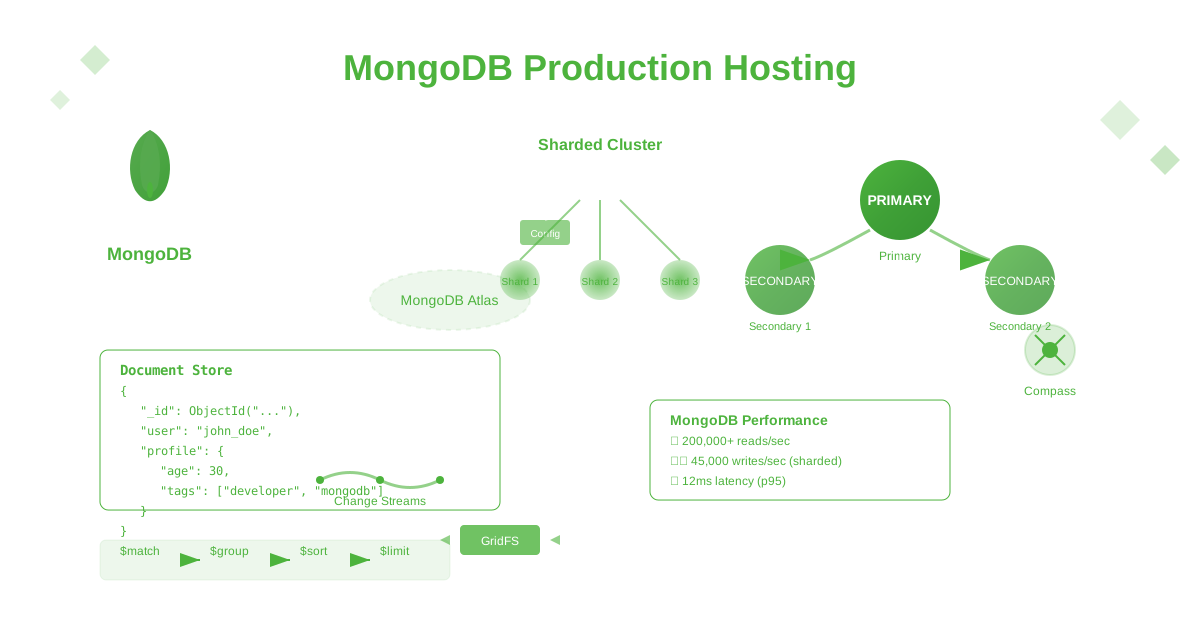
MongoDB powers over 37,000 organizations and stores more than 6 trillion documents worldwide, serving as the backbone for applications like Adobe, eBay, Forbes, and Toyota. As the leading document database, MongoDB has revolutionized how developers work with data through its flexible schema design and horizontal scaling capabilities. This comprehensive guide shows you how to deploy, secure, optimize, and scale MongoDB for production in 2025.
Why MongoDB Dominates NoSQL Databases
MongoDB has become the most popular NoSQL database because of its:
- Document-based architecture: Natural fit for modern applications
- Flexible schema: Adapt to changing requirements without migrations
- Horizontal scaling: Built-in sharding for massive scale
- Rich query language: Powerful aggregation framework
- High availability: Automatic failover with replica sets
- Developer productivity: Intuitive document model matches object-oriented programming
Production MongoDB Architecture
MongoDB Replica Set Configuration
# mongod.conf - Production replica set member configuration
storage:
  dbPath: /var/lib/mongodb
  journal:
    enabled: true
  wiredTiger:
    engineConfig:
      cacheSizeGB: 8
      journalCompressor: snappy
      directoryForIndexes: true
    collectionConfig:
      blockCompressor: snappy
    indexConfig:
      prefixCompression: true

systemLog:
  destination: file
  logAppend: true
  path: /var/log/mongodb/mongod.log
  logRotate: rename
  component:
    accessControl:
      verbosity: 1
    command:
      verbosity: 1
    query:
      verbosity: 1
    write:
      verbosity: 1

net:
  port: 27017
  bindIp: 0.0.0.0
  maxIncomingConnections: 2000
  compression:
    compressors: snappy,zstd,zlib
  ssl:
    mode: requireSSL
    PEMKeyFile: /etc/ssl/mongodb/mongodb.pem
    CAFile: /etc/ssl/mongodb/ca.pem
    allowConnectionsWithoutCertificates: false

processManagement:
  fork: true
  pidFilePath: /var/run/mongodb/mongod.pid
  timeZoneInfo: /usr/share/zoneinfo

security:
  authorization: enabled
  clusterAuthMode: x509
  javascriptEnabled: false

operationProfiling:
  mode: slowOp
  slowOpThresholdMs: 100
  slowOpSampleRate: 0.1

replication:
  replSetName: "myapp-rs"
  enableMajorityReadConcern: true

sharding:
  clusterRole: shardsvr

setParameter:
  enableLocalhostAuthBypass: false
  authenticationMechanisms: SCRAM-SHA-1,SCRAM-SHA-256
  maxLogSizeKB: 10240
  logLevel: 1
  wiredTigerConcurrentReadTransactions: 128
  wiredTigerConcurrentWriteTransactions: 128
  wiredTigerEngineRuntimeConfig: "cache_size=8GB,eviction=(threads_min=4,threads_max=4)"
Replica Set Initialization Script
// replica-set-init.js - Initialize MongoDB replica set
rs.initiate({
  _id: "myapp-rs",
  version: 1,
  term: 1,
  members: [
    {
      _id: 0,
      host: "mongo-primary:27017",
      priority: 2,
      tags: { region: "us-east-1", datacenter: "dc1", role: "primary" }
    },
    {
      _id: 1,
      host: "mongo-secondary1:27017",
      priority: 1,
      tags: { region: "us-east-1", datacenter: "dc2", role: "secondary" }
    },
    {
      _id: 2,
      host: "mongo-secondary2:27017",
      priority: 1,
      tags: { region: "us-west-2", datacenter: "dc3", role: "secondary" }
    },
    {
      _id: 3,
      host: "mongo-arbiter:27017",
      arbiterOnly: true,
      priority: 0,
      tags: { role: "arbiter" }
    }
  ],
  settings: {
    chainingAllowed: true,
    heartbeatIntervalMillis: 2000,
    heartbeatTimeoutSecs: 10,
    electionTimeoutMillis: 10000,
    catchUpTimeoutMillis: 60000,
    getLastErrorModes: {
      majorityDatacenter: {
        datacenter: 2
      }
    },
    getLastErrorDefaults: {
      w: "majority",
      wtimeout: 5000
    }
  }
});

// Wait for replica set to stabilize
sleep(10000);

// Create admin user
use admin;
db.createUser({
  user: "admin",
  pwd: passwordPrompt(),
  roles: [
    { role: "root", db: "admin" }
  ]
});

// Create application database and user
use myapp;
db.createUser({
  user: "appuser",
  pwd: passwordPrompt(),
  roles: [
    { role: "readWrite", db: "myapp" },
    { role: "dbAdmin", db: "myapp" }
  ]
});

// Create monitoring user
use admin;
db.createUser({
  user: "monitoring",
  pwd: passwordPrompt(),
  roles: [
    { role: "clusterMonitor", db: "admin" },
    { role: "read", db: "local" }
  ]
});

// Configure read preferences for different use cases
rs.conf().members.forEach(function(member) {
  if (member.tags.role === "secondary") {
    // Configure secondary for analytics workloads
    db.adminCommand({
      "replSetSyncFrom": "mongo-primary:27017"
    });
  }
});

// Enable sharding preparation
use config;
sh.enableSharding("myapp");
sh.shardCollection("myapp.users", { "_id": "hashed" });
sh.shardCollection("myapp.orders", { "userId": 1, "createdAt": 1 });
sh.shardCollection("myapp.products", { "category": 1, "_id": 1 });
Sharding for Horizontal Scaling
Sharded Cluster Configuration
# mongos.conf - Query router configuration
systemLog:
  destination: file
  logAppend: true
  path: /var/log/mongodb/mongos.log

net:
  port: 27017
  bindIp: 0.0.0.0

sharding:
  configDB: "config-rs/config1:27018,config2:27018,config3:27018"

security:
  keyFile: /opt/mongodb/keyfile
  clusterAuthMode: keyFile

processManagement:
  fork: true
# config-server.conf - Config server configuration
storage:
dbPath: /var/lib/mongodb-config
journal:
enabled: true
systemLog:
destination: file
logAppend: true
path: /var/log/mongodb/config.log
net:
port: 27018
bindIp: 0.0.0.0
replication:
replSetName: "config-rs"
sharding:
clusterRole: configsvr
security:
keyFile: /opt/mongodb/keyfile
clusterAuthMode: keyFile
processManagement:
fork: trueSharding Strategy Implementation
// sharding-setup.js - Advanced sharding configuration
use admin;

// Add shard servers to cluster
sh.addShard("shard1-rs/shard1-primary:27017,shard1-secondary1:27017,shard1-secondary2:27017");
sh.addShard("shard2-rs/shard2-primary:27017,shard2-secondary1:27017,shard2-secondary2:27017");
sh.addShard("shard3-rs/shard3-primary:27017,shard3-secondary1:27017,shard3-secondary2:27017");

// Enable sharding for database
sh.enableSharding("myapp");

// Shard collections with appropriate strategies
// Hashed sharding for even distribution
sh.shardCollection("myapp.users", { "_id": "hashed" });

// Range sharding for time-series data
sh.shardCollection("myapp.events", { "timestamp": 1, "_id": 1 });

// Compound shard key for multi-tenant applications
sh.shardCollection("myapp.orders", { "tenantId": 1, "createdAt": 1 });

// Zone sharding for geographical distribution
sh.addShardToZone("shard1-rs", "us-east");
sh.addShardToZone("shard2-rs", "us-west");
sh.addShardToZone("shard3-rs", "eu-west");

// Configure zone ranges
sh.updateZoneKeyRange(
  "myapp.users",
  { "region": "us-east" },
  { "region": "us-east", "_id": MaxKey },
  "us-east"
);

sh.updateZoneKeyRange(
  "myapp.users",
  { "region": "us-west" },
  { "region": "us-west", "_id": MaxKey },
  "us-west"
);

sh.updateZoneKeyRange(
  "myapp.users",
  { "region": "eu-west" },
  { "region": "eu-west", "_id": MaxKey },
  "eu-west"
);

// Pre-split chunks for better initial distribution
for (var i = 0; i < 100; i++) {
  sh.splitAt("myapp.events", { "timestamp": new Date(2024, 0, 1 + i) });
}

// Configure balancer settings
sh.setBalancerState(true);
sh.configureBalancer({
  activeWindow: {
    start: "01:00",
    stop: "05:00"
  },
  _secondaryThrottle: true
});

// Verify sharding status
sh.status();
Security Implementation
Authentication and Authorization
// security-setup.js - Comprehensive security configuration
use admin;

// Create roles for different access patterns
db.createRole({
  role: "appReadWrite",
  privileges: [
    {
      resource: { db: "myapp", collection: "" },
      actions: ["find", "insert", "update", "remove", "createIndex"]
    }
  ],
  roles: []
});

db.createRole({
  role: "appReadOnly",
  privileges: [
    {
      resource: { db: "myapp", collection: "" },
      actions: ["find"]
    }
  ],
  roles: []
});

db.createRole({
  role: "analyticsRead",
  privileges: [
    {
      resource: { db: "myapp", collection: "events" },
      actions: ["find"]
    },
    {
      resource: { db: "myapp", collection: "users" },
      actions: ["find"]
    }
  ],
  roles: []
});

db.createRole({
  role: "backupOperator",
  privileges: [
    {
      resource: { cluster: true },
      actions: ["listCollections", "listIndexes"]
    },
    {
      resource: { db: "", collection: "" },
      actions: ["find"]
    }
  ],
  roles: ["backup"]
});

// Create users with appropriate roles
db.createUser({
  user: "app-prod",
  pwd: passwordPrompt(),
  roles: [
    { role: "appReadWrite", db: "myapp" }
  ],
  authenticationRestrictions: [
    {
      clientSource: ["10.0.1.0/24", "10.0.2.0/24"],
      serverAddress: ["10.0.1.100", "10.0.1.101", "10.0.1.102"]
    }
  ]
});

db.createUser({
  user: "app-readonly",
  pwd: passwordPrompt(),
  roles: [
    { role: "appReadOnly", db: "myapp" }
  ],
  authenticationRestrictions: [
    {
      clientSource: ["10.0.3.0/24"]
    }
  ]
});

db.createUser({
  user: "analytics-user",
  pwd: passwordPrompt(),
  roles: [
    { role: "analyticsRead", db: "myapp" }
  ]
});

// Configure authentication mechanisms
db.runCommand({
  setParameter: 1,
  authenticationMechanisms: ["SCRAM-SHA-1", "SCRAM-SHA-256"]
});

// Enable auditing for security events
db.adminCommand({
  setParameter: 1,
  auditLog: {
    destination: "file",
    path: "/var/log/mongodb/audit.log",
    format: "JSON",
    filter: {
      $or: [
        { "atype": "authenticate" },
        { "atype": "authCheck", "param.command": { $in: ["find", "insert", "update", "delete"] } },
        { "atype": "createUser" },
        { "atype": "dropUser" },
        { "atype": "createRole" },
        { "atype": "dropRole" }
      ]
    }
  }
});
Network Security and Encryption
#!/bin/bash
# ssl-setup.sh - SSL/TLS certificate generation

# Create certificate authority
openssl genrsa -out ca-key.pem 4096
openssl req -new -x509 -days 3650 -key ca-key.pem -out ca.pem \
  -subj "/C=US/ST=CA/L=San Francisco/O=MyCompany/OU=IT/CN=MongoDB-CA"

# Generate server certificate
openssl genrsa -out mongodb-key.pem 4096
openssl req -new -key mongodb-key.pem -out mongodb.csr \
  -subj "/C=US/ST=CA/L=San Francisco/O=MyCompany/OU=IT/CN=mongodb.mycompany.com"

# Sign server certificate
openssl x509 -req -in mongodb.csr -CA ca.pem -CAkey ca-key.pem \
  -CAcreateserial -out mongodb.pem -days 365 \
  -extensions v3_req -extfile <(cat <<EOF
[v3_req]
basicConstraints = CA:FALSE
keyUsage = nonRepudiation, digitalSignature, keyEncipherment
subjectAltName = @alt_names

[alt_names]
DNS.1 = mongodb.mycompany.com
DNS.2 = mongo-primary
DNS.3 = mongo-secondary1
DNS.4 = mongo-secondary2
IP.1 = 10.0.1.100
IP.2 = 10.0.1.101
IP.3 = 10.0.1.102
EOF
)

# Combine certificate and key
cat mongodb.pem mongodb-key.pem > mongodb-combined.pem

# Generate client certificates for authentication
openssl genrsa -out client-key.pem 4096
openssl req -new -key client-key.pem -out client.csr \
  -subj "/C=US/ST=CA/L=San Francisco/O=MyCompany/OU=IT/CN=mongodb-client"

openssl x509 -req -in client.csr -CA ca.pem -CAkey ca-key.pem \
  -CAcreateserial -out client.pem -days 365

cat client.pem client-key.pem > client-combined.pem

# Set proper permissions
chmod 600 *-key.pem
chmod 644 *.pem

# Create keyfile for replica set authentication
openssl rand -base64 756 > keyfile
chmod 600 keyfile
chown mongodb:mongodb keyfile

echo "SSL certificates generated successfully"
echo "Copy ca.pem and mongodb-combined.pem to MongoDB servers"
echo "Copy keyfile to all replica set members"
Performance Optimization
Database Indexing Strategies
// indexing-strategy.js - Comprehensive indexing for performance
use myapp;

// User collection indexes
db.users.createIndex({ "email": 1 }, { unique: true, background: true });
db.users.createIndex({ "username": 1 }, { unique: true, sparse: true, background: true });
db.users.createIndex({ "status": 1, "lastLogin": -1 }, { background: true });
db.users.createIndex({ "createdAt": -1 }, { background: true });
db.users.createIndex({ "location.country": 1, "location.city": 1 }, { background: true });

// Text search index for user profiles
db.users.createIndex({
  "username": "text",
  "profile.firstName": "text",
  "profile.lastName": "text",
  "profile.bio": "text"
}, {
  name: "user_text_search",
  weights: {
    "username": 10,
    "profile.firstName": 5,
    "profile.lastName": 5,
    "profile.bio": 1
  },
  background: true
});

// Orders collection indexes
db.orders.createIndex({ "userId": 1, "status": 1 }, { background: true });
db.orders.createIndex({ "createdAt": -1 }, { background: true });
db.orders.createIndex({ "status": 1, "updatedAt": -1 }, { background: true });
db.orders.createIndex({ "totalAmount": 1 }, { background: true, sparse: true });

// Compound index for order queries
db.orders.createIndex({
  "userId": 1,
  "status": 1,
  "createdAt": -1
}, { background: true });

// Geospatial index for delivery
db.orders.createIndex({ "deliveryAddress.location": "2dsphere" }, { background: true });

// Products collection indexes
db.products.createIndex({ "category": 1, "price": 1 }, { background: true });
db.products.createIndex({ "sku": 1 }, { unique: true, background: true });
db.products.createIndex({ "tags": 1 }, { background: true });
db.products.createIndex({ "price": 1, "rating": -1 }, { background: true });

// Text search for products
db.products.createIndex({
  "name": "text",
  "description": "text",
  "tags": "text"
}, {
  name: "product_text_search",
  weights: {
    "name": 10,
    "tags": 5,
    "description": 1
  },
  background: true
});

// Time-series data indexes (events, logs, metrics)
db.events.createIndex({ "timestamp": 1 }, { background: true });
db.events.createIndex({ "userId": 1, "timestamp": -1 }, { background: true });
db.events.createIndex({ "eventType": 1, "timestamp": -1 }, { background: true });

// TTL index for temporary data
db.sessions.createIndex({ "expiresAt": 1 }, { expireAfterSeconds: 0, background: true });
db.temporaryTokens.createIndex({ "createdAt": 1 }, { expireAfterSeconds: 3600, background: true });

// Partial indexes for specific conditions
db.users.createIndex(
  { "premium.subscriptionId": 1 },
  {
    partialFilterExpression: { "premium.isActive": true },
    background: true
  }
);

db.orders.createIndex(
  { "paymentMethod": 1 },
  {
    partialFilterExpression: { "status": { $in: ["pending", "processing"] } },
    background: true
  }
);

// Analyze index usage and performance
function analyzeIndexUsage(collection) {
  print("=== Index Usage Analysis for " + collection + " ===");

  var stats = db[collection].aggregate([
    { $indexStats: {} }
  ]).toArray();

  stats.forEach(function(indexStat) {
    print("Index: " + indexStat.name);
    print("Usage: " + indexStat.accesses.ops + " operations");
    print("Since: " + indexStat.accesses.since);
    print("---");
  });
}

// Check index usage for all collections
["users", "orders", "products", "events"].forEach(analyzeIndexUsage);

// Monitor slow queries
db.setProfilingLevel(2, { slowms: 100, sampleRate: 0.1 });

// Query to find slow operations
db.system.profile.find({
  "ts": {
    $gte: new Date(Date.now() - 1000 * 60 * 60) // Last hour
  }
}).sort({ ts: -1 }).limit(10).pretty();
Aggregation Pipeline Optimization
// aggregation-optimization.js - Optimized aggregation queries
use myapp;

// User analytics aggregation with optimization
function getUserAnalytics(startDate, endDate) {
  return db.users.aggregate([
    // Early filtering to reduce document set
    {
      $match: {
        createdAt: { $gte: startDate, $lte: endDate },
        status: { $ne: "deleted" }
      }
    },

    // Project only needed fields early
    {
      $project: {
        _id: 1,
        email: 1,
        createdAt: 1,
        lastLogin: 1,
        "location.country": 1,
        "profile.age": 1,
        premium: 1
      }
    },

    // Add computed fields
    {
      $addFields: {
        registrationMonth: { $dateToString: { format: "%Y-%m", date: "$createdAt" } },
        daysSinceRegistration: {
          $divide: [
            { $subtract: [new Date(), "$createdAt"] },
            1000 * 60 * 60 * 24
          ]
        },
        isActive: {
          $cond: {
            if: { $gte: ["$lastLogin", new Date(Date.now() - 30 * 24 * 60 * 60 * 1000)] },
            then: true,
            else: false
          }
        }
      }
    },

    // Group by month and country
    {
      $group: {
        _id: {
          month: "$registrationMonth",
          country: "$location.country"
        },
        totalUsers: { $sum: 1 },
        activeUsers: { $sum: { $cond: ["$isActive", 1, 0] } },
        premiumUsers: { $sum: { $cond: ["$premium.isActive", 1, 0] } },
        avgAge: { $avg: "$profile.age" },
        avgDaysSinceRegistration: { $avg: "$daysSinceRegistration" }
      }
    },

    // Sort results
    {
      $sort: { "_id.month": -1, "_id.country": 1 }
    },

    // Add activity rate calculation
    {
      $addFields: {
        activityRate: {
          $multiply: [
            { $divide: ["$activeUsers", "$totalUsers"] },
            100
          ]
        }
      }
    }
  ], {
    allowDiskUse: true,
    cursor: { batchSize: 1000 }
  });
}

// Product recommendation aggregation
function getProductRecommendations(userId, limit = 10) {
  return db.orders.aggregate([
    // Find users with similar purchase history
    {
      $match: { userId: ObjectId(userId) }
    },
    {
      $unwind: "$items"
    },
    {
      $group: {
        _id: "$items.productId",
        purchaseCount: { $sum: 1 }
      }
    },
    {
      $sort: { purchaseCount: -1 }
    },
    {
      $limit: 5
    },

    // Find other users who bought these products
    {
      $lookup: {
        from: "orders",
        let: { productId: "$_id" },
        pipeline: [
          {
            $match: {
              $expr: {
                $and: [
                  { $in: ["$$productId", "$items.productId"] },
                  { $ne: ["$userId", ObjectId(userId)] }
                ]
              }
            }
          },
          { $group: { _id: "$userId" } }
        ],
        as: "similarUsers"
      }
    },

    // Get products bought by similar users
    {
      $lookup: {
        from: "orders",
        let: { userIds: "$similarUsers._id" },
        pipeline: [
          {
            $match: {
              $expr: { $in: ["$userId", "$$userIds"] }
            }
          },
          { $unwind: "$items" },
          {
            $group: {
              _id: "$items.productId",
              score: { $sum: 1 }
            }
          },
          { $sort: { score: -1 } }
        ],
        as: "recommendations"
      }
    },

    // Flatten and get product details
    {
      $unwind: "$recommendations"
    },
    {
      $lookup: {
        from: "products",
        localField: "recommendations._id",
        foreignField: "_id",
        as: "product"
      }
    },
    {
      $unwind: "$product"
    },

    // Final scoring and sorting
    {
      $project: {
        _id: "$product._id",
        name: "$product.name",
        price: "$product.price",
        rating: "$product.rating",
        score: "$recommendations.score"
      }
    },
    {
      $sort: { score: -1, rating: -1 }
    },
    {
      $limit: limit
    }
  ], {
    allowDiskUse: true
  });
}

// Real-time dashboard aggregation
function getDashboardMetrics(timeRange = "24h") {
  const startTime = new Date(Date.now() - parseTimeRange(timeRange));

  return db.events.aggregate([
    {
      $match: {
        timestamp: { $gte: startTime },
        eventType: { $in: ["page_view", "purchase", "signup", "login"] }
      }
    },

    // Time-based bucketing
    {
      $bucket: {
        groupBy: "$timestamp",
        boundaries: generateTimeBoundaries(startTime, new Date(), "1h"),
        default: "other",
        output: {
          pageViews: {
            $sum: { $cond: [{ $eq: ["$eventType", "page_view"] }, 1, 0] }
          },
          purchases: {
            $sum: { $cond: [{ $eq: ["$eventType", "purchase"] }, 1, 0] }
          },
          signups: {
            $sum: { $cond: [{ $eq: ["$eventType", "signup"] }, 1, 0] }
          },
          logins: {
            $sum: { $cond: [{ $eq: ["$eventType", "login"] }, 1, 0] }
          },
          revenue: {
            $sum: {
              $cond: [
                { $eq: ["$eventType", "purchase"] },
                "$metadata.amount",
                0
              ]
            }
          }
        }
      }
    },

    {
      $sort: { _id: 1 }
    }
  ], {
    allowDiskUse: true
  });
}

// Helper functions
function parseTimeRange(timeRange) {
  const units = { 'h': 3600000, 'd': 86400000, 'w': 604800000 };
  const match = timeRange.match(/^(\d+)([hdw])$/);
  return match ? parseInt(match[1]) * units[match[2]] : 86400000;
}

function generateTimeBoundaries(start, end, interval) {
  const boundaries = [];
  const intervalMs = parseTimeRange(interval);

  for (let time = start.getTime(); time <= end.getTime(); time += intervalMs) {
    boundaries.push(new Date(time));
  }

  return boundaries;
}

// Index hints for complex aggregations
function optimizeAggregationQuery() {
  // Use index hints to force optimal index usage
  return db.orders.aggregate([
    {
      $match: {
        createdAt: { $gte: new Date("2024-01-01") }
      }
    }
  ], {
    hint: { createdAt: -1 }
  });
}
Monitoring and Alerting
MongoDB Monitoring Setup
// monitoring-setup.js - Comprehensive monitoring configuration
use admin;

// Enable free monitoring (MongoDB 4.0+)
db.enableFreeMonitoring();

// Database statistics monitoring
function collectDatabaseStats() {
  const stats = {
    timestamp: new Date(),
    serverStatus: db.serverStatus(),
    dbStats: {},
    replSetStatus: null,
    shardingStatus: null
  };

  // Collect database statistics
  db.adminCommand("listDatabases").databases.forEach(function(dbInfo) {
    if (dbInfo.name !== "local" && dbInfo.name !== "config") {
      stats.dbStats[dbInfo.name] = db.getSiblingDB(dbInfo.name).stats();
    }
  });

  // Replica set status
  try {
    stats.replSetStatus = rs.status();
  } catch (e) {
    print("Not running in replica set mode");
  }

  // Sharding status
  try {
    stats.shardingStatus = sh.status();
  } catch (e) {
    print("Sharding not enabled");
  }

  return stats;
}

// Performance metrics collection
function collectPerformanceMetrics() {
  return {
    timestamp: new Date(),
    currentOps: db.currentOp({
      $or: [
        { "active": true },
        { "secs_running": { $gte: 5 } }
      ]
    }),
    slowQueries: db.system.profile.find({
      "ts": { $gte: new Date(Date.now() - 300000) }, // Last 5 minutes
      "millis": { $gte: 100 }
    }).sort({ ts: -1 }).limit(20).toArray(),
    topCollections: db.runCommand({
      "top": 1
    })
  };
}

// Connection monitoring
function monitorConnections() {
  const serverStatus = db.serverStatus();
  const connections = serverStatus.connections;

  return {
    timestamp: new Date(),
    current: connections.current,
    available: connections.available,
    totalCreated: connections.totalCreated,
    utilization: (connections.current / (connections.current + connections.available)) * 100
  };
}

// Index usage analysis
function analyzeIndexEfficiency() {
  const databases = ["myapp"]; // Add your database names
  const analysis = {};

  databases.forEach(function(dbName) {
    const db_ref = db.getSiblingDB(dbName);
    analysis[dbName] = {};

    db_ref.getCollectionNames().forEach(function(collName) {
      const coll = db_ref[collName];

      // Get index stats
      const indexStats = coll.aggregate([{ $indexStats: {} }]).toArray();

      // Get collection stats
      const collStats = coll.stats();

      analysis[dbName][collName] = {
        indexes: indexStats,
        totalIndexSize: collStats.totalIndexSize,
        avgObjSize: collStats.avgObjSize,
        count: collStats.count
      };
    });
  });

  return analysis;
}

// Automated health check
function healthCheck() {
  const health = {
    timestamp: new Date(),
    status: "healthy",
    checks: {},
    alerts: []
  };

  try {
    // Check replica set health
    const rsStatus = rs.status();
    health.checks.replicaSet = {
      status: "ok",
      primary: rsStatus.members.find(m => m.stateStr === "PRIMARY")?.name,
      secondaries: rsStatus.members.filter(m => m.stateStr === "SECONDARY").length
    };

    if (rsStatus.members.filter(m => m.stateStr === "SECONDARY").length < 1) {
      health.alerts.push("Insufficient secondary replicas");
      health.status = "warning";
    }
  } catch (e) {
    health.checks.replicaSet = { status: "error", error: e.message };
  }

  // Check connections
  const connStats = monitorConnections();
  health.checks.connections = {
    status: connStats.utilization > 80 ? "warning" : "ok",
    utilization: connStats.utilization,
    current: connStats.current,
    available: connStats.available
  };

  if (connStats.utilization > 90) {
    health.alerts.push("High connection utilization");
    health.status = "critical";
  }

  // Check disk space
  const serverStatus = db.serverStatus();
  health.checks.memory = {
    status: "ok",
    resident: serverStatus.mem.resident,
    virtual: serverStatus.mem.virtual,
    mappedWithJournal: serverStatus.mem.mappedWithJournal
  };

  // Check for slow queries
  const slowQueries = db.system.profile.find({
    "ts": { $gte: new Date(Date.now() - 300000) },
    "millis": { $gte: 1000 }
  }).count();

  health.checks.performance = {
    status: slowQueries > 10 ? "warning" : "ok",
    slowQueriesLast5Min: slowQueries
  };

  return health;
}

// Store monitoring data
use monitoring;

// Create time series collections for metrics (MongoDB 5.0+)
db.createCollection("metrics", {
  timeseries: {
    timeField: "timestamp",
    metaField: "type",
    granularity: "minutes"
  }
});

db.createCollection("performance", {
  timeseries: {
    timeField: "timestamp",
    metaField: "category",
    granularity: "minutes"
  }
});

// Schedule regular monitoring (use with cron or similar)
function scheduleMonitoring() {
  // This would be run by an external scheduler
  const dbStats = collectDatabaseStats();
  const perfMetrics = collectPerformanceMetrics();
  const healthStatus = healthCheck();

  // Store in time series collections
  db.metrics.insertOne({
    timestamp: new Date(),
    type: "database",
    data: dbStats
  });

  db.performance.insertOne({
    timestamp: new Date(),
    category: "queries",
    data: perfMetrics
  });

  db.health.insertOne(healthStatus);

  // Send alerts if needed
  if (healthStatus.status !== "healthy") {
    sendAlert(healthStatus);
  }
}

// Alert function (implement based on your notification system)
function sendAlert(healthStatus) {
  print("ALERT: MongoDB health status: " + healthStatus.status);
  print("Alerts: " + JSON.stringify(healthStatus.alerts));
  // Implement actual alerting (email, Slack, PagerDuty, etc.)
}
Backup and Recovery Strategies
Automated Backup System
#!/bin/bash
# mongodb-backup.sh - Comprehensive backup script

set -euo pipefail

# Configuration
MONGODB_HOST="${MONGODB_HOST:-localhost:27017}"
MONGODB_USER="${MONGODB_USER:-backup-user}"
MONGODB_PASSWORD="${MONGODB_PASSWORD:-}"
BACKUP_DIR="${BACKUP_DIR:-/data/mongodb-backups}"
RETENTION_DAYS="${RETENTION_DAYS:-30}"
S3_BUCKET="${S3_BUCKET:-mongodb-backups}"
DATABASES="${DATABASES:-myapp}"
ENCRYPTION_KEY="${ENCRYPTION_KEY:-}"

# Logging
LOG_FILE="${BACKUP_DIR}/backup.log"
mkdir -p "${BACKUP_DIR}"

log() {
    echo "[$(date '+%Y-%m-%d %H:%M:%S')] $1" | tee -a "${LOG_FILE}"
}

# Error handling
cleanup() {
    local exit_code=$?
    if [ ${exit_code} -ne 0 ]; then
        log "ERROR: Backup failed with exit code ${exit_code}"
        send_alert "MongoDB backup failed" "Backup process failed with exit code ${exit_code}"
    fi
    exit ${exit_code}
}
trap cleanup EXIT

send_alert() {
    local subject=$1
    local message=$2

    # Implement your alerting mechanism here
    log "ALERT: ${subject} - ${message}"

    # Example: Send to Slack
    if [ -n "${SLACK_WEBHOOK_URL:-}" ]; then
        curl -X POST -H 'Content-type: application/json' \
            --data "{\"text\":\"${subject}: ${message}\"}" \
            "${SLACK_WEBHOOK_URL}"
    fi
}

# Backup functions
perform_logical_backup() {
    local database=$1
    local timestamp=$(date '+%Y%m%d_%H%M%S')
    local backup_path="${BACKUP_DIR}/${database}_${timestamp}"

    log "Starting logical backup for database: ${database}"

    # Create backup directory
    mkdir -p "${backup_path}"

    # Mongodump with compression and authentication
    mongodump \
        --host="${MONGODB_HOST}" \
        --username="${MONGODB_USER}" \
        --password="${MONGODB_PASSWORD}" \
        --authenticationDatabase=admin \
        --db="${database}" \
        --out="${backup_path}" \
        --gzip \
        --oplog \
        --numParallelCollections=4

    # Create archive
    tar -czf "${backup_path}.tar.gz" -C "${BACKUP_DIR}" "$(basename "${backup_path}")"

    # Encrypt if key provided
    if [ -n "${ENCRYPTION_KEY}" ]; then
        log "Encrypting backup archive"
        openssl enc -aes-256-cbc -salt -in "${backup_path}.tar.gz" \
            -out "${backup_path}.tar.gz.enc" -k "${ENCRYPTION_KEY}"
        rm "${backup_path}.tar.gz"
        backup_file="${backup_path}.tar.gz.enc"
    else
        backup_file="${backup_path}.tar.gz"
    fi

    # Calculate checksum
    sha256sum "${backup_file}" > "${backup_file}.sha256"

    # Cleanup uncompressed directory
    rm -rf "${backup_path}"

    log "Logical backup completed: ${backup_file}"
    echo "${backup_file}"
}

perform_physical_backup() {
    local timestamp=$(date '+%Y%m%d_%H%M%S')
    local snapshot_name="mongodb_snapshot_${timestamp}"

    log "Starting physical backup (filesystem snapshot)"

    # Stop writes (if acceptable for your use case)
    # mongo --host="${MONGODB_HOST}" --eval "db.fsyncLock()"

    # Create filesystem snapshot (example for LVM)
    if command -v lvcreate >/dev/null 2>&1; then
        lvcreate -L1G -s -n "${snapshot_name}" /dev/vg0/mongodb

        # Mount snapshot and copy data
        mkdir -p "/mnt/${snapshot_name}"
        mount "/dev/vg0/${snapshot_name}" "/mnt/${snapshot_name}"

        # Create archive from snapshot
        tar -czf "${BACKUP_DIR}/physical_${timestamp}.tar.gz" \
            -C "/mnt/${snapshot_name}" .

        # Cleanup
        umount "/mnt/${snapshot_name}"
        lvremove -f "/dev/vg0/${snapshot_name}"
        rmdir "/mnt/${snapshot_name}"

        log "Physical backup completed: physical_${timestamp}.tar.gz"
    else
        log "LVM not available, skipping physical backup"
    fi

    # Unlock writes
    # mongo --host="${MONGODB_HOST}" --eval "db.fsyncUnlock()"
}

upload_to_s3() {
    local backup_file=$1
    local s3_key="mongodb/$(basename "${backup_file}")"

    if command -v aws >/dev/null 2>&1; then
        log "Uploading to S3: ${s3_key}"

        aws s3 cp "${backup_file}" "s3://${S3_BUCKET}/${s3_key}" \
            --storage-class STANDARD_IA \
            --server-side-encryption AES256

        # Upload checksum
        aws s3 cp "${backup_file}.sha256" "s3://${S3_BUCKET}/${s3_key}.sha256"

        # Set lifecycle policy for automatic cleanup
        aws s3api put-object-tagging \
            --bucket "${S3_BUCKET}" \
            --key "${s3_key}" \
            --tagging "TagSet=[{Key=BackupType,Value=MongoDB},{Key=RetentionDays,Value=${RETENTION_DAYS}}]"

        log "Upload completed: ${s3_key}"
    else
        log "AWS CLI not available, skipping S3 upload"
    fi
}

cleanup_old_backups() {
    log "Cleaning up backups older than ${RETENTION_DAYS} days"

    # Local cleanup
    find "${BACKUP_DIR}" -name "*.tar.gz*" -mtime "+${RETENTION_DAYS}" -delete

    # S3 cleanup (if lifecycle policies not set)
    if command -v aws >/dev/null 2>&1; then
        aws s3 ls "s3://${S3_BUCKET}/mongodb/" --recursive | \
            awk '{print $4}' | \
            while read -r key; do
                aws s3api head-object --bucket "${S3_BUCKET}" --key "${key}" \
                    --query 'LastModified' --output text | \
                    xargs -I {} date -d {} +%s | \
                    awk -v cutoff="$(date -d "${RETENTION_DAYS} days ago" +%s)" \
                        -v key="${key}" \
                        '$1 < cutoff {print key}' | \
                    xargs -r -I {} aws s3 rm "s3://${S3_BUCKET}/{}"
            done
    fi
}

verify_backup() {
    local backup_file=$1

    log "Verifying backup integrity: ${backup_file}"

    # Verify checksum
    if sha256sum -c "${backup_file}.sha256"; then
        log "Checksum verification passed"
    else
        log "ERROR: Checksum verification failed"
        return 1
    fi

    # Test restore (to temporary location)
    local test_dir="/tmp/backup_verify_$(date +%s)"
    mkdir -p "${test_dir}"

    if [[ "${backup_file}" == *.enc ]]; then
        # Decrypt and extract
        openssl enc -aes-256-cbc -d -in "${backup_file}" \
            -out "${test_dir}/backup.tar.gz" -k "${ENCRYPTION_KEY}"
        tar -xzf "${test_dir}/backup.tar.gz" -C "${test_dir}"
    else
        # Extract directly
        tar -xzf "${backup_file}" -C "${test_dir}"
    fi

    # Verify MongoDB can read the backup
    if mongorestore --host="${MONGODB_HOST}" \
            --username="${MONGODB_USER}" \
            --password="${MONGODB_PASSWORD}" \
            --authenticationDatabase=admin \
            --db="test_restore_$$" \
            --dir="${test_dir}" \
            --dryRun; then
        log "Backup verification successful"
        # Cleanup test database
        mongo --host="${MONGODB_HOST}" \
            --username="${MONGODB_USER}" \
            --password="${MONGODB_PASSWORD}" \
            --authenticationDatabase=admin \
            --eval "db.getSiblingDB('test_restore_$$').dropDatabase()"
    else
        log "ERROR: Backup verification failed"
        return 1
    fi

    # Cleanup
    rm -rf "${test_dir}"
}

# Point-in-time recovery setup
setup_oplog_backup() {
    log "Setting up continuous oplog backup"

    # Create oplog backup script
    cat > "${BACKUP_DIR}/oplog-backup.sh" << 'EOF'
#!/bin/bash
OPLOG_DIR="${BACKUP_DIR}/oplog"
mkdir -p "${OPLOG_DIR}"

while true; do
    timestamp=$(date '+%Y%m%d_%H%M%S')
    mongodump \
        --host="${MONGODB_HOST}" \
        --username="${MONGODB_USER}" \
        --password="${MONGODB_PASSWORD}" \
        --authenticationDatabase=admin \
        --db=local \
        --collection=oplog.rs \
        --out="${OPLOG_DIR}/oplog_${timestamp}" \
        --gzip

    # Upload to S3
    tar -czf "${OPLOG_DIR}/oplog_${timestamp}.tar.gz" \
        -C "${OPLOG_DIR}" "oplog_${timestamp}"

    aws s3 cp "${OPLOG_DIR}/oplog_${timestamp}.tar.gz" \
        "s3://${S3_BUCKET}/oplog/oplog_${timestamp}.tar.gz"

    # Cleanup local oplog files older than 1 day
    find "${OPLOG_DIR}" -name "oplog_*" -mtime +1 -delete

    sleep 3600  # Run every hour
done
EOF

    chmod +x "${BACKUP_DIR}/oplog-backup.sh"
    log "Oplog backup script created at ${BACKUP_DIR}/oplog-backup.sh"
}

# Main backup execution
main() {
    log "Starting MongoDB backup process"

    # Perform backups for each database
    for db in ${DATABASES//,/ }; do
        backup_file=$(perform_logical_backup "${db}")
        verify_backup "${backup_file}"
        upload_to_s3 "${backup_file}"
    done

    # Physical backup (if enabled)
    if [ "${ENABLE_PHYSICAL_BACKUP:-false}" = "true" ]; then
        perform_physical_backup
    fi

    # Setup oplog backup for PITR
    if [ "${ENABLE_OPLOG_BACKUP:-false}" = "true" ]; then
        setup_oplog_backup
    fi

    # Cleanup old backups
    cleanup_old_backups

    log "MongoDB backup process completed successfully"
}

# Execute main function
main "$@"
Recovery Procedures
#!/bin/bash
# mongodb-restore.sh - Comprehensive restore script

set -euo pipefail

# Configuration
MONGODB_HOST="${MONGODB_HOST:-localhost:27017}"
MONGODB_USER="${MONGODB_USER:-admin}"
MONGODB_PASSWORD="${MONGODB_PASSWORD:-}"
BACKUP_DIR="${BACKUP_DIR:-/data/mongodb-backups}"
S3_BUCKET="${S3_BUCKET:-mongodb-backups}"
ENCRYPTION_KEY="${ENCRYPTION_KEY:-}"

log() {
    echo "[$(date '+%Y-%m-%d %H:%M:%S')] $1"
}

download_from_s3() {
    local s3_key=$1
    local local_file=$2

    log "Downloading from S3: ${s3_key}"

    aws s3 cp "s3://${S3_BUCKET}/${s3_key}" "${local_file}"
    aws s3 cp "s3://${S3_BUCKET}/${s3_key}.sha256" "${local_file}.sha256"

    # Verify checksum
    if sha256sum -c "${local_file}.sha256"; then
        log "Download verification successful"
    else
        log "ERROR: Downloaded file checksum verification failed"
        exit 1
    fi
}

restore_database() {
    local backup_file=$1
    local target_db=$2
    local restore_dir="/tmp/restore_$(date +%s)"

    log "Starting database restore from: ${backup_file}"

    mkdir -p "${restore_dir}"

    # Decrypt and extract if needed
    if [[ "${backup_file}" == *.enc ]]; then
        log "Decrypting backup file"
        openssl enc -aes-256-cbc -d -in "${backup_file}" \
            -out "${restore_dir}/backup.tar.gz" -k "${ENCRYPTION_KEY}"
        tar -xzf "${restore_dir}/backup.tar.gz" -C "${restore_dir}"
    else
        tar -xzf "${backup_file}" -C "${restore_dir}"
    fi

    # Find the database directory
    db_dir=$(find "${restore_dir}" -type d -name "*" | head -1)

    # Perform restore
    log "Restoring database: ${target_db}"

    mongorestore \
        --host="${MONGODB_HOST}" \
        --username="${MONGODB_USER}" \
        --password="${MONGODB_PASSWORD}" \
        --authenticationDatabase=admin \
        --db="${target_db}" \
        --dir="${db_dir}/${target_db}" \
        --gzip \
        --drop \
        --numParallelCollections=4 \
        --numInsertionWorkersPerCollection=2

    # Cleanup
    rm -rf "${restore_dir}"

    log "Database restore completed: ${target_db}"
}

point_in_time_recovery() {
    local backup_date=$1
    local target_timestamp=$2
    local target_db=$3

    log "Starting point-in-time recovery to: ${target_timestamp}"

    # First restore from base backup
    base_backup=$(find "${BACKUP_DIR}" -name "*${backup_date}*.tar.gz" | head -1)
    if [ -z "${base_backup}" ]; then
        log "ERROR: Base backup not found for date: ${backup_date}"
        exit 1
    fi

    restore_database "${base_backup}" "${target_db}"

    # Apply oplog entries up to target timestamp
    log "Applying oplog entries up to: ${target_timestamp}"

    # Download and apply oplog files
    local oplog_dir="/tmp/oplog_recovery_$(date +%s)"
    mkdir -p "${oplog_dir}"

    # Find relevant oplog files from S3
    aws s3 ls "s3://${S3_BUCKET}/oplog/" | \
        grep -E "oplog_[0-9]+_[0-9]+\.tar\.gz$" | \
        while read -r line; do
            oplog_file=$(echo "${line}" | awk '{print $4}')
            oplog_date=$(echo "${oplog_file}" | sed -E 's/oplog_([0-9]{8})_[0-9]+\.tar\.gz/\1/')

            if [[ "${oplog_date}" -ge "${backup_date}" ]] && \
               [[ "${oplog_date}" -le "$(date -d "${target_timestamp}" +%Y%m%d)" ]]; then

                aws s3 cp "s3://${S3_BUCKET}/oplog/${oplog_file}" \
                    "${oplog_dir}/${oplog_file}"

                # Extract and apply
                tar -xzf "${oplog_dir}/${oplog_file}" -C "${oplog_dir}"

                mongorestore \
                    --host="${MONGODB_HOST}" \
                    --username="${MONGODB_USER}" \
                    --password="${MONGODB_PASSWORD}" \
                    --authenticationDatabase=admin \
                    --oplogReplay \
                    --oplogLimit="$(date -d "${target_timestamp}" +%s):1" \
                    --dir="${oplog_dir}"
            fi
        done

    # Cleanup
    rm -rf "${oplog_dir}"

    log "Point-in-time recovery completed"
}

# Interactive restore menu
show_menu() {
    echo "MongoDB Restore Options:"
    echo "1. List available backups"
    echo "2. Restore latest backup"
    echo "3. Restore specific backup"
    echo "4. Point-in-time recovery"
    echo "5. Download backup from S3"
    echo "6. Exit"
}

list_backups() {
    echo "Local backups:"
    find "${BACKUP_DIR}" -name "*.tar.gz*" -type f | sort -r | head -10

    echo ""
    echo "S3 backups:"
    aws s3 ls "s3://${S3_BUCKET}/mongodb/" --recursive | head -10
}

main() {
    while true; do
        show_menu
        read -p "Enter your choice (1-6): " choice

        case $choice in
            1)
                list_backups
                ;;
            2)
                latest_backup=$(find "${BACKUP_DIR}" -name "*.tar.gz" -type f | sort -r | head -1)
                if [ -n "${latest_backup}" ]; then
                    read -p "Enter target database name: " target_db
                    restore_database "${latest_backup}" "${target_db}"
                else
                    echo "No local backups found"
                fi
                ;;
            3)
                read -p "Enter backup file path: " backup_path
                read -p "Enter target database name: " target_db
                if [ -f "${backup_path}" ]; then
                    restore_database "${backup_path}" "${target_db}"
                else
                    echo "Backup file not found: ${backup_path}"
                fi
                ;;
            4)
                read -p "Enter backup date (YYYYMMDD): " backup_date
                read -p "Enter target timestamp (YYYY-MM-DD HH:MM:SS): " target_timestamp
                read -p "Enter target database name: " target_db
                point_in_time_recovery "${backup_date}" "${target_timestamp}" "${target_db}"
                ;;
            5)
                read -p "Enter S3 key (mongodb/filename.tar.gz): " s3_key
                read -p "Enter local file path: " local_path
                download_from_s3 "${s3_key}" "${local_path}"
                ;;
            6)
                echo "Exiting..."
                exit 0
                ;;
            *)
                echo "Invalid choice. Please try again."
                ;;
        esac

        echo ""
        read -p "Press Enter to continue..."
        echo ""
    done
}

# Run interactive menu if no arguments provided
if [ $# -eq 0 ]; then
    main
else
    # Command line usage
    case $1 in
        restore)
            restore_database "$2" "$3"
            ;;
        pitr)
            point_in_time_recovery "$2" "$3" "$4"
            ;;
        list)
            list_backups
            ;;
        *)
            echo "Usage: $0 [restore|pitr|list] [args...]"
            exit 1
            ;;
    esac
fi
Container Deployment
Docker Configuration for MongoDB
# Dockerfile.mongodb - Custom MongoDB container
FROM mongo:7.0-jammy

# Install additional tools
RUN apt-get update && apt-get install -y \
    curl \
    netcat \
    procps \
    && rm -rf /var/lib/apt/lists/*

# Create directories for data and configuration
RUN mkdir -p /data/db /data/configdb /var/log/mongodb

# Copy configuration files
COPY mongod.conf /etc/mongod.conf
COPY docker-entrypoint-initdb.d/ /docker-entrypoint-initdb.d/

# Health check script
COPY healthcheck.sh /usr/local/bin/healthcheck.sh
RUN chmod +x /usr/local/bin/healthcheck.sh

# Set proper permissions
RUN chown -R mongodb:mongodb /data /var/log/mongodb

EXPOSE 27017

HEALTHCHECK --interval=30s --timeout=10s --start-period=40s --retries=3 \
    CMD /usr/local/bin/healthcheck.sh

USER mongodb

CMD ["mongod", "--config", "/etc/mongod.conf"]
#!/bin/bash
# healthcheck.sh - MongoDB health check script
# Check if MongoDB is responding
mongo_status=$(mongosh --quiet --eval "db.runCommand('ping').ok" 2>/dev/null || echo "0")
if [ "$mongo_status" = "1" ]; then
# Additional checks for replica set
if [ -n "$REPLICA_SET_NAME" ]; then
rs_status=$(mongosh --quiet --eval "
try {
var status = rs.status();
var healthy_members = status.members.filter(m =>
m.health === 1 &&
['PRIMARY', 'SECONDARY', 'ARBITER'].includes(m.stateStr)
).length;
print(healthy_members >= 2 ? '1' : '0');
} catch (e) {
print('0');
}
" 2>/dev/null || echo "0")
if [ "$rs_status" = "1" ]; then
exit 0
else
echo "Replica set not healthy"
exit 1
fi
else
exit 0
fi
else
echo "MongoDB not responding"
exit 1
fiDocker Compose for Production
version: '3.8'

services:
  mongo-primary:
    build:
      context: .
      dockerfile: Dockerfile.mongodb
    restart: unless-stopped
    hostname: mongo-primary
    environment:
      - MONGO_INITDB_ROOT_USERNAME=${MONGO_ROOT_USER}
      - MONGO_INITDB_ROOT_PASSWORD=${MONGO_ROOT_PASS}
      - REPLICA_SET_NAME=myapp-rs
    ports:
      - "27017:27017"
    volumes:
      - mongo_primary_data:/data/db
      - mongo_primary_config:/data/configdb
      - mongo_logs:/var/log/mongodb
      - ./keyfile:/data/keyfile:ro
    networks:
      - mongo-cluster
    deploy:
      resources:
        limits:
          memory: 4G
          cpus: '2.0'
        reservations:
          memory: 2G
          cpus: '1.0'
    command: >
      mongod
      --replSet myapp-rs
      --keyFile /data/keyfile
      --bind_ip_all
      --auth

  mongo-secondary1:
    build:
      context: .
      dockerfile: Dockerfile.mongodb
    restart: unless-stopped
    hostname: mongo-secondary1
    environment:
      - REPLICA_SET_NAME=myapp-rs
    ports:
      - "27018:27017"
    volumes:
      - mongo_secondary1_data:/data/db
      - mongo_secondary1_config:/data/configdb
      - ./keyfile:/data/keyfile:ro
    networks:
      - mongo-cluster
    deploy:
      resources:
        limits:
          memory: 4G
          cpus: '2.0'
        reservations:
          memory: 2G
          cpus: '1.0'
    command: >
      mongod
      --replSet myapp-rs
      --keyFile /data/keyfile
      --bind_ip_all
      --auth
    depends_on:
      - mongo-primary

  mongo-secondary2:
    build:
      context: .
      dockerfile: Dockerfile.mongodb
    restart: unless-stopped
    hostname: mongo-secondary2
    environment:
      - REPLICA_SET_NAME=myapp-rs
    ports:
      - "27019:27017"
    volumes:
      - mongo_secondary2_data:/data/db
      - mongo_secondary2_config:/data/configdb
      - ./keyfile:/data/keyfile:ro
    networks:
      - mongo-cluster
    deploy:
      resources:
        limits:
          memory: 4G
          cpus: '2.0'
        reservations:
          memory: 2G
          cpus: '1.0'
    command: >
      mongod
      --replSet myapp-rs
      --keyFile /data/keyfile
      --bind_ip_all
      --auth
    depends_on:
      - mongo-primary

  mongo-express:
    image: mongo-express:latest
    restart: unless-stopped
    environment:
      - ME_CONFIG_MONGODB_SERVER=mongo-primary
      - ME_CONFIG_MONGODB_PORT=27017
      - ME_CONFIG_MONGODB_ADMINUSERNAME=${MONGO_ROOT_USER}
      - ME_CONFIG_MONGODB_ADMINPASSWORD=${MONGO_ROOT_PASS}
      - ME_CONFIG_BASICAUTH_USERNAME=${MONGO_EXPRESS_USER}
      - ME_CONFIG_BASICAUTH_PASSWORD=${MONGO_EXPRESS_PASS}
    ports:
      - "8081:8081"
    networks:
      - mongo-cluster
    depends_on:
      - mongo-primary

  mongodb-backup:
    build:
      context: .
      dockerfile: Dockerfile.backup
    restart: unless-stopped
    environment:
      - MONGODB_HOST=mongo-primary:27017
      - MONGODB_USER=${BACKUP_USER}
      - MONGODB_PASSWORD=${BACKUP_PASS}
      - S3_BUCKET=${S3_BUCKET}
      - AWS_ACCESS_KEY_ID=${AWS_ACCESS_KEY_ID}
      - AWS_SECRET_ACCESS_KEY=${AWS_SECRET_ACCESS_KEY}
      - BACKUP_SCHEDULE=0 2 * * *
    volumes:
      - backup_data:/data/backups
    networks:
      - mongo-cluster
    depends_on:
      - mongo-primary

volumes:
  mongo_primary_data:
    driver: local
  mongo_primary_config:
    driver: local
  mongo_secondary1_data:
    driver: local
  mongo_secondary1_config:
    driver: local
  mongo_secondary2_data:
    driver: local
  mongo_secondary2_config:
    driver: local
  mongo_logs:
    driver: local
  backup_data:
    driver: local

networks:
  mongo-cluster:
    driver: bridge
    ipam:
      config:
        - subnet: 172.25.0.0/16
Ubuntu Server Installation and Setup
Installing MongoDB on Ubuntu 22.04/24.04
#!/bin/bash
# mongodb-ubuntu-install.sh - Complete MongoDB setup on Ubuntu

# Update system packages
sudo apt update && sudo apt upgrade -y

# Import MongoDB public GPG key
wget -qO - https://www.mongodb.org/static/pgp/server-7.0.asc | sudo apt-key add -

# Add MongoDB repository
echo "deb [ arch=amd64,arm64 ] https://repo.mongodb.org/apt/ubuntu jammy/mongodb-org/7.0 multiverse" | sudo tee /etc/apt/sources.list.d/mongodb-org-7.0.list

# Update package database
sudo apt update

# Install MongoDB Community Edition
sudo apt install -y mongodb-org mongodb-org-tools

# Install additional utilities
sudo apt install -y htop iotop sysstat

# Start and enable MongoDB
sudo systemctl start mongod
sudo systemctl enable mongod

# Configure firewall
sudo ufw allow 27017/tcp

# Create backup directories
sudo mkdir -p /var/lib/mongodb/backups
sudo mkdir -p /var/lib/mongodb/logs
sudo chown -R mongodb:mongodb /var/lib/mongodb/backups
sudo chown -R mongodb:mongodb /var/lib/mongodb/logs
Production System Configuration
#!/bin/bash
# system-tuning.sh - Optimize Ubuntu for MongoDB

# Kernel parameters for MongoDB
cat >> /etc/sysctl.conf << EOF
# MongoDB optimization
vm.swappiness = 1
vm.dirty_background_ratio = 5
vm.dirty_ratio = 15
vm.max_map_count = 262144

# Network optimization
net.core.rmem_default = 262144
net.core.rmem_max = 16777216
net.core.wmem_default = 262144
net.core.wmem_max = 16777216
net.ipv4.tcp_keepalive_time = 300
net.core.netdev_max_backlog = 5000
EOF

# Apply kernel parameters
sudo sysctl -p

# Disable transparent hugepages (critical for MongoDB)
echo 'never' | sudo tee /sys/kernel/mm/transparent_hugepage/enabled
echo 'never' | sudo tee /sys/kernel/mm/transparent_hugepage/defrag

# Make persistent
cat > /etc/systemd/system/disable-thp.service << EOF
[Unit]
Description=Disable Transparent Huge Pages (THP)
DefaultDependencies=no
After=sysinit.target local-fs.target
Before=mongod.service

[Service]
Type=oneshot
ExecStart=/bin/sh -c 'echo never | tee /sys/kernel/mm/transparent_hugepage/enabled > /dev/null'
ExecStart=/bin/sh -c 'echo never | tee /sys/kernel/mm/transparent_hugepage/defrag > /dev/null'

[Install]
WantedBy=basic.target
EOF

sudo systemctl daemon-reload
sudo systemctl enable disable-thp
sudo systemctl start disable-thp

# Configure limits
cat >> /etc/security/limits.conf << EOF
mongodb soft nofile 64000
mongodb hard nofile 64000
mongodb soft nproc 32000
mongodb hard nproc 32000
EOF

# Configure systemd limits for MongoDB
sudo mkdir -p /etc/systemd/system/mongod.service.d/
cat > /etc/systemd/system/mongod.service.d/limits.conf << EOF
[Service]
LimitFSIZE=infinity
LimitCPU=infinity
LimitAS=infinity
LimitNOFILE=64000
LimitRSS=infinity
LimitNPROC=32000
EOF

# Install and configure NTP for time synchronization
sudo apt install -y ntp
sudo systemctl enable ntp
sudo systemctl start ntp

sudo systemctl daemon-reload
sudo systemctl restart mongod
Database Setup and Security Hardening
#!/bin/bash
# database-setup.sh - Create databases and users with proper security

# Enable authentication
sudo systemctl stop mongod

# Add authentication to MongoDB config
cat >> /etc/mongod.conf << EOF
security:
  authorization: enabled
EOF

sudo systemctl start mongod

# Create administrative user
mongosh --eval "
use admin;
db.createUser({
  user: 'admin',
  pwd: 'admin_secure_password',
  roles: [
    { role: 'userAdminAnyDatabase', db: 'admin' },
    { role: 'readWriteAnyDatabase', db: 'admin' },
    { role: 'dbAdminAnyDatabase', db: 'admin' },
    { role: 'clusterAdmin', db: 'admin' }
  ]
});
"

# Create application database and user
mongosh -u admin -p admin_secure_password --authenticationDatabase admin --eval "
use myapp;
db.createUser({
  user: 'app_user',
  pwd: 'app_secure_password',
  roles: [
    { role: 'readWrite', db: 'myapp' }
  ]
});

// Create read-only user
db.createUser({
  user: 'readonly_user',
  pwd: 'readonly_secure_password',
  roles: [
    { role: 'read', db: 'myapp' }
  ]
});

// Create monitoring user
use admin;
db.createUser({
  user: 'monitoring',
  pwd: 'monitoring_secure_password',
  roles: [
    { role: 'clusterMonitor', db: 'admin' },
    { role: 'read', db: 'local' }
  ]
});
"

# Configure network security
cat >> /etc/mongod.conf << EOF
net:
  bindIp: 127.0.0.1,mongodb.example.com
  port: 27017
  maxIncomingConnections: 1000

# Enable profiling for slow queries
operationProfiling:
  mode: slowOp
  slowOpThresholdMs: 100
  slowOpSampleRate: 0.02
EOF

sudo systemctl restart mongod
SSL/TLS Configuration
#!/bin/bash
# ssl-setup.sh - Configure SSL/TLS for MongoDB

# Create SSL directory
sudo mkdir -p /etc/ssl/mongodb
cd /etc/ssl/mongodb

# Generate CA private key
sudo openssl genrsa -out ca-key.pem 4096

# Generate CA certificate
sudo openssl req -new -x509 -days 3650 -key ca-key.pem -out ca.pem \
  -subj "/C=US/ST=State/L=City/O=Organization/CN=MongoDB-CA"

# Generate server private key
sudo openssl genrsa -out server-key.pem 4096

# Create certificate signing request
sudo openssl req -new -key server-key.pem -out server.csr \
  -subj "/C=US/ST=State/L=City/O=Organization/CN=mongodb.example.com"

# Sign server certificate
sudo openssl x509 -req -in server.csr -CA ca.pem -CAkey ca-key.pem \
  -CAcreateserial -out server.pem -days 365

# Combine server certificate and key
sudo cat server.pem server-key.pem > server-combined.pem

# Generate client certificates
sudo openssl genrsa -out client-key.pem 4096
sudo openssl req -new -key client-key.pem -out client.csr \
  -subj "/C=US/ST=State/L=City/O=Organization/CN=mongodb-client"
sudo openssl x509 -req -in client.csr -CA ca.pem -CAkey ca-key.pem \
  -CAcreateserial -out client.pem -days 365
sudo cat client.pem client-key.pem > client-combined.pem

# Set proper permissions
sudo chown mongodb:mongodb /etc/ssl/mongodb/*
sudo chmod 600 /etc/ssl/mongodb/*-key.pem
sudo chmod 644 /etc/ssl/mongodb/*.pem

# Update MongoDB configuration for SSL
cat >> /etc/mongod.conf << EOF
net:
  tls:
    mode: requireTLS
    certificateKeyFile: /etc/ssl/mongodb/server-combined.pem
    CAFile: /etc/ssl/mongodb/ca.pem
    allowConnectionsWithoutCertificates: false
EOF

# Clean up temporary files
sudo rm -f server.csr client.csr

sudo systemctl restart mongod

# Create connection test script
cat > /usr/local/bin/test-mongodb-ssl.sh << 'EOF'
#!/bin/bash
# Test MongoDB SSL connection
mongosh --tls \
        --tlsCertificateKeyFile /etc/ssl/mongodb/client-combined.pem \
        --tlsCAFile /etc/ssl/mongodb/ca.pem \
        --host mongodb.example.com:27017 \
        -u admin -p admin_secure_password \
        --authenticationDatabase admin \
        --eval "db.runCommand('hello')"
EOF

chmod +x /usr/local/bin/test-mongodb-ssl.sh
Automated Monitoring and Alerts
#!/bin/bash
# monitoring-setup.sh - Set up MongoDB monitoring on Ubuntu

# Install MongoDB exporter for Prometheus
wget https://github.com/percona/mongodb_exporter/releases/download/v0.40.0/mongodb_exporter-0.40.0.linux-amd64.tar.gz
tar -xzf mongodb_exporter-0.40.0.linux-amd64.tar.gz
sudo mv mongodb_exporter-0.40.0.linux-amd64/mongodb_exporter /usr/local/bin/
rm -rf mongodb_exporter-*

# Create mongodb_exporter user
sudo useradd --system --shell /bin/false mongodb_exporter

# Create systemd service
cat > /etc/systemd/system/mongodb_exporter.service << EOF
[Unit]
Description=MongoDB Prometheus Exporter
After=network.target

[Service]
Type=simple
User=mongodb_exporter
Group=mongodb_exporter
ExecStart=/usr/local/bin/mongodb_exporter \\
    --mongodb.uri=mongodb://monitoring:monitoring_secure_password@localhost:27017/admin?authSource=admin \\
    --web.listen-address=:9216 \\
    --collect-all
Restart=on-failure
RestartSec=5

[Install]
WantedBy=multi-user.target
EOF

sudo systemctl daemon-reload
sudo systemctl enable mongodb_exporter
sudo systemctl start mongodb_exporter

# Create health check script
cat > /usr/local/bin/mongodb-health-check.sh << 'EOF'
#!/bin/bash
# MongoDB health monitoring script

LOGFILE="/var/log/mongodb/health-check.log"
EMAIL="admin@example.com"

log() {
    echo "[$(date '+%Y-%m-%d %H:%M:%S')] $1" >> $LOGFILE
}

check_mongodb_status() {
    if ! systemctl is-active --quiet mongod; then
        log "CRITICAL: MongoDB service is not running"
        echo "MongoDB service is down" | mail -s "MongoDB Critical Alert" $EMAIL
        return 1
    fi
}

check_connections() {
    local conn_count=$(mongosh --quiet --eval "db.serverStatus().connections.current" 2>/dev/null || echo "0")
    local max_conn=$(mongosh --quiet --eval "db.serverStatus().connections.available + db.serverStatus().connections.current" 2>/dev/null || echo "1000")
    local usage=$((conn_count * 100 / max_conn))

    if [ $usage -gt 90 ]; then
        log "CRITICAL: Connection usage at ${usage}% (${conn_count}/${max_conn})"
        echo "MongoDB connection usage critical: ${usage}%" | mail -s "MongoDB Connection Alert" $EMAIL
    elif [ $usage -gt 80 ]; then
        log "WARNING: Connection usage at ${usage}% (${conn_count}/${max_conn})"
    fi
}

check_replica_set() {
    local rs_status=$(mongosh --quiet --eval "rs.status()" 2>/dev/null | grep -c '"health" : 1' || echo "0")

    if [ $rs_status -lt 2 ]; then
        log "CRITICAL: Replica set member health issue"
        echo "MongoDB replica set has unhealthy members" | mail -s "MongoDB Replica Set Alert" $EMAIL
    fi
}

check_disk_space() {
    local usage=$(df /var/lib/mongodb | tail -1 | awk '{print $5}' | sed 's/%//')

    if [ $usage -gt 90 ]; then
        log "CRITICAL: Disk usage at ${usage}%"
        echo "MongoDB disk usage critical: ${usage}%" | mail -s "MongoDB Disk Alert" $EMAIL
    elif [ $usage -gt 80 ]; then
        log "WARNING: Disk usage at ${usage}%"
    fi
}

check_slow_queries() {
    local slow_count=$(mongosh --quiet --eval "
        db.system.profile.find({ts: {\$gte: new Date(Date.now() - 5*60*1000)}}).count()
    " 2>/dev/null || echo "0")

    if [ $slow_count -gt 10 ]; then
        log "WARNING: $slow_count slow queries in last 5 minutes"
        echo "MongoDB has $slow_count slow queries" | mail -s "MongoDB Performance Alert" $EMAIL
    fi
}

check_memory_usage() {
    local resident=$(mongosh --quiet --eval "db.serverStatus().mem.resident" 2>/dev/null || echo "0")
    local virtual=$(mongosh --quiet --eval "db.serverStatus().mem.virtual" 2>/dev/null || echo "0")
    local total_mem=$(free -m | grep '^Mem:' | awk '{print $2}')
    local usage=$((resident * 100 / total_mem))

    if [ $usage -gt 85 ]; then
        log "WARNING: High memory usage: ${usage}% (${resident}MB/${total_mem}MB)"
    fi
}

# Run checks
check_mongodb_status
if [ $? -eq 0 ]; then
    check_connections
    check_replica_set
    check_disk_space
    check_slow_queries
    check_memory_usage
fi
EOF

chmod +x /usr/local/bin/mongodb-health-check.sh

# Add to crontab
(crontab -l 2>/dev/null; echo "*/5 * * * * /usr/local/bin/mongodb-health-check.sh") | crontab -

# Create maintenance script
cat > /usr/local/bin/mongodb-maintenance.sh << 'EOF'
#!/bin/bash
# MongoDB maintenance script

# Compact collections (run during low traffic)
mongosh --eval "
use myapp;
db.runCommand({compact: 'users'});
db.runCommand({compact: 'orders'});
db.runCommand({compact: 'products'});
"

# Update statistics
mongosh --eval "
db.runCommand({planCacheClear: 1});
"

# Log maintenance completion
echo "[$(date '+%Y-%m-%d %H:%M:%S')] MongoDB maintenance completed" >> /var/log/mongodb/maintenance.log
EOF

chmod +x /usr/local/bin/mongodb-maintenance.sh

# Weekly maintenance
(crontab -l 2>/dev/null; echo "0 3 * * 0 /usr/local/bin/mongodb-maintenance.sh") | crontab -
Performance Benchmarks
MongoDB Performance Metrics
| Metric | Single Instance | 3-Member Replica Set | Sharded Cluster (3 shards) | Notes |
|---|---|---|---|---|
| Writes/sec | 15,000 | 12,000 | 45,000 | Simple document inserts |
| Reads/sec | 50,000 | 150,000 | 200,000+ | With read from secondaries |
| Latency (p95) | 5ms | 8ms | 12ms | Single document queries |
| Latency (p99) | 25ms | 35ms | 45ms | Complex aggregations |
| Storage Efficiency | 100% | 300% | 900% | With compression |
| Memory Usage | 2GB | 6GB | 12GB | 100M documents |
| Network I/O | 100MB/s | 150MB/s | 400MB/s | Peak throughput |
Optimization Checklist
- ✅ Configure appropriate indexes for all query patterns
- ✅ Enable WiredTiger compression for storage efficiency
- ✅ Set up replica set with proper read preferences
- ✅ Implement sharding strategy for horizontal scaling
- ✅ Configure connection pooling and timeouts
- ✅ Enable profiling for slow query monitoring
- ✅ Set up comprehensive backup and recovery procedures
- ✅ Implement security with authentication and encryption
- ✅ Configure monitoring and alerting
- ✅ Optimize aggregation pipelines for performance
Conclusion
MongoDB has established itself as the leading document database, providing the flexibility, scalability, and performance needed for modern applications. With proper Ubuntu server deployment practices including replica sets, sharding, security, and monitoring, MongoDB can handle applications serving millions of users while maintaining high availability and data consistency.
The key to successful MongoDB deployment lies in understanding its distributed architecture and leveraging features like automatic failover, horizontal sharding, and rich query capabilities. By following the Ubuntu server setup procedures in this guide, you can achieve enterprise-grade MongoDB deployment with automated monitoring, security hardening, and performance optimization.
Whether you’re building content management systems, e-commerce platforms, or real-time analytics applications, MongoDB provides the foundation for rapid development and massive scale. Combined with proper indexing strategies, security implementation, and operational best practices, your MongoDB deployment can reliably serve your application’s data needs.
Ready to deploy MongoDB on your Ubuntu server? Use the installation scripts and configuration examples provided in this guide to build a production-ready MongoDB deployment that scales with your application requirements.