
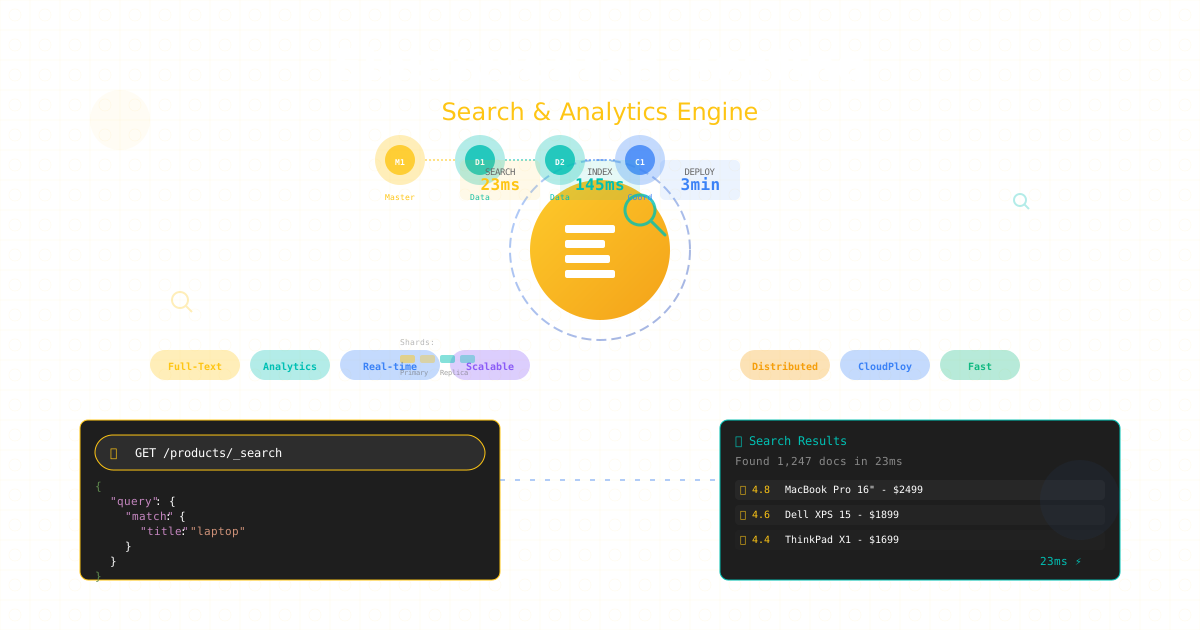
Elasticsearch powers search functionality for countless applications, from e-commerce platforms to log analytics systems. Its distributed architecture enables horizontal scaling while providing powerful full-text search, analytics, and aggregation capabilities. This comprehensive guide explores Elasticsearch hosting and deployment strategies for production environments in 2025.
Understanding Elasticsearch Architecture
Elasticsearch operates as a distributed search and analytics engine built on Apache Lucene. Its cluster architecture distributes data across nodes using shards and replicas, providing both scalability and fault tolerance. Understanding this architecture is crucial for designing robust search infrastructure.
The cluster consists of master nodes managing cluster state, data nodes storing and searching data, and coordinating nodes routing requests. This separation of concerns enables specialized optimization and scaling strategies for different workload patterns.
Cluster Design and Topology
Proper cluster design balances performance, availability, and cost. Production clusters require careful planning of node roles, shard allocation, and network topology.
Production Cluster Configuration
# elasticsearch.yml - Master node configuration
cluster.name: production-search
node.name: master-01
node.roles: [ master ]

# Discovery and cluster formation
discovery.seed_hosts:
  - master-01.example.com
  - master-02.example.com
  - master-03.example.com
cluster.initial_master_nodes:
  - master-01
  - master-02
  - master-03

# Network settings
network.host: 0.0.0.0
http.port: 9200
transport.port: 9300

# Security
xpack.security.enabled: true
xpack.security.transport.ssl.enabled: true
xpack.security.transport.ssl.verification_mode: certificate
xpack.security.transport.ssl.keystore.path: elastic-certificates.p12
xpack.security.transport.ssl.truststore.path: elastic-certificates.p12

# Data node configuration
node.name: data-01
node.roles: [ data_hot, data_content, ingest ]

# Memory settings
bootstrap.memory_lock: true

# Path configuration
path.data: /var/lib/elasticsearch
path.logs: /var/log/elasticsearch

# Hot-Warm-Cold architecture
node.attr.temperature: hot
node.attr.zone: us-east-1a

# Coordinating node configuration
node.name: coord-01
node.roles: [ ]
Proper node specialization ensures optimal resource utilization and performance.
Index Design and Mapping Optimization
Efficient index design is fundamental to Elasticsearch performance. Proper mapping, analysis, and field configuration determine search quality and speed.
Advanced Index Configuration
PUT /products
{
  "settings": {
    "number_of_shards": 3,
    "number_of_replicas": 1,
    "refresh_interval": "30s",
    "index.translog.durability": "async",
    "index.translog.sync_interval": "30s",

    "analysis": {
      "analyzer": {
        "product_analyzer": {
          "type": "custom",
          "tokenizer": "standard",
          "char_filter": ["html_strip"],
          "filter": [
            "lowercase",
            "asciifolding",
            "synonym_filter",
            "stop",
            "stemmer"
          ]
        },
        "autocomplete_analyzer": {
          "type": "custom",
          "tokenizer": "edge_ngram_tokenizer",
          "filter": ["lowercase", "asciifolding"]
        }
      },
      "tokenizer": {
        "edge_ngram_tokenizer": {
          "type": "edge_ngram",
          "min_gram": 2,
          "max_gram": 20,
          "token_chars": ["letter", "digit"]
        }
      },
      "filter": {
        "synonym_filter": {
          "type": "synonym",
          "synonyms_path": "synonyms.txt",
          "updateable": true
        },
        "stemmer": {
          "type": "stemmer",
          "language": "english"
        }
      }
    }
  },

  "mappings": {
    "properties": {
      "product_id": {
        "type": "keyword"
      },
      "name": {
        "type": "text",
        "analyzer": "product_analyzer",
        "fields": {
          "keyword": {
            "type": "keyword",
            "ignore_above": 256
          },
          "autocomplete": {
            "type": "text",
            "analyzer": "autocomplete_analyzer",
            "search_analyzer": "standard"
          }
        }
      },
      "description": {
        "type": "text",
        "analyzer": "product_analyzer"
      },
      "category": {
        "type": "keyword",
        "fields": {
          "text": {
            "type": "text"
          }
        }
      },
      "price": {
        "type": "scaled_float",
        "scaling_factor": 100
      },
      "attributes": {
        "type": "nested",
        "properties": {
          "name": {"type": "keyword"},
          "value": {"type": "keyword"}
        }
      },
      "created_at": {
        "type": "date",
        "format": "yyyy-MM-dd HH:mm:ss||yyyy-MM-dd||epoch_millis"
      },
      "popularity_score": {
        "type": "float"
      },
      "in_stock": {
        "type": "boolean"
      },
      "location": {
        "type": "geo_point"
      },
      "suggest": {
        "type": "completion",
        "analyzer": "simple",
        "preserve_separators": true,
        "preserve_position_increments": true,
        "max_input_length": 50
      }
    }
  }
}
Proper mapping configuration optimizes storage and search performance.
Query Optimization and Search Relevance
Elasticsearch query performance depends on query structure, index design, and caching strategies. Optimizing queries improves both speed and relevance.
Advanced Query Patterns
// Optimized search query with relevance tuning
POST /products/_search
{
  "query": {
    "function_score": {
      "query": {
        "bool": {
          "must": [
            {
              "multi_match": {
                "query": "wireless headphones",
                "fields": [
                  "name^3",
                  "name.autocomplete^2",
                  "description",
                  "category.text"
                ],
                "type": "best_fields",
                "tie_breaker": 0.3,
                "minimum_should_match": "75%"
              }
            }
          ],
          "filter": [
            {
              "term": {"in_stock": true}
            },
            {
              "range": {
                "price": {
                  "gte": 50,
                  "lte": 500
                }
              }
            }
          ],
          "should": [
            {
              "term": {
                "category": {
                  "value": "electronics",
                  "boost": 2
                }
              }
            }
          ]
        }
      },
      "functions": [
        {
          "field_value_factor": {
            "field": "popularity_score",
            "factor": 1.2,
            "modifier": "sqrt",
            "missing": 1
          }
        },
        {
          "decay": {
            "created_at": {
              "origin": "now",
              "scale": "30d",
              "decay": 0.5
            }
          }
        }
      ],
      "score_mode": "sum",
      "boost_mode": "multiply"
    }
  },

  "aggs": {
    "categories": {
      "terms": {
        "field": "category",
        "size": 10
      }
    },
    "price_ranges": {
      "range": {
        "field": "price",
        "ranges": [
          {"to": 100},
          {"from": 100, "to": 300},
          {"from": 300, "to": 500},
          {"from": 500}
        ]
      }
    },
    "attributes": {
      "nested": {
        "path": "attributes"
      },
      "aggs": {
        "attribute_names": {
          "terms": {
            "field": "attributes.name",
            "size": 20
          },
          "aggs": {
            "attribute_values": {
              "terms": {
                "field": "attributes.value",
                "size": 10
              }
            }
          }
        }
      }
    }
  },

  "suggest": {
    "product-suggest": {
      "prefix": "wirel",
      "completion": {
        "field": "suggest",
        "size": 5,
        "fuzzy": {
          "fuzziness": "AUTO"
        }
      }
    }
  },

  "highlight": {
    "fields": {
      "name": {
        "type": "unified",
        "number_of_fragments": 0
      },
      "description": {
        "type": "unified",
        "fragment_size": 150,
        "number_of_fragments": 3
      }
    }
  },

  "size": 20,
  "from": 0,
  "_source": ["product_id", "name", "price", "category"],

  "track_total_hits": true
}
Query optimization balances relevance with performance for optimal user experience.
Performance Tuning and JVM Optimization
Elasticsearch performance heavily depends on JVM configuration and system settings. Proper tuning ensures stable performance under load.
JVM and System Configuration
# jvm.options - Heap configuration
-Xms16g
-Xmx16g

# G1GC for heaps > 8GB
-XX:+UseG1GC
-XX:MaxGCPauseMillis=200
-XX:G1ReservePercent=25
-XX:InitiatingHeapOccupancyPercent=30

# GC logging
-Xlog:gc*,gc+age=trace,safepoint:file=/var/log/elasticsearch/gc.log:utctime,pid,tags:filecount=32,filesize=64m

# Performance optimizations
-XX:+AlwaysPreTouch
-XX:+DisableExplicitGC
-XX:-UseBiasedLocking
-XX:+UseTLAB
-XX:+UseNUMA

# System configuration - /etc/sysctl.conf
vm.max_map_count = 262144
vm.swappiness = 1
net.core.somaxconn = 65535
net.ipv4.tcp_max_syn_backlog = 65535
net.core.netdev_max_backlog = 65535

# Limits configuration - /etc/security/limits.conf
elasticsearch soft nofile 65535
elasticsearch hard nofile 65535
elasticsearch soft memlock unlimited
elasticsearch hard memlock unlimited
elasticsearch soft nproc 4096
elasticsearch hard nproc 4096
Proper JVM tuning prevents garbage collection pauses and memory issues.
Scaling Strategies
Elasticsearch scales horizontally through sharding and replication. Understanding scaling patterns ensures performance as data volumes grow.
Horizontal Scaling Implementation
# Automated scaling management
import requests
from datetime import datetime, timedelta

class ElasticsearchScaler:
    def __init__(self, cluster_url):
        self.cluster_url = cluster_url
        self.client = Elasticsearch([cluster_url])

    def analyze_cluster_health(self):
        """Monitor cluster metrics for scaling decisions"""
        health = self.client.cluster.health()
        stats = self.client.cluster.stats()

        metrics = {
            'status': health['status'],
            'nodes': health['number_of_nodes'],
            'shards': health['active_shards'],
            'cpu_percent': stats['nodes']['process']['cpu']['percent'],
            'heap_used_percent': stats['nodes']['jvm']['mem']['heap_used_in_bytes'] /
                                stats['nodes']['jvm']['mem']['heap_max_in_bytes'] * 100,
            'disk_used_percent': stats['nodes']['fs']['total_in_bytes'] -
                                stats['nodes']['fs']['free_in_bytes'] /
                                stats['nodes']['fs']['total_in_bytes'] * 100
        }

        return metrics

    def should_scale_up(self, metrics):
        """Determine if scale-up is needed"""
        return (
            metrics['cpu_percent'] > 80 or
            metrics['heap_used_percent'] > 85 or
            metrics['disk_used_percent'] > 80
        )

    def should_scale_down(self, metrics):
        """Determine if scale-down is possible"""
        return (
            metrics['cpu_percent'] < 30 and
            metrics['heap_used_percent'] < 40 and
            metrics['disk_used_percent'] < 40 and
            metrics['nodes'] > 3
        )

    def add_data_node(self):
        """Add new data node to cluster"""
        # Launch new EC2 instance
        instance = self.launch_instance()

        # Configure Elasticsearch
        self.configure_node(instance, role='data')

        # Wait for node to join
        self.wait_for_node_join(instance)

        # Rebalance shards
        self.client.cluster.put_settings(
            body={
                "transient": {
                    "cluster.routing.rebalance.enable": "all"
                }
            }
        )

    def implement_hot_warm_cold(self):
        """Implement tiered storage architecture"""
        # Define ILM policy
        policy = {
            "policy": {
                "phases": {
                    "hot": {
                        "min_age": "0ms",
                        "actions": {
                            "rollover": {
                                "max_age": "7d",
                                "max_size": "50GB"
                            },
                            "set_priority": {
                                "priority": 100
                            }
                        }
                    },
                    "warm": {
                        "min_age": "7d",
                        "actions": {
                            "shrink": {
                                "number_of_shards": 1
                            },
                            "forcemerge": {
                                "max_num_segments": 1
                            },
                            "allocate": {
                                "require": {
                                    "temperature": "warm"
                                }
                            },
                            "set_priority": {
                                "priority": 50
                            }
                        }
                    },
                    "cold": {
                        "min_age": "30d",
                        "actions": {
                            "allocate": {
                                "require": {
                                    "temperature": "cold"
                                }
                            },
                            "freeze": {},
                            "set_priority": {
                                "priority": 0
                            }
                        }
                    },
                    "delete": {
                        "min_age": "90d",
                        "actions": {
                            "delete": {}
                        }
                    }
                }
            }
        }

        self.client.ilm.put_lifecycle('logs-policy', body=policy)
Automated scaling ensures cluster capacity meets demand.
Security Configuration
Securing Elasticsearch requires authentication, encryption, and access control. Production deployments must implement comprehensive security measures.
Security Implementation
# Security configuration
xpack.security.enabled: true
xpack.security.enrollment.enabled: true

# TLS/SSL Configuration
xpack.security.http.ssl:
  enabled: true
  keystore.path: http.p12
  truststore.path: http.p12
  client_authentication: optional

xpack.security.transport.ssl:
  enabled: true
  verification_mode: certificate
  keystore.path: transport.p12
  truststore.path: transport.p12

# Audit logging
xpack.security.audit.enabled: true
xpack.security.audit.logfile.events.include: ["access_granted", "access_denied"]
xpack.security.audit.logfile.events.exclude: ["anonymous_access_denied"]
# Create users and roles
curl -X POST "localhost:9200/_security/role/search_role" \
-H 'Content-Type: application/json' \
-d '{
"cluster": ["monitor"],
"indices": [
{
"names": ["products*"],
"privileges": ["read", "view_index_metadata"],
"field_security": {
"grant": ["*"],
"except": ["internal_*"]
}
}
]
}'
curl -X POST "localhost:9200/_security/user/app_user" \
-H 'Content-Type: application/json' \
-d '{
"password": "secure_password",
"roles": ["search_role"],
"full_name": "Application User"
}'Comprehensive security protects sensitive search data.
Monitoring and Observability
Monitoring Elasticsearch clusters requires tracking performance metrics, query patterns, and resource utilization.
Monitoring Stack Configuration
# metricbeat.yml - Elasticsearch monitoring
metricbeat.modules:
- module: elasticsearch
  metricsets:
    - node
    - node_stats
    - cluster_stats
    - index
    - index_recovery
    - index_summary
    - shard
    - ml_job
  period: 10s
  hosts: ["localhost:9200"]
  username: "monitoring_user"
  password: "password"

output.elasticsearch:
  hosts: ["monitoring-cluster:9200"]
  index: "metricbeat-%{+yyyy.MM.dd}"

# Alerting rules
PUT _watcher/watch/cluster_health
{
  "trigger": {
    "schedule": {
      "interval": "1m"
    }
  },
  "input": {
    "http": {
      "request": {
        "host": "localhost",
        "port": 9200,
        "path": "/_cluster/health"
      }
    }
  },
  "condition": {
    "compare": {
      "ctx.payload.status": {
        "not_eq": "green"
      }
    }
  },
  "actions": {
    "send_alert": {
      "webhook": {
        "scheme": "https",
        "host": "alerts.example.com",
        "port": 443,
        "method": "post",
        "path": "/elasticsearch",
        "body": "Cluster health is {{ctx.payload.status}}"
      }
    }
  }
}
Comprehensive monitoring ensures cluster health and performance visibility.
Backup and Disaster Recovery
Elasticsearch snapshot and restore capabilities enable backup and disaster recovery. Proper backup strategies protect against data loss.
Automated Backup Strategy
# Configure snapshot repository
curl -X PUT "localhost:9200/_snapshot/backup_repo" \
  -H 'Content-Type: application/json' \
  -d '{
    "type": "s3",
    "settings": {
      "bucket": "elasticsearch-backups",
      "region": "us-east-1",
      "base_path": "production",
      "compress": true,
      "chunk_size": "100mb",
      "max_restore_bytes_per_sec": "200mb",
      "max_snapshot_bytes_per_sec": "100mb"
    }
  }'

# Create snapshot lifecycle policy
curl -X PUT "localhost:9200/_slm/policy/daily-snapshots" \
  -H 'Content-Type: application/json' \
  -d '{
    "schedule": "0 0 2 * * ?",
    "name": "<daily-snap-{now/d}>",
    "repository": "backup_repo",
    "config": {
      "indices": ["*"],
      "ignore_unavailable": true,
      "include_global_state": false,
      "partial": false
    },
    "retention": {
      "expire_after": "30d",
      "min_count": 5,
      "max_count": 50
    }
  }'

# Restore snapshot
curl -X POST "localhost:9200/_snapshot/backup_repo/daily-snap-2024-01-15/_restore" \
  -H 'Content-Type: application/json' \
  -d '{
    "indices": "products*",
    "ignore_unavailable": true,
    "include_global_state": false,
    "rename_pattern": "(.+)",
    "rename_replacement": "restored_$1",
    "include_aliases": false
  }'
Regular backups enable rapid recovery from failures.
Cross-Cluster Replication
Cross-cluster replication provides disaster recovery and geographic distribution of search capabilities.
CCR Configuration
# Configure remote cluster
curl -X PUT "localhost:9200/_cluster/settings" \
  -H 'Content-Type: application/json' \
  -d '{
    "persistent": {
      "cluster.remote.dr_cluster.seeds": [
        "dr-node1.example.com:9300",
        "dr-node2.example.com:9300"
      ],
      "cluster.remote.dr_cluster.compress": true,
      "cluster.remote.dr_cluster.ping_schedule": "30s"
    }
  }'

# Create follower index
curl -X PUT "localhost:9200/products_replica/_ccr/follow" \
  -H 'Content-Type: application/json' \
  -d '{
    "remote_cluster": "dr_cluster",
    "leader_index": "products",
    "max_read_request_operation_count": 5120,
    "max_outstanding_read_requests": 12,
    "max_read_request_size": "32mb",
    "max_write_request_operation_count": 5120,
    "max_write_request_size": "9223372036854775807b",
    "max_outstanding_write_requests": 9,
    "max_write_buffer_count": 2147483647,
    "max_write_buffer_size": "512mb",
    "max_retry_delay": "500ms",
    "read_poll_timeout": "1m"
  }'
Cross-cluster replication ensures business continuity across regions.
Search Analytics and Optimization
Understanding search patterns enables continuous optimization of search relevance and performance.
Search Analytics Implementation
# Search analytics collector
class SearchAnalytics:
    def __init__(self, elasticsearch_client):
        self.client = elasticsearch_client

    def log_search_query(self, query, results, user_id):
        """Log search queries for analysis"""
        doc = {
            'timestamp': datetime.now(),
            'user_id': user_id,
            'query': query,
            'results_count': results['hits']['total']['value'],
            'response_time': results['took'],
            'results': [hit['_id'] for hit in results['hits']['hits'][:10]]
        }

        self.client.index(
            index='search_analytics',
            body=doc
        )

    def analyze_search_patterns(self):
        """Analyze search patterns for optimization"""
        body = {
            "size": 0,
            "aggs": {
                "popular_queries": {
                    "terms": {
                        "field": "query.keyword",
                        "size": 100
                    }
                },
                "zero_results": {
                    "filter": {
                        "term": {"results_count": 0}
                    },
                    "aggs": {
                        "queries": {
                            "terms": {
                                "field": "query.keyword",
                                "size": 50
                            }
                        }
                    }
                },
                "slow_queries": {
                    "filter": {
                        "range": {"response_time": {"gte": 1000}}
                    },
                    "aggs": {
                        "queries": {
                            "terms": {
                                "field": "query.keyword",
                                "size": 50
                            }
                        }
                    }
                }
            }
        }

        return self.client.search(index='search_analytics', body=body)
Search analytics drive continuous improvement of search quality.
General Elasticsearch Hosting Considerations
When deploying Elasticsearch without managed services:
Container Orchestration
Deploy Elasticsearch on Kubernetes using official Helm charts or ECK (Elastic Cloud on Kubernetes) for automated operations.
Managed Services
Consider Elastic Cloud, Amazon OpenSearch, or Azure Cognitive Search for reduced operational overhead.
Hybrid Deployments
Combine on-premises clusters with cloud-based disaster recovery for optimal cost and compliance.
Conclusion
Elasticsearch provides powerful search and analytics capabilities that scale horizontally to handle massive data volumes. Success requires understanding its distributed architecture, implementing proper index design, and continuously optimizing based on usage patterns.
The combination of proper cluster topology, index optimization, security configuration, and monitoring creates robust search infrastructure. Regular maintenance, capacity planning, and performance tuning ensure sustained performance as data and query volumes grow.
As search becomes increasingly critical to user experience, mastering Elasticsearch deployment and optimization becomes essential. The techniques outlined here provide a foundation for building production-ready search infrastructure capable of delivering fast, relevant results at scale.