
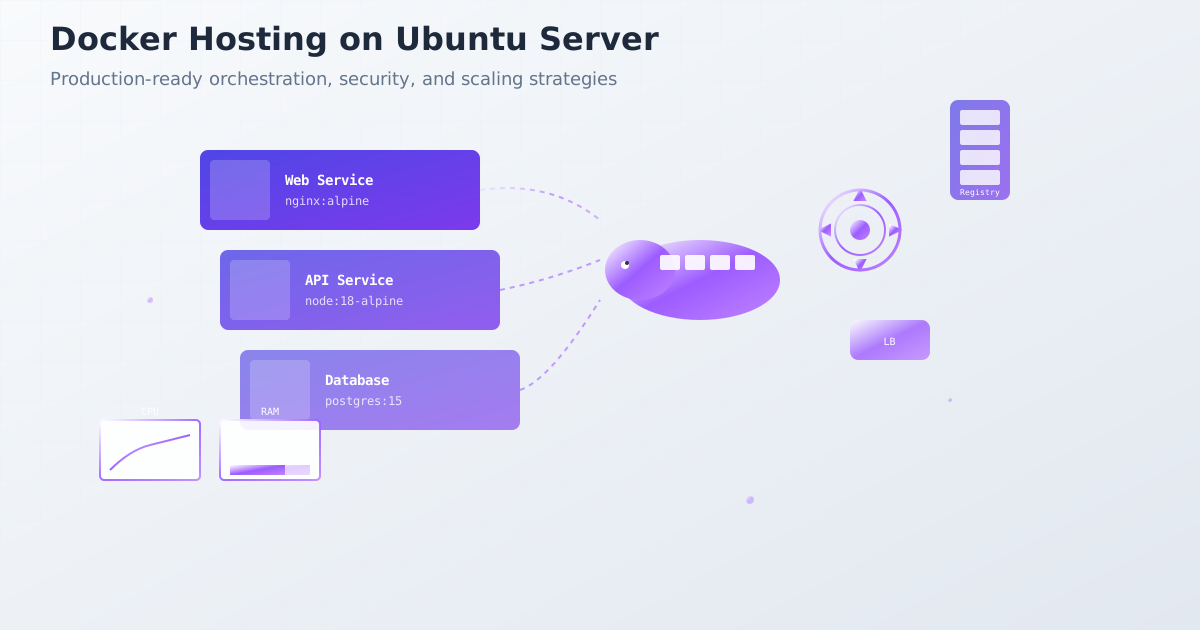
Docker has fundamentally transformed how we deploy applications, with over 13 million developers and 7 million applications leveraging containerization. From Netflix’s microservices to Shopify’s monoliths, containers power the world’s most scalable applications. This comprehensive guide shows you how to deploy, secure, and scale Docker containers in production environments.
Why Docker Revolutionized Application Deployment
Docker containers solve the “works on my machine” problem by providing:
- Consistency across environments: Same container everywhere
- Resource efficiency: 10x more density than VMs
- Rapid deployment: Start containers in seconds
- Microservices enablement: Compose complex applications
- DevOps acceleration: Streamlined CI/CD pipelines
- Cloud portability: Deploy anywhere containers run
Production Docker Architecture
What uptime target should a Docker deployment support?
A 99.9% target permits 43 minutes 12 seconds of downtime in a 30-day month. At 99.99%, the allowance is 4 minutes 19.2 seconds. A container health check helps detect failures, but detection, rollback, and recovery all consume time while the service is unavailable.
Use the uptime and error-budget calculator to budget for recovery. The 99.9% vs 99.99% comparison walks through a failed deployment and explains when redundancy or faster rollback may be needed. These targets are planning examples, not guarantees made by Docker or CloudPloy.
Multi-Stage Production Dockerfile
# Multi-stage build for optimized production images
FROM node:18-alpine AS builder

# Install build dependencies
RUN apk add --no-cache python3 make g++

# Set working directory
WORKDIR /app

# Copy package files
COPY package*.json ./
RUN npm ci --only=production && npm cache clean --force

# Copy source and build
COPY . .
RUN npm run build

# Production stage
FROM node:18-alpine AS production

# Install security updates and dumb-init
RUN apk update && apk upgrade && \
    apk add --no-cache dumb-init && \
    rm -rf /var/cache/apk/*

# Create non-root user
RUN addgroup -g 1001 -S nodejs && \
    adduser -S nodejs -u 1001 -G nodejs

# Set working directory and ownership
WORKDIR /app
RUN chown nodejs:nodejs /app

# Copy built application from builder stage
COPY --from=builder --chown=nodejs:nodejs /app/dist ./dist
COPY --from=builder --chown=nodejs:nodejs /app/node_modules ./node_modules
COPY --from=builder --chown=nodejs:nodejs /app/package.json ./

# Switch to non-root user
USER nodejs

# Environment variables
ENV NODE_ENV=production
ENV PORT=3000

# Health check
HEALTHCHECK --interval=30s --timeout=3s --start-period=5s --retries=3 \
  CMD node healthcheck.js

# Expose port
EXPOSE 3000

# Use dumb-init to handle signals properly
ENTRYPOINT ["dumb-init", "--"]
CMD ["node", "dist/server.js"]
Docker Compose for Production
# docker-compose.prod.yml
version: '3.8'

services:
  app:
    build:
      context: .
      dockerfile: Dockerfile
      target: production
    deploy:
      replicas: 3
      update_config:
        parallelism: 1
        delay: 10s
        order: start-first
      restart_policy:
        condition: on-failure
        delay: 5s
        max_attempts: 3
        window: 120s
      resources:
        limits:
          memory: 512M
          cpus: '0.5'
        reservations:
          memory: 256M
          cpus: '0.25'
    environment:
      - NODE_ENV=production
      - DATABASE_URL=${DATABASE_URL}
      - REDIS_URL=${REDIS_URL}
    secrets:
      - db_password
      - api_key
    networks:
      - app-network
      - db-network
    depends_on:
      - db
      - redis

  nginx:
    image: nginx:alpine
    ports:
      - "80:80"
      - "443:443"
    volumes:
      - ./nginx/nginx.conf:/etc/nginx/nginx.conf:ro
      - ./nginx/ssl:/etc/nginx/ssl:ro
      - static_content:/usr/share/nginx/html:ro
    deploy:
      replicas: 2
      update_config:
        parallelism: 1
        delay: 10s
    networks:
      - app-network
    depends_on:
      - app

  db:
    image: postgres:15-alpine
    environment:
      - POSTGRES_DB=${POSTGRES_DB}
      - POSTGRES_USER=${POSTGRES_USER}
      - POSTGRES_PASSWORD_FILE=/run/secrets/db_password
    secrets:
      - db_password
    volumes:
      - postgres_data:/var/lib/postgresql/data
      - ./postgres/init.sql:/docker-entrypoint-initdb.d/init.sql:ro
    deploy:
      replicas: 1
      placement:
        constraints:
          - node.role == manager
      restart_policy:
        condition: on-failure
    networks:
      - db-network

  redis:
    image: redis:7-alpine
    command: redis-server --appendonly yes --requirepass ${REDIS_PASSWORD}
    volumes:
      - redis_data:/data
    deploy:
      replicas: 1
      restart_policy:
        condition: on-failure
    networks:
      - db-network

networks:
  app-network:
    driver: overlay
    attachable: true
  db-network:
    driver: overlay
    internal: true

volumes:
  postgres_data:
    driver: local
  redis_data:
    driver: local
  static_content:
    driver: local

secrets:
  db_password:
    external: true
  api_key:
    external: true
Container Security Best Practices
Security-Hardened Dockerfile
# Security-focused Dockerfile
FROM alpine:3.18 AS base

# Install security updates
RUN apk update && apk upgrade && \
    apk add --no-cache ca-certificates tzdata && \
    update-ca-certificates && \
    rm -rf /var/cache/apk/*

# Create non-root user with specific UID/GID
RUN addgroup -g 10001 -S appgroup && \
    adduser -u 10001 -S appuser -G appgroup -s /sbin/nologin

# Application stage
FROM base AS app

# Install runtime dependencies only
RUN apk add --no-cache nodejs npm

# Set working directory with proper permissions
WORKDIR /app
RUN chown appuser:appgroup /app

# Copy and install dependencies as root, then change ownership
COPY package*.json ./
RUN npm ci --only=production --no-cache && \
    chown -R appuser:appgroup /app

# Copy application files
COPY --chown=appuser:appgroup . .

# Switch to non-root user
USER appuser

# Remove unnecessary files
RUN rm -rf /tmp/* /var/tmp/*

# Security labels
LABEL security.scan="enabled"
LABEL security.policy="restricted"

# Run security scan during build
RUN npm audit --audit-level=high

# Expose port (non-privileged)
EXPOSE 8080

# Health check
HEALTHCHECK --interval=30s --timeout=3s --retries=3 \
  CMD wget --no-verbose --tries=1 --spider http://localhost:8080/health || exit 1

# Start application
CMD ["node", "server.js"]
Container Runtime Security
# docker-compose.security.yml
version: '3.8'

services:
  app:
    image: myapp:latest
    security_opt:
      - no-new-privileges:true
      - seccomp:unconfined
    cap_drop:
      - ALL
    cap_add:
      - NET_BIND_SERVICE
    read_only: true
    tmpfs:
      - /tmp:noexec,nosuid,size=100m
      - /var/run:noexec,nosuid,size=50m
    user: "10001:10001"
    environment:
      - NODE_ENV=production
    sysctls:
      - net.core.somaxconn=65535
    ulimits:
      nproc: 65535
      nofile:
        soft: 65535
        hard: 65535
    logging:
      driver: "json-file"
      options:
        max-size: "10m"
        max-file: "3"
Docker Swarm Orchestration
Swarm Cluster Setup
# Initialize Docker Swarm on manager node
docker swarm init --advertise-addr 192.168.1.100

# Add worker nodes
docker swarm join --token SWMTKN-1-xxx 192.168.1.100:2377

# Deploy stack
docker stack deploy -c docker-compose.prod.yml myapp

# Scale services
docker service scale myapp_app=5

# Update service with zero downtime
docker service update --image myapp:v2.0 myapp_app

# Monitor services
docker service ls
docker service ps myapp_app
Advanced Swarm Configuration
# swarm-stack.yml
version: '3.8'

services:
  app:
    image: myapp:latest
    deploy:
      replicas: 5
      update_config:
        parallelism: 2
        delay: 10s
        failure_action: rollback
        order: start-first
      rollback_config:
        parallelism: 2
        delay: 10s
        failure_action: pause
        order: stop-first
      restart_policy:
        condition: on-failure
        delay: 5s
        max_attempts: 3
        window: 120s
      placement:
        constraints:
          - node.role == worker
          - engine.labels.environment == production
        preferences:
          - spread: node.labels.zone
      resources:
        limits:
          cpus: '0.50'
          memory: 512M
        reservations:
          cpus: '0.25'
          memory: 256M
    healthcheck:
      test: ["CMD", "curl", "-f", "http://localhost:3000/health"]
      interval: 30s
      timeout: 10s
      retries: 3
      start_period: 40s
    environment:
      - NODE_ENV=production
    secrets:
      - source: app_key
        target: /run/secrets/app_key
        mode: 0400
    configs:
      - source: nginx_config
        target: /etc/nginx/nginx.conf
        mode: 0444

secrets:
  app_key:
    external: true
    name: app_key_v2

configs:
  nginx_config:
    external: true
    name: nginx_config_v3
Container Registry Management
Private Registry Setup
# registry/docker-compose.yml
version: '3.8'

services:
  registry:
    image: registry:2.8
    ports:
      - 5000:5000
    environment:
      REGISTRY_STORAGE_FILESYSTEM_ROOTDIRECTORY: /var/lib/registry
      REGISTRY_AUTH_HTPASSWD_REALM: Registry Realm
      REGISTRY_AUTH_HTPASSWD_PATH: /auth/htpasswd
      REGISTRY_STORAGE_DELETE_ENABLED: "true"
    volumes:
      - registry_data:/var/lib/registry
      - ./auth:/auth:ro
      - ./certs:/certs:ro
    deploy:
      replicas: 1
      restart_policy:
        condition: on-failure

  registry_ui:
    image: joxit/docker-registry-ui:2.5.0
    ports:
      - 8080:80
    environment:
      REGISTRY_TITLE: Private Docker Registry
      REGISTRY_URL: https://registry.example.com
      DELETE_IMAGES: "true"
      SHOW_CONTENT_DIGEST: "true"
    depends_on:
      - registry

volumes:
  registry_data:
Registry Security and Authentication
# Create registry authentication
docker run --rm --entrypoint htpasswd registry:2.8 \
  -Bbn admin secretpassword > auth/htpasswd

# Generate TLS certificates
openssl req -newkey rsa:4096 -nodes -sha256 -keyout certs/domain.key \
  -x509 -days 365 -out certs/domain.crt

# Login to private registry
docker login registry.example.com:5000

# Push to private registry
docker tag myapp:latest registry.example.com:5000/myapp:latest
docker push registry.example.com:5000/myapp:latest
Container Monitoring and Logging
Comprehensive Monitoring Stack
# monitoring/docker-compose.yml
version: '3.8'

services:
  prometheus:
    image: prom/prometheus:latest
    ports:
      - 9090:9090
    volumes:
      - ./prometheus.yml:/etc/prometheus/prometheus.yml:ro
      - prometheus_data:/prometheus
    command:
      - '--config.file=/etc/prometheus/prometheus.yml'
      - '--storage.tsdb.path=/prometheus'
      - '--web.console.libraries=/etc/prometheus/console_libraries'
      - '--web.console.templates=/etc/prometheus/consoles'
      - '--storage.tsdb.retention.time=200h'
      - '--web.enable-lifecycle'

  grafana:
    image: grafana/grafana:latest
    ports:
      - 3001:3000
    volumes:
      - grafana_data:/var/lib/grafana
    environment:
      - GF_SECURITY_ADMIN_PASSWORD=admin
      - GF_INSTALL_PLUGINS=grafana-clock-panel

  node-exporter:
    image: prom/node-exporter:latest
    ports:
      - 9100:9100
    volumes:
      - /proc:/host/proc:ro
      - /sys:/host/sys:ro
      - /:/rootfs:ro
    command:
      - '--path.procfs=/host/proc'
      - '--path.rootfs=/rootfs'
      - '--path.sysfs=/host/sys'
      - '--collector.filesystem.ignored-mount-points=^/(sys|proc|dev|host|etc)($$|/)'

  cadvisor:
    image: gcr.io/cadvisor/cadvisor:latest
    ports:
      - 8080:8080
    volumes:
      - /:/rootfs:ro
      - /var/run:/var/run:rw
      - /sys:/sys:ro
      - /var/lib/docker/:/var/lib/docker:ro

volumes:
  prometheus_data:
  grafana_data:
Centralized Logging with ELK
# logging/docker-compose.yml
version: '3.8'

services:
  elasticsearch:
    image: docker.elastic.co/elasticsearch/elasticsearch:8.5.0
    environment:
      - discovery.type=single-node
      - "ES_JAVA_OPTS=-Xms512m -Xmx512m"
      - xpack.security.enabled=false
    ports:
      - 9200:9200
    volumes:
      - elasticsearch_data:/usr/share/elasticsearch/data

  logstash:
    image: docker.elastic.co/logstash/logstash:8.5.0
    volumes:
      - ./logstash.conf:/usr/share/logstash/pipeline/logstash.conf:ro
    ports:
      - 5044:5044
    depends_on:
      - elasticsearch

  kibana:
    image: docker.elastic.co/kibana/kibana:8.5.0
    ports:
      - 5601:5601
    environment:
      - ELASTICSEARCH_HOSTS=http://elasticsearch:9200
    depends_on:
      - elasticsearch

  filebeat:
    image: docker.elastic.co/beats/filebeat:8.5.0
    user: root
    volumes:
      - ./filebeat.yml:/usr/share/filebeat/filebeat.yml:ro
      - /var/lib/docker/containers:/var/lib/docker/containers:ro
      - /var/run/docker.sock:/var/run/docker.sock:ro
    command: filebeat -e -strict.perms=false

volumes:
  elasticsearch_data:
Performance Optimization
Container Resource Management
# Resource-optimized deployment
version: '3.8'

services:
  app:
    image: myapp:latest
    deploy:
      resources:
        limits:
          cpus: '1.0'
          memory: 1G
        reservations:
          cpus: '0.5'
          memory: 512M
      placement:
        constraints:
          - node.labels.performance == high
    environment:
      - NODE_OPTIONS=--max_old_space_size=768
    sysctls:
      - net.core.somaxconn=65535
    ulimits:
      nproc: 65535
      nofile:
        soft: 65535
        hard: 65535

  nginx:
    image: nginx:alpine
    deploy:
      resources:
        limits:
          cpus: '0.5'
          memory: 256M
    volumes:
      - type: tmpfs
        target: /var/cache/nginx
        tmpfs:
          size: 100M
Docker Build Optimization
# Optimized build with caching
FROM node:18-alpine AS deps

# Cache dependencies separately
WORKDIR /app
COPY package*.json ./
RUN npm ci --only=production && npm cache clean --force

FROM node:18-alpine AS builder
WORKDIR /app
COPY package*.json ./
RUN npm ci
COPY . .
RUN npm run build

FROM alpine:3.18 AS runtime

# Install only runtime dependencies
RUN apk add --no-cache nodejs npm && \
    npm install -g pm2

# Copy built application
WORKDIR /app
COPY --from=deps /app/node_modules ./node_modules
COPY --from=builder /app/dist ./dist
COPY --from=builder /app/package.json ./

# Multi-stage cleanup
RUN rm -rf /var/cache/apk/* /tmp/*

USER 1001
CMD ["pm2-runtime", "dist/app.js"]
Container Backup and Disaster Recovery
Volume Backup Strategy
#!/bin/bash
# backup-volumes.sh

BACKUP_DIR="/backup/$(date +%Y%m%d)"
mkdir -p $BACKUP_DIR

# Backup database volume
docker run --rm \
  -v myapp_postgres_data:/data:ro \
  -v $BACKUP_DIR:/backup \
  alpine tar czf /backup/postgres_$(date +%H%M%S).tar.gz -C /data .

# Backup application data
docker run --rm \
  -v myapp_uploads:/data:ro \
  -v $BACKUP_DIR:/backup \
  alpine tar czf /backup/uploads_$(date +%H%M%S).tar.gz -C /data .

# Upload to S3
aws s3 sync $BACKUP_DIR s3://my-backups/docker/$(date +%Y%m%d)/

# Cleanup old backups (keep 7 days)
find /backup -type d -mtime +7 -exec rm -rf {} \;
Automated Disaster Recovery
# disaster-recovery.yml
version: '3.8'

services:
  backup:
    image: alpine:latest
    volumes:
      - postgres_data:/data/postgres:ro
      - uploads:/data/uploads:ro
      - /backup:/backup
    environment:
      - AWS_ACCESS_KEY_ID=${AWS_KEY}
      - AWS_SECRET_ACCESS_KEY=${AWS_SECRET}
    command: |
      sh -c "
        apk add --no-cache aws-cli &&
        tar czf /backup/postgres_$$(date +%Y%m%d_%H%M%S).tar.gz -C /data/postgres . &&
        tar czf /backup/uploads_$$(date +%Y%m%d_%H%M%S).tar.gz -C /data/uploads . &&
        aws s3 sync /backup s3://disaster-recovery-bucket/
      "
    deploy:
      restart_policy:
        condition: none
      placement:
        constraints:
          - node.role == manager
Ubuntu Server Docker Deployment
Installing Docker on Ubuntu 22.04/24.04
#!/bin/bash
# docker-ubuntu-install.sh - Complete Docker setup on Ubuntu

# Update system packages
sudo apt update && sudo apt upgrade -y

# Remove old Docker versions
sudo apt remove docker docker-engine docker.io containerd runc

# Install prerequisites
sudo apt install -y apt-transport-https ca-certificates curl gnupg lsb-release

# Add Docker GPG key
curl -fsSL https://download.docker.com/linux/ubuntu/gpg | sudo gpg --dearmor -o /usr/share/keyrings/docker-archive-keyring.gpg

# Add Docker repository
echo "deb [arch=$(dpkg --print-architecture) signed-by=/usr/share/keyrings/docker-archive-keyring.gpg] https://download.docker.com/linux/ubuntu $(lsb_release -cs) stable" | sudo tee /etc/apt/sources.list.d/docker.list > /dev/null

# Install Docker Engine
sudo apt update
sudo apt install -y docker-ce docker-ce-cli containerd.io docker-compose-plugin

# Add user to docker group
sudo usermod -aG docker $USER

# Enable and start Docker
sudo systemctl enable docker
sudo systemctl start docker

# Install Docker Compose
sudo curl -L "https://github.com/docker/compose/releases/download/v2.24.0/docker-compose-$(uname -s)-$(uname -m)" -o /usr/local/bin/docker-compose
sudo chmod +x /usr/local/bin/docker-compose

# Configure Docker daemon
sudo mkdir -p /etc/docker
cat > /etc/docker/daemon.json << EOF
{
  "log-driver": "json-file",
  "log-opts": {
    "max-size": "10m",
    "max-file": "3"
  },
  "storage-driver": "overlay2",
  "default-ulimits": {
    "nofile": {
      "hard": 65536,
      "soft": 1024
    }
  }
}
EOF

sudo systemctl restart docker

# Verify installation
docker --version
docker-compose --version
Production Docker Configuration
#!/bin/bash
# docker-production-config.sh - Optimize Docker for production

# Configure system for Docker
cat >> /etc/sysctl.conf << EOF
# Docker optimization
vm.swappiness = 1
fs.may_detach_mounts = 1
net.core.somaxconn = 65535
net.ipv4.ip_forward = 1
net.bridge.bridge-nf-call-iptables = 1
net.bridge.bridge-nf-call-ip6tables = 1
EOF

sudo sysctl -p

# Configure Docker service limits
sudo mkdir -p /etc/systemd/system/docker.service.d
cat > /etc/systemd/system/docker.service.d/override.conf << EOF
[Service]
LimitNOFILE=1048576
LimitNPROC=infinity
LimitCORE=infinity
TasksMax=infinity
EOF

# Configure log rotation
cat > /etc/logrotate.d/docker << EOF
/var/lib/docker/containers/*/*.log {
    rotate 7
    daily
    compress
    missingok
    delaycompress
    copytruncate
}
EOF

sudo systemctl daemon-reload
sudo systemctl restart docker

# Install Docker monitoring tools
sudo apt install -y htop iotop sysstat

# Configure firewall for Docker
sudo ufw allow 2376/tcp  # Docker daemon (secured)
sudo ufw allow 2377/tcp  # Swarm mode management
sudo ufw allow 7946/tcp  # Swarm mode communication (TCP)
sudo ufw allow 7946/udp  # Swarm mode communication (UDP)
sudo ufw allow 4789/udp  # Swarm mode overlay networks
Container Deployment Scripts
#!/bin/bash
# deploy-containers.sh - Production container deployment

# Set environment variables
export COMPOSE_PROJECT_NAME="myapp"
export DOCKER_BUILDKIT=1

# Deploy application stack
docker-compose -f docker-compose.prod.yml up -d

# Scale services based on load
docker-compose -f docker-compose.prod.yml up -d --scale app=3 --scale nginx=2

# Health check
check_health() {
    local service=$1
    local timeout=300
    local count=0

    echo "Checking health of $service..."
    while [ $count -lt $timeout ]; do
        if docker-compose -f docker-compose.prod.yml exec $service curl -f http://localhost/health > /dev/null 2>&1; then
            echo "$service is healthy"
            return 0
        fi
        sleep 5
        count=$((count + 5))
    done

    echo "Health check failed for $service"
    return 1
}

# Check application health
check_health app

# Update containers with zero downtime
update_containers() {
    echo "Starting zero-downtime update..."

    # Pull latest images
    docker-compose -f docker-compose.prod.yml pull

    # Update services one by one
    for service in app nginx; do
        echo "Updating $service..."
        docker-compose -f docker-compose.prod.yml up -d --no-deps $service

        # Wait for service to be healthy
        sleep 10
        if ! check_health $service; then
            echo "Rolling back $service..."
            docker-compose -f docker-compose.prod.yml up -d --no-deps $service
            exit 1
        fi
    done

    # Clean up old images
    docker image prune -f

    echo "Update completed successfully"
}

# Backup volumes before updates
backup_volumes() {
    timestamp=$(date +%Y%m%d_%H%M%S)
    mkdir -p /backup/$timestamp

    # Backup database
    docker-compose -f docker-compose.prod.yml exec postgres pg_dumpall -U postgres | gzip > /backup/$timestamp/postgres_$timestamp.sql.gz

    # Backup uploaded files
    docker run --rm -v myapp_uploads:/data -v /backup/$timestamp:/backup ubuntu tar czf /backup/uploads_$timestamp.tar.gz -C /data .

    echo "Backup completed: /backup/$timestamp"
}
Performance Benchmarks
Container Performance Metrics
| Metric | Bare Metal | VM | Container |
|---|---|---|---|
| Startup Time | N/A | 30-60s | 0.5-2s |
| Memory Overhead | 0% | 2-8GB | 10-50MB |
| CPU Overhead | 0% | 5-10% | <1% |
| I/O Performance | 100% | 80-95% | 95-99% |
| Density | 1x | 5-10x | 10-100x |
Conclusion
Docker containers have fundamentally changed application deployment, offering unprecedented consistency, efficiency, and scalability. From development laptops to production clusters, containers provide the foundation for modern DevOps practices.
Whether you’re deploying microservices, monoliths, or complex distributed systems, Docker’s ecosystem provides the tools and patterns needed for success. By implementing the Ubuntu server deployment techniques in this guide, you can achieve enterprise-grade container orchestration with full control over your infrastructure.
Ready to containerize your applications? Use the installation scripts and deployment configurations provided in this guide to build a production-ready Docker environment on your Ubuntu servers.