
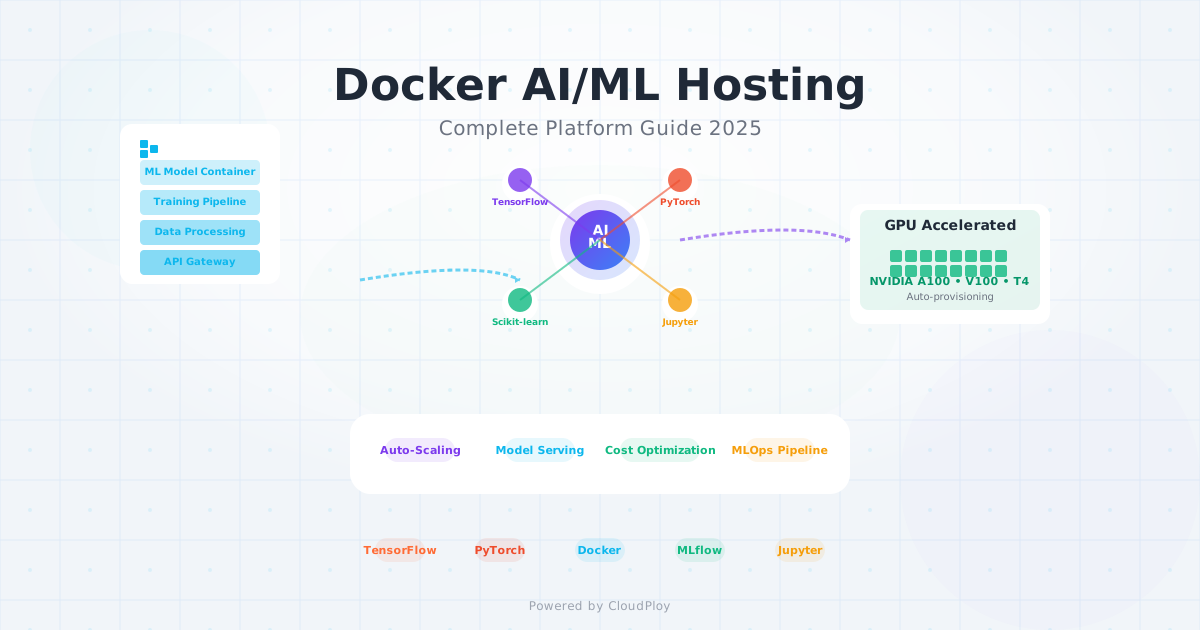
Artificial Intelligence and Machine Learning have moved from research labs to production environments, with 64% of developers now integrating AI into their workflows. As ML models become more sophisticated and AI applications more prevalent, the need for robust, scalable hosting platforms has never been greater.
Docker containers have emerged as the de facto standard for AI/ML deployment, providing the isolation, reproducibility, and scalability that machine learning workloads demand. But not all Docker hosting platforms are created equal when it comes to AI/ML requirements.
In this comprehensive guide, we’ll explore the best Docker hosting platforms for AI/ML in 2025, covering everything from GPU support to model serving infrastructure, and why specialized platforms like CloudPloy are leading the charge in intelligent container orchestration.
The AI/ML Container Revolution
Why Docker for AI/ML?
Reproducible Environments
# ML environment consistency across dev/staging/production
FROM python:3.11-slim

# Install CUDA and ML dependencies
RUN apt-get update && apt-get install -y \
    cuda-toolkit-12-2 \
    libcudnn8-dev \
    && rm -rf /var/lib/apt/lists/*

# Install Python ML stack
COPY requirements.txt .
RUN pip install --no-cache-dir -r requirements.txt

# ML-specific optimizations
ENV PYTHONUNBUFFERED=1
ENV TOKENIZERS_PARALLELISM=false
ENV CUDA_VISIBLE_DEVICES=0

COPY . /app
WORKDIR /app

# Model serving endpoint
EXPOSE 8000
CMD ["python", "serve.py"]
Dependency Isolation
# docker-compose.yml for ML pipeline
version: '3.8'
services:
  data-preprocessing:
    build: ./preprocessing
    volumes:
      - ./data:/data
    environment:
      - SPARK_MASTER_URL=spark://spark-master:7077

  model-training:
    build: ./training
    runtime: nvidia
    environment:
      - NVIDIA_VISIBLE_DEVICES=all
    volumes:
      - ./models:/models
      - ./data:/data
    depends_on:
      - data-preprocessing

  model-serving:
    build: ./serving
    ports:
      - "8000:8000"
    environment:
      - MODEL_PATH=/models/latest
    volumes:
      - ./models:/models
    depends_on:
      - model-training

  monitoring:
    image: prometheus/prometheus
    ports:
      - "9090:9090"
    volumes:
      - ./monitoring/prometheus.yml:/etc/prometheus/prometheus.yml
AI/ML Hosting Platform Landscape 2025
Specialized AI/ML Platforms
1. Replicate - AI Model Deployment Made Simple
# Deploy any ML model with Replicate
import replicate

model = replicate.models.create(
    owner="username",
    name="my-ai-model",
    description="Custom trained model",
    github_url="https://github.com/username/model-repo",
    paper_url="https://arxiv.org/abs/xxxx.xxxxx"
)

# Automatic scaling and inference
prediction = replicate.run(
    "username/my-ai-model:latest",
    input={"prompt": "Generate image of a sunset"}
)
2. Hugging Face Spaces - Community AI Platform
# spaces/app.py deployment
title: My AI Demo
emoji: 🤖
colorFrom: blue
colorTo: red
sdk: gradio
sdk_version: 3.45.0
app_file: app.py
pinned: false

# Auto-deployed from Git
runtime: python3.8
gpu: a10g-small
3. Modal - Serverless AI Infrastructure
import modal

stub = modal.Stub("ai-model-inference")

@stub.function(
    image=modal.Image.debian_slim().pip_install("torch", "transformers"),
    gpu="A100",
    timeout=300
)
def generate_text(prompt: str):
    from transformers import AutoTokenizer, AutoModelForCausalLM

    model = AutoModelForCausalLM.from_pretrained("gpt2")
    tokenizer = AutoTokenizer.from_pretrained("gpt2")

    inputs = tokenizer(prompt, return_tensors="pt")
    outputs = model.generate(**inputs, max_length=100)

    return tokenizer.decode(outputs[0])

# Serverless deployment
with stub.run():
    result = generate_text.remote("The future of AI is")
Traditional Cloud Providers with AI Focus
1. Google Cloud Run - Serverless ML Serving
# cloud-run-ml.yaml
apiVersion: serving.knative.dev/v1
kind: Service
metadata:
  name: ml-model-serving
  annotations:
    run.googleapis.com/gpu-type: nvidia-tesla-t4
    run.googleapis.com/gpu-count: "1"
spec:
  template:
    metadata:
      annotations:
        autoscaling.knative.dev/maxScale: "10"
        run.googleapis.com/memory: "8Gi"
        run.googleapis.com/cpu: "4"
    spec:
      containers:
      - image: gcr.io/project/ml-model:latest
        ports:
        - containerPort: 8080
        env:
        - name: MODEL_PATH
          value: "/models/latest"
        resources:
          limits:
            nvidia.com/gpu: 1
            memory: "8Gi"
            cpu: "4"
2. AWS SageMaker - Enterprise ML Platform
import sagemaker
from sagemaker.pytorch import PyTorchModel

# Deploy PyTorch model to SageMaker
pytorch_model = PyTorchModel(
    model_data="s3://bucket/model.tar.gz",
    role=sagemaker.get_execution_role(),
    framework_version="1.12",
    py_version="py38",
    entry_point="inference.py",
    source_dir="code"
)

predictor = pytorch_model.deploy(
    initial_instance_count=1,
    instance_type="ml.g4dn.xlarge"  # GPU instance
)
3. Azure Container Instances with GPU
# Azure ML deployment
apiVersion: 2021-03-01
location: eastus
properties:
  containers:
  - name: ml-inference
    properties:
      image: myregistry.azurecr.io/ml-model:latest
      resources:
        requests:
          cpu: 4
          memoryInGB: 16
          gpu:
            count: 1
            sku: V100
      ports:
      - protocol: TCP
        port: 80
      environmentVariables:
      - name: MODEL_PATH
        value: /models/latest
  restartPolicy: Always
Self-Hosted AI/ML Solutions
1. Kubernetes with NVIDIA GPU Operator
# gpu-ml-deployment.yaml
apiVersion: apps/v1
kind: Deployment
metadata:
  name: ml-inference
spec:
  replicas: 3
  selector:
    matchLabels:
      app: ml-inference
  template:
    metadata:
      labels:
        app: ml-inference
    spec:
      containers:
      - name: ml-model
        image: ml-inference:latest
        resources:
          limits:
            nvidia.com/gpu: 1
            memory: "8Gi"
            cpu: "4"
          requests:
            nvidia.com/gpu: 1
            memory: "4Gi"
            cpu: "2"
        ports:
        - containerPort: 8000
---
apiVersion: v1
kind: Service
metadata:
  name: ml-inference-service
spec:
  selector:
    app: ml-inference
  ports:
  - port: 80
    targetPort: 8000
  type: LoadBalancer
2. Docker Swarm with GPU Support
# docker-compose.gpu.yml
version: '3.8'
services:
  ml-inference:
    image: ml-model:latest
    deploy:
      replicas: 2
      resources:
        reservations:
          devices:
            - driver: nvidia
              count: 1
              capabilities: [gpu]
      restart_policy:
        condition: on-failure
        max_attempts: 3
    ports:
      - "8000:8000"
    networks:
      - ml-network

  load-balancer:
    image: nginx:alpine
    ports:
      - "80:80"
    volumes:
      - ./nginx.conf:/etc/nginx/nginx.conf
    depends_on:
      - ml-inference

networks:
  ml-network:
    driver: overlay
CloudPloy’s AI/ML Integration
Intelligent Container Orchestration
Automatic Framework Detection
# CloudPloy automatically detects and optimizes
deployment:
  type: ml-application
  framework: pytorch  # Auto-detected
  optimization:
    gpu: auto         # Automatically provisions GPU if needed
    memory: optimized # AI-driven memory allocation
    scaling: intelligent # Scales based on inference load

model:
  path: /models/latest
  format: pytorch
  optimization:
    quantization: auto
    tensorrt: enabled
    batch_size: auto

inference:
  endpoint: /predict
  timeout: 30s
  concurrent_requests: auto
  caching: intelligent
AI-Powered Resource Management
# CloudPloy's intelligent resource allocation
class AIResourceManager:
    def __init__(self):
        self.model_analyzer = ModelComplexityAnalyzer()
        self.usage_predictor = UsagePredictionModel()
        self.cost_optimizer = CostOptimizer()

    def provision_resources(self, model_config):
        # Analyze model requirements
        complexity = self.model_analyzer.analyze(model_config)

        # Predict usage patterns
        predicted_load = self.usage_predictor.forecast(
            model_type=model_config.type,
            historical_data=self.get_usage_history()
        )

        # Optimize for cost and performance
        resources = self.cost_optimizer.optimize({
            'complexity': complexity,
            'predicted_load': predicted_load,
            'performance_targets': model_config.sla
        })

        return resources

    def auto_scale(self, current_metrics):
        if current_metrics.gpu_utilization > 0.8:
            self.scale_up(gpu_count=1)
        elif current_metrics.queue_length > 10:
            self.scale_up(replicas=2)
        elif current_metrics.avg_response_time > 1000:
            self.optimize_batch_size()
Model Serving Infrastructure
Multi-Model Serving
# CloudPloy multi-model configuration
models:
  text-generation:
    image: text-model:latest
    gpu: nvidia-t4
    replicas: 2
    endpoints:
      - path: /generate
        method: POST
        timeout: 30s

  image-classification:
    image: vision-model:latest
    gpu: nvidia-v100
    replicas: 1
    endpoints:
      - path: /classify
        method: POST
        timeout: 10s

  sentiment-analysis:
    image: sentiment-model:latest
    gpu: false
    replicas: 4
    endpoints:
      - path: /sentiment
        method: POST
        timeout: 5s

routing:
  strategy: intelligent
  load_balancing: ai-optimized
  failover: automatic
Real-World AI/ML Deployment Examples
Example 1: Computer Vision Pipeline
Complete CV Application Deployment
# Dockerfile.cv-app
FROM nvidia/cuda:12.2-devel-ubuntu22.04

# Install Python and CV dependencies
RUN apt-get update && apt-get install -y \
    python3.11 \
    python3-pip \
    libopencv-dev \
    && rm -rf /var/lib/apt/lists/*

# Install ML libraries
COPY requirements.txt .
RUN pip install --no-cache-dir \
    torch torchvision \
    opencv-python \
    ultralytics \
    fastapi uvicorn

# Copy application
COPY . /app
WORKDIR /app

# Optimize for inference
ENV TORCH_CUDA_ARCH_LIST="6.0 6.1 7.0 7.5 8.0 8.6+PTX"
ENV CUDA_VISIBLE_DEVICES=0

EXPOSE 8000
CMD ["uvicorn", "main:app", "--host", "0.0.0.0", "--port", "8000"]
# main.py - FastAPI CV service
from fastapi import FastAPI, UploadFile, File
from ultralytics import YOLO
import cv2
import numpy as np
app = FastAPI()
model = YOLO('yolov8n.pt') # Load model once
@app.post("/detect")
async def detect_objects(file: UploadFile = File(...)):
# Read image
contents = await file.read()
nparr = np.frombuffer(contents, np.uint8)
image = cv2.imdecode(nparr, cv2.IMREAD_COLOR)
# Run inference
results = model(image)
# Extract detections
detections = []
for result in results:
boxes = result.boxes
for box in boxes:
detections.append({
'class': result.names[int(box.cls)],
'confidence': float(box.conf),
'bbox': box.xyxy.tolist()[0]
})
return {'detections': detections}
@app.get("/health")
async def health_check():
return {'status': 'healthy', 'gpu_available': torch.cuda.is_available()}Deployment Configuration
# docker-compose.cv.yml
version: '3.8'
services:
  cv-api:
    build: .
    runtime: nvidia
    environment:
      - NVIDIA_VISIBLE_DEVICES=all
    ports:
      - "8000:8000"
    volumes:
      - ./models:/app/models
    deploy:
      resources:
        reservations:
          devices:
            - driver: nvidia
              count: 1
              capabilities: [gpu]

  redis-cache:
    image: redis:alpine
    ports:
      - "6379:6379"

  monitoring:
    image: prom/prometheus
    ports:
      - "9090:9090"
    volumes:
      - ./monitoring:/etc/prometheus
Example 2: Natural Language Processing Service
NLP Model Serving
# nlp_service.py
from transformers import AutoTokenizer, AutoModelForSequenceClassification
from torch.nn.functional import softmax
import torch

class NLPService:
    def __init__(self, model_name="distilbert-base-uncased-finetuned-sst-2-english"):
        self.device = torch.device("cuda" if torch.cuda.is_available() else "cpu")
        self.tokenizer = AutoTokenizer.from_pretrained(model_name)
        self.model = AutoModelForSequenceClassification.from_pretrained(model_name)
        self.model.to(self.device)
        self.model.eval()

    def predict_sentiment(self, text: str):
        inputs = self.tokenizer(text, return_tensors="pt", truncation=True, padding=True)
        inputs = {k: v.to(self.device) for k, v in inputs.items()}

        with torch.no_grad():
            outputs = self.model(**inputs)
            probabilities = softmax(outputs.logits, dim=-1)

        labels = ["negative", "positive"]
        predictions = [
            {"label": labels[i], "score": float(prob)}
            for i, prob in enumerate(probabilities[0])
        ]

        return sorted(predictions, key=lambda x: x["score"], reverse=True)

# FastAPI integration
from fastapi import FastAPI

app = FastAPI()
nlp_service = NLPService()

@app.post("/sentiment")
async def analyze_sentiment(text: str):
    return nlp_service.predict_sentiment(text)
Production Deployment
# k8s-nlp-deployment.yaml
apiVersion: apps/v1
kind: Deployment
metadata:
  name: nlp-service
spec:
  replicas: 3
  selector:
    matchLabels:
      app: nlp-service
  template:
    metadata:
      labels:
        app: nlp-service
    spec:
      containers:
      - name: nlp-api
        image: nlp-service:latest
        ports:
        - containerPort: 8000
        resources:
          requests:
            memory: "2Gi"
            cpu: "1"
          limits:
            memory: "4Gi"
            cpu: "2"
        env:
        - name: MODEL_CACHE_DIR
          value: "/cache/models"
        volumeMounts:
        - name: model-cache
          mountPath: /cache/models
      volumes:
      - name: model-cache
        persistentVolumeClaim:
          claimName: model-cache-pvc
---
apiVersion: v1
kind: Service
metadata:
  name: nlp-service
spec:
  selector:
    app: nlp-service
  ports:
  - port: 80
    targetPort: 8000
  type: LoadBalancer
Platform Comparison for AI/ML Workloads
Feature Matrix
| Platform | GPU Support | Auto-Scaling | Model Registry | Cost (GPU/hour) | Ease of Use |
|---|---|---|---|---|---|
| Replicate | ✅ A100, H100 | ✅ Automatic | ✅ Built-in | $2.25-$4.50 | ⭐⭐⭐⭐⭐ |
| Modal | ✅ A100, H100 | ✅ Serverless | ✅ Integrated | $1.50-$3.00 | ⭐⭐⭐⭐ |
| RunPod | ✅ RTX 4090, A100 | ✅ Manual/Auto | ❌ External | $0.50-$2.00 | ⭐⭐⭐ |
| Google Cloud Run | ✅ T4, V100 | ✅ Automatic | ✅ Artifact Registry | $0.35-$2.50 | ⭐⭐⭐⭐ |
| AWS SageMaker | ✅ All types | ✅ Advanced | ✅ Model Registry | $1.00-$8.00 | ⭐⭐⭐ |
| CloudPloy | ✅ Auto-provision | ✅ AI-driven | ✅ Intelligent | $0.30-$1.50 | ⭐⭐⭐⭐⭐ |
| Self-Hosted | ✅ Any GPU | ✅ Custom | ✅ Custom | $0.10-$1.00 | ⭐⭐ |
Cost Analysis: 30-Day ML Workload
Scenario: Medium-scale ML inference service
- Traffic: 1M requests/month
- GPU utilization: 6 hours/day average
- Storage: 100GB for models
- Bandwidth: 500GB/month
class MLHostingCostCalculator:
    def __init__(self, requests_per_month=1_000_000, gpu_hours_per_day=6):
        self.requests = requests_per_month
        self.gpu_hours = gpu_hours_per_day * 30  # Monthly GPU hours

    def replicate_cost(self):
        # $0.002 per request + GPU time
        request_cost = self.requests * 0.002
        gpu_cost = self.gpu_hours * 2.25  # A100 pricing
        return request_cost + gpu_cost  # ~$2,405/month

    def modal_cost(self):
        # $0.001 per request + GPU time
        request_cost = self.requests * 0.001
        gpu_cost = self.gpu_hours * 1.50
        return request_cost + gpu_cost  # ~$1,270/month

    def google_cloud_run_cost(self):
        # vCPU + memory + GPU
        vcpu_cost = self.gpu_hours * 0.06
        memory_cost = self.gpu_hours * 0.0065
        gpu_cost = self.gpu_hours * 0.35  # T4 pricing
        request_cost = self.requests * 0.0000004
        return vcpu_cost + memory_cost + gpu_cost + request_cost  # ~$75/month

    def cloudploy_cost(self):
        # Fixed pricing with intelligent resource allocation
        base_cost = 99  # Business plan
        gpu_addon = self.gpu_hours * 0.30  # Optimized GPU pricing
        return base_cost + gpu_addon  # ~$153/month

    def self_hosted_cost(self):
        # GPU server rental
        gpu_server = 300  # RTX 4090 server/month
        bandwidth = 500 * 0.09  # $0.09/GB
        storage = 100 * 0.023  # $0.023/GB
        return gpu_server + bandwidth + storage  # ~$347/month

# Results:
# Google Cloud Run: $75/month
# CloudPloy: $153/month
# Self-Hosted: $347/month
# Modal: $1,270/month
# Replicate: $2,405/month
Advanced AI/ML Deployment Patterns
1. A/B Testing for ML Models
# model-ab-testing.yaml
apiVersion: argoproj.io/v1alpha1
kind: Rollout
metadata:
  name: ml-model-rollout
spec:
  replicas: 10
  strategy:
    canary:
      steps:
      - setWeight: 10
      - pause: {duration: 2h}
      - setWeight: 50
      - pause: {duration: 4h}
      - setWeight: 100
      canaryService: ml-model-canary
      stableService: ml-model-stable
      analysis:
        templates:
        - templateName: model-accuracy-analysis
        args:
        - name: service-name
          value: ml-model-canary
  selector:
    matchLabels:
      app: ml-model
  template:
    metadata:
      labels:
        app: ml-model
    spec:
      containers:
      - name: model
        image: ml-model:v2.0
        ports:
        - containerPort: 8000
2. Model Pipeline Orchestration
# MLOps pipeline with Kubeflow
from kfp import dsl, components

@dsl.pipeline(
    name='ML Training Pipeline',
    description='End-to-end ML pipeline'
)
def ml_pipeline():
    # Data preprocessing
    preprocess_op = components.load_component_from_text("""
    name: Data Preprocessing
    inputs:
    - {name: raw_data_path, type: String}
    outputs:
    - {name: processed_data_path, type: String}
    implementation:
      container:
        image: preprocessing:latest
        command: [python, preprocess.py]
        args: [--input, {inputValue: raw_data_path}, --output, {outputPath: processed_data_path}]
    """)

    # Model training
    train_op = components.load_component_from_text("""
    name: Model Training
    inputs:
    - {name: processed_data_path, type: String}
    outputs:
    - {name: model_path, type: String}
    - {name: metrics, type: Metrics}
    implementation:
      container:
        image: training:latest
        command: [python, train.py]
        args: [--data, {inputValue: processed_data_path}, --output, {outputPath: model_path}]
    """)

    # Model validation
    validate_op = components.load_component_from_text("""
    name: Model Validation
    inputs:
    - {name: model_path, type: String}
    - {name: test_data_path, type: String}
    outputs:
    - {name: validation_metrics, type: Metrics}
    implementation:
      container:
        image: validation:latest
        command: [python, validate.py]
        args: [--model, {inputValue: model_path}, --test-data, {inputValue: test_data_path}]
    """)

    # Pipeline execution
    preprocess_task = preprocess_op(raw_data_path='/data/raw')
    train_task = train_op(processed_data_path=preprocess_task.outputs['processed_data_path'])
    validate_task = validate_op(
        model_path=train_task.outputs['model_path'],
        test_data_path='/data/test'
    )
3. Real-Time Feature Store Integration
# Feature store integration for real-time inference
from feast import FeatureStore

class MLInferenceService:
    def __init__(self):
        self.model = self.load_model()
        self.feature_store = FeatureStore(repo_path=".")

    def predict(self, entity_id: str):
        # Get real-time features
        features = self.feature_store.get_online_features(
            features=[
                "user_stats:avg_session_duration",
                "user_stats:total_purchases",
                "product_stats:popularity_score"
            ],
            entity_rows=[{"user_id": entity_id}]
        ).to_dict()

        # Make prediction
        prediction = self.model.predict([list(features.values())])

        return {
            "entity_id": entity_id,
            "prediction": float(prediction[0]),
            "features_used": features
        }

# FastAPI integration
@app.post("/predict/{entity_id}")
async def predict(entity_id: str):
    return ml_service.predict(entity_id)
Monitoring and Observability for ML Applications
1. Model Performance Monitoring
# Model monitoring with Prometheus metrics
from prometheus_client import Counter, Histogram, Gauge, start_http_server

class MLModelMonitoring:
    def __init__(self):
        self.prediction_counter = Counter('ml_predictions_total', 'Total predictions made')
        self.prediction_latency = Histogram('ml_prediction_duration_seconds', 'Prediction latency')
        self.model_accuracy = Gauge('ml_model_accuracy', 'Current model accuracy')
        self.gpu_utilization = Gauge('gpu_utilization_percent', 'GPU utilization')

    def record_prediction(self, latency, prediction, actual=None):
        self.prediction_counter.inc()
        self.prediction_latency.observe(latency)

        if actual is not None:
            # Update accuracy metric
            accuracy = self.calculate_accuracy(prediction, actual)
            self.model_accuracy.set(accuracy)

    def update_gpu_metrics(self):
        import pynvml
        pynvml.nvmlInit()
        handle = pynvml.nvmlDeviceGetHandleByIndex(0)
        util = pynvml.nvmlDeviceGetUtilizationRates(handle)
        self.gpu_utilization.set(util.gpu)

# Start metrics server
start_http_server(8080)
monitor = MLModelMonitoring()
2. Data Drift Detection
# Data drift monitoring
from evidently import ColumnMapping
from evidently.report import Report
from evidently.metric_preset import DataDriftPreset

class DataDriftMonitor:
    def __init__(self, reference_data):
        self.reference_data = reference_data
        self.column_mapping = ColumnMapping()

    def detect_drift(self, current_data):
        report = Report(metrics=[DataDriftPreset()])

        report.run(
            reference_data=self.reference_data,
            current_data=current_data,
            column_mapping=self.column_mapping
        )

        drift_detected = report.as_dict()['metrics'][0]['result']['dataset_drift']

        if drift_detected:
            self.trigger_retraining_alert()

        return drift_detected

    def trigger_retraining_alert(self):
        # Send alert to MLOps team
        webhook_url = "https://hooks.slack.com/services/..."
        message = {
            "text": "🚨 Data drift detected! Model retraining may be required."
        }
        requests.post(webhook_url, json=message)
Security Best Practices for AI/ML Containers
1. Model Security
# Secure ML container
FROM nvidia/cuda:12.2-runtime-ubuntu22.04

# Create non-root user
RUN groupadd -r mluser && useradd -r -g mluser mluser

# Install dependencies
RUN apt-get update && apt-get install -y \
    python3.11 \
    python3-pip \
    && rm -rf /var/lib/apt/lists/* \
    && apt-get clean

# Install Python packages
COPY requirements.txt .
RUN pip install --no-cache-dir -r requirements.txt

# Copy application (with proper permissions)
COPY --chown=mluser:mluser . /app
WORKDIR /app

# Switch to non-root user
USER mluser

# Secure model storage
ENV MODEL_ENCRYPTION_KEY_PATH=/secrets/model_key
ENV MODEL_PATH=/models/encrypted_model.pt

# Health check
HEALTHCHECK --interval=30s --timeout=10s --start-period=5s --retries=3 \
    CMD curl -f http://localhost:8000/health || exit 1

EXPOSE 8000
CMD ["python", "secure_serve.py"]
2. Model Encryption and Access Control
# Model encryption and secure loading
import cryptography.fernet
import os
import torch

class SecureModelLoader:
    def __init__(self):
        self.encryption_key = self.load_encryption_key()
        self.fernet = Fernet(self.encryption_key)

    def load_encryption_key(self):
        key_path = os.environ.get('MODEL_ENCRYPTION_KEY_PATH')
        with open(key_path, 'rb') as key_file:
            return key_file.read()

    def load_encrypted_model(self, model_path):
        with open(model_path, 'rb') as f:
            encrypted_data = f.read()

        decrypted_data = self.fernet.decrypt(encrypted_data)

        # Load model from decrypted bytes
        model = torch.load(io.BytesIO(decrypted_data))
        return model

    def encrypt_model(self, model, output_path):
        # Serialize model
        buffer = io.BytesIO()
        torch.save(model, buffer)

        # Encrypt
        encrypted_data = self.fernet.encrypt(buffer.getvalue())

        # Save encrypted model
        with open(output_path, 'wb') as f:
            f.write(encrypted_data)
3. API Security for ML Services
# Secure ML API with authentication
from fastapi import FastAPI, Depends, HTTPException, Security
from fastapi.security import HTTPBearer, HTTPAuthorizationCredentials
import jwt

app = FastAPI()
security = HTTPBearer()

def verify_token(credentials: HTTPAuthorizationCredentials = Security(security)):
    try:
        payload = jwt.decode(credentials.credentials, SECRET_KEY, algorithms=["HS256"])
        return payload
    except jwt.ExpiredSignatureError:
        raise HTTPException(status_code=401, detail="Token expired")
    except jwt.InvalidTokenError:
        raise HTTPException(status_code=401, detail="Invalid token")

@app.post("/predict")
async def predict(
    input_data: dict,
    current_user: dict = Depends(verify_token)
):
    # Rate limiting
    if not check_rate_limit(current_user["user_id"]):
        raise HTTPException(status_code=429, detail="Rate limit exceeded")

    # Input validation
    validated_input = validate_input(input_data)

    # Make prediction
    prediction = model.predict(validated_input)

    # Log prediction for audit
    log_prediction(current_user["user_id"], validated_input, prediction)

    return {"prediction": prediction}

def validate_input(input_data):
    # Input sanitization and validation
    required_fields = ["feature1", "feature2", "feature3"]
    for field in required_fields:
        if field not in input_data:
            raise HTTPException(status_code=400, detail=f"Missing field: {field}")

    # Sanitize inputs to prevent injection attacks
    sanitized_data = {}
    for key, value in input_data.items():
        if isinstance(value, str):
            # Remove potentially dangerous characters
            sanitized_data[key] = re.sub(r'[<>\"\'%;()&+]', '', value)
        else:
            sanitized_data[key] = value

    return sanitized_data
Future Trends in AI/ML Container Hosting
1. Edge AI Deployment
# Edge AI with K3s
apiVersion: apps/v1
kind: DaemonSet
metadata:
  name: edge-ai-inference
spec:
  selector:
    matchLabels:
      app: edge-ai
  template:
    metadata:
      labels:
        app: edge-ai
    spec:
      containers:
      - name: ai-model
        image: edge-ai-model:latest
        resources:
          limits:
            memory: "1Gi"
            cpu: "500m"
        env:
        - name: MODEL_SIZE
          value: "quantized"
        - name: INFERENCE_MODE
          value: "edge"
        volumeMounts:
        - name: model-cache
          mountPath: /cache
      volumes:
      - name: model-cache
        hostPath:
          path: /opt/ai-cache
2. Quantum-Enhanced ML
# Quantum-classical hybrid ML
import qiskit
from qiskit_machine_learning.neural_networks import TwoLayerQNN

class QuantumMLService:
    def __init__(self):
        self.quantum_circuit = self.build_quantum_circuit()
        self.classical_model = self.load_classical_model()

    def build_quantum_circuit(self):
        # Quantum feature map
        feature_map = qiskit.circuit.library.ZZFeatureMap(4)

        # Quantum neural network
        ansatz = qiskit.circuit.library.RealAmplitudes(4, reps=2)

        qnn = TwoLayerQNN(4, feature_map, ansatz)
        return qnn

    def hybrid_predict(self, input_data):
        # Classical preprocessing
        classical_features = self.classical_model.preprocess(input_data)

        # Quantum processing
        quantum_features = self.quantum_circuit.forward(classical_features)

        # Classical postprocessing
        final_prediction = self.classical_model.postprocess(quantum_features)

        return final_prediction
3. Federated Learning Infrastructure
# Federated learning coordinator
apiVersion: apps/v1
kind: Deployment
metadata:
  name: federated-learning-coordinator
spec:
  replicas: 1
  selector:
    matchLabels:
      app: fl-coordinator
  template:
    metadata:
      labels:
        app: fl-coordinator
    spec:
      containers:
      - name: coordinator
        image: federated-learning:latest
        ports:
        - containerPort: 8080
        env:
        - name: MIN_CLIENTS
          value: "10"
        - name: ROUNDS
          value: "100"
        - name: PRIVACY_BUDGET
          value: "1.0"
---
apiVersion: v1
kind: Service
metadata:
  name: fl-coordinator-service
spec:
  selector:
    app: fl-coordinator
  ports:
  - port: 8080
    targetPort: 8080
  type: LoadBalancer
Conclusion
The convergence of Docker containerization and AI/ML workloads has created unprecedented opportunities for scalable, efficient machine learning deployment. In 2025, the landscape offers solutions for every use case, from serverless inference platforms like Modal and Replicate to comprehensive enterprise solutions and self-hosted alternatives.
Key Takeaways:
For Rapid Prototyping: Platforms like Replicate and Hugging Face Spaces offer immediate deployment with minimal setup.
For Production Workloads: CloudPloy’s AI-optimized infrastructure provides the perfect balance of simplicity, cost-effectiveness, and enterprise features.
For Maximum Control: Self-hosted Kubernetes or Docker Swarm solutions offer unlimited customization at the lowest operating costs.
For Enterprise Scale: Managed platforms like AWS SageMaker or Google Cloud AI Platform provide comprehensive MLOps capabilities.
The future of AI/ML deployment lies in intelligent platforms that understand your models, optimize resource allocation automatically, and provide seamless scaling from development to production. Whether you’re deploying a simple sentiment analysis API or a complex computer vision pipeline, the right Docker hosting platform can make the difference between success and failure in your AI journey.
As AI continues to evolve, so too will the infrastructure that supports it. The platforms that succeed will be those that combine the power of containerization with AI-native features, providing developers with the tools they need to build the next generation of intelligent applications.
Ready to deploy your AI/ML applications with intelligent container orchestration? CloudPloy’s AI-optimized platform makes it simple to deploy machine learning models with auto-scaling, GPU support, and cost optimization. Start your AI deployment today and experience the future of ML infrastructure.