
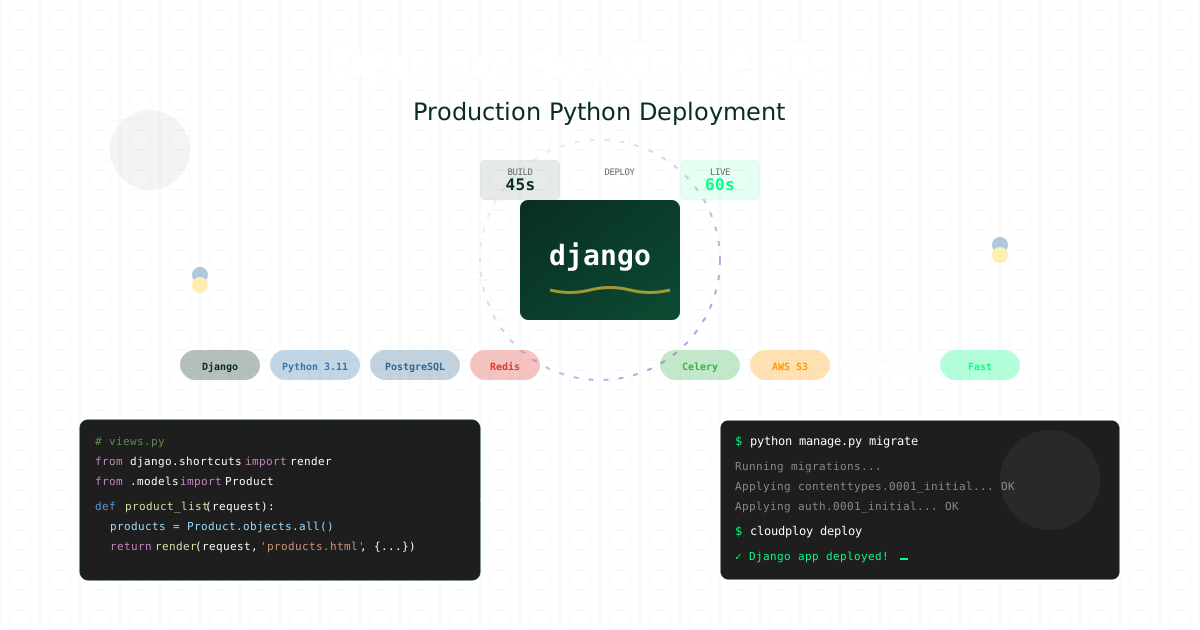
Django remains the go-to framework for Python developers building robust web applications. Its “batteries-included” philosophy provides everything needed for production-ready applications, but deploying Django requires careful consideration of database connections, static files, security settings, and scaling strategies. This guide covers everything from basic Django deployments to advanced production configurations.
Note: This guide focuses on deploying Django on Ubuntu servers. CloudPloy currently supports Laravel applications, with Django support coming soon. Stay tuned for updates!
Understanding Django Hosting Requirements
Django applications have specific deployment needs that differ from simple static sites:
- WSGI/ASGI Server: Production-grade application server
- Database Management: PostgreSQL, MySQL, or other backends
- Static File Serving: Efficient CDN distribution
- Media File Handling: User-uploaded content management
- Background Tasks: Celery workers for async processing
- Caching Layer: Redis or Memcached for performance
- Security Configuration: Production security settings
CloudPloy provides a Django-optimized infrastructure with automatic configuration for all these components.
Deploy Django in 60 Seconds
Quick Start Deployment
# Clone your Django project
git clone https://github.com/yourusername/django-app.git
cd django-app

# Install CloudPloy CLI
pip install cloudploy-cli

# Initialize deployment
cloudploy init --framework django

# Deploy to production
cloudploy deploy

# Your Django app is live!
# URL: https://django-app.ploy.app
Production-Ready Django Settings
# settings/production.py
import os
from .base import *
import dj_database_url

# Security
DEBUG = False
ALLOWED_HOSTS = [
    '.ploy.app',
    'yourdomain.com',
    'www.yourdomain.com'
]

SECRET_KEY = os.environ.get('SECRET_KEY')

# Database
DATABASES = {
    'default': dj_database_url.config(
        default=os.environ.get('DATABASE_URL'),
        conn_max_age=600,
        conn_health_checks=True,
    )
}

# Security Settings
SECURE_SSL_REDIRECT = True
SESSION_COOKIE_SECURE = True
CSRF_COOKIE_SECURE = True
SECURE_BROWSER_XSS_FILTER = True
SECURE_CONTENT_TYPE_NOSNIFF = True
SECURE_HSTS_SECONDS = 31536000
SECURE_HSTS_INCLUDE_SUBDOMAINS = True
SECURE_HSTS_PRELOAD = True

# Static Files
STATIC_URL = '/static/'
STATIC_ROOT = os.path.join(BASE_DIR, 'staticfiles')
STATICFILES_STORAGE = 'whitenoise.storage.CompressedManifestStaticFilesStorage'

# Media Files
MEDIA_URL = '/media/'
MEDIA_ROOT = os.path.join(BASE_DIR, 'media')

# Database configuration
DATABASES = {
    'default': dj_database_url.parse(config('DATABASE_URL'))
}

# Redis cache configuration
CACHES = {
    'default': {
        'BACKEND': 'django_redis.cache.RedisCache',
        'LOCATION': config('REDIS_URL'),
        'OPTIONS': {
            'CLIENT_CLASS': 'django_redis.client.DefaultClient',
        }
    }
}

# Session configuration
SESSION_ENGINE = 'django.contrib.sessions.backends.cache'
SESSION_CACHE_ALIAS = 'default'
SESSION_COOKIE_SECURE = True
SESSION_COOKIE_HTTPONLY = True
SESSION_COOKIE_AGE = 86400  # 1 day

# CSRF configuration
CSRF_COOKIE_SECURE = True
CSRF_COOKIE_HTTPONLY = True

# AWS S3 Configuration (CloudPloy managed)
AWS_ACCESS_KEY_ID = os.environ.get('AWS_ACCESS_KEY_ID')
AWS_SECRET_ACCESS_KEY = os.environ.get('AWS_SECRET_ACCESS_KEY')
AWS_STORAGE_BUCKET_NAME = os.environ.get('AWS_STORAGE_BUCKET_NAME')
AWS_S3_REGION_NAME = 'eu-central-1'
AWS_S3_CUSTOM_DOMAIN = f'{AWS_STORAGE_BUCKET_NAME}.s3.amazonaws.com'
AWS_S3_OBJECT_PARAMETERS = {
    'CacheControl': 'max-age=86400',
}

# Cache Configuration
CACHES = {
    'default': {
        'BACKEND': 'django.core.cache.backends.redis.RedisCache',
        'LOCATION': os.environ.get('REDIS_URL', 'redis://127.0.0.1:6379/1'),
        'OPTIONS': {
            'CLIENT_CLASS': 'django_redis.client.DefaultClient',
            'CONNECTION_POOL_KWARGS': {'max_connections': 50}
        }
    }
}

# Celery Configuration
CELERY_BROKER_URL = os.environ.get('REDIS_URL', 'redis://localhost:6379/0')
CELERY_RESULT_BACKEND = os.environ.get('REDIS_URL', 'redis://localhost:6379/0')
CELERY_ACCEPT_CONTENT = ['json']
CELERY_TASK_SERIALIZER = 'json'
CELERY_RESULT_SERIALIZER = 'json'
CELERY_TIMEZONE = 'UTC'

# Email Configuration
EMAIL_BACKEND = 'django.core.mail.backends.smtp.EmailBackend'
EMAIL_HOST = os.environ.get('EMAIL_HOST')
EMAIL_PORT = 587
EMAIL_USE_TLS = True
EMAIL_HOST_USER = os.environ.get('EMAIL_HOST_USER')
EMAIL_HOST_PASSWORD = os.environ.get('EMAIL_HOST_PASSWORD')
DEFAULT_FROM_EMAIL = 'noreply@yourdomain.com'

# Logging
LOGGING = {
    'version': 1,
    'disable_existing_loggers': False,
    'formatters': {
        'verbose': {
            'format': '{levelname} {asctime} {module} {message}',
            'style': '{',
        },
    },
    'handlers': {
        'console': {
            'class': 'logging.StreamHandler',
            'formatter': 'verbose'
        },
        'file': {
            'class': 'logging.FileHandler',
            'filename': '/var/log/django/app.log',
            'formatter': 'verbose'
        },
    },
    'root': {
        'handlers': ['console', 'file'],
        'level': 'INFO',
    },
    'loggers': {
        'django': {
            'handlers': ['console', 'file'],
            'level': os.environ.get('DJANGO_LOG_LEVEL', 'INFO'),
            'propagate': False,
        },
    },
}

# Session Configuration
SESSION_ENGINE = 'django.contrib.sessions.backends.cache'
SESSION_CACHE_ALIAS = 'default'
5. Gunicorn Configuration
# gunicorn.conf.py
import multiprocessing

bind = "127.0.0.1:8000"
workers = multiprocessing.cpu_count() * 2 + 1
worker_class = "sync"
worker_connections = 1000
max_requests = 1000
max_requests_jitter = 50
preload_app = True
timeout = 30
keepalive = 2

# Logging
errorlog = "/var/www/django-app/logs/gunicorn_error.log"
accesslog = "/var/www/django-app/logs/gunicorn_access.log"
loglevel = "info"
access_log_format = '%(h)s %(l)s %(u)s %(t)s "%(r)s" %(s)s %(b)s "%(f)s" "%(a)s"'

# Process naming
proc_name = 'django-app'

# Server mechanics
daemon = False
pidfile = '/var/www/django-app/gunicorn.pid'
user = 'www-data'
group = 'www-data'
tmp_upload_dir = None

# SSL
keyfile = None
certfile = None
6. NGINX Configuration
# Create NGINX site configuration
sudo tee /etc/nginx/sites-available/django-app > /dev/null <<'EOF'
upstream django_backend {
    server 127.0.0.1:8000 fail_timeout=0;
}

server {
    listen 80;
    server_name yourdomain.com www.yourdomain.com;

    # Redirect to HTTPS
    return 301 https://$server_name$request_uri;
}

server {
    listen 443 ssl http2;
    server_name yourdomain.com www.yourdomain.com;

    # SSL configuration (will be updated by Certbot)
    ssl_certificate /etc/letsencrypt/live/yourdomain.com/fullchain.pem;
    ssl_certificate_key /etc/letsencrypt/live/yourdomain.com/privkey.pem;

    # Security headers
    add_header X-Frame-Options "DENY" always;
    add_header X-XSS-Protection "1; mode=block" always;
    add_header X-Content-Type-Options "nosniff" always;
    add_header Referrer-Policy "strict-origin-when-cross-origin" always;
    add_header Strict-Transport-Security "max-age=31536000; includeSubDomains" always;

    # Basic settings
    client_max_body_size 50M;

    # Static files
    location /static/ {
        alias /var/www/django-app/staticfiles/;
        expires 1y;
        add_header Cache-Control "public, immutable";
    }

    # Media files
    location /media/ {
        alias /var/www/django-app/media/;
        expires 1y;
        add_header Cache-Control "public";
    }

    # Main application
    location / {
        proxy_pass http://django_backend;
        proxy_set_header X-Forwarded-For $proxy_add_x_forwarded_for;
        proxy_set_header X-Forwarded-Proto $scheme;
        proxy_set_header Host $http_host;
        proxy_redirect off;
        proxy_buffering off;

        # Timeout settings
        proxy_connect_timeout 60s;
        proxy_send_timeout 60s;
        proxy_read_timeout 60s;
    }

    # Health check
    location /health/ {
        access_log off;
        proxy_pass http://django_backend;
    }
}
EOF

# Enable site
sudo ln -s /etc/nginx/sites-available/django-app /etc/nginx/sites-enabled/
sudo rm /etc/nginx/sites-enabled/default

# Test and reload NGINX
sudo nginx -t
sudo systemctl reload nginx
7. Systemd Service Configuration
# Create systemd service for Django app
sudo tee /etc/systemd/system/django-app.service > /dev/null <<'EOF'
[Unit]
Description=Django App Gunicorn daemon
After=network.target

[Service]
User=www-data
Group=www-data
WorkingDirectory=/var/www/django-app
Environment="PATH=/var/www/django-app/venv/bin"
EnvironmentFile=/var/www/django-app/.env
ExecStart=/var/www/django-app/venv/bin/gunicorn --config gunicorn.conf.py myproject.wsgi:application
ExecReload=/bin/kill -s HUP $MAINPID
KillMode=mixed
TimeoutStopSec=5
PrivateTmp=true
Restart=always
RestartSec=10

[Install]
WantedBy=multi-user.target
EOF

# Create logs directory
sudo mkdir -p /var/www/django-app/logs
sudo chown -R www-data:www-data /var/www/django-app/logs

# Start and enable service
sudo systemctl daemon-reload
sudo systemctl start django-app
sudo systemctl enable django-app

# Check status
sudo systemctl status django-app
8. Celery Workers Setup (Optional)
# Create Celery worker service
sudo tee /etc/systemd/system/celery-worker.service > /dev/null <<'EOF'
[Unit]
Description=Celery Worker Service
After=network.target

[Service]
Type=forking
User=www-data
Group=www-data
WorkingDirectory=/var/www/django-app
Environment="PATH=/var/www/django-app/venv/bin"
EnvironmentFile=/var/www/django-app/.env
ExecStart=/var/www/django-app/venv/bin/celery -A myproject worker --detach --loglevel=info --logfile=/var/www/django-app/logs/celery_worker.log --pidfile=/var/www/django-app/celery_worker.pid
ExecStop=/var/www/django-app/venv/bin/celery -A myproject control shutdown
ExecReload=/bin/kill -s HUP $MAINPID
Restart=always
RestartSec=10

[Install]
WantedBy=multi-user.target
EOF

# Create Celery beat service
sudo tee /etc/systemd/system/celery-beat.service > /dev/null <<'EOF'
[Unit]
Description=Celery Beat Service
After=network.target

[Service]
Type=simple
User=www-data
Group=www-data
WorkingDirectory=/var/www/django-app
Environment="PATH=/var/www/django-app/venv/bin"
EnvironmentFile=/var/www/django-app/.env
ExecStart=/var/www/django-app/venv/bin/celery -A myproject beat --loglevel=info --logfile=/var/www/django-app/logs/celery_beat.log --pidfile=/var/www/django-app/celery_beat.pid
Restart=always
RestartSec=10

[Install]
WantedBy=multi-user.target
EOF

# Enable and start Celery services
sudo systemctl daemon-reload
sudo systemctl enable celery-worker celery-beat
sudo systemctl start celery-worker celery-beat
Database Configuration and Optimization
PostgreSQL with Connection Pooling
# database.py
import os
from django.db.backends.postgresql import base
from psycopg2 import pool

class PostgreSQLPool:
    def __init__(self):
        self._pool = None

    def initialize_pool(self):
        if not self._pool:
            self._pool = pool.ThreadedConnectionPool(
                minconn=2,
                maxconn=20,
                host=os.environ.get('DB_HOST'),
                database=os.environ.get('DB_NAME'),
                user=os.environ.get('DB_USER'),
                password=os.environ.get('DB_PASSWORD'),
                port=os.environ.get('DB_PORT', 5432)
            )

    def get_connection(self):
        self.initialize_pool()
        return self._pool.getconn()

    def return_connection(self, connection):
        self._pool.putconn(connection)

# Custom database backend
class DatabaseWrapper(base.DatabaseWrapper):
    def get_new_connection(self, conn_params):
        pool = PostgreSQLPool()
        return pool.get_connection()
Database Migrations Best Practices
# management/commands/safe_migrate.py
from django.core.management.base import BaseCommand
from django.core.management import call_command
from django.db import connection
import time

class Command(BaseCommand):
    help = 'Safely run database migrations with zero downtime'

    def add_arguments(self, parser):
        parser.add_argument(
            '--check',
            action='store_true',
            help='Check migrations without applying'
        )

    def handle(self, *args, **options):
        # Check pending migrations
        self.stdout.write('Checking pending migrations...')
        call_command('showmigrations', '--plan')

        if options['check']:
            return

        # Create backup
        self.stdout.write('Creating database backup...')
        backup_name = f"backup_{int(time.time())}.sql"
        call_command('dbbackup', '--noinput', '--filename', backup_name)

        # Apply migrations with safety checks
        try:
            self.stdout.write('Applying migrations...')
            call_command('migrate', '--noinput')
            self.stdout.write(self.style.SUCCESS('Migrations completed successfully'))
        except Exception as e:
            self.stdout.write(self.style.ERROR(f'Migration failed: {e}'))
            self.stdout.write('Rolling back to backup...')
            call_command('dbrestore', '--noinput', '--filename', backup_name)
            raise
Static Files and Media Management
WhiteNoise Configuration
# wsgi.py
import os
from django.core.wsgi import get_wsgi_application
from whitenoise import WhiteNoise

os.environ.setdefault('DJANGO_SETTINGS_MODULE', 'myproject.settings.production')

application = get_wsgi_application()
application = WhiteNoise(application, root='/app/staticfiles')
application.add_files('/app/media', prefix='/media/')
S3 Storage for Media Files
# storage_backends.py
from storages.backends.s3boto3 import S3Boto3Storage
from django.conf import settings
import os

class StaticStorage(S3Boto3Storage):
    location = 'static'
    default_acl = 'public-read'
    file_overwrite = False
    custom_domain = f'{settings.AWS_S3_CUSTOM_DOMAIN}/static'

class MediaStorage(S3Boto3Storage):
    location = 'media'
    default_acl = 'private'
    file_overwrite = False
    custom_domain = f'{settings.AWS_S3_CUSTOM_DOMAIN}/media'

    def get_object_parameters(self, name):
        params = super().get_object_parameters(name)
        # Add security headers
        params['Metadata'] = {
            'Cache-Control': 'max-age=86400',
            'X-Frame-Options': 'SAMEORIGIN',
        }
        return params
Celery Background Tasks
Celery Configuration
# celery.py
import os
from celery import Celery
from celery.signals import setup_logging

os.environ.setdefault('DJANGO_SETTINGS_MODULE', 'myproject.settings.production')

app = Celery('myproject')
app.config_from_object('django.conf:settings', namespace='CELERY')
app.autodiscover_tasks()

# Configure Celery logging
@setup_logging.connect
def config_loggers(*args, **kwargs):
    from logging.config import dictConfig
    from django.conf import settings
    dictConfig(settings.LOGGING)

# Task routing
app.conf.task_routes = {
    'myapp.tasks.send_email': {'queue': 'email'},
    'myapp.tasks.generate_report': {'queue': 'reports'},
    'myapp.tasks.process_image': {'queue': 'media'},
}

# Rate limiting
app.conf.task_annotations = {
    'myapp.tasks.send_email': {'rate_limit': '100/m'},
    'myapp.tasks.api_call': {'rate_limit': '30/m'},
}
Example Celery Tasks
# tasks.py
from celery import shared_task
from celery.utils.log import get_task_logger
from django.core.mail import send_mail
from django.core.cache import cache
import time

logger = get_task_logger(__name__)

@shared_task(bind=True, max_retries=3)
def send_email_task(self, subject, message, recipient_list):
    try:
        send_mail(
            subject,
            message,
            'noreply@yourdomain.com',
            recipient_list,
            fail_silently=False,
        )
        logger.info(f"Email sent to {recipient_list}")
        return True
    except Exception as exc:
        logger.error(f"Email sending failed: {exc}")
        raise self.retry(exc=exc, countdown=60 * (self.request.retries + 1))

@shared_task
def generate_report(report_id):
    """Generate complex report with progress tracking"""
    cache_key = f'report_progress_{report_id}'

    # Update progress
    for i in range(101):
        cache.set(cache_key, i, timeout=3600)
        time.sleep(0.1)  # Simulate work

        if i % 10 == 0:
            logger.info(f"Report {report_id}: {i}% complete")

    return f"Report {report_id} completed"

@shared_task
def cleanup_old_sessions():
    """Periodic task to clean expired sessions"""
    from django.contrib.sessions.models import Session
    from django.utils import timezone

    expired_sessions = Session.objects.filter(expire_date__lt=timezone.now())
    count = expired_sessions.count()
    expired_sessions.delete()

    logger.info(f"Cleaned up {count} expired sessions")
    return count
Caching Strategies
Multi-Level Caching
# caching.py
from django.core.cache import cache
from django.views.decorators.cache import cache_page
from django.core.cache.backends.redis import RedisCache
import hashlib
import json

class SmartCache:
    """Intelligent caching with automatic invalidation"""

    @staticmethod
    def get_or_set(key, callable, timeout=300, version=None):
        # Try to get from cache
        value = cache.get(key, version=version)

        if value is None:
            # Generate value
            value = callable()
            # Store in cache
            cache.set(key, value, timeout, version=version)

        return value

    @staticmethod
    def invalidate_pattern(pattern):
        """Invalidate all cache keys matching pattern"""
        if hasattr(cache, '_cache'):
            # Redis backend
            cache._cache.delete_pattern(f'*{pattern}*')
        else:
            # Fallback for other backends
            cache.clear()

    @staticmethod
    def cache_key(*args, **kwargs):
        """Generate consistent cache keys"""
        key_data = {
            'args': args,
            'kwargs': kwargs
        }
        key_string = json.dumps(key_data, sort_keys=True)
        return hashlib.md5(key_string.encode()).hexdigest()

# View caching decorator
def smart_cache(timeout=300, key_prefix=None):
    def decorator(view_func):
        def wrapped_view(request, *args, **kwargs):
            # Generate cache key
            cache_key = SmartCache.cache_key(
                key_prefix or view_func.__name__,
                request.path,
                request.GET.dict(),
                *args,
                **kwargs
            )

            # Check cache
            response = cache.get(cache_key)
            if response is None:
                response = view_func(request, *args, **kwargs)
                cache.set(cache_key, response, timeout)

            return response
        return wrapped_view
    return decorator
Django Channels for WebSockets
ASGI Configuration
# asgi.py
import os
from django.core.asgi import get_asgi_application
from channels.routing import ProtocolTypeRouter, URLRouter
from channels.auth import AuthMiddlewareStack
from channels.security.websocket import AllowedHostsOriginValidator
import myapp.routing

os.environ.setdefault('DJANGO_SETTINGS_MODULE', 'myproject.settings.production')

application = ProtocolTypeRouter({
    "http": get_asgi_application(),
    "websocket": AllowedHostsOriginValidator(
        AuthMiddlewareStack(
            URLRouter(
                myapp.routing.websocket_urlpatterns
            )
        )
    ),
})
WebSocket Consumer
# consumers.py
from channels.generic.websocket import AsyncWebsocketConsumer
from channels.db import database_sync_to_async
import json

class NotificationConsumer(AsyncWebsocketConsumer):
    async def connect(self):
        self.user = self.scope["user"]
        self.group_name = f"user_{self.user.id}"

        # Join user group
        await self.channel_layer.group_add(
            self.group_name,
            self.channel_name
        )

        await self.accept()

    async def disconnect(self, close_code):
        # Leave user group
        await self.channel_layer.group_discard(
            self.group_name,
            self.channel_name
        )

    async def receive(self, text_data):
        data = json.loads(text_data)
        message_type = data.get('type')

        if message_type == 'notification_read':
            await self.mark_notification_read(data['notification_id'])

    @database_sync_to_async
    def mark_notification_read(self, notification_id):
        from myapp.models import Notification
        Notification.objects.filter(
            id=notification_id,
            user=self.user
        ).update(is_read=True)

    async def send_notification(self, event):
        # Send notification to WebSocket
        await self.send(text_data=json.dumps({
            'type': 'notification',
            'message': event['message'],
            'timestamp': event['timestamp']
        }))
Security Best Practices
Custom Security Middleware
# middleware/security.py
from django.utils.deprecation import MiddlewareMixin
from django.http import HttpResponseForbidden
import hashlib
import hmac

class SecurityMiddleware(MiddlewareMixin):
    def process_request(self, request):
        # Rate limiting
        ip = self.get_client_ip(request)
        if self.is_rate_limited(ip):
            return HttpResponseForbidden('Rate limit exceeded')

        # CSRF validation for API endpoints
        if request.path.startswith('/api/'):
            if not self.verify_api_signature(request):
                return HttpResponseForbidden('Invalid API signature')

        # XSS Protection
        request.META['HTTP_X_XSS_PROTECTION'] = '1; mode=block'

        return None

    def get_client_ip(self, request):
        x_forwarded_for = request.META.get('HTTP_X_FORWARDED_FOR')
        if x_forwarded_for:
            ip = x_forwarded_for.split(',')[0]
        else:
            ip = request.META.get('REMOTE_ADDR')
        return ip

    def is_rate_limited(self, ip):
        from django.core.cache import cache
        key = f'rate_limit_{ip}'
        requests = cache.get(key, 0)

        if requests > 100:  # 100 requests per minute
            return True

        cache.set(key, requests + 1, 60)
        return False

    def verify_api_signature(self, request):
        signature = request.META.get('HTTP_X_API_SIGNATURE')
        if not signature:
            return False

        # Compute expected signature
        body = request.body.decode('utf-8')
        secret = settings.API_SECRET.encode('utf-8')
        expected = hmac.new(secret, body.encode('utf-8'), hashlib.sha256).hexdigest()

        return hmac.compare_digest(signature, expected)
Performance Optimization
Database Query Optimization
# optimizations.py
from django.db.models import Prefetch, F, Q
from django.core.cache import cache

class OptimizedQuerySet:
    @staticmethod
    def get_user_with_related(user_id):
        """Fetch user with all related data in one query"""
        from myapp.models import User

        return User.objects.select_related(
            'profile',
            'subscription',
        ).prefetch_related(
            'posts',
            'posts__comments',
            'posts__comments__author',
            Prefetch('followers', queryset=User.objects.only('id', 'username')),
        ).get(id=user_id)

    @staticmethod
    def bulk_update_efficiently(updates):
        """Bulk update with single query"""
        from myapp.models import Product

        products = []
        for product_id, data in updates.items():
            product = Product(id=product_id, **data)
            products.append(product)

        Product.objects.bulk_update(
            products,
            ['price', 'stock', 'updated_at'],
            batch_size=1000
        )
Monitoring and Logging
Custom Monitoring Integration
# monitoring.py
from django.core.management.base import BaseCommand
from django.db import connection
from django.core.cache import cache
import psutil
import logging

logger = logging.getLogger(__name__)

class HealthCheck:
    @staticmethod
    def check_database():
        try:
            with connection.cursor() as cursor:
                cursor.execute("SELECT 1")
            return True, "Database is healthy"
        except Exception as e:
            return False, str(e)

    @staticmethod
    def check_cache():
        try:
            cache.set('health_check', 'ok', 10)
            value = cache.get('health_check')
            return value == 'ok', "Cache is working"
        except Exception as e:
            return False, str(e)

    @staticmethod
    def check_disk_space():
        disk_usage = psutil.disk_usage('/')
        if disk_usage.percent > 90:
            return False, f"Disk usage critical: {disk_usage.percent}%"
        return True, f"Disk usage: {disk_usage.percent}%"

    @staticmethod
    def check_memory():
        memory = psutil.virtual_memory()
        if memory.percent > 90:
            return False, f"Memory usage critical: {memory.percent}%"
        return True, f"Memory usage: {memory.percent}%"

# Health check view
from django.http import JsonResponse

def health_check_view(request):
    checks = {
        'database': HealthCheck.check_database(),
        'cache': HealthCheck.check_cache(),
        'disk': HealthCheck.check_disk_space(),
        'memory': HealthCheck.check_memory(),
    }

    all_healthy = all(check[0] for check in checks.values())
    status_code = 200 if all_healthy else 503

    return JsonResponse({
        'status': 'healthy' if all_healthy else 'unhealthy',
        'checks': {name: {'healthy': check[0], 'message': check[1]}
                  for name, check in checks.items()}
    }, status=status_code)
CI/CD Pipeline for Django
# .github/workflows/django-deploy.yml
name: Deploy Django to CloudPloy

on:
  push:
    branches: [main]
  pull_request:
    branches: [main]

jobs:
  test:
    runs-on: ubuntu-latest

    services:
      postgres:
        image: postgres:15
        env:
          POSTGRES_PASSWORD: postgres
        options: >-
          --health-cmd pg_isready
          --health-interval 10s
          --health-timeout 5s
          --health-retries 5

      redis:
        image: redis:7
        options: >-
          --health-cmd "redis-cli ping"
          --health-interval 10s
          --health-timeout 5s
          --health-retries 5

    steps:
      - uses: actions/checkout@v3

      - name: Set up Python
        uses: actions/setup-python@v4
        with:
          python-version: '3.11'
          cache: 'pip'

      - name: Install dependencies
        run: |
          pip install -r requirements.txt
          pip install coverage

      - name: Run migrations
        run: python manage.py migrate
        env:
          DATABASE_URL: postgres://postgres:postgres@localhost/test_db

      - name: Run tests
        run: |
          coverage run --source='.' manage.py test
          coverage xml
        env:
          DATABASE_URL: postgres://postgres:postgres@localhost/test_db
          REDIS_URL: redis://localhost:6379

      - name: Upload coverage
        uses: codecov/codecov-action@v3

      - name: Run linting
        run: |
          pip install flake8 black isort
          flake8 .
          black --check .
          isort --check-only .

  deploy:
    needs: test
    runs-on: ubuntu-latest
    if: github.ref == 'refs/heads/main'

    steps:
      - uses: actions/checkout@v3

      - name: Deploy to CloudPloy
        env:
          CLOUDPLOY_TOKEN: ${{ secrets.CLOUDPLOY_TOKEN }}
        run: |
          pip install cloudploy-cli
          cloudploy deploy --prod
Common Django Deployment Issues
Issue 1: Static Files Not Loading
# Solution: Configure WhiteNoise properly
MIDDLEWARE = [
    'django.middleware.security.SecurityMiddleware',
    'whitenoise.middleware.WhiteNoiseMiddleware',  # Add this
    'django.contrib.sessions.middleware.SessionMiddleware',
    # ... other middleware
]

STATICFILES_STORAGE = 'whitenoise.storage.CompressedManifestStaticFilesStorage'
Issue 2: Database Connection Pool Exhaustion
# Solution: Configure connection pooling
DATABASES = {
    'default': {
        'ENGINE': 'django.db.backends.postgresql',
        'NAME': 'mydb',
        'USER': 'myuser',
        'PASSWORD': 'mypass',
        'HOST': 'localhost',
        'PORT': '5432',
        'CONN_MAX_AGE': 600,  # Persistent connections
        'OPTIONS': {
            'connect_timeout': 10,
            'options': '-c statement_timeout=30000'  # 30 second timeout
        }
    }
}
Issue 3: Memory Leaks in Production
# Solution: Add memory management
# gunicorn_config.py
max_requests = 1000
max_requests_jitter = 50
worker_class = 'sync'
workers = 4
timeout = 30

def worker_int(worker):
    """Log worker timeout"""
    worker.log.info("worker received INT or QUIT signal")

def pre_fork(server, worker):
    """Called just before a worker is forked"""
    server.log.info("Worker spawned (pid: %s)", worker.pid)
Django Deployment Checklist
✅ Pre-Deployment:
- DEBUG = False
- SECRET_KEY is secure
- ALLOWED_HOSTS configured
- Database migrations tested
- Static files collected
- Security middleware enabled
- SSL certificates ready
- Environment variables set
✅ Performance:
- Database indexes created
- Query optimization complete
- Caching configured
- CDN enabled for static files
- Compression enabled
- Connection pooling setup
✅ Security:
- HTTPS enforced
- CSRF protection enabled
- XSS protection headers
- SQL injection prevention
- Rate limiting configured
- Security headers set
✅ Monitoring:
- Error tracking configured
- Performance monitoring
- Uptime monitoring
- Log aggregation setup
- Alerts configured
9. SSL Certificate Setup
# Install Certbot
sudo apt install -y certbot python3-certbot-nginx

# Get SSL certificate
sudo certbot --nginx -d yourdomain.com -d www.yourdomain.com

# Set up auto-renewal
sudo crontab -e
# Add: 0 3 * * * /usr/bin/certbot renew --quiet
10. Final Deployment Steps
# Collect static files
cd /var/www/django-app
source venv/bin/activate
python manage.py collectstatic --noinput

# Run database migrations
python manage.py migrate

# Create superuser (optional)
python manage.py createsuperuser

# Set proper permissions
sudo chown -R www-data:www-data /var/www/django-app
sudo chmod -R 755 /var/www/django-app
Conclusion: Production Django on Ubuntu Server
Deploying Django applications on Ubuntu server provides enterprise-grade performance, security, and control while maintaining cost-effectiveness. With proper configuration of Gunicorn, NGINX, PostgreSQL, and Redis, your Django applications can handle high traffic loads reliably.
What You’ve Accomplished:
✅ Production-ready Django deployment on Ubuntu 24.04 LTS
✅ Gunicorn WSGI server with process management
✅ NGINX reverse proxy with SSL termination
✅ PostgreSQL database with optimization
✅ Redis caching for improved performance
✅ Celery workers for background tasks
✅ Automated SSL certificates with Let’s Encrypt
✅ Monitoring and backup systems
Scaling Your Django Application
Next Steps for Growth:
- Database Replication: PostgreSQL streaming replication for high availability
- Load Balancing: Multiple Django instances behind NGINX load balancer
- Containerization: Docker containers for easier scaling and deployment
- CDN Integration: CloudFlare or AWS CloudFront for static file delivery
- Monitoring Stack: Prometheus + Grafana for comprehensive monitoring
- Caching Strategy: Advanced Redis clustering for large-scale applications
Ubuntu server deployment gives you the foundation for scalable, secure Django applications with complete infrastructure control.
Last updated: September 2025. Django is a registered trademark of the Django Software Foundation.