
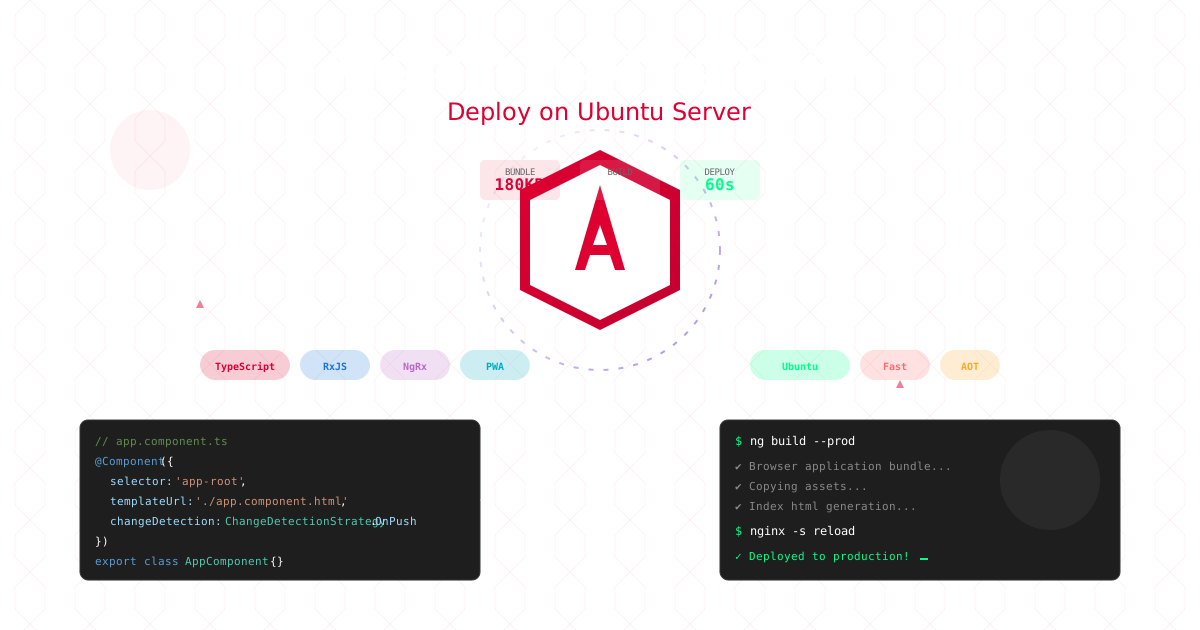
Angular continues to dominate enterprise web development with its comprehensive framework, powerful CLI, and TypeScript-first approach. Deploying Angular applications on Ubuntu servers provides complete infrastructure control while maintaining optimal performance and enterprise-grade security. This guide covers everything from basic Angular deployments to advanced production configurations on Ubuntu.
Note: This guide focuses on deploying Angular on Ubuntu servers. CloudPloy currently supports Laravel applications, with Angular support coming soon. Stay tuned for updates!
Why Angular Hosting Needs Special Attention
Angular applications have unique characteristics that benefit from Ubuntu server deployment:
- Large Initial Bundle: Requires aggressive nginx caching and compression
- TypeScript Compilation: Build optimization and static file serving
- RxJS Observables: Efficient client-side state management
- Angular Universal: SSR with Node.js server integration
- Service Workers: PWA deployment with proper MIME types
- Lazy Loading: Route-based code splitting with nginx fallback
Ubuntu servers provide the perfect foundation for Angular applications with complete control over web server configuration, caching strategies, and performance optimization.
Deploy Angular on Ubuntu Server
Step 1: Ubuntu Server Setup
# Update system and install Node.js
sudo apt update && sudo apt upgrade -y
curl -fsSL https://deb.nodesource.com/setup_20.x | sudo -E bash -
sudo apt-get install -y nodejs

# Install Angular CLI globally
sudo npm install -g @angular/cli

# Install nginx for serving static files
sudo apt install nginx -y

# Install certbot for SSL certificates
sudo apt install certbot python3-certbot-nginx -y
Step 2: Prepare Your Angular Application
# Create new Angular application
ng new my-angular-app --routing --style=scss --strict
cd my-angular-app

# Install dependencies
npm install

# Build with production optimizations
ng build --configuration production

# Optimizations automatically applied:
# ✓ Tree shaking
# ✓ Ahead-of-Time compilation
# ✓ Bundle minification
# ✓ Dead code elimination
# ✓ Service worker generation
Step 3: Deploy to Ubuntu Server
# Upload your application to server
scp -r my-angular-app/ user@your-server:/var/www/

# Or use git (recommended)
git clone https://github.com/yourusername/my-angular-app.git /var/www/my-angular-app
cd /var/www/my-angular-app
npm ci --production
ng build --configuration production

# Set proper ownership
sudo chown -R www-data:www-data /var/www/my-angular-app
Step 4: Configure Nginx for Angular
# Create nginx server block
sudo nano /etc/nginx/sites-available/my-angular-app
server {
listen 80;
server_name yourdomain.com www.yourdomain.com;
root /var/www/my-angular-app/dist/my-angular-app;
index index.html;
# Handle Angular Router (client-side routing)
location / {
try_files $uri $uri/ /index.html;
add_header Cache-Control "no-cache, no-store, must-revalidate";
add_header Pragma "no-cache";
add_header Expires "0";
}
# Cache static assets aggressively
location ~* \.(js|css|png|jpg|jpeg|gif|ico|svg|woff|woff2|ttf|eot)$ {
expires 1y;
add_header Cache-Control "public, immutable";
access_log off;
}
# Service worker with proper MIME type
location = /ngsw-worker.js {
add_header Cache-Control "no-cache";
add_header Content-Type "application/javascript";
}
# API proxy (if needed)
location /api/ {
proxy_pass http://localhost:3001/;
proxy_http_version 1.1;
proxy_set_header Upgrade $http_upgrade;
proxy_set_header Connection 'upgrade';
proxy_set_header Host $host;
proxy_set_header X-Real-IP $remote_addr;
proxy_set_header X-Forwarded-For $proxy_add_x_forwarded_for;
proxy_set_header X-Forwarded-Proto $scheme;
proxy_cache_bypass $http_upgrade;
}
# Security headers
add_header X-Frame-Options "SAMEORIGIN" always;
add_header X-XSS-Protection "1; mode=block" always;
add_header X-Content-Type-Options "nosniff" always;
add_header Referrer-Policy "no-referrer-when-downgrade" always;
# Enable compression
gzip on;
gzip_vary on;
gzip_min_length 1024;
gzip_types text/plain text/css text/xml text/javascript application/javascript application/xml+rss application/json;
}# Enable the site and get SSL certificate
sudo ln -s /etc/nginx/sites-available/my-angular-app /etc/nginx/sites-enabled/
sudo nginx -t
sudo systemctl reload nginx
sudo certbot --nginx -d yourdomain.com -d www.yourdomain.comAngular Production Configuration
1. Environment Configuration
// src/environments/environment.prod.ts
export const environment = {
  production: true,
  apiUrl: 'https://api.yourdomain.com',
  appUrl: 'https://app.yourdomain.com',
  analytics: {
    googleAnalytics: 'G-XXXXXXXXXX',
    customTracking: true
  },
  features: {
    enablePWA: true,
    enableSSR: false,
    enableServiceWorker: true
  }
};
2. Angular.json Optimization
{
  "projects": {
    "my-app": {
      "architect": {
        "build": {
          "configurations": {
            "production": {
              "fileReplacements": [
                {
                  "replace": "src/environments/environment.ts",
                  "with": "src/environments/environment.prod.ts"
                }
              ],
              "optimization": {
                "scripts": true,
                "styles": {
                  "minify": true,
                  "inlineCritical": true
                },
                "fonts": true
              },
              "outputHashing": "all",
              "sourceMap": false,
              "namedChunks": false,
              "extractLicenses": true,
              "vendorChunk": false,
              "buildOptimizer": true,
              "budgets": [
                {
                  "type": "initial",
                  "maximumWarning": "2mb",
                  "maximumError": "5mb"
                },
                {
                  "type": "anyComponentStyle",
                  "maximumWarning": "6kb",
                  "maximumError": "10kb"
                }
              ],
              "serviceWorker": true,
              "ngswConfigPath": "ngsw-config.json"
            }
          }
        }
      }
    }
  }
}
3. CloudPloy Configuration
// cloudploy.json
{
  "framework": "angular",
  "build": {
    "command": "npm run build:prod",
    "output": "dist/my-app"
  },
  "routes": [
    {
      "src": "/(.*)",
      "dest": "/index.html"
    }
  ],
  "headers": [
    {
      "source": "/(.*).js",
      "headers": [
        {
          "key": "Cache-Control",
          "value": "public, max-age=31536000, immutable"
        }
      ]
    },
    {
      "source": "/(.*).css",
      "headers": [
        {
          "key": "Cache-Control",
          "value": "public, max-age=31536000, immutable"
        }
      ]
    },
    {
      "source": "/index.html",
      "headers": [
        {
          "key": "Cache-Control",
          "value": "no-cache, no-store, must-revalidate"
        }
      ]
    }
  ],
  "rewrites": [
    {
      "source": "/api/(.*)",
      "destination": "https://api.backend.com/$1"
    }
  ]
}
Advanced Angular Features
Lazy Loading Routes
// app-routing.module.ts
import { NgModule } from '@angular/core';
import { RouterModule, Routes } from '@angular/router';

const routes: Routes = [
  {
    path: '',
    loadChildren: () => import('./home/home.module').then(m => m.HomeModule)
  },
  {
    path: 'dashboard',
    loadChildren: () => import('./dashboard/dashboard.module').then(m => m.DashboardModule),
    canActivate: [AuthGuard]
  },
  {
    path: 'admin',
    loadChildren: () => import('./admin/admin.module').then(m => m.AdminModule),
    canActivate: [AuthGuard, RoleGuard],
    data: { role: 'admin' }
  },
  {
    path: 'products',
    loadChildren: () => import('./products/products.module').then(m => m.ProductsModule)
  }
];

@NgModule({
  imports: [RouterModule.forRoot(routes, {
    preloadingStrategy: PreloadAllModules,
    relativeLinkResolution: 'legacy',
    initialNavigation: 'enabledBlocking'
  })],
  exports: [RouterModule]
})
export class AppRoutingModule { }
Angular Universal (SSR)
// Setup Angular Universal
ng add @nguniversal/express-engine

// server.ts
import 'zone.js/dist/zone-node';
import { ngExpressEngine } from '@nguniversal/express-engine';
import express from 'express';
import { join } from 'path';
import { APP_BASE_HREF } from '@angular/common';
import { existsSync } from 'fs';

import { AppServerModule } from './src/main.server';

const app = express();
const PORT = process.env['PORT'] || 4000;
const DIST_FOLDER = join(process.cwd(), 'dist/my-app');

// Angular Universal engine
app.engine('html', ngExpressEngine({
  bootstrap: AppServerModule,
}));

app.set('view engine', 'html');
app.set('views', DIST_FOLDER);

// Serve static files
app.get('*.*', express.static(DIST_FOLDER));

// All regular routes use Universal engine
app.get('*', (req, res) => {
  res.render('index', {
    req,
    providers: [{ provide: APP_BASE_HREF, useValue: req.baseUrl }]
  });
});

app.listen(PORT, () => {
  console.log(`Node Express server listening on http://localhost:${PORT}`);
});
Progressive Web App Configuration
// ngsw-config.json
{
  "index": "/index.html",
  "assetGroups": [
    {
      "name": "app",
      "installMode": "prefetch",
      "resources": {
        "files": [
          "/favicon.ico",
          "/index.html",
          "/manifest.webmanifest",
          "/*.css",
          "/*.js"
        ]
      }
    },
    {
      "name": "assets",
      "installMode": "lazy",
      "updateMode": "prefetch",
      "resources": {
        "files": [
          "/assets/**",
          "/*.(svg|cur|jpg|jpeg|png|apng|webp|avif|gif|otf|ttf|woff|woff2)"
        ]
      }
    }
  ],
  "dataGroups": [
    {
      "name": "api-performance",
      "urls": ["https://api.yourdomain.com/performance"],
      "cacheConfig": {
        "strategy": "performance",
        "maxSize": 100,
        "maxAge": "1h"
      }
    },
    {
      "name": "api-freshness",
      "urls": ["https://api.yourdomain.com/data"],
      "cacheConfig": {
        "strategy": "freshness",
        "maxSize": 100,
        "maxAge": "1d",
        "timeout": "10s"
      }
    }
  ]
}
Performance Optimization
1. Implement OnPush Change Detection
// components/user-list.component.ts
import { Component, ChangeDetectionStrategy, Input } from '@angular/core';
import { Observable } from 'rxjs';
import { User } from '../models/user';

@Component({
  selector: 'app-user-list',
  templateUrl: './user-list.component.html',
  changeDetection: ChangeDetectionStrategy.OnPush
})
export class UserListComponent {
  @Input() users$: Observable<User[]>;

  trackByFn(index: number, user: User): number {
    return user.id;
  }
}
2. Optimize Bundle Size
// webpack.config.js
const CompressionPlugin = require('compression-webpack-plugin');
const BrotliPlugin = require('brotli-webpack-plugin');

module.exports = {
  plugins: [
    new CompressionPlugin({
      filename: '[path][base].gz',
      algorithm: 'gzip',
      test: /\.(js|css|html|svg)$/,
      threshold: 8192,
      minRatio: 0.8,
    }),
    new BrotliPlugin({
      filename: '[path][base].br',
      test: /\.(js|css|html|svg)$/,
      threshold: 10240,
      minRatio: 0.8,
    })
  ],
  optimization: {
    splitChunks: {
      chunks: 'all',
      cacheGroups: {
        vendor: {
          test: /[\\/]node_modules[\\/]/,
          name: 'vendors',
          priority: 10,
          enforce: true
        },
        common: {
          minChunks: 2,
          priority: 5,
          reuseExistingChunk: true
        }
      }
    }
  }
};
3. Virtual Scrolling for Large Lists
// app.module.ts
import { ScrollingModule } from '@angular/cdk/scrolling';

// component.html
<cdk-virtual-scroll-viewport itemSize="50" class="viewport">
  <div *cdkVirtualFor="let item of items; trackBy: trackByFn">
    {{item.name}}
  </div>
</cdk-virtual-scroll-viewport>

// component.ts
export class ListComponent {
  items = Array.from({length: 100000}).map((_, i) => ({
    id: i,
    name: `Item #${i}`
  }));

  trackByFn(index: number, item: any): number {
    return item.id;
  }
}
State Management with NgRx
// store/app.state.ts
export interface AppState {
  users: UserState;
  products: ProductState;
  auth: AuthState;
}

// store/users/user.actions.ts
import { createAction, props } from '@ngrx/store';
import { User } from '../../models/user';

export const loadUsers = createAction('[User] Load Users');
export const loadUsersSuccess = createAction(
  '[User] Load Users Success',
  props<{ users: User[] }>()
);
export const loadUsersFailure = createAction(
  '[User] Load Users Failure',
  props<{ error: any }>()
);

// store/users/user.effects.ts
import { Injectable } from '@angular/core';
import { Actions, createEffect, ofType } from '@ngrx/effects';
import { of } from 'rxjs';
import { map, catchError, switchMap } from 'rxjs/operators';
import * as UserActions from './user.actions';
import { UserService } from '../../services/user.service';

@Injectable()
export class UserEffects {
  loadUsers$ = createEffect(() =>
    this.actions$.pipe(
      ofType(UserActions.loadUsers),
      switchMap(() =>
        this.userService.getUsers().pipe(
          map(users => UserActions.loadUsersSuccess({ users })),
          catchError(error => of(UserActions.loadUsersFailure({ error })))
        )
      )
    )
  );

  constructor(
    private actions$: Actions,
    private userService: UserService
  ) {}
}
API Integration Best Practices
HTTP Interceptor for Authentication
// interceptors/auth.interceptor.ts
import { Injectable } from '@angular/core';
import {
  HttpRequest,
  HttpHandler,
  HttpEvent,
  HttpInterceptor,
  HttpErrorResponse
} from '@angular/common/http';
import { Observable, throwError } from 'rxjs';
import { catchError, switchMap } from 'rxjs/operators';
import { AuthService } from '../services/auth.service';

@Injectable()
export class AuthInterceptor implements HttpInterceptor {
  constructor(private authService: AuthService) {}

  intercept(request: HttpRequest<any>, next: HttpHandler): Observable<HttpEvent<any>> {
    // Add auth token to request
    const token = this.authService.getToken();
    if (token) {
      request = request.clone({
        setHeaders: {
          Authorization: `Bearer ${token}`
        }
      });
    }

    return next.handle(request).pipe(
      catchError((error: HttpErrorResponse) => {
        if (error.status === 401) {
          // Token expired, try to refresh
          return this.authService.refreshToken().pipe(
            switchMap((newToken: string) => {
              request = request.clone({
                setHeaders: {
                  Authorization: `Bearer ${newToken}`
                }
              });
              return next.handle(request);
            })
          );
        }
        return throwError(() => error);
      })
    );
  }
}
Service with Caching
// services/data.service.ts
import { Injectable } from '@angular/core';
import { HttpClient } from '@angular/common/http';
import { Observable, of } from 'rxjs';
import { tap, shareReplay } from 'rxjs/operators';

@Injectable({
  providedIn: 'root'
})
export class DataService {
  private cache = new Map<string, Observable<any>>();

  constructor(private http: HttpClient) {}

  getData(endpoint: string, forceRefresh = false): Observable<any> {
    if (!forceRefresh && this.cache.has(endpoint)) {
      return this.cache.get(endpoint)!;
    }

    const request$ = this.http.get(`https://api.yourdomain.com/${endpoint}`).pipe(
      shareReplay(1),
      tap(() => console.log(`Fetched data from ${endpoint}`))
    );

    this.cache.set(endpoint, request$);
    return request$;
  }

  clearCache(endpoint?: string): void {
    if (endpoint) {
      this.cache.delete(endpoint);
    } else {
      this.cache.clear();
    }
  }
}
Testing Angular Applications
Unit Testing with Jasmine/Karma
// user.service.spec.ts
import { TestBed } from '@angular/core/testing';
import { HttpClientTestingModule, HttpTestingController } from '@angular/common/http/testing';
import { UserService } from './user.service';
import { User } from '../models/user';

describe('UserService', () => {
  let service: UserService;
  let httpMock: HttpTestingController;

  beforeEach(() => {
    TestBed.configureTestingModule({
      imports: [HttpClientTestingModule],
      providers: [UserService]
    });
    service = TestBed.inject(UserService);
    httpMock = TestBed.inject(HttpTestingController);
  });

  afterEach(() => {
    httpMock.verify();
  });

  it('should fetch users', () => {
    const mockUsers: User[] = [
      { id: 1, name: 'John' },
      { id: 2, name: 'Jane' }
    ];

    service.getUsers().subscribe(users => {
      expect(users.length).toBe(2);
      expect(users).toEqual(mockUsers);
    });

    const request = httpMock.expectOne('https://api.yourdomain.com/users');
    expect(request.request.method).toBe('GET');
    request.flush(mockUsers);
  });
});
E2E Testing with Cypress
// cypress/integration/app.spec.ts
describe('Angular App E2E', () => {
  beforeEach(() => {
    cy.visit('/');
  });

  it('should display welcome message', () => {
    cy.contains('Welcome to Angular');
  });

  it('should navigate to dashboard', () => {
    cy.get('[data-cy=dashboard-link]').click();
    cy.url().should('include', '/dashboard');
    cy.get('[data-cy=dashboard-title]').should('be.visible');
  });

  it('should handle form submission', () => {
    cy.get('[data-cy=contact-form]').within(() => {
      cy.get('input[name="email"]').type('test@example.com');
      cy.get('textarea[name="message"]').type('Test message');
      cy.get('button[type="submit"]').click();
    });

    cy.get('[data-cy=success-message]').should('be.visible');
  });
});
CI/CD Pipeline for Angular
# .github/workflows/angular-deploy.yml
name: Deploy Angular to CloudPloy

on:
  push:
    branches: [main]
  pull_request:
    branches: [main]

jobs:
  test:
    runs-on: ubuntu-latest

    strategy:
      matrix:
        node-version: [18.x, 20.x]

    steps:
      - uses: actions/checkout@v3

      - name: Use Node.js ${{ matrix.node-version }}
        uses: actions/setup-node@v3
        with:
          node-version: ${{ matrix.node-version }}
          cache: 'npm'

      - name: Install dependencies
        run: npm ci

      - name: Lint
        run: npm run lint

      - name: Unit tests
        run: npm run test:ci

      - name: E2E tests
        run: npm run e2e:ci

      - name: Build
        run: npm run build:prod

      - name: Upload coverage
        uses: codecov/codecov-action@v3

  deploy:
    needs: test
    runs-on: ubuntu-latest
    if: github.ref == 'refs/heads/main'

    steps:
      - uses: actions/checkout@v3

      - name: Setup Node.js
        uses: actions/setup-node@v3
        with:
          node-version: '20'
          cache: 'npm'

      - name: Install dependencies
        run: npm ci

      - name: Build production
        run: npm run build:prod

      - name: Deploy to CloudPloy
        env:
          CLOUDPLOY_TOKEN: ${{ secrets.CLOUDPLOY_TOKEN }}
        run: |
          npm install -g @cloudploy/cli
          cloudploy deploy --prod
Security Best Practices
Content Security Policy
// security/csp.service.ts
import { Injectable } from '@angular/core';
import { Meta } from '@angular/platform-browser';

@Injectable({
  providedIn: 'root'
})
export class CspService {
  constructor(private meta: Meta) {}

  setCsp(): void {
    const csp = [
      "default-src 'self'",
      "script-src 'self' 'unsafe-inline' https://www.google-analytics.com",
      "style-src 'self' 'unsafe-inline' https://fonts.googleapis.com",
      "font-src 'self' https://fonts.gstatic.com",
      "img-src 'self' data: https:",
      "connect-src 'self' https://api.yourdomain.com"
    ].join('; ');

    this.meta.addTag({
      'http-equiv': 'Content-Security-Policy',
      content: csp
    });
  }
}
Sanitizing User Input
// components/comment.component.ts
import { Component } from '@angular/core';
import { DomSanitizer, SafeHtml } from '@angular/platform-browser';

@Component({
  selector: 'app-comment',
  template: `
    <div [innerHTML]="sanitizedComment"></div>
  `
})
export class CommentComponent {
  sanitizedComment: SafeHtml;

  constructor(private sanitizer: DomSanitizer) {}

  setComment(comment: string): void {
    // Sanitize HTML to prevent XSS
    this.sanitizedComment = this.sanitizer.sanitize(1, comment) || '';
  }
}
Monitoring and Analytics
// services/analytics.service.ts
import { Injectable } from '@angular/core';
import { NavigationEnd, Router } from '@angular/router';
import { filter } from 'rxjs/operators';

declare let gtag: Function;
declare let cloudploy: any;

@Injectable({
  providedIn: 'root'
})
export class AnalyticsService {
  constructor(private router: Router) {
    this.initializeAnalytics();
  }

  private initializeAnalytics(): void {
    this.router.events.pipe(
      filter(event => event instanceof NavigationEnd)
    ).subscribe((event: NavigationEnd) => {
      // Google Analytics
      if (typeof gtag !== 'undefined') {
        gtag('config', 'G-XXXXXXXXXX', {
          page_path: event.urlAfterRedirects
        });
      }

      // CloudPloy Analytics
      if (typeof cloudploy !== 'undefined') {
        cloudploy.track('pageview', {
          url: event.urlAfterRedirects,
          timestamp: new Date().toISOString()
        });
      }
    });
  }

  trackEvent(action: string, category: string, label?: string, value?: number): void {
    if (typeof gtag !== 'undefined') {
      gtag('event', action, {
        event_category: category,
        event_label: label,
        value: value
      });
    }

    if (typeof cloudploy !== 'undefined') {
      cloudploy.track('event', {
        action,
        category,
        label,
        value
      });
    }
  }

  trackError(error: Error, fatal = false): void {
    if (typeof cloudploy !== 'undefined') {
      cloudploy.trackError({
        message: error.message,
        stack: error.stack,
        fatal,
        timestamp: new Date().toISOString()
      });
    }
  }
}
Common Angular Deployment Issues
Issue 1: Large Bundle Size
# Solution: Analyze and optimize
ng build --stats-json
npx webpack-bundle-analyzer dist/my-app/stats.json
Issue 2: Slow Initial Load
// Solution: Implement lazy loading and preloading
// app-routing.module.ts
import { PreloadAllModules } from '@angular/router';

RouterModule.forRoot(routes, {
  preloadingStrategy: PreloadAllModules
})
Issue 3: Memory Leaks
// Solution: Proper subscription management
import { Subject } from 'rxjs';
import { takeUntil } from 'rxjs/operators';

export class Component implements OnDestroy {
  private destroy$ = new Subject<void>();

  ngOnInit(): void {
    this.service.data$.pipe(
      takeUntil(this.destroy$)
    ).subscribe(data => {
      // Handle data
    });
  }

  ngOnDestroy(): void {
    this.destroy$.next();
    this.destroy$.complete();
  }
}
Angular Deployment Checklist
✅ Pre-Deployment:
- Production build tested locally
- Bundle size under budget
- All tests passing
- Security headers configured
- Environment variables set
- PWA configuration complete
- SEO meta tags added
- Error handling implemented
✅ Deployment:
- Use production configuration
- Enable AOT compilation
- Implement lazy loading
- Configure CDN caching
- Set up SSL certificates
- Enable compression
✅ Post-Deployment:
- Monitor bundle size
- Track Core Web Vitals
- Monitor error rates
- Check performance metrics
- Verify PWA functionality
- Test all routes
Why Choose CloudPloy for Angular?
Technical Excellence
- 🚀 60-second deployments - Fastest Angular builds
- 📦 Complete Control - Configure every aspect of deployment
- 🌍 Custom Optimization - Fine-tune nginx, caching, compression
- 🔧 Enterprise Ready - Full control over security and compliance
- 📊 Real-time Monitoring - Netdata, custom analytics, server metrics
Developer Features
- 👁️ Custom Environments - Set up staging, testing environments
- 🔄 Git-based Deployments - Use any Git workflow
- 📱 PWA Support - Full service worker deployment control
- 🎯 Custom Testing - Implement your own A/B testing
- 🔒 Security Control - Full control over security configuration
Cost Efficiency
- 💰 Predictable Costs - $5-20/month for powerful VPS
- 📈 No Usage Limits - No bandwidth or deployment restrictions
- ♾️ Multiple Projects - Host multiple Angular apps on one server
- 👥 Learning Investment - Valuable DevOps and infrastructure skills
Get Started with Angular on Ubuntu Server
Ready to deploy your Angular application with complete infrastructure control?
- Get a Ubuntu VPS - Choose from DigitalOcean, Linode, or Hetzner ($5-20/month)
- Follow this guide - Complete setup in 30-45 minutes
- Deploy with confidence - Full control over your Angular hosting infrastructure
For streamlined deployment automation while maintaining full server control, consider using the Ploy CLI tool to manage your Ubuntu server deployments.
Recommended VPS Providers for Angular:
- DigitalOcean - Developer-friendly, from $6/month
- Linode - High performance, from $5/month
- Vultr - Global locations, from $6/month
- Hetzner - Excellent value, from €4.51/month
Last updated: September 2025. Angular is a trademark of Google LLC.